
gvl_comments 1.0.0  gvl_comments: ^1.0.0 copied to clipboard
 goodvibeslab.cloud
Add a comments section to any Flutter app (UI + managed backend). No Firebase/Supabase setup—just an install key.
gvl_comments — Add comments to any Flutter app #
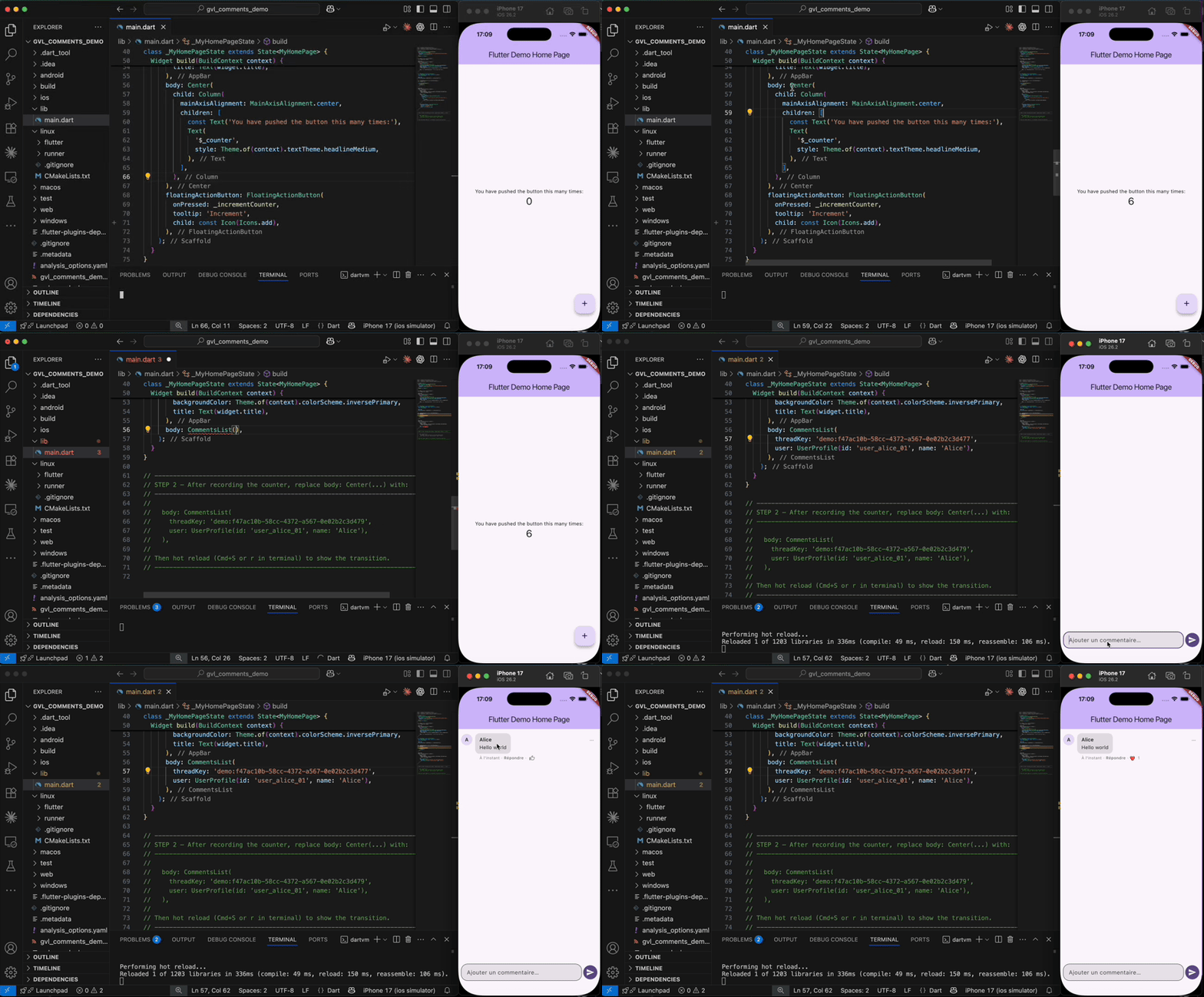




Drop-in comment system for Flutter — threaded replies, reactions, moderation, and real-time posting — no backend required. Powered by GoodVibesLab Cloud.
Why gvl_comments? #
| What you get | What you skip |
|---|---|
| Comments UI (list + composer) | Designing a database schema |
| Threaded replies (depth 2) | Writing security rules / RLS |
| 6 emoji reactions | Building pagination & cursor logic |
| AI + user report moderation | Rate-limiting and abuse prevention |
| Cursor-based pagination | Token management |
| Material 3 theming (5 presets) | Maintaining backend infrastructure |
One install key, zero backend code.
Quick start #
1. Install #
# pubspec.yaml
dependencies:
  gvl_comments: ^1.0.0
2. Initialize #
import 'package:gvl_comments/gvl_comments.dart';

void main() async {
  WidgetsFlutterBinding.ensureInitialized();

  await CommentsKit.initialize(
    installKey: const String.fromEnvironment('GVL_INSTALL_KEY'),
  );

  runApp(const MyApp());
}
flutter run --dart-define=GVL_INSTALL_KEY="cmt_live_xxx"
3. Add the widget #
CommentsList(
  threadKey: 'post:550e8400-e29b-41d4-a716-446655440000',
  user: UserProfile(id: 'user-1', name: 'Alice'),
)
That's it. Comments load, users post, reactions work — all out of the box.
Features #
CommentsList #
Full-featured comment thread with built-in composer, pagination, and optimistic posting.
CommentsList(
  threadKey: 'article:01HV9ZJ7Q4X2M0YB8K9E',
  user: currentUser,
  newestAtBottom: false,        // feed mode (default) or chat mode
  limit: 30,                    // comments per page (1–100)
  reactionsEnabled: true,       // emoji reaction bar
  shrinkWrap: true,             // embed inside a parent scrollable
  header: MyArticleCard(),      // scrolls with comments
  theme: GvlCommentsThemeData.bubble(context),
)
CommentCount #
Lightweight counter — no full list load.
CommentCount(
  threadKey: 'post:abc-123-uuid',
  user: currentUser,
  builder: (context, count) => Text('$count comments'),
)
TopComment #
Display the most-engaged comment (highest reactions) as a preview.
TopComment(
  threadKey: 'post:abc-123-uuid',
  user: currentUser,
  onTap: () => Navigator.push(/* full thread */),
)
Batch prefetch #
Avoid N+1 in lists — prefetch counts and top comments for multiple threads at once.
await CommentsKit.I().prefetchThreads(
  ['post:abc-123', 'post:def-456', 'post:ghi-789'],
  user: currentUser,
);
// CommentCount and TopComment now read from cache
Theming #
Five built-in presets, all Material 3 compatible:
GvlCommentsThemeData.defaults(context)  // adapts to app theme
GvlCommentsThemeData.neutral(context)   // minimal, clean
GvlCommentsThemeData.compact(context)   // dense, for dashboards
GvlCommentsThemeData.card(context)      // elevated cards
GvlCommentsThemeData.bubble(context)    // chat-style bubbles
Full control via properties:
GvlCommentsThemeData(
  bubbleColor: Colors.blue.shade50,
  avatarSize: 32,
  spacing: 12,
  bubbleRadius: BorderRadius.circular(16),
  authorStyle: TextStyle(fontWeight: FontWeight.bold),
)
Or use Theme.of(context).extension<GvlCommentsThemeData>() for app-wide styling.
Reactions #
Six reactions: like, love, laugh, wow, sad, angry.
- Tap to toggle the default reaction (like)
- Long-press to open the reaction picker
- Disable per widget:
reactionsEnabled: false
Moderation #
Comments pass through a moderation pipeline:
| Status | Behavior |
|---|---|
approved |
Visible normally |
pending |
Visible to author, placeholder for others when flagged |
rejected |
Replaced by "This comment has been moderated" |
- User reports — long-press menu, duplicate-safe
- AI moderation — automatic flagging on paid plans
- Configure thresholds and sensitivity from the dashboard
Programmatic API #
Full control beyond the widget:
final kit = CommentsKit.I();

// List with pagination
final comments = await kit.listByThreadKey('thread-key', user: user);
final hasMore = kit.lastHasMore;
final cursor  = kit.lastNextCursor;

// Post
final comment = await kit.post(
  threadKey: 'thread-key',
  body: 'Hello!',
  user: user,
  parentId: parentComment.id,  // optional, for replies
);

// React
await kit.setCommentReaction(
  commentId: comment.id,
  reaction: Reaction.love.id,  // or null to remove
  user: user,
);

// Report
final isDuplicate = await kit.report(commentId: id, user: user);

// User identity
await kit.identify(newUser);
kit.invalidateToken();  // call before identify on user switch
Builder hooks #
Override any part of the UI:
| Builder | Controls |
|---|---|
commentItemBuilder |
Entire comment row |
avatarBuilder |
Avatar widget |
sendButtonBuilder |
Send button |
composerBuilder |
Full input area |
separatorBuilder |
Dividers between comments |
loadMoreButtonBuilder |
Pagination button |
Thread keys #
Thread keys identify comment threads. They must be:
- 20+ characters long
- High-entropy (UUID, ULID, Firestore doc ID)
- Characters:
a-zA-Z0-9:_-.
post:550e8400-e29b-41d4-a716-446655440000   ✅
article:01HV9ZJ7Q4X2M0YB8K9E               ✅
post-123                                     ❌ guessable
No pre-creation needed — threads are resolved server-side on first use.
Webhooks #
Subscribe to events from the dashboard:
| Event | Trigger |
|---|---|
comment.created |
New comment posted |
comment.replied |
Reply to existing comment |
comment.liked |
Reaction added |
comment.mentioned |
User mentioned in flattened reply |
Payloads are signed with HMAC-SHA256. See the webhook docs for verification examples.
Security #
- Short-lived JWTs — tokens expire after 1 hour
- App binding — lock install keys to Android SHA-256 / iOS Team ID
- Rate limiting — per IP, per user, per thread
- Row-Level Security — tenant-isolated data, no cross-project access
- 15s request timeout — prevents indefinite hangs
Localization #
Register the SDK's localization delegates in your MaterialApp:
MaterialApp(
  localizationsDelegates: GvlCommentsL10n.localizationsDelegates,
  supportedLocales: GvlCommentsL10n.supportedLocales,
)
Ships with 5 locales: English, French, Spanish, German, and Portuguese. All UI strings (timestamps, errors, hints, reaction labels) go through the l10n system.
Logging #
await CommentsKit.initialize(
  installKey: key,
  logLevel: CommentsLogLevel.trace,  // off | error | info | debug | trace
);
Defaults to error in release, debug in debug mode. Sensitive values (keys, tokens) are redacted.
Requirements #
| Minimum | |
|---|---|
| Flutter | 3.10 |
| Dart | 3.3 |
| iOS | 13.0 |
| Android | API 24 |
Example app #
git clone https://github.com/GoodVibesLab/gvl_comments.git
cd gvl_comments/example
flutter run
Runs with a built-in demo key. Shows posting, reactions, theming, dark mode, and guest identity.
Links #
- Dashboard — create projects, install keys, configure moderation
- Documentation — full API reference and guides
- Issues — bug reports and feature requests
- Contact — support
License #
Commercial license. Included with all GoodVibesLab plans (free tier available).
Metadata
Documentation
Publisher
Weekly Downloads
Metadata
Add a comments section to any Flutter app (UI + managed backend). No Firebase/Supabase setup—just an install key.
Homepage
Repository (GitHub)
View/report issues
Topics
#comments #moderation #saas #ui
License
 unknown (license)
Dependencies
crypto, flutter, flutter_localizations, http, intl, meta, package_info_plus, url_launcher
More
Packages that depend on gvl_comments
Packages that implement gvl_comments

