
flutter_debug_tools 2.0.2  flutter_debug_tools: ^2.0.2 copied to clipboard
 hashstudios.dev
FlutterLens is a set of tools to help find and debug UI or performance issues from the Flutter app itself.
FlutterLens 🔍
In-app debug tools for Flutter UI, rendering, logs, navigation, and device diagnostics - no context switching required.



Features • Installation • Quick Start • Debug Logs • Tips • License
| Screenshots | ||
|---|---|---|
 |
 |
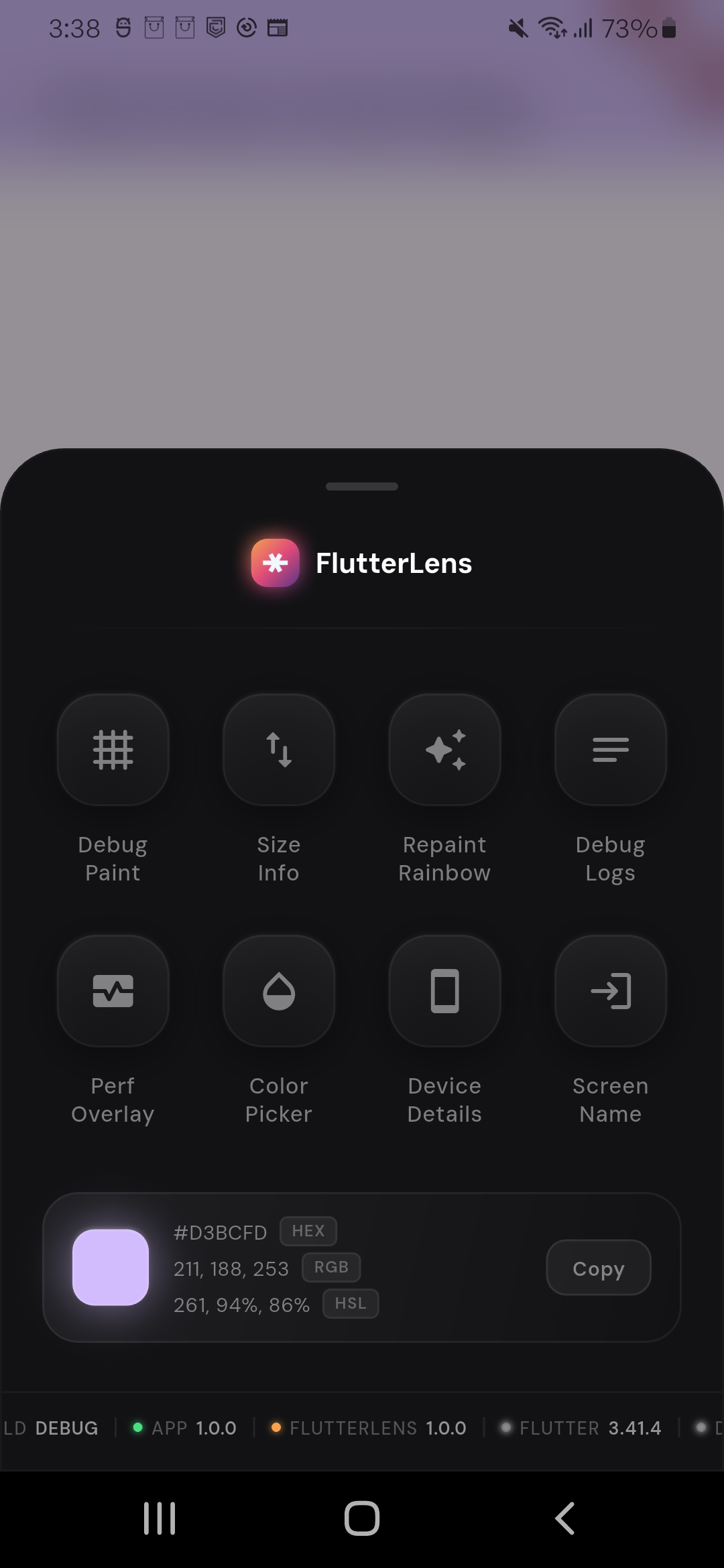 |
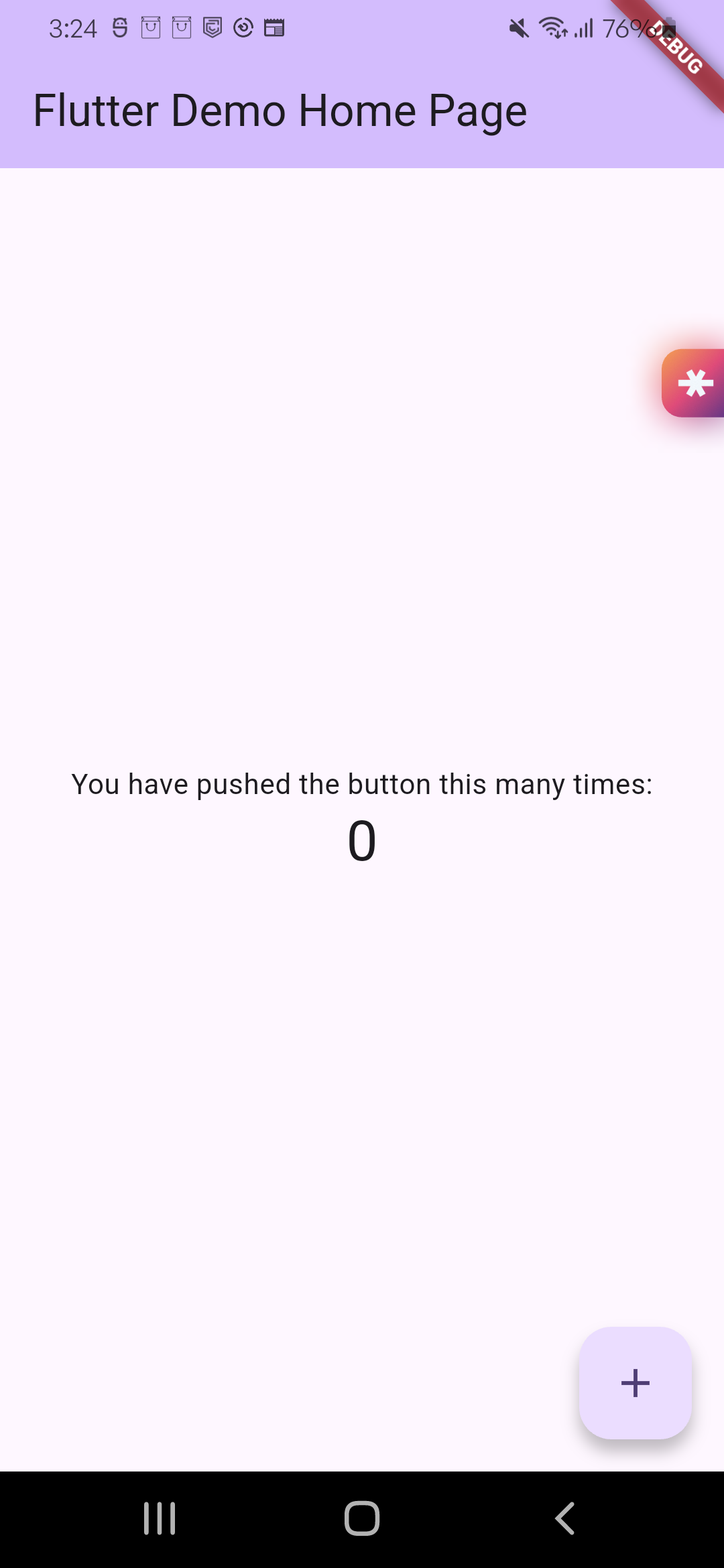
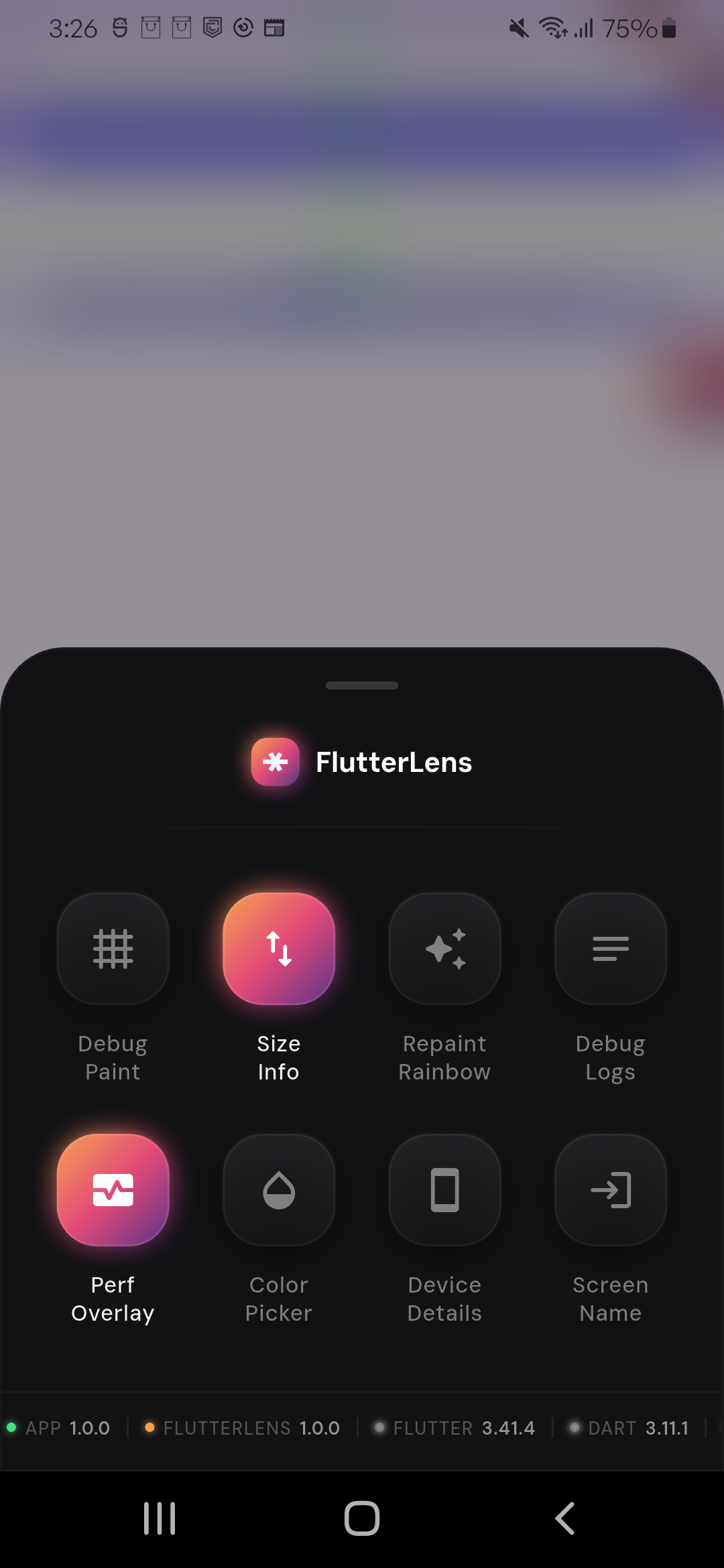
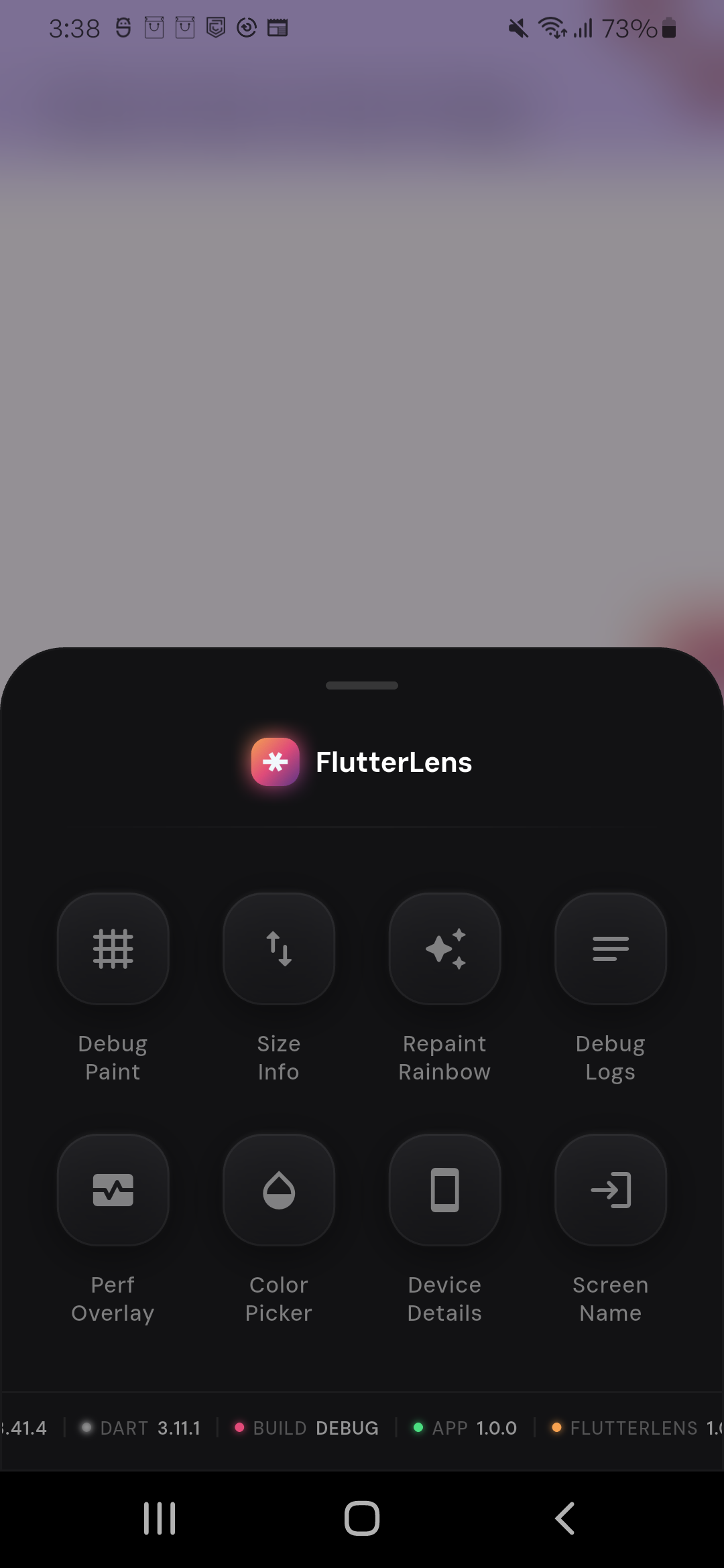
| 🧲 Edge tray launcher docked to the right side; draggable and always accessible. | 📋 Bottom sheet tools grid with active/inactive visual states and quick toggles. | 🎨 Color result card showing selected color in HEX, RGB, and HSL with copy action. |
 |
 |
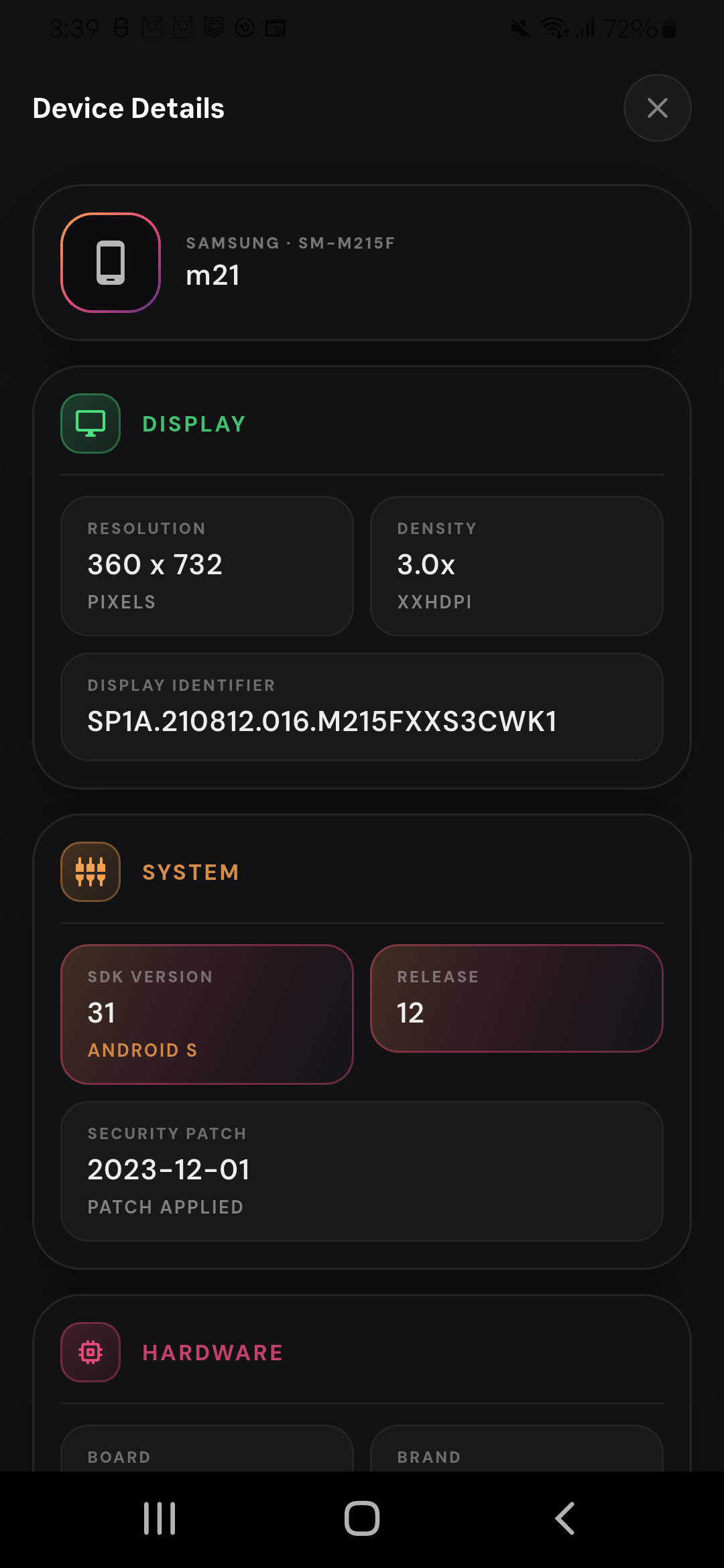 |
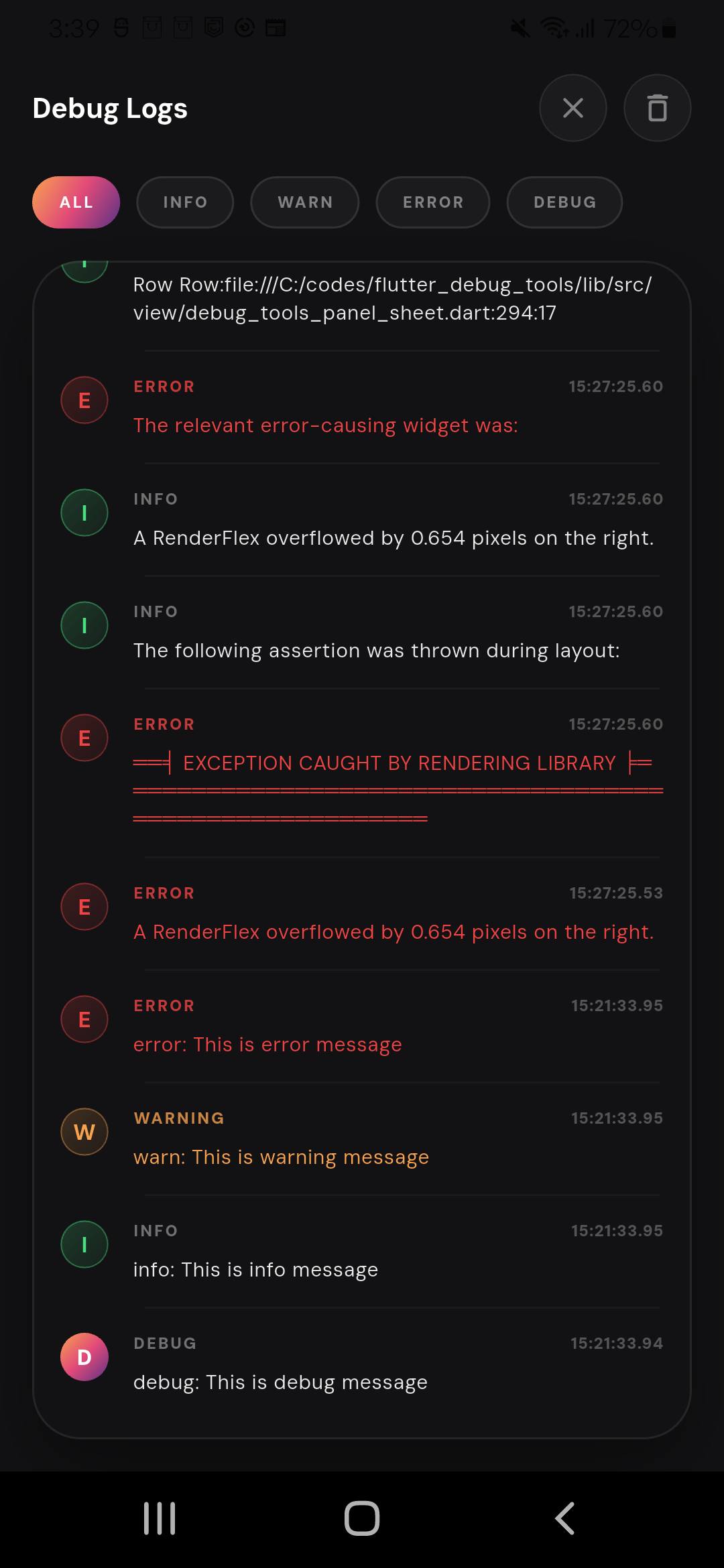
| 🧾 Version ticker displaying app, FlutterLens, Flutter, Dart, and build mode details. | 📱 In-app debug logs to inspect console logs inside the running app. | ⚡ Device details to quickly check and share device details. |
✨ Features #
- 🧭 Screen Name Overlay: See the active route/screen while navigating.
- 📋 Debug Logs Viewer: Capture and inspect console logs inside the running app.
- 📱 Device Details: Inspect model, OS, screen metrics, and hardware info in-app.
- 🎯 Color Picker: Pick any on-screen pixel color quickly.
- 🧱 Debug Paint / Layout Insights: Visualize layout boundaries and spacing behavior.
- 🌈 Repaint Rainbow: Spot frequent repaints to detect expensive widgets.
- ⚡ Performance Overlay Toggle: Enable Flutter performance overlay directly from the panel.
- 🧲 Edge Tray Launcher: Open FlutterLens from a draggable edge tray.
- 🧾 Version Ticker: Live ticker for app/build/flutter/dart/FlutterLens versions.
- 🎨 Picked Color Card: View HEX/RGB/HSL + copy from the panel.
- 💾 Sticky Debug Toggles: Core flags are persisted across launches.
🧰 Tool-by-tool quick map #
Debug Paint→ togglesdebugPaintSizeEnabledSize Info→ enables render box inspector overlayRepaint Rainbow→ togglesdebugRepaintTextRainbowEnabledDebug Logs→ opens in-app logs viewerPerf Overlay→ togglesshowPerformanceOverlayColor Picker→ pixel pick + color card/copy flowDevice Details→ opens device info sheetScreen Name→ route name overlay (withDebugNavigatorObserver)
📦 Installation #
Add this to your pubspec.yaml:
dependencies:
  flutter_debug_tools: ^2.0.0
Then run:
flutter pub get
🚀 Quick Start #
import 'package:flutter/material.dart';
import 'package:flutter_debug_tools/flutter_debug_tools.dart';

Future<void> main() async {
  await DebugLogCapture.runApp(() async {
    runApp(const MyApp());
  });
}

class MyApp extends StatelessWidget {
  const MyApp({super.key});

  @override
  Widget build(BuildContext context) {
    final navigatorObserver = DebugNavigatorObserver();

    return FlutterLens(
      builder: (context, showPerformanceOverlay, child) {
        return MaterialApp(
          title: 'FlutterLens Demo',
          showPerformanceOverlay: showPerformanceOverlay,
          navigatorObservers: [navigatorObserver],
          home: const Placeholder(),
        );
      },
    );
  }
}
🧩 Minimal integration (without log zone wrapper) #
import 'package:flutter/material.dart';
import 'package:flutter_debug_tools/flutter_debug_tools.dart';

void main() {
  runApp(const MyApp());
}

class MyApp extends StatelessWidget {
  const MyApp({super.key});

  @override
  Widget build(BuildContext context) {
    return FlutterLens(
      builder: (context, showPerformanceOverlay, child) {
        return MaterialApp(
          showPerformanceOverlay: showPerformanceOverlay,
          home: const Placeholder(),
        );
      },
    );
  }
}
🎛️ Disable in non-debug environments #
FlutterLens(
  isEnabled: kDebugMode,
  builder: (context, showPerformanceOverlay, child) {
    return MaterialApp(
      showPerformanceOverlay: showPerformanceOverlay,
      home: const HomeScreen(),
    );
  },
)
🧾 Debug Logs (How It Works) #
- ✅ Captures Dart-side console logs (including
printoutput in the wrapped zone) - ✅ Captures framework/platform error callbacks and shows them in the logs viewer
- ✅ Lets you filter logs by level (
All,Info,Warn,Error,Debug) - ✅ Tap any log row to copy it to clipboard
If you already use another logger, you can still use it; FlutterLens will continue showing captured console/error output in the viewer.
🔎 What gets captured #
print(...)output (insideDebugLogCapture.runAppzone)FlutterError.onErrorPlatformDispatcher.instance.onError- uncaught zoned async exceptions
📚 Public logging APIs #
DebugLogCapture.install()DebugLogCapture.runApp(() async { ... })DebugLogStore.instance.add(...)DebugLogStore.instance.clear()
🧭 Navigation integration #
To populate route names in the Screen Name overlay, attach DebugNavigatorObserver:
MaterialApp(
  navigatorObservers: [DebugNavigatorObserver()],
  home: const HomeScreen(),
)
🖱️ Panel interactions #
- Swipe down on the panel to dismiss.
- Tap outside the panel to dismiss.
- Drag the right-edge tray up/down to reposition.
- Tap the tray to open FlutterLens.
💡 Tips #
- Use FlutterLens only in debug/dev environments.
- Add
DebugNavigatorObserverfor better route visibility in overlays. - Keep an eye on
Repaint Rainbow+Performance Overlaytogether for quick perf diagnosis. - If Dart/Flutter versions show fallback values, pass build-time dart-defines for those keys.
🙌 Credits #
Built with:
🐞 Bugs or Requests #
- Bug report: Open issue
- Feature request: Open request
- PRs are welcome! 🎉
📄 License #
MIT License
Metadata
Publisher
Weekly Downloads
Metadata
FlutterLens is a set of tools to help find and debug UI or performance issues from the Flutter app itself.
Repository (GitHub)
View/report issues
Topics
#debug #color-picker #performance #ui #size
License
 unknown (license)
Dependencies
device_info_plus, flutter, package_info_plus, shared_preferences

