
fastpay_merchant 1.1.6  fastpay_merchant: ^1.1.6 copied to clipboard
Accept payments with FastPay's APIs. Our simple and easy-to-integrate APIs allow for less effort in processing payments. This is an official support channel, but our APIs support both Android and iOS.
FastPay Flutter SDK #




FastPay Developers Arena #
Accept payments with FastPay's APIs. Our simple and easy-to-integrate APIs allow for less effort in processing payments. This is an official support channel, but our APIs support both Android and iOS.
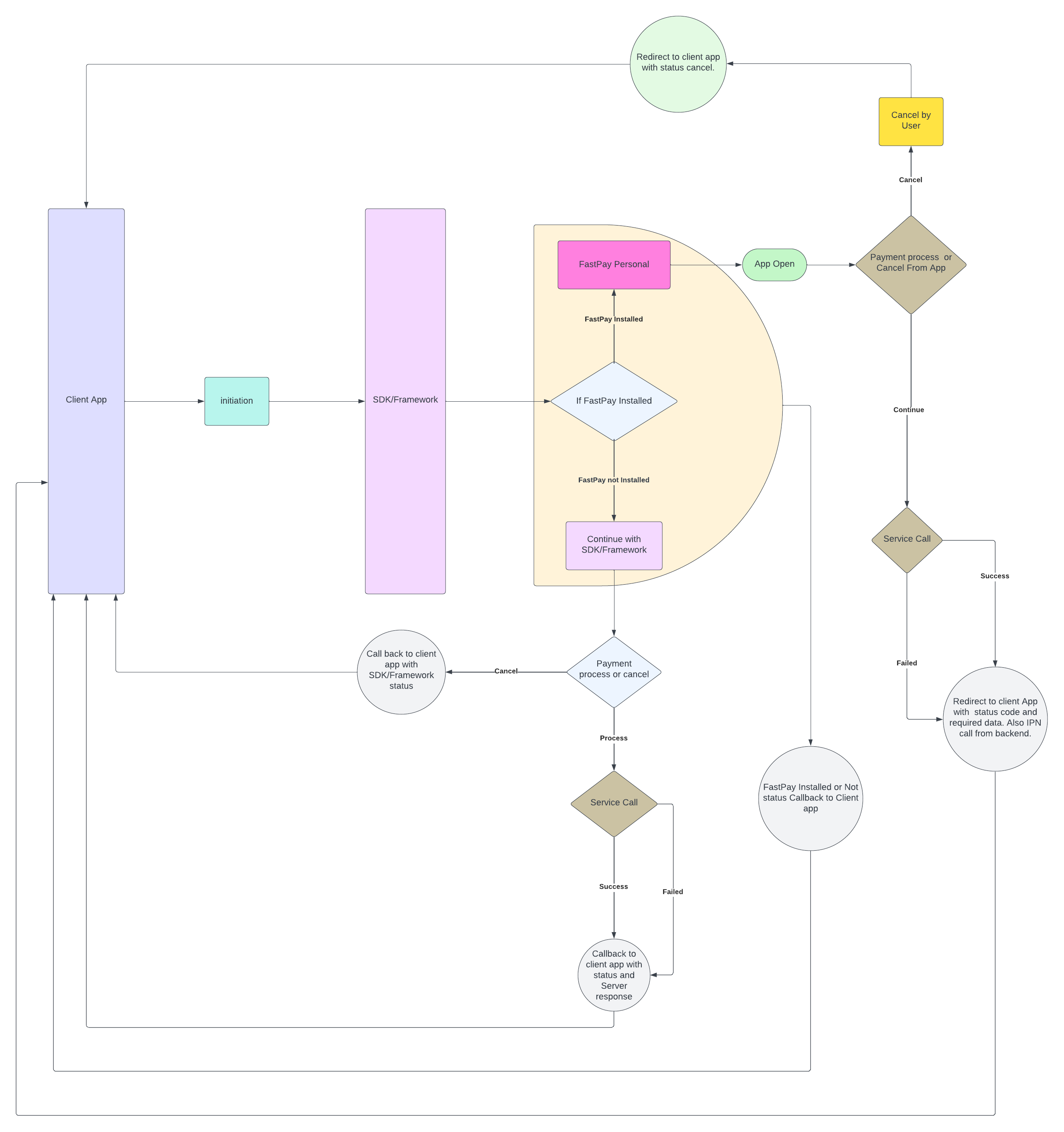
SDK flow #
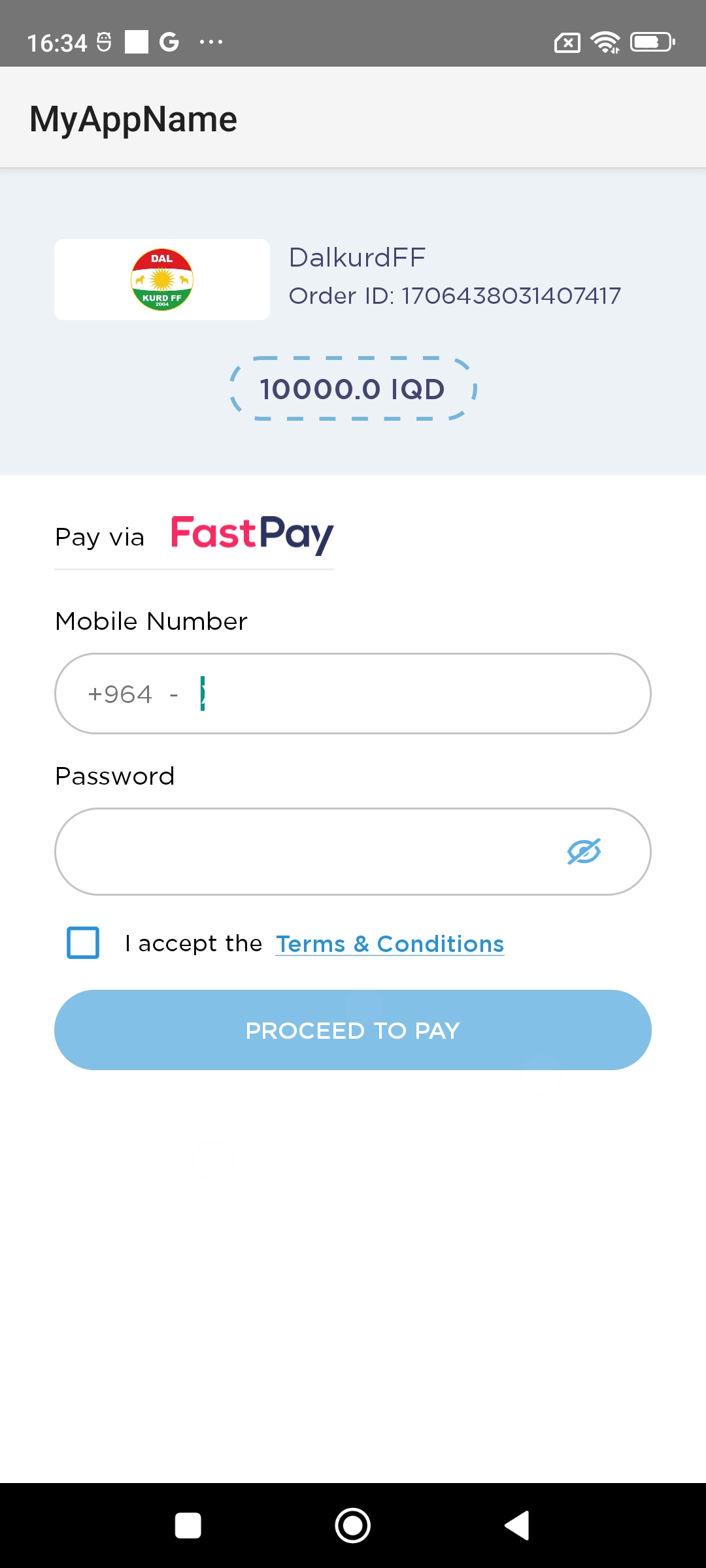
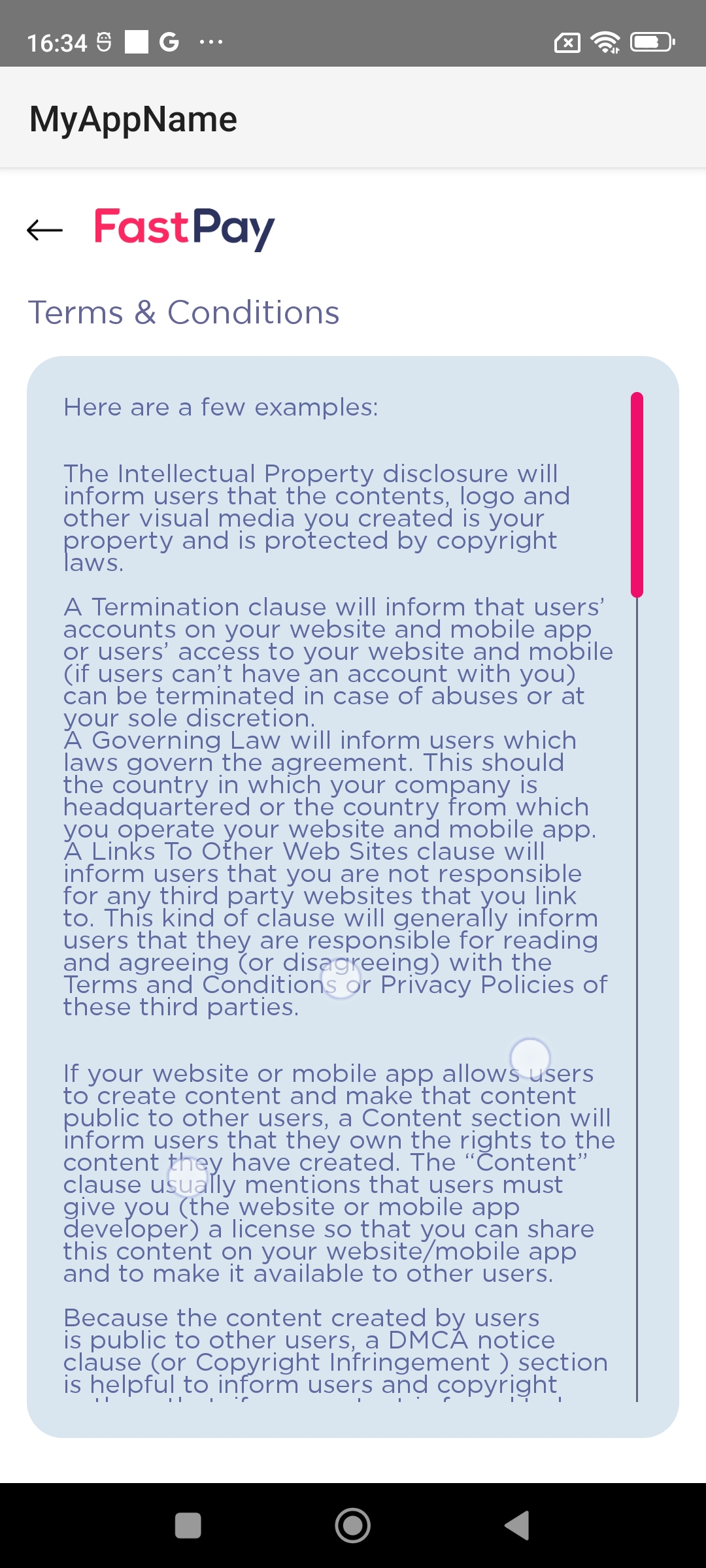
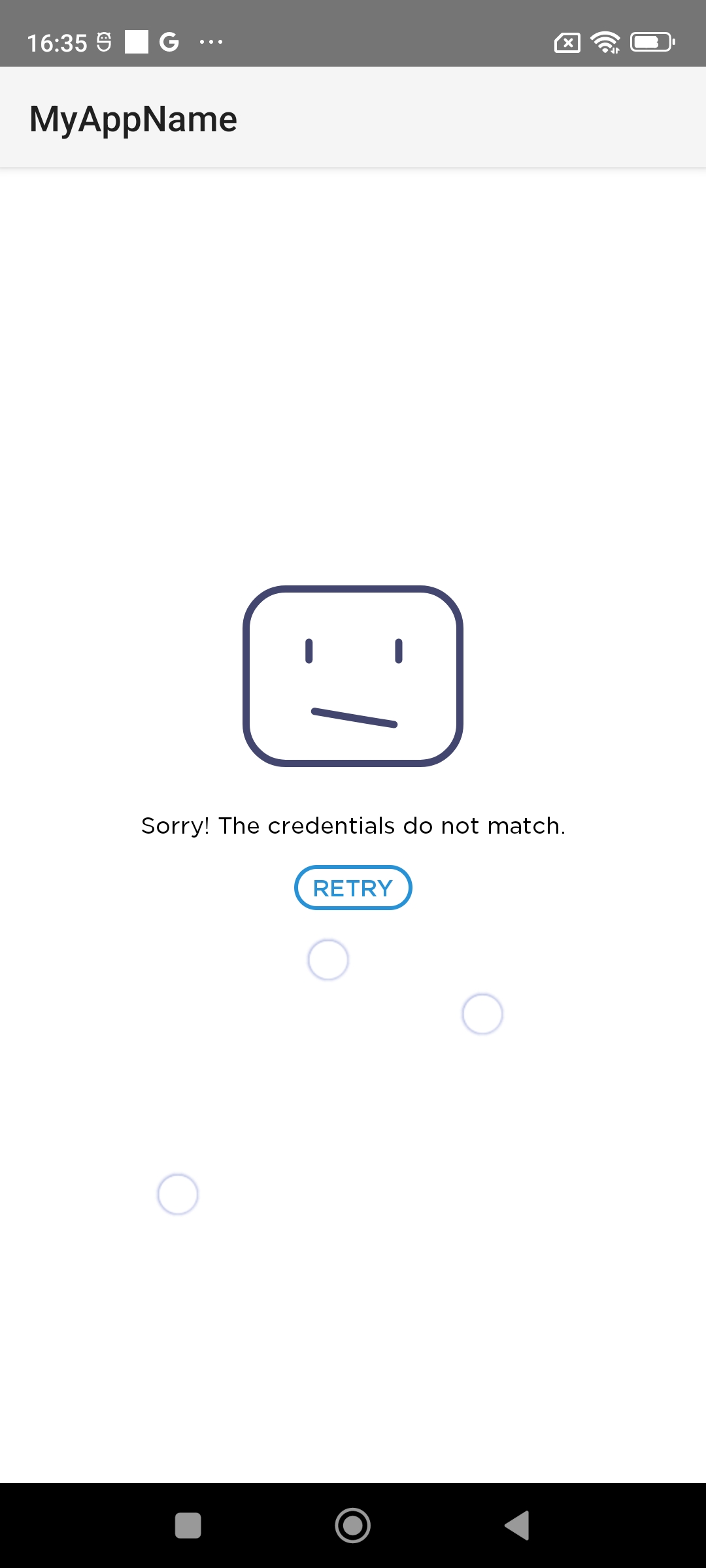
Screenshots #
 |
 |
 |
|---|
Quick Glance #
- This plugin is official. FastPay Developers Portal.
- You need to contact FastPay to get a storeID and Password.
Installation #
dependencies:
  fastpay_merchant: ^1.1.6
  #To handle callbacks (Redirection) from fastpay wallet application.
  app_links: ^4.0.0
⚠️ iOS only supports real device you can't test it on simulator because FastPay SDK not support simulator
Initiate FastPaySDK #
- Store ID : Merchant’s Store Id to initiate transaction
- Store Password : Merchant’s Store password to initiate transaction
- Order ID : Order ID/Bill number for the transaction, this value should be unique in every transaction
- Amount : Payable amount in the transaction ex: “1000”
- isProduction : Payment Environment to initiate transaction (false for test & true for real life transaction)
- Call back Uri's: When the SDK redirect to the fastpay application for payment and after payment cancel or failed it throws a callback with this uri. It is used for deeplinking with the client app for catching callbacks from fastpay application. Both android and ios has platform specific call back uri's.
- Callback( Sdk status, message, FastpayResult): There are four sdk status (e.g. FastpayRequest.SDKStatus.INIT) , status message show scurrent status of the SDK and the result is fastpay SDK payment result.
  enum SDKStatus{
  INIT,
  PAYMENT_WITH_FASTPAY_APP,
  PAYMENT_WITH_FASTPAY_SDK,
  CANCEL,
  SUCCESS,
  FAILED
}
Examples #
- Initiate payment in init method of your flutter widget:
import 'package:fastpay_merchant/fastpay_flutter_sdk.dart';
import 'package:fastpay_merchant/models/fastpay_payment_request.dart';

/*
*
* Add this code on init method
*/
FastpayFlutterSdk.instance.fastpayPaymentRequest = FastpayPaymentRequest(
"******STORE ID*****",  //(Required)
"******STORE PASSWORD****", //(Required)
"450",  //AMOUNT
"YOUR ORDER ID",  //order Id
"sdk://fastpay-sdk.com/callback",  // Android callback URI (Required)
"appfpclientFastpayFlutterSdk",  // IOS callback URI(Required)
false,// is production  (Required)
(status, message, {result}) {
debugPrint('PRINT_STACK_TRACE::MESSAGE.....................: ${message}');
debugPrint('PRINT_STACK_TRACE.....................: ${result.toString()}');
},
);
- Start the journey by navigating the app to the SDK:
/*
*
* Use this code to navigate to flutter SDK. Set the context same as the Navigator is using. If you are using the Getx navigation try to use "Get.context"
*/
FastpayFlutterSdk.instance.context = context;
Navigator.of(context).push(MaterialPageRoute(builder: (_) => const SdkInitializeScreen()));
SDK callback Uri (Optional) #
Warning This will reinitiate the whole application with applinks data from the top page of the navigation queue. Thats means, after payment from the fastpay app, it will redirect to your app with the data, but it will start from the begining of the application so put it in app.dart file.
//Using app_links
import 'package:app_links/app_links.dart';

Future<void> _handleIncomingIntent() async {
    final _appLinks = AppLinks();
    if(Platform.isAndroid){
      final uri = await _appLinks.getLatestAppLink();
      debugPrint("Redirect URI: ${uri?.queryParameters}");
    }else if(Platform.isIOS){
      final appLink = await _appLinks.getInitialAppLink();
      if (appLink != null) {
        var uri = Uri.parse(appLink.toString());
        debugPrint(' here you can redirect from url as per your need ');
      }
      _linkSubscription = _appLinks.uriLinkStream.listen((uriValue) {
        debugPrint('Redirect URI:.................$uriValue');
      },onError: (err){
        debugPrint('====>>> error : $err');
      },onDone: () {
        _linkSubscription?.cancel();
      },);
    }
  }
Android setup
Add the callback uri to the AndroidManifest file as shown below.
<application
<activity
android:name=".MainActivity"...>
...
<intent-filter>
<action android:name="android.intent.action.MAIN"/>
<category android:name="android.intent.category.LAUNCHER"/>
</intent-filter>
<intent-filter>
<data android:scheme="sdk" android:host="fastpay-sdk.com" android:pathPrefix="/callback"/>
<action android:name="android.intent.action.VIEW" />
<category android:name="android.intent.category.DEFAULT" />
<category android:name="android.intent.category.BROWSABLE" />
</intent-filter>
...
</activity>
...
</application>
IOS setup
Add the callback uri to the manifest file as shown below.
- Create URI Create a URI with a unique name (our suggestion is to provide your app name with prefix text "appfpclient", for example, if your app name is "FaceLook", your URI should be appfpclientFaceLook)
- Add URI to your
info.plistNow add this URI to your app info.plist file
  <key>CFBundleURLTypes</key>
  <array>
  <dict>
  <key>CFBundleURLSchemes</key>
  <array>
  < string>appfpclientFastpayFlutterSdk</string>
  </array>
  </dict>
  </array>
When FastPayRequest call open FastPay SDK then after payment return FastpayResult that contains:
Payment Result #
FastpayPaymentResponse class contains these params:
- isSuccess : return true for a successful transaction else false.
- errorMessage : if transaction failed return failed result
- transactionStatus : Payment status weather it is success / failed.
- transactionId : If payment is successful then a transaction id will be available.
- orderId : Unique Order ID/Bill number for the transaction which was passed at initiation time.
- paymentAmount : Payment amount for the transaction. “1000”
- paymentCurrency : Payment currency for the transaction. (IQD)
- payeeName : Payee name for a successful transaction.
- payeeMobileNumber : Number: Payee name for a successful transaction.
- paymentTime : Payment occurrence time as the timestamp.
Callback Uri via app deeplinks results. #
callback URI pattern (SUCCESS): sdk://your.website.com/further/paths?status=success&transaction_id=XXXX&order_id=XXXX&amount=XXX¤cy=XXX&mobile_number=XXXXXX&time=XXXX&name=XXXX
callback URI pattern (FAILED): sdk://your.website.com/further/paths?status=failed&order_id=XXXXX
Metadata
Publisher
unverified uploader
Weekly Downloads
Metadata
Accept payments with FastPay's APIs. Our simple and easy-to-integrate APIs allow for less effort in processing payments. This is an official support channel, but our APIs support both Android and iOS.
Repository (GitHub)
View/report issues
License
 unknown (license)
Dependencies
external_app_launcher, flutter, google_fonts, http, plugin_platform_interface, url_launcher
More
Packages that depend on fastpay_merchant
Packages that implement fastpay_merchant

