
enchant_button 0.0.7  enchant_button: ^0.0.7 copied to clipboard
Enhance your Flutter UI with EnchantButton's interactive animated buttons.
AnimationButton #
Elevate your Flutter UI with smooth and interactive animated buttons using the EnchantButton package. This package provides a collection of customizable buttons with eye-catching animations, perfect for enhancing the user experience in your Flutter applications.
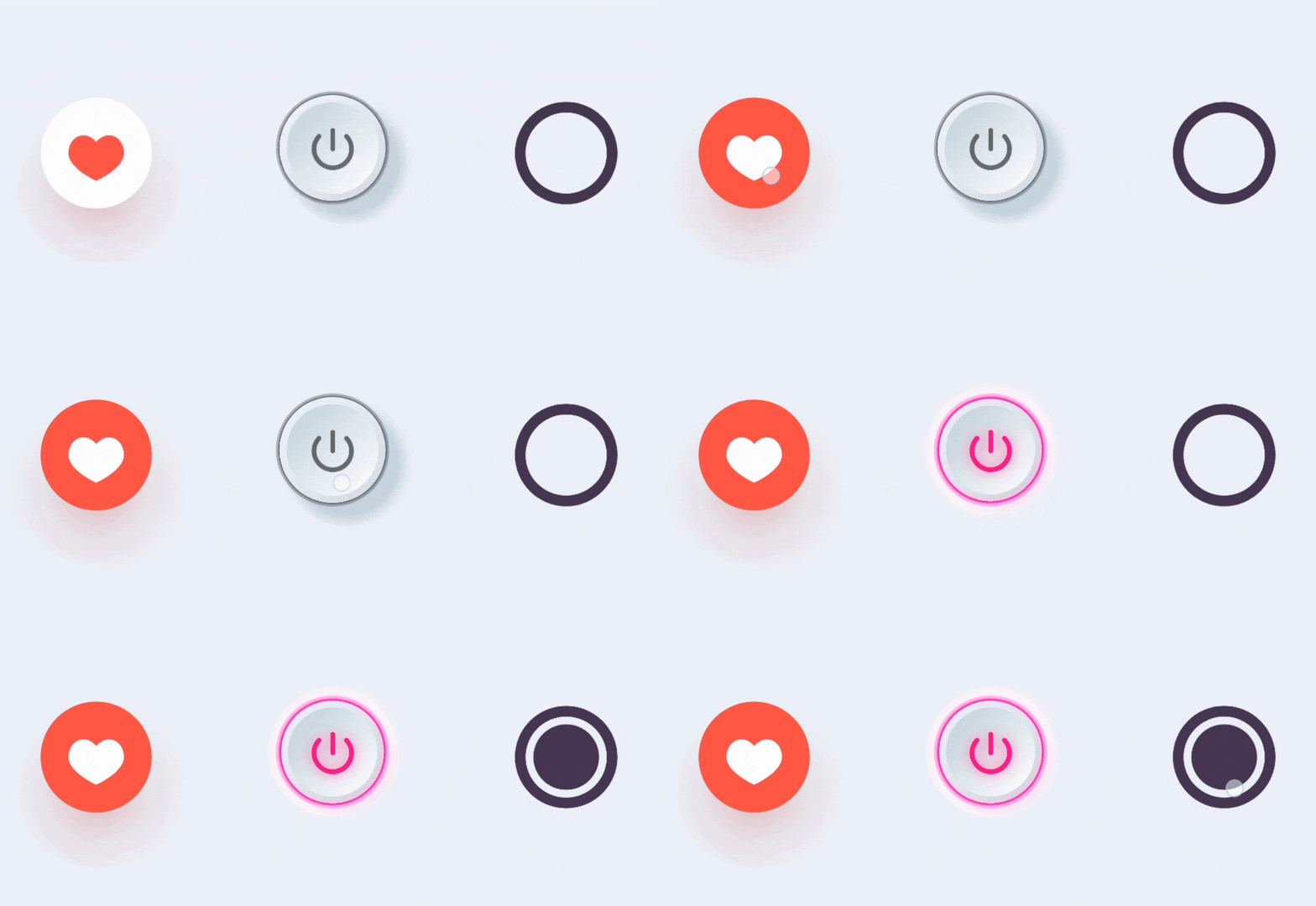
Features #
-
RadioButtonBounce: A stylish radio button with a flash animation effect, ideal for selecting options in forms and surveys.
-
AddFavoriteButton: A dynamic favorite button with a heart animation, adding a touch of whimsy to your app's like or favorite functionality.
-
Neone3DButton: A versatile on-off switch button with a toggle animation, perfect for controlling settings or switching between states in your app.
Installation #
To use this package, add enchant_button as a dependency in your pubspec.yaml file. For example:
dependencies:
    flutter:
        sdk: flutter
    enchant_button: ^1.0.0
Usage #
Import the package in your Dart code:
import 'package:enchant_button/enchant_button.dart';
Use the provided buttons in your Flutter UI:
RadioButtonBounce(
  size: 50,
  onTap: () {
    // Handle tap event
  },
),
Explore the package's documentation for advanced usage and customization options.
Example #
Check out the example directory for a sample Flutter app showcasing the usage of EnchantButton package buttons.
License #
This package is licensed under the MIT License, which means you are free to use, modify, and distribute the package as per the terms of the license.
@ 2024
Raveen P. Yatalamaththa
Metadata
Publisher
unverified uploader
Weekly Downloads
Metadata
Enhance your Flutter UI with EnchantButton's interactive animated buttons.
Repository (GitHub)
View/report issues
License
 unknown (license)

