
webviewtube 2.1.2  webviewtube: ^2.1.2 copied to clipboard
Play YouTube videos on mobile platforms, with WebView and IFrame Player API.
Play YouTube videos on mobile devices with WebView #
Use IFrame Player API and WebView to play YouTube videos on mobile devices.
This package leverages webview_flutter to embed a YouTube video player through the IFrame Player API. For state management, it utilizes the provider package.
Demo #
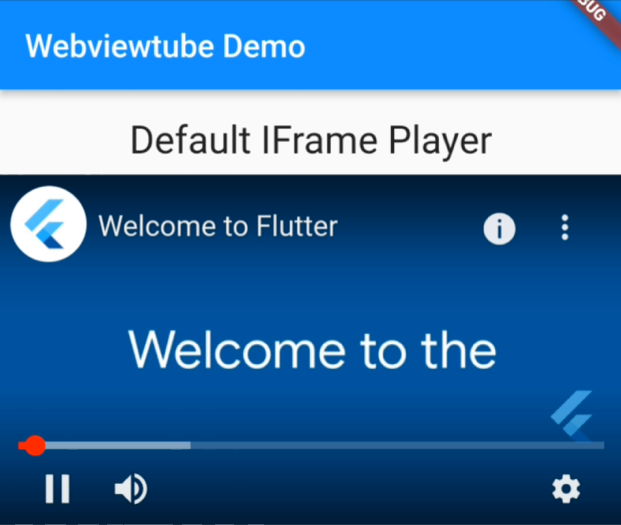
IFrame player #
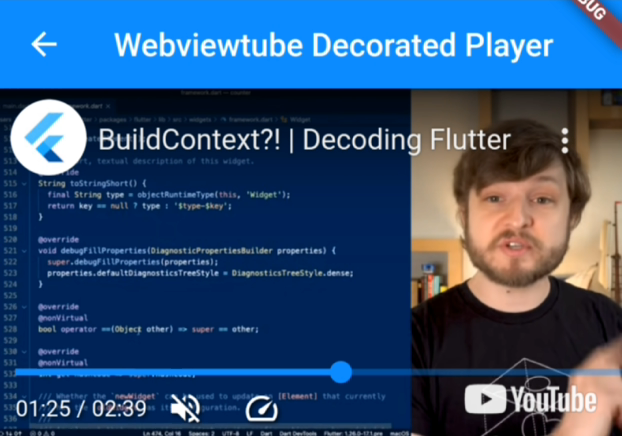
Decorated player #
Features #
- Customizable player
WebviewtubePlayerprovides a WebView that integrates with the YouTube IFrame Player API, allowing for extensive customization without additional widgets.
- Decorated player with basic controls.
WebviewtubeVideoPlayercombines the default player with custom widgets, offering a more integrated player with basic controls.
Supported Platforms #
The same as webview_flutter. On Android, hybrid composition mode is used.
- Android: SDK 19+
- iOS: 11.0+
Setup #
Android #
Set the correct minSdkVersion in android/app/build.gradle
android {
    defaultConfig {
        minSdkVersion 19
    }
}
iOS #
No configuration needed.
Usage #
Check out example/lib/ for more details.
Default IFrame player #
WebviewtubePlayer(videoId: '4AoFA19gbLo')
Widgets decorated player #
WebviewtubeVideoPlayer(videoId: '4AoFA19gbLo')
Configure the player #
Pass a WebviewtubeOptions to configure the player.
final options = const WebviewtubeOptions(
    forceHd: true,
    enableCaption: false,
);

/// `showControls` will always be false for [WebviewtubeVideoPlayer]
WebviewtubeVideoPlayer(videoId: '4AoFA19gbLo', options: options);
To interact with the player (e.g., retrieve video metadata, control playback) and manage its state (e.g., pause, load new videos), use a WebviewtubeController. Make sure to pass this controller to the player instance and remember to dispose of it when it's no longer needed to free up resources.
// ...
// inside a state of a stateful widget
final controller = WebviewtubeController();

@override
void dispose() {
  controller.dispose();
  super.dispose();
}

@override
Widget build(BuildContext context) {
    return WebviewtubeVideoPlayer(
      videoId: '4AoFA19gbLo',
      controller: controller,
    );
}
Customize the player #
This package uses provider for state management, but you're free to fork and use your preferred tools. To create a customized player, explore the source code of WebviewtubeVideoPlayer and modify it according to your needs.
Using StatefulWidget and setState #
For an example of integrating the player with a StatefulWidget, refer to example/lib/customized_player.dart. This example demonstrates how to control the player and update the UI based on player events and state changes.
Acknowledgments #
This package is built upon/inspired by the following packages, for which credit goes out to the respective authors.
Metadata
Publisher
unverified uploader
Weekly Downloads
Metadata
Play YouTube videos on mobile platforms, with WebView and IFrame Player API.
Repository (GitHub)
View/report issues
License
 unknown (license)
Dependencies
flutter, provider, webview_flutter, webview_flutter_android, webview_flutter_wkwebview

