
sticky_header_reordering_list 1.0.2  sticky_header_reordering_list: ^1.0.2 copied to clipboard
A Flutter plugin for creating reordering lists with sticky headers and grouped sections.
sticky_header_reordering_list #
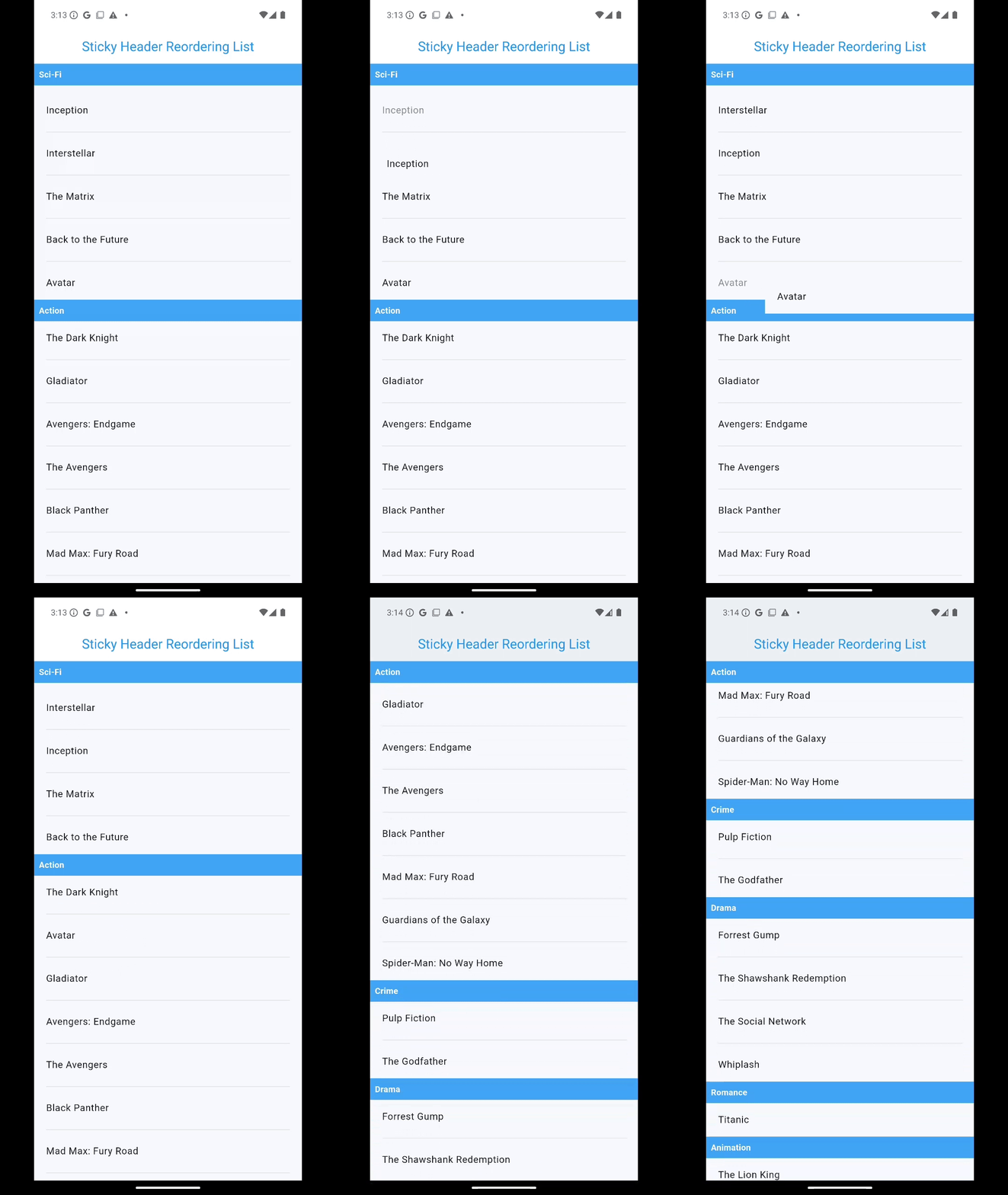
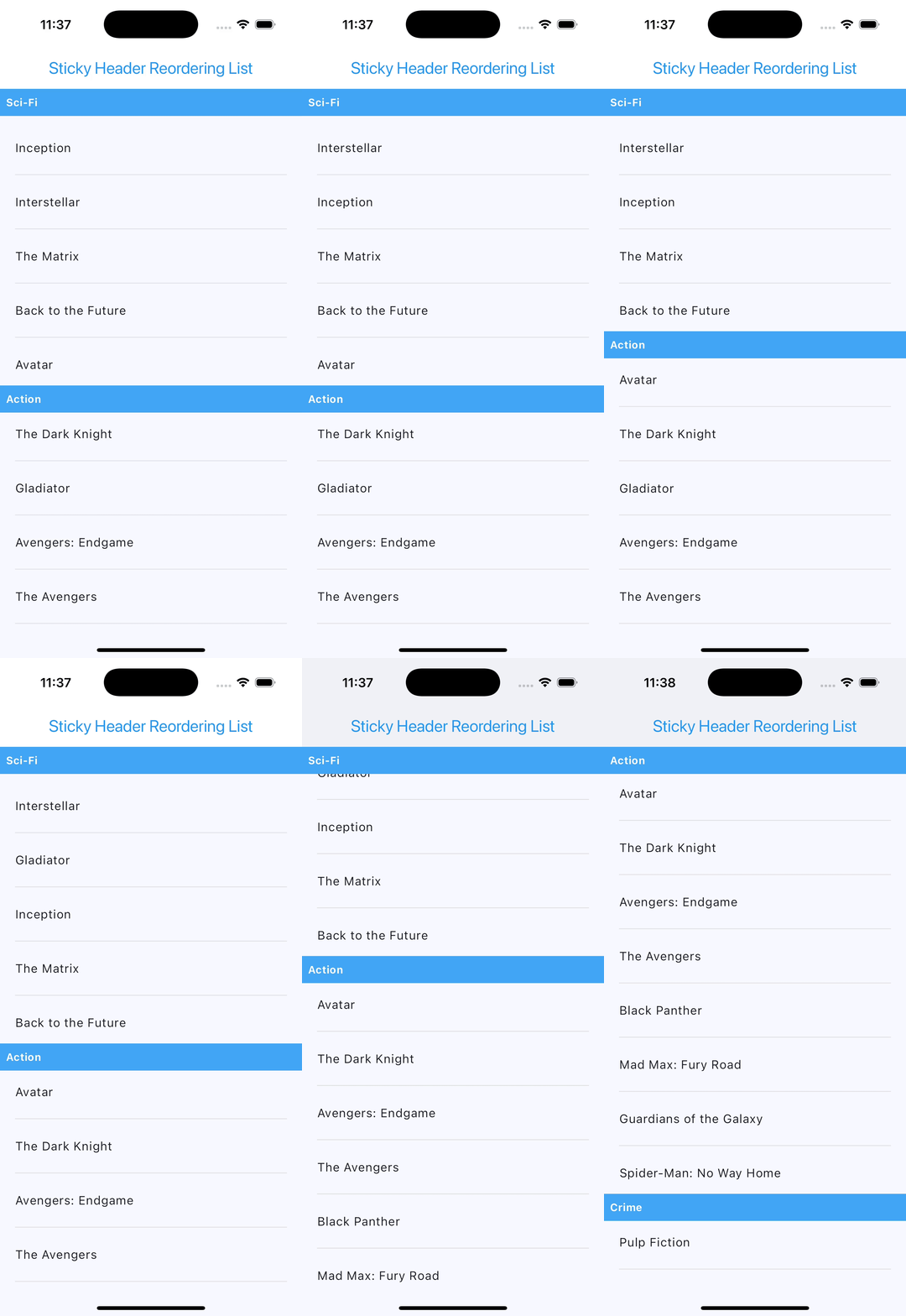
A Flutter widget to create reordering lists with sticky headers, making it easy to group items by sections, reorder them with drag-and-drop functionality, and optionally add customizable dividers between list items.
Features #
- Group items into sections using custom extractors.
- Display sticky headers for each section.
- Enable drag-and-drop reordering of items within or across sections.
- Add optional separators between list items with a customizable builder.
- Fully customizable headers, items, and drag feedback.
- Compatible with any type of data.
Installation #
Add this package to your project by including it in the pubspec.yaml file:
dependencies:
  sticky_header_reordering_list: ^1.0.2
Import it in your Dart code:
import 'package:sticky_header_reordering_list/sticky_header_reordering_list.dart';
Usage #
Here’s how to use StickyHeaderReorderingList in your Flutter application:
StickyHeaderReorderingList<Map<String, String>>(
  items: movies,
  sectionExtractor: (item) => item["genre"] ?? "",
  headerBuilder: (context, section) => Container(
    color: Colors.blue[400],
    padding: const EdgeInsets.all(8.0),
    child: Text(
        section,
        style: const TextStyle(
        fontWeight: FontWeight.bold,
        color: Colors.white,
      ),
    ),
  ),
  itemBuilder: (context, item) => Column(
    children: [
        ListTile(
          title: Text(item["title"] ?? "Unknown"),
        ),
      ],
    ),
  isReordering: true,
  onReorderElements: (data, oldItem, newItem, newIndex, oldIndex, groupedItems) {
    print("Reordered: $oldItem -> $newItem");
  },
  dividerBuilder: (context, index) => Divider(
    color: Colors.grey,
    thickness: 1,
    ),
),
Properties #
The StickyHeaderReorderingList widget accepts the following properties:
| Property | Description | Required | Type | Default |
|---|---|---|---|---|
items |
The list of items to display. | Yes | List<T> |
|
sectionExtractor |
Function to extract the section name from each item. | Yes | String Function(T) |
|
headerBuilder |
Builder function for creating section headers. | Yes | Widget Function(BuildContext, String) |
|
itemBuilder |
Builder function for creating list items. | Yes | Widget Function(BuildContext, T) |
|
isReordering |
Determines whether drag-and-drop reordering is enabled. | No | bool |
false |
onReorderElements |
Callback triggered during reordering of items. | No | void Function(...) |
null |
heightOfFirstHeader |
The height of the first sticky header. | No | double |
50 |
feedback |
Widget displayed during a drag-and-drop operation. | No | Widget? |
null |
childWhenDragging |
Widget displayed in place of the dragged item. | No | Widget? |
null |
dividerBuilder |
Builder function for creating a separator between items. | No | Widget Function(BuildContext, int)? |
null |
Customization #
Header Customization #
Modify the appearance of headers using the headerBuilder property:
headerBuilder: (context, section) => Container(
  color: Colors.blueAccent,
  padding: const EdgeInsets.all(8.0),
  child: Text(
    section,
    style: const TextStyle(
      fontSize: 18,
      color: Colors.white,
    ),
  ),
)
Drag Feedback #
Customize the feedback widget during dragging:
feedback: Material(
  elevation: 4.0,
  child: Container(
      color: Colors.amber,
      padding: const EdgeInsets.all(16.0),
      child: const Text("Dragging Item"),
  ),
)
Divider Customization #
Add separators between list items using the dividerBuilder property. You can fully customize the appearance and behavior of the separators:
dividerBuilder: (context, index) => Divider(
    color: Colors.grey[400],
    thickness: 1,
    indent: 16,
    endIndent: 16,
),
The dividerBuilder is optional. If not provided, no separators will appear between the list items.
Feel free to customize the properties and behavior based on your specific needs!
Screenshots #
Android #
iOS #
Example App #
For a complete working example, check out the example folder.
Coming Soon: sticky_header_reordering_grid #
I'm excited to announce a new addition to the family! sticky_header_reordering_grid will bring all the features of sticky_header_reordering_list to a grid layout.
Stay tuned for updates as I develop this flexible widget for your Flutter applications!
License #
This library is licensed under the BSD 3-Clause License. See the LICENSE file for details.
This library is designed to provide a flexible way to manage sticky headers and reordering lists in Flutter applications.
Metadata
Publisher
unverified uploader
Weekly Downloads
Metadata
A Flutter plugin for creating reordering lists with sticky headers and grouped sections.
Repository (GitHub)
View/report issues
Documentation
License
 BSD-3-Clause (license)

