
status_bar_tap 1.0.2  status_bar_tap: ^1.0.2 copied to clipboard
 califit.ru
A Flutter package that enables scroll-to-top functionality when tapping the status bar (iOS) or top area (Android). Supports platform-specific configuration.



Status Bar Tap #
A Flutter package that enables scroll-to-top functionality when tapping the status bar, just like in native iOS apps. Brings familiar iOS behavior to your Flutter app with full customization for both iOS and Android.
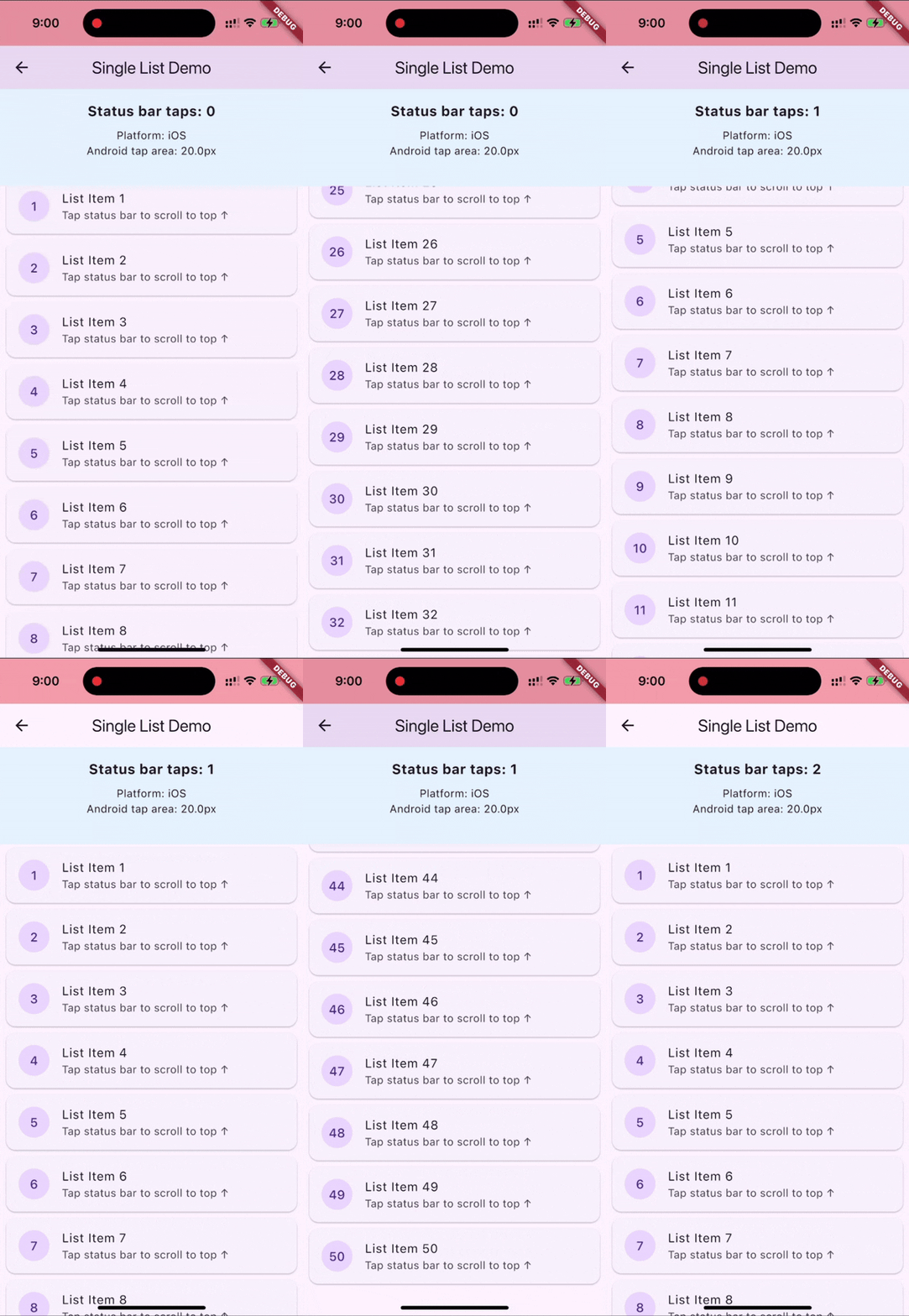
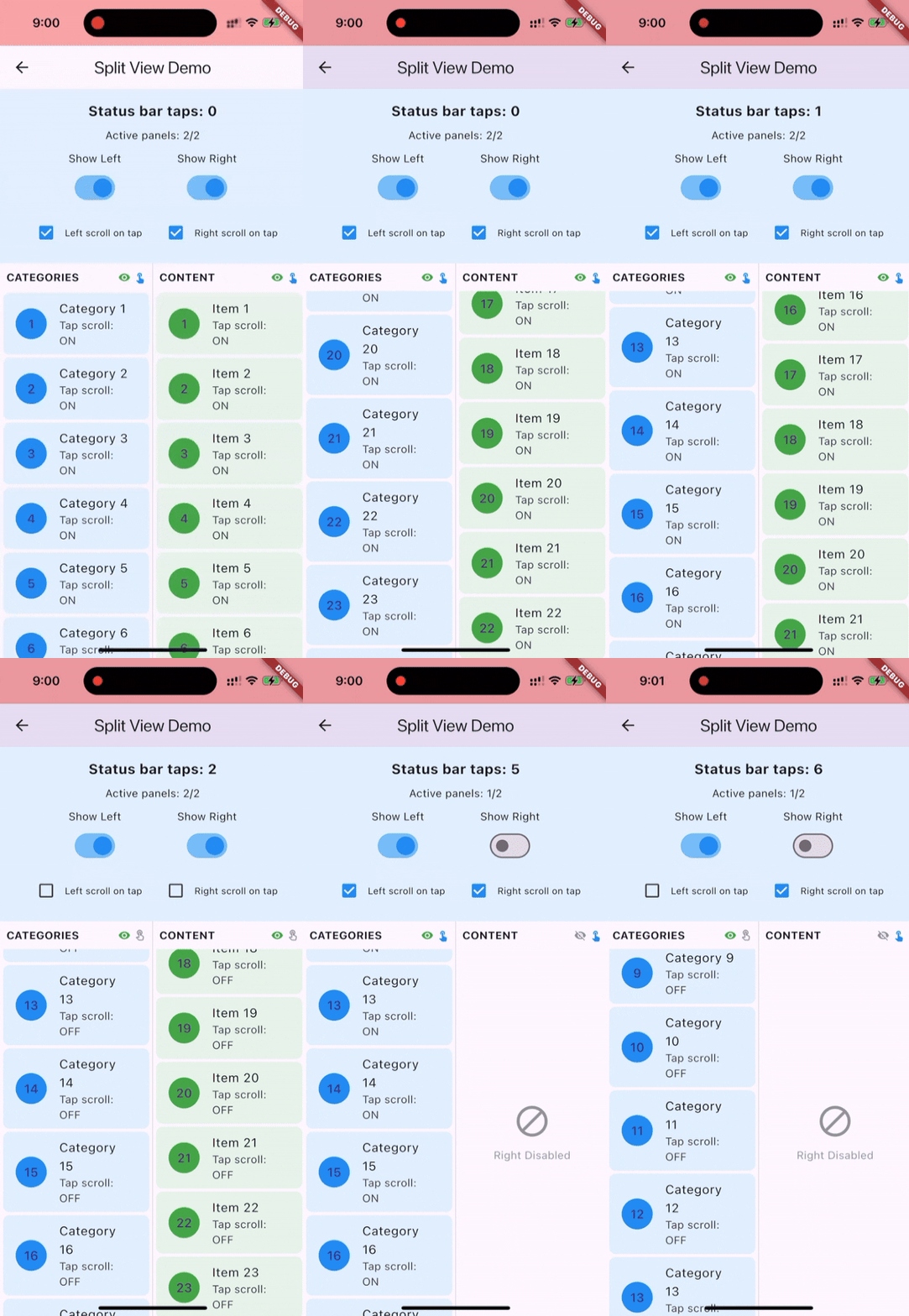
Usage #
Basic Setup #
import 'package:status_bar_tap/status_bar_tap.dart';
import 'package:flutter/material.dart';

class MyScreen extends StatefulWidget {
  @override
  State<MyScreen> createState() => _MyScreenState();
}

class _MyScreenState extends State<MyScreen> {
  final ScrollController _scrollController = ScrollController();

  @override
  void initState() {
    super.initState();
    WidgetsBinding.instance.addPostFrameCallback((_) {
      final double statusBarHeight = MediaQuery.of(context).padding.top;
      StatusBarTap().initialize(
        config: StatusBarTapConfig(
          enableOnIOS: true,
          enableOnAndroid: true,
          statusBarHeight: statusBarHeight,
        ),
      );
      StatusBarTap().registerScrollController(_scrollController);
    });
  }

  @override
  void dispose() {
    StatusBarTap().unregisterScrollController(_scrollController);
    StatusBarTap().dispose();
    _scrollController.dispose();
    super.dispose();
  }

  @override
  Widget build(BuildContext context) {
    return ListView.builder(
      controller: _scrollController,
      itemBuilder: (context, index) => ListTile(title: Text('Item $index')),
    );
  }
}
Advanced Configuration #
WidgetsBinding.instance.addPostFrameCallback((_) {
  final double statusBarHeight = MediaQuery.of(context).padding.top;
  StatusBarTap().initialize(
    config: StatusBarTapConfig(
      enableOnIOS: true,           // Enable on iOS (default: true)
      enableOnAndroid: false,      // Enable on Android (default: false)
      androidTapAreaHeight: 20.0,  // Additional tap area for Android
      statusBarHeight: statusBarHeight,
      scrollDuration: Duration(milliseconds: 400),
      scrollCurve: Curves.fastOutSlowIn,
      debug: true,                 // Enable debug logging
      debugVisual: true,           // Show visual tap area overlay
      onTap: () {
        // Custom callback when status bar is tapped
        print('Status bar tapped!');
      },
    ),
  );
});
Multiple Controllers #
// Register multiple scroll controllers
StatusBarTap().registerScrollController(_mainController);
StatusBarTap().registerScrollController(_sidebarController);

// All registered controllers will scroll to top on status bar tap
Features #
- Platform-specific behavior: Native iOS-like experience with customizable Android support
- Multiple controller support: Register multiple scroll controllers for complex layouts
- Flexible configuration: Customize scroll animation, tap area, and platform behavior
- Debug tools: Visual tap area overlay and detailed logging for development
- Memory safe: Proper resource cleanup with dispose pattern
Configuration Options #
| Parameter | Type | Default | Description |
|---|---|---|---|
| enableOnIOS | bool | true | Enable status bar tap on iOS |
| enableOnAndroid | bool | false | Enable status bar tap on Android |
| androidTapAreaHeight | double | 20.0 | Additional tap area below status bar on Android |
| statusBarHeight | double | Required | Status bar height in logical pixels |
| scrollDuration | Duration | 400ms | Scroll animation duration |
| scrollCurve | Curve | Curves.fastOutSlowIn | Scroll animation curve |
| debug | bool | false | Enable debug logging |
| debugVisual | bool | false | Show visual tap area overlay |
| onTap | VoidCallback? | null | Callback when status bar is tapped |
FAQ #
Q: Why doesn't it work on Android by default?
A: Android doesn't expose status bar tap events to apps. The package works around this by detecting taps in an area below the status bar. Set enableOnAndroid: true and adjust androidTapAreaHeight as needed.
Q: Can I use multiple scroll controllers?
A: Yes! Register multiple controllers and they'll all scroll to top on status bar tap.
License #
This project is licensed under the MIT License - see the LICENSE file for details.
Metadata
Publisher
Weekly Downloads
Metadata
A Flutter package that enables scroll-to-top functionality when tapping the status bar (iOS) or top area (Android). Supports platform-specific configuration.
Repository (GitHub)
View/report issues
License
 unknown (license)

