
show_fps 1.1.0  show_fps: ^1.1.0 copied to clipboard
Published 14 days ago •  mantreshkhurana.com
mantreshkhurana.comA flutter package that will allow you to check your app performance using FPS Badge.
Show FPS #


Use ShowFPS to monitor your app's FPS (Frames Per Second) in real time with advanced performance metrics.
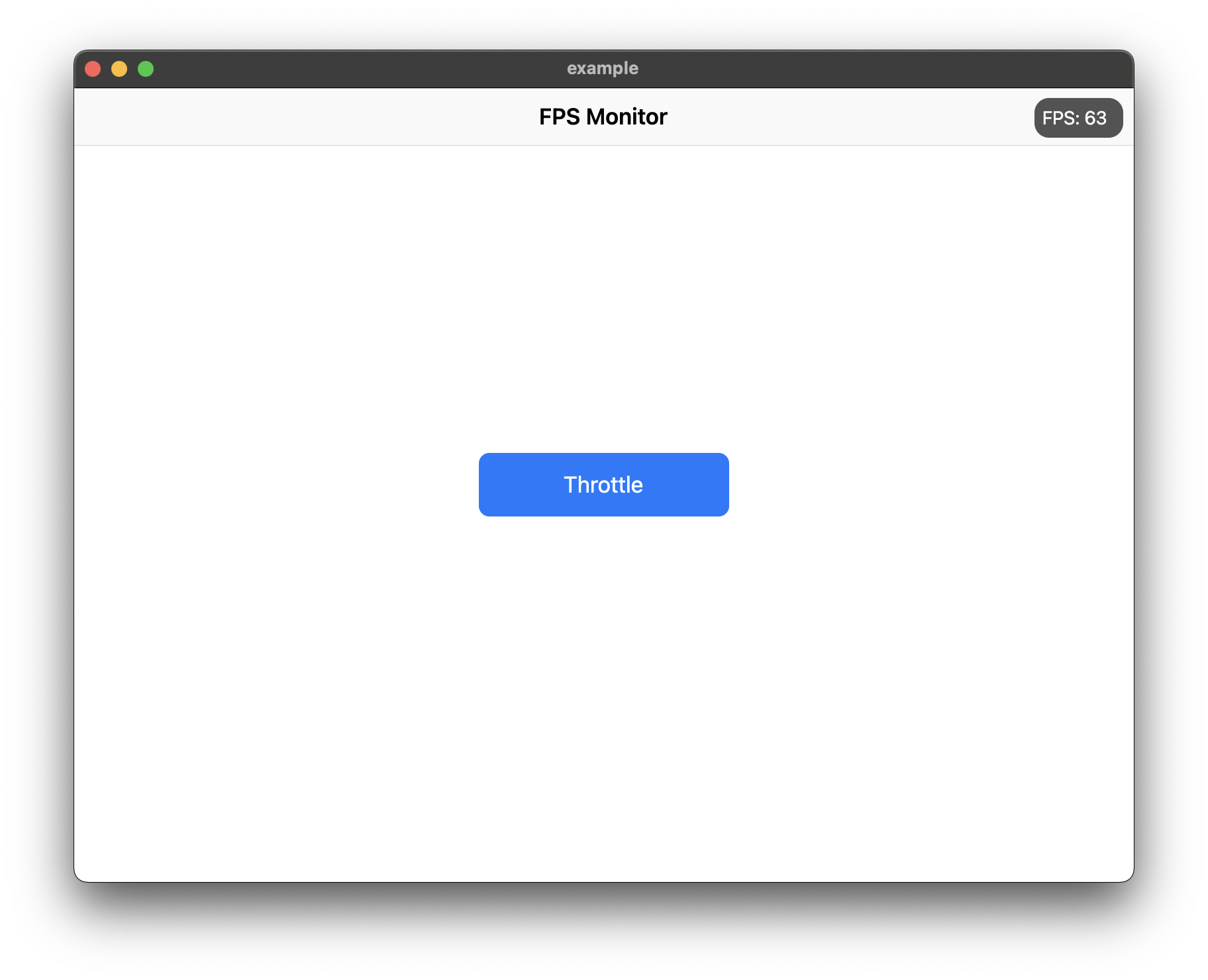
Features #
- Real-time FPS monitoring with accurate microsecond precision
- Average FPS calculation for smoother readings
- Min/Max FPS tracking
- Frame time display in milliseconds
- Color-coded FPS text based on performance
- Interactive chart with customizable colors
- Target FPS line on chart
- Jank frame indicators (frames significantly slower than average)
- Frame budget indicator (percentage of target frame time used)
- Dropped frame counter
- Draggable widget positioning
- Collapsible/expandable view
- Double-tap to temporarily hide
- Low FPS threshold alerts with visual feedback
- Fully customizable colors and text styles
Installation #
Add show_fps: ^1.1.0 in your project's pubspec.yaml:
dependencies:
  show_fps: ^1.1.0
Usage #
Import show_fps in your dart file:
import 'package:show_fps/show_fps.dart';
Basic Usage #
Wrap your main widget with ShowFPS widget:
import 'package:flutter/material.dart';
import 'package:show_fps/show_fps.dart';

void main() {
  runApp(const MyApp());
}

class MyApp extends StatelessWidget {
  const MyApp({super.key});

  @override
  Widget build(BuildContext context) {
    return MaterialApp(
      title: 'FPS Monitor',
      debugShowCheckedModeBanner: false,
      home: ShowFPS(
        alignment: Alignment.topRight,
        visible: true,
        showChart: true,
        child: const MyHomePage(),
      ),
    );
  }
}
Hide in Release Mode #
import 'package:flutter/foundation.dart';

ShowFPS(
  visible: !kReleaseMode,
  child: MyHomePage(),
)
Simple FPS Counter (No Chart) #
ShowFPS(
  showChart: false,
  child: MyHomePage(),
)
Advanced Usage with All Features #
ShowFPS(
  alignment: Alignment.topRight,
  visible: true,
  showChart: true,
  borderRadius: const BorderRadius.all(Radius.circular(11)),

  // Display options
  showAverage: true,           // Show rolling average FPS
  showMinMax: true,            // Show min/max FPS values
  showFrameTime: true,         // Show frame time in ms
  colorCodedText: true,        // Color FPS based on performance

  // Chart options
  targetFps: 60,               // Target FPS for calculations
  showTargetLine: true,        // Show target line on chart
  showJankIndicators: true,    // Highlight slow frames
  jankThreshold: 1.5,          // Frames 1.5x slower than avg are jank
  chartMaxFps: 60,             // Max FPS for chart scale

  // Advanced metrics
  showFrameBudget: true,       // Show % of frame budget used
  showDroppedFrames: true,     // Show dropped frame count

  // Interaction options
  draggable: true,             // Allow dragging the widget
  collapsible: true,           // Tap to collapse/expand
  doubleTapToHide: true,       // Double-tap to temporarily hide
  hideDuration: const Duration(seconds: 3),

  // Performance options
  sampleRate: 1,               // Update every N frames

  // Customization
  backgroundColor: const Color(0xaa000000),
  goodColor: const Color.fromARGB(255, 0, 162, 255),
  poorColor: const Color(0xfff44336),
  textStyle: const TextStyle(
    color: Colors.white,
    fontSize: 14,
  ),

  // Alert callback
  alertThreshold: 30,          // Alert when FPS drops below 30
  onAlertTriggered: () {
    print('FPS dropped below threshold!');
  },

  child: MyHomePage(),
)
Parameters #
| Parameter | Type | Default | Description |
|---|---|---|---|
child |
Widget |
required | The main widget to monitor |
alignment |
Alignment |
Alignment.topRight |
Position of the FPS widget |
visible |
bool |
true |
Whether to show the FPS widget |
showChart |
bool |
true |
Whether to show the FPS chart |
borderRadius |
BorderRadius |
BorderRadius.circular(11) |
Border radius of the widget |
showAverage |
bool |
false |
Show average FPS instead of instantaneous |
showMinMax |
bool |
false |
Show min/max FPS values |
showFrameTime |
bool |
false |
Show frame time in milliseconds |
colorCodedText |
bool |
true |
Color FPS text based on performance |
targetFps |
double |
60 |
Target FPS for calculations |
showTargetLine |
bool |
false |
Show target FPS line on chart |
showJankIndicators |
bool |
true |
Highlight jank frames on chart |
jankThreshold |
double |
1.5 |
Multiplier for jank detection |
textStyle |
TextStyle? |
null |
Custom text style |
draggable |
bool |
false |
Allow dragging the widget |
collapsible |
bool |
false |
Allow tap to collapse/expand |
sampleRate |
int |
1 |
Update every N frames |
chartMaxFps |
double |
60 |
Maximum FPS for chart scale |
showFrameBudget |
bool |
false |
Show frame budget percentage |
showDroppedFrames |
bool |
false |
Show dropped frame counter |
alertThreshold |
double? |
null |
FPS threshold for alerts |
doubleTapToHide |
bool |
false |
Double-tap to temporarily hide |
hideDuration |
Duration |
3 seconds |
Duration to hide after double-tap |
backgroundColor |
Color |
Color(0xaa000000) |
Background color |
goodColor |
Color |
Color(0xff00a2ff) |
Color for good performance |
poorColor |
Color |
Color(0xfff44336) |
Color for poor performance |
onAlertTriggered |
VoidCallback? |
null |
Callback when FPS drops below threshold |
Metadata
40
likes
160
points
1.1k
downloads
Publisher
Weekly Downloads
Metadata
A flutter package that will allow you to check your app performance using FPS Badge.
Repository (GitHub)
View/report issues
Documentation
License
 MIT (license)

