
search_select 1.0.2  search_select: ^1.0.2 copied to clipboard
A Flutter widget for search and multi-select functionality with dropdown list.
Search Select / Mult-select #
Description #
This package provides a multi-select widget that allows users to search and select multiple items from a list. It is highly customizable and supports various styles and configurations to fit different use cases. The widget is designed to be user-friendly and efficient, making it easy to integrate into your Flutter applications.
Screenshots #
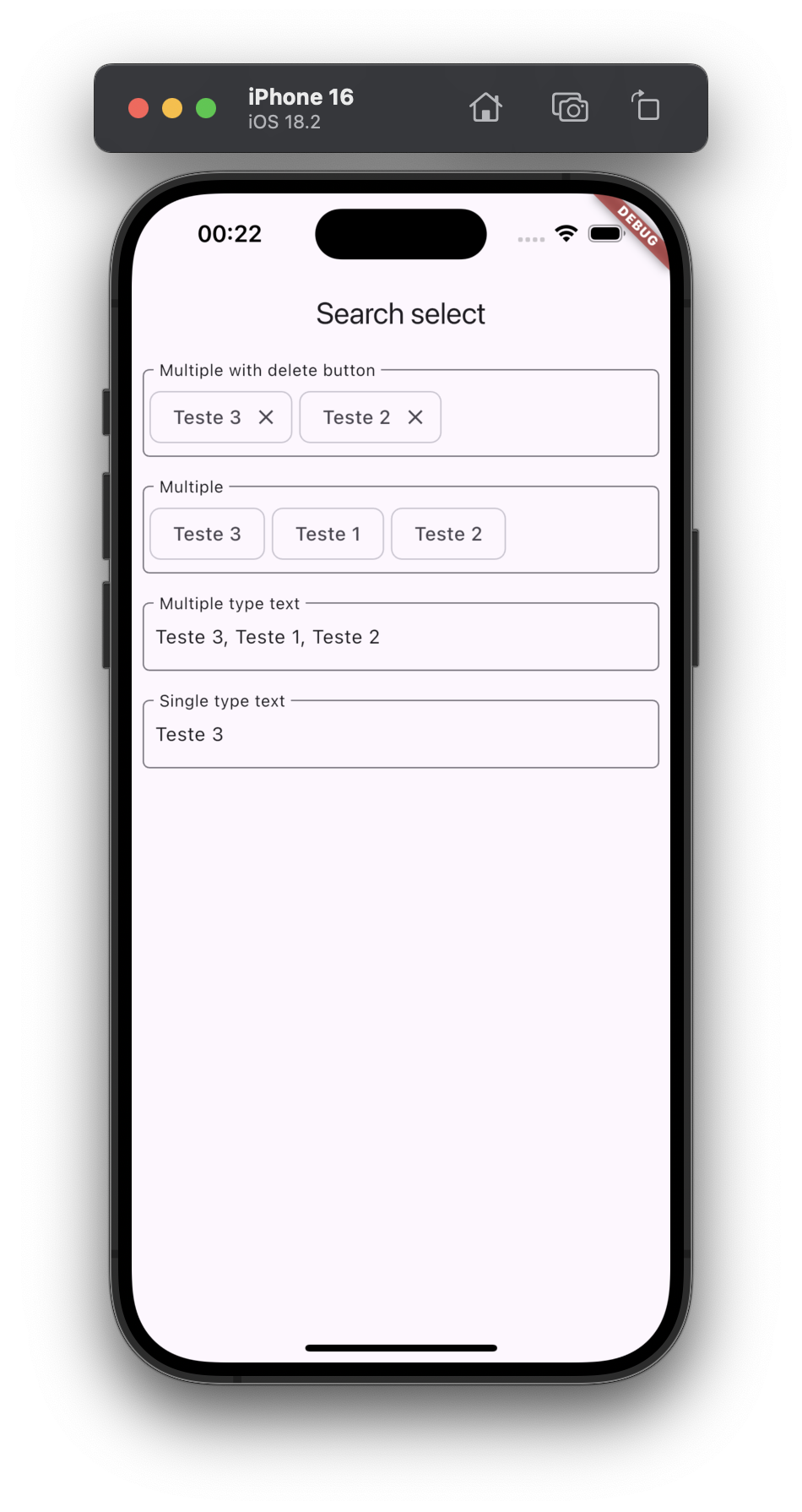
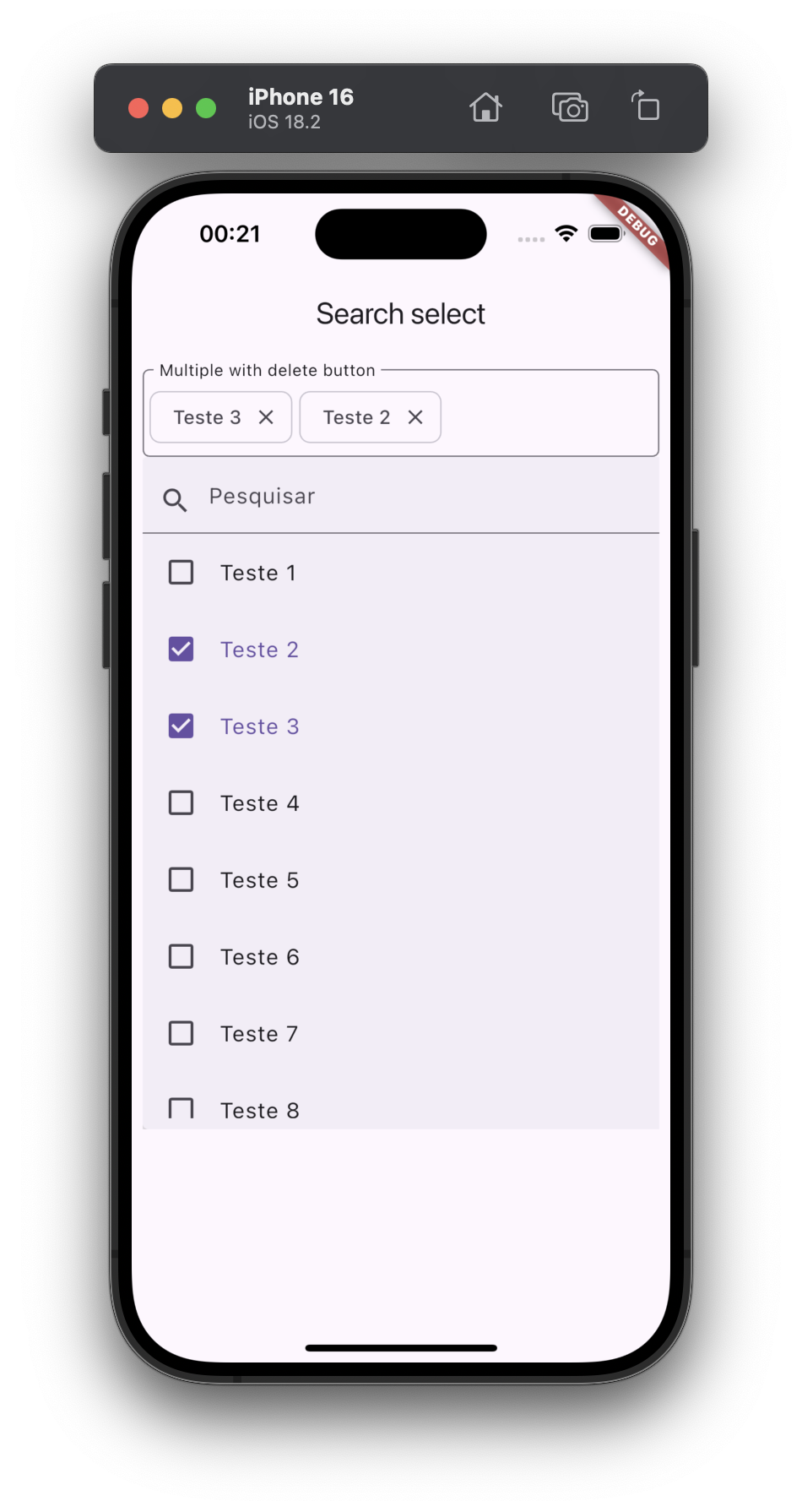
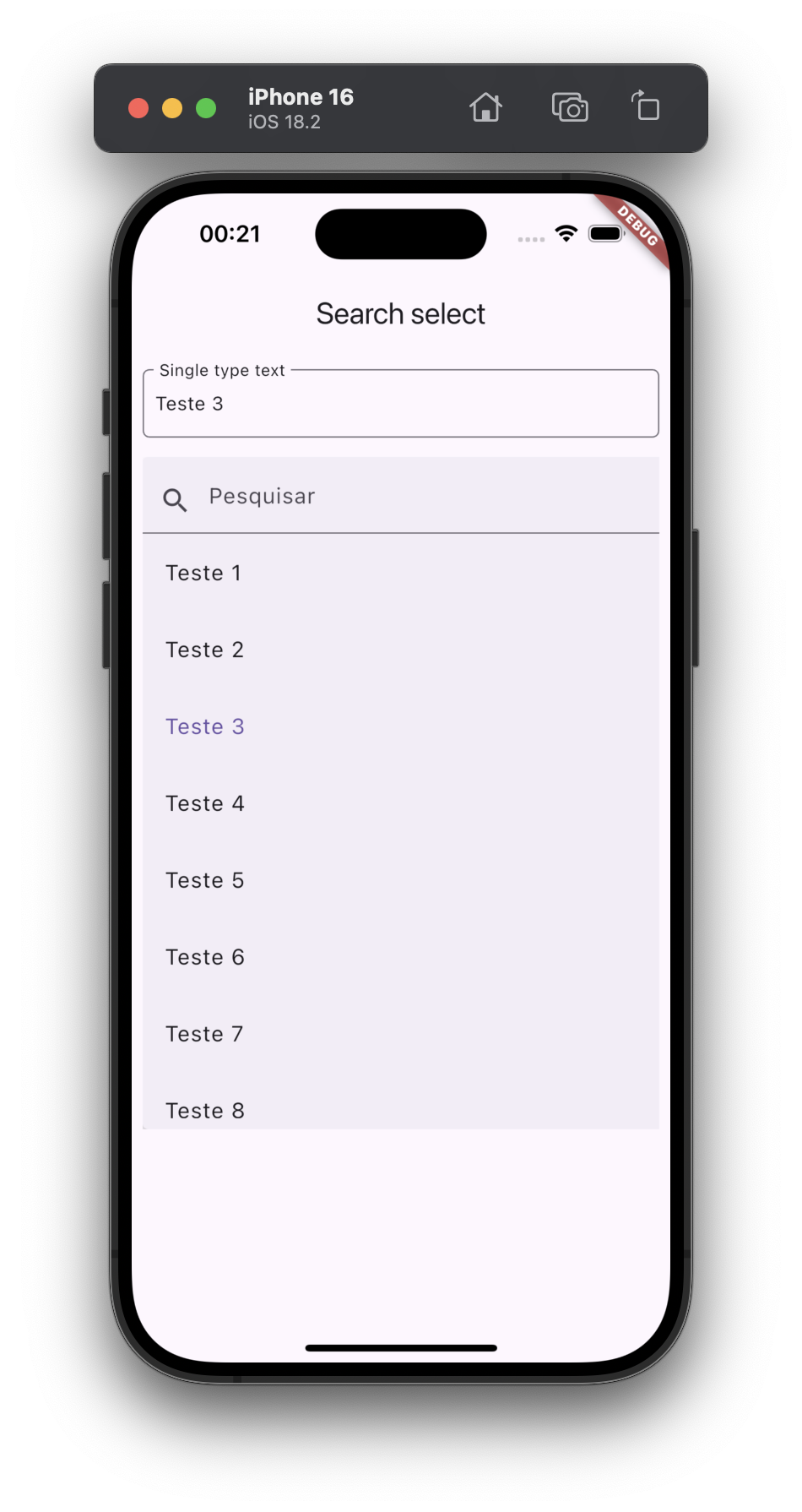
Example #
SearchSelect<String>(
  itemsStyleType: ItemsStyleType.chip,
  items: ["item 01", "item 02", "item 03"],
  label: 'Multiple selection',
  allowMultiple: true,
  showDeleteButton: true,
  selectedItems: [],
  onChange: (values) {
    // change your variable list here
  },
),
All Params #
-
items(REQUIRED)
A list of items to be displayed in the selection. -
selectedItems
A list of items that are currently selected. -
label
The label to be displayed for the selection widget. -
searchText
The placeholder text to be displayed in the search field. -
labelStyle
The style to be applied to the label text. -
decoration
The decoration to be applied to the container of the selection widget. -
containerMinHeight
The minimum height of the container. -
itemsStyleType
The style type for the items in the selection. -
autoFocus
Whether the search field should automatically gain focus. -
useMaxWidthSpace
Whether the selection widget should use the maximum width available. -
showDeleteButton
Whether to show a delete button for each selected item. -
allowMultiple
Whether multiple items can be selected. -
everShowLabel
Whether the label should always be shown. -
maxSelections
The maximum number of selections allowed. -
onChange
A callback function to be called when the selection changes. -
itemBuilder
A builder function to create the widget for each item in the selection. -
selectedItemBuilder
A builder function to create the widget for each selected item. -
onClickWhenFullItemsSelected
A callback function to be called whenmaxSelectionsis reached. -
maxBuildItemsIList
use this to limit the number of items to be displayed in the list if the list is too long, it will be cut off. Use null to display all items

Feito com ❤️ by Weliton Sousa
Metadata
Publisher
unverified uploader
Weekly Downloads
Metadata
A Flutter widget for search and multi-select functionality with dropdown list.
Homepage
Repository (GitHub)
View/report issues
License
 unknown (license)

