
privacy_mask 1.0.3  privacy_mask: ^1.0.3 copied to clipboard
A lightweight Flutter widget to protect sensitive content by preventing screenshots and screen recording at the OS level on Android and iOS.
Privacy Mask 🛡️ #
A lightweight, high-performance Flutter widget that protects sensitive information by preventing screen recording and screenshots at the OS level.


🌟 Why Privacy Mask? #
In 2025, mobile security is more than a feature—it's a requirement. Whether you're building a Banking, Healthcare (HIPAA), or Private Messaging app, privacy_mask ensures that sensitive data stays on the user's screen and out of their camera roll.
- Android Support: Uses
FLAG_SECUREto block screenshots and screen recordings system-wide. - iOS Support: Utilizes a secure layer hack (
isSecureTextEntry) to black out recordings and screenshots. - Lifecycle Aware: Automatically enables/disables protection as the widget enters or leaves the screen.
📸 See it in action #
Protection States #
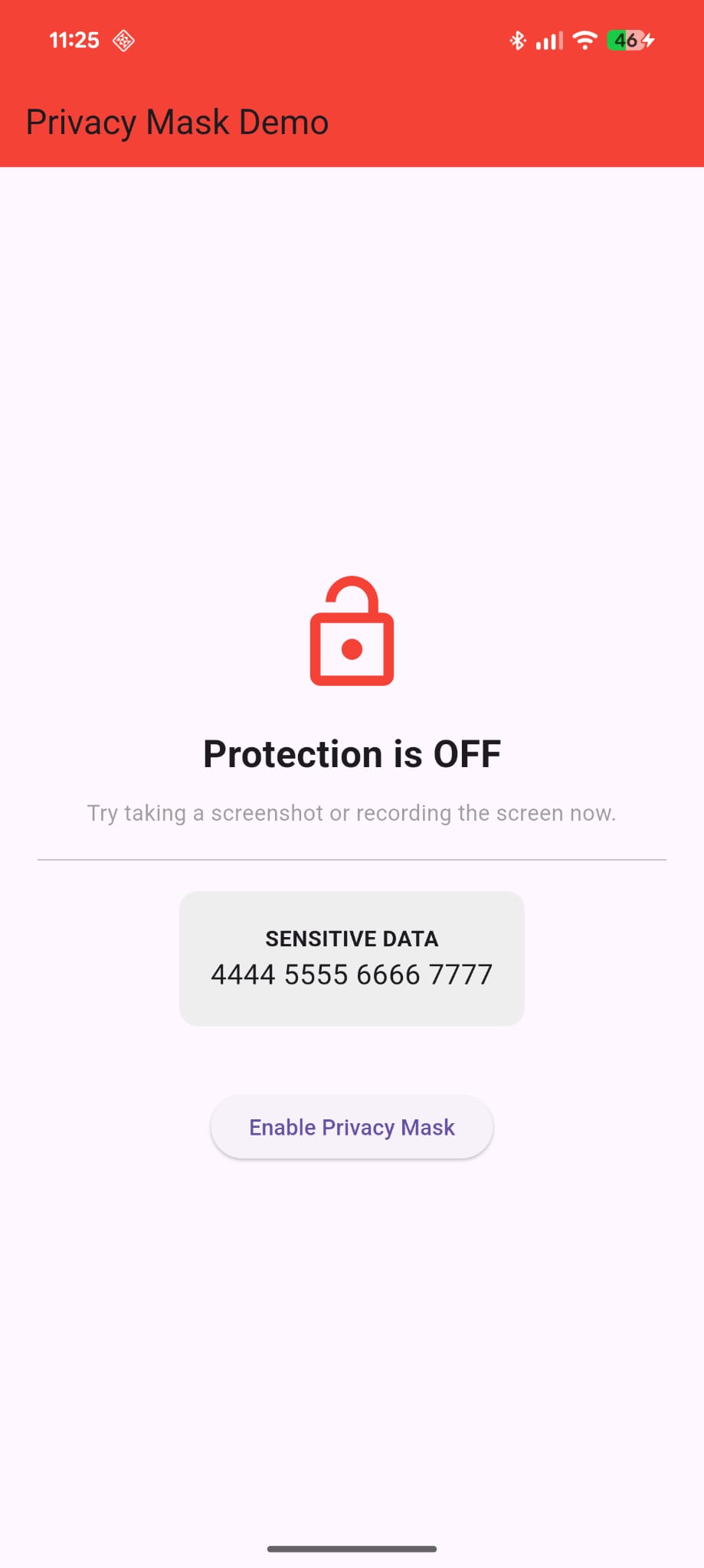
You can toggle protection dynamically. When enabled, the OS prevents the UI from being captured in the screen buffer.
| Protection Disabled | Protection Enabled |
|---|---|
 |
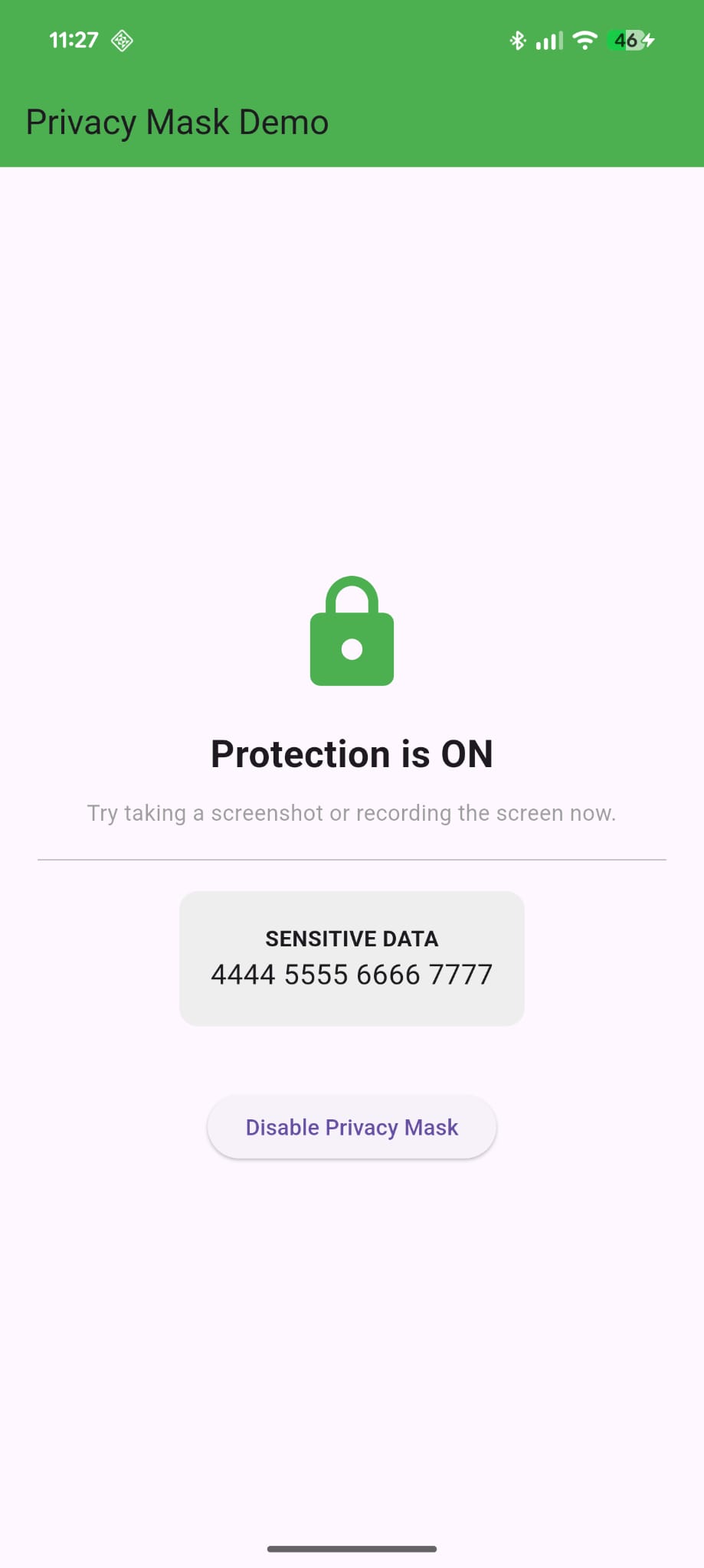 |
| App behaves normally | Ready for sensitive data |
Screenshot Prevention #
When a user attempts to take a screenshot or record the screen while protection is active, the OS intercepts the action.
| Result of Screenshot/Recording |
|---|
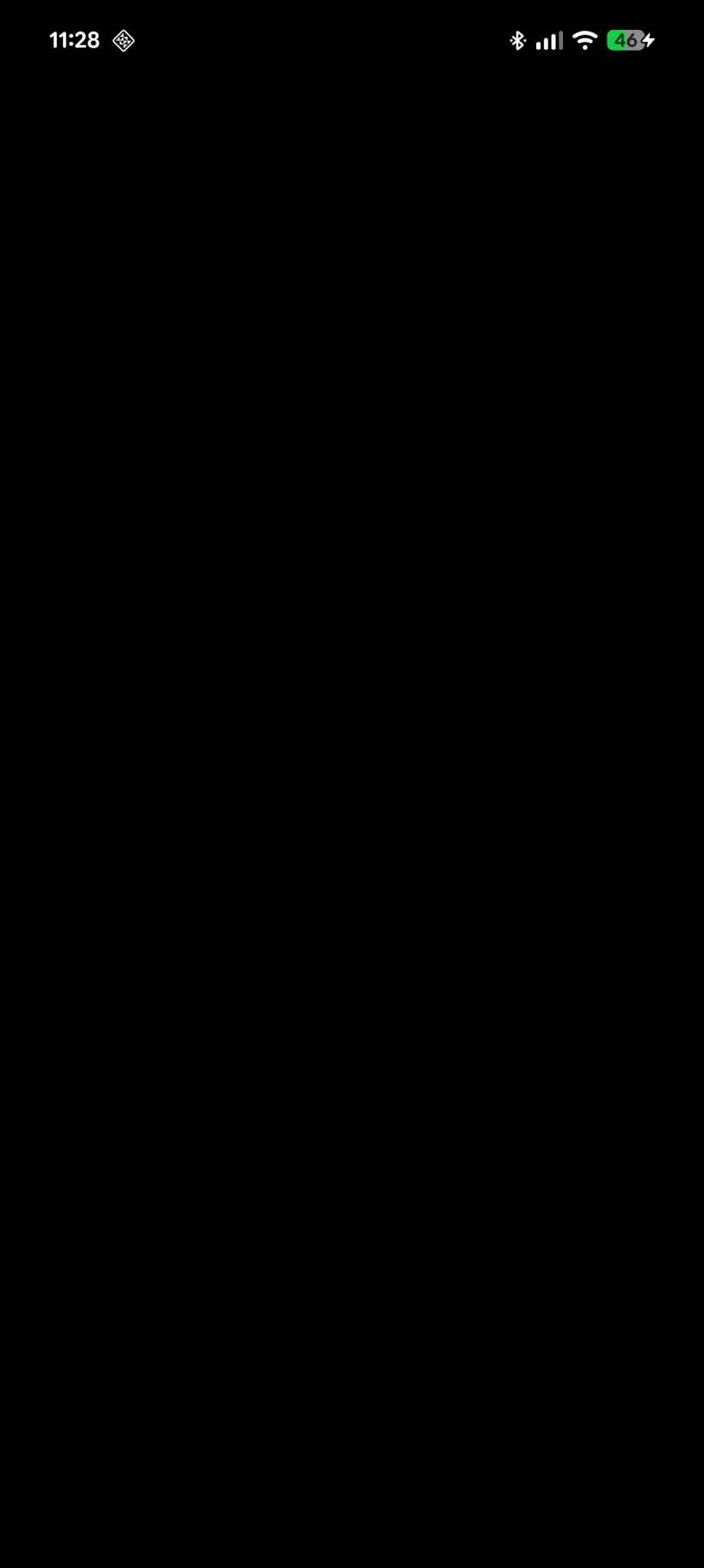 |
| Android records a black screen/ iOS shows a security error |
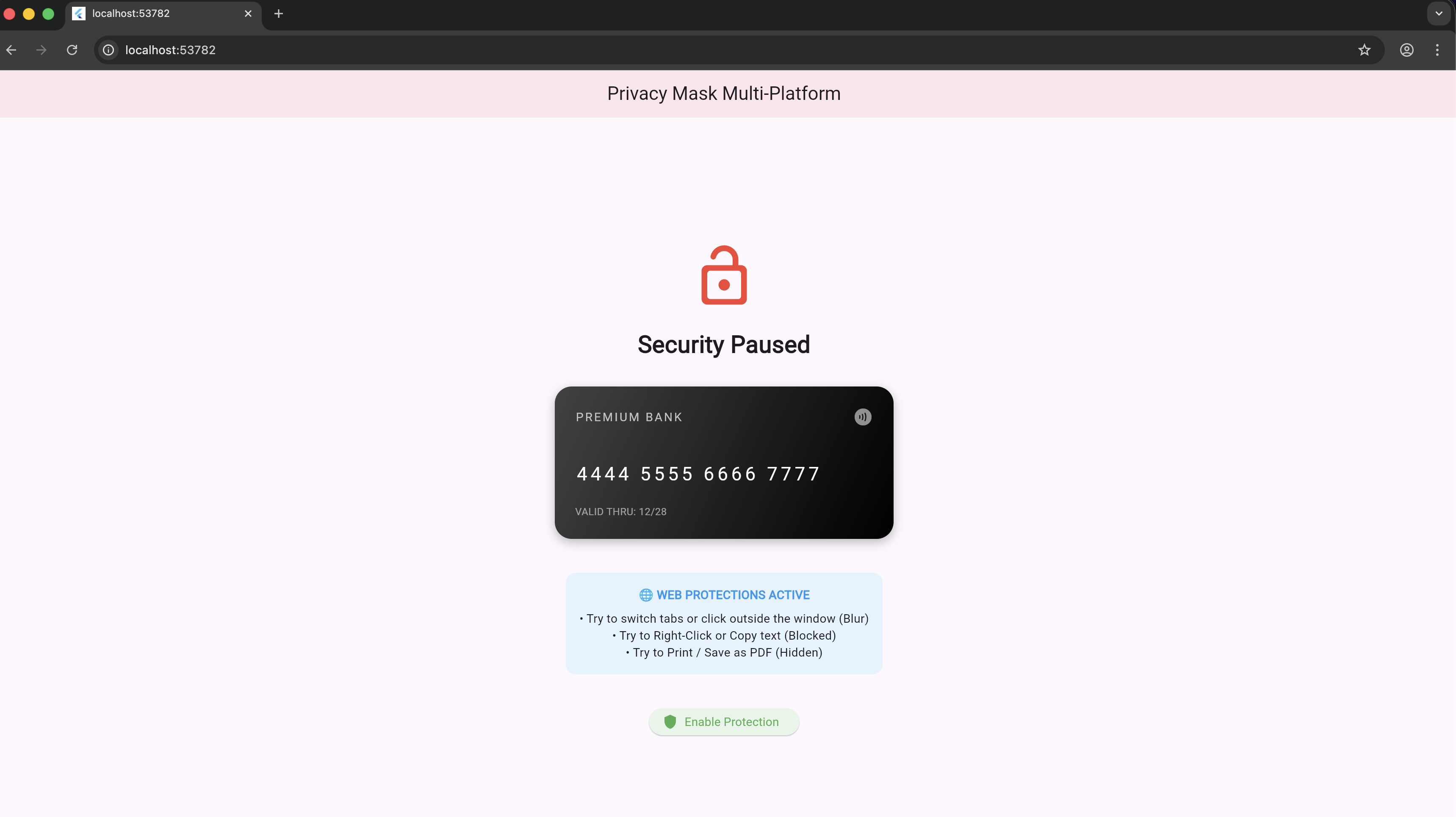
| Web Protection Disabled | Web Protection Enabled |
|---|---|
 |
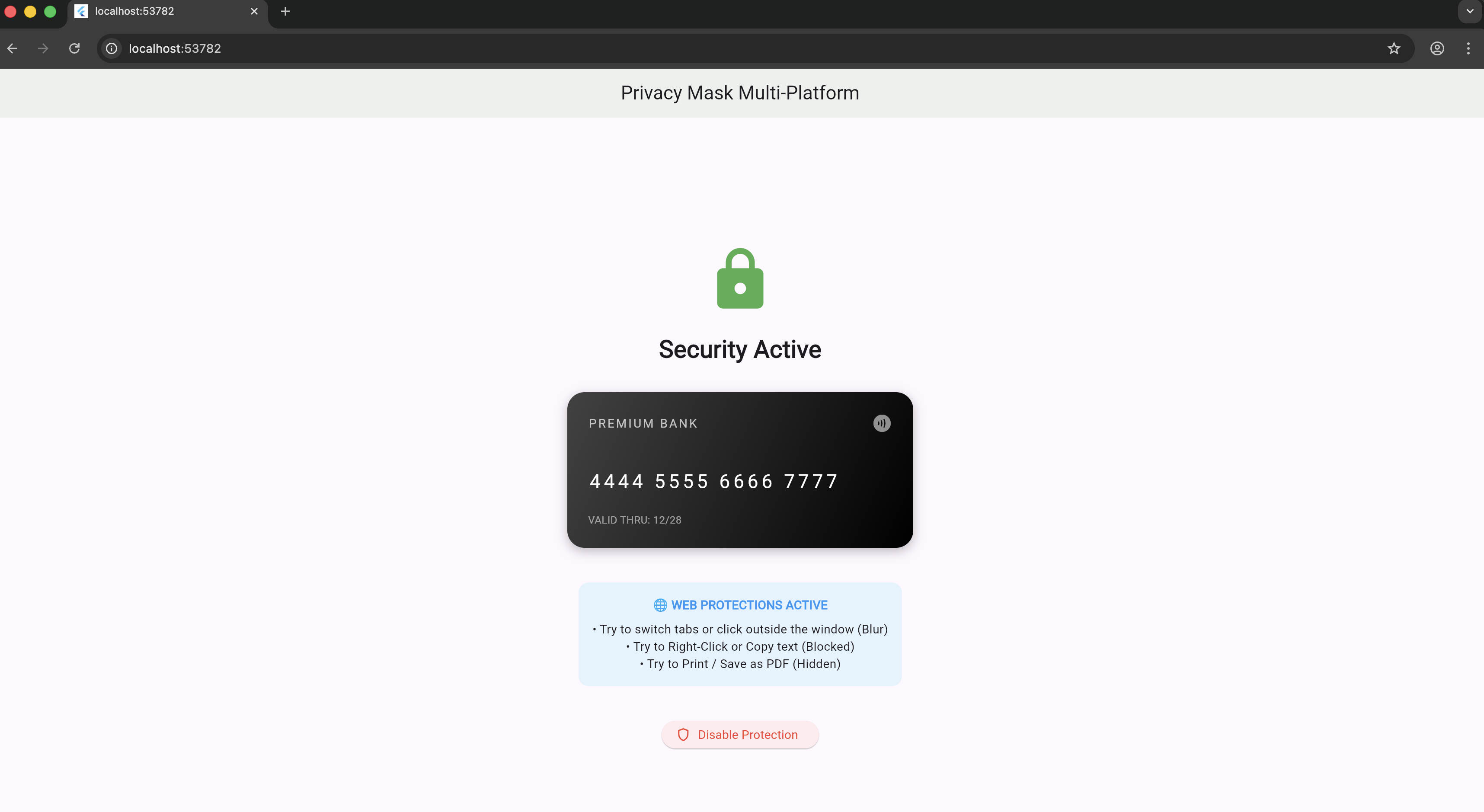 |
| App behaves normally | Ready for sensitive data |
⚠️ Warning #
Note on Testing: Screenshot prevention is a hardware-level feature. It will not work on the iOS Simulator because the Simulator bypasses the iOS Render Server. To verify iOS protection, you must use a physical device and test using Screen Recording or Screen Mirroring.
Web support #
Platform Security Matrix #
| Feature | Android | iOS | Web |
|---|---|---|---|
| Block Screenshot | ✅ Yes | ✅ Yes | ❌ No* |
| Block Screen Recording | ✅ Yes | ✅ Yes | ❌ No* |
| Blur on Inactivity | ❌ No | ❌ No | ✅ Yes |
| Block Text Selection | ❌ No | ❌ No | ✅ Yes |
| Block Context Menu | ❌ No | ❌ No | ✅ Yes |
| Block Printing | ❌ No | ❌ No | ✅ Yes |
*Note: Browsers do not permit hardware-level blocking of screenshots or recordings. Web support provides the highest level of software-level deterrence possible.
🛑 Known Limitations & Security Disclosure #
While privacy_mask provides robust protection, no software solution is 100% foolproof. Developers should be aware of the following platform-specific constraints:
📱 Mobile (iOS & Android) iOS Simulator: Screenshot prevention does not work on the iOS Simulator. Apple’s render server only applies security layers on physical hardware.
External Hardware: This plugin cannot prevent someone from taking a physical photo of the device screen using another camera.
System UI: On some Android versions, the "Recent Apps" switcher may still show a snapshot of the app if the mask was not active before the app was minimized.
🌐 Web (The "Browser Sandbox") OS-Level Tools: We cannot block the system's "Print Screen" key, Snipping Tool (Windows), or Grab (macOS).
Browser Extensions: Malicious browser extensions with "screen capture" permissions can bypass web-level event listeners.
Developer Tools: An advanced user can open the Browser Inspector (F12) and manually disable the CSS blur or hidden styles.
Intellectual Honesty: Web protection is a deterrent, not a total lock. It prevents 99% of casual "right-click save" or "accidental tab leak" scenarios but will not stop a determined attacker.
🚀 Getting Started #
Add the dependency to your pubspec.yaml:
dependencies:
  privacy_mask: ^1.0.3
Metadata
Publisher
unverified uploader
Weekly Downloads
Metadata
A lightweight Flutter widget to protect sensitive content by preventing screenshots and screen recording at the OS level on Android and iOS.
Repository (GitHub)
View/report issues
Documentation
License
 MIT (license)
Dependencies
flutter, flutter_web_plugins, plugin_platform_interface, web
More
Packages that depend on privacy_mask
Packages that implement privacy_mask

