
o_zz_rtc_call 0.0.6  o_zz_rtc_call: ^0.0.6 copied to clipboard
Simple Call Kit from zegocloud.
ZegoCallKit #
Add ZegoCallKit into your project #
Add ZegoCallKit dependencies #
$ flutter pub add o_zz_rtc_call
Import the library #
import 'package:o_zz_rtc_call/o_zz_rtc_call.dart';
Setup permission configuration #
- Android
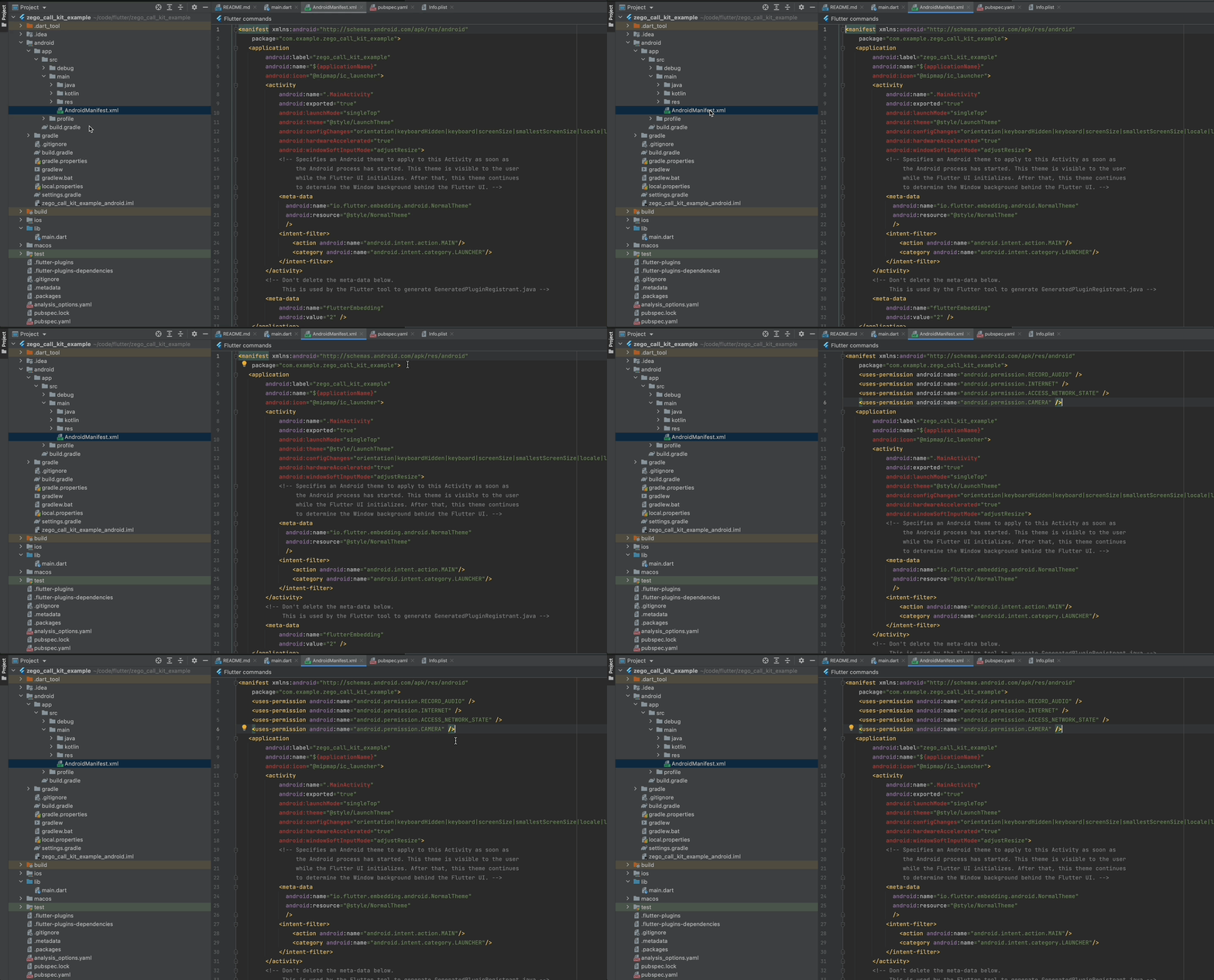
Add the lines to [project/android/app/src/main/AndroidManifest.xml]
<uses-permission android:name="android.permission.RECORD_AUDIO" />
<uses-permission android:name="android.permission.INTERNET" />
<uses-permission android:name="android.permission.ACCESS_NETWORK_STATE" />
<uses-permission android:name="android.permission.CAMERA" />
- iOS
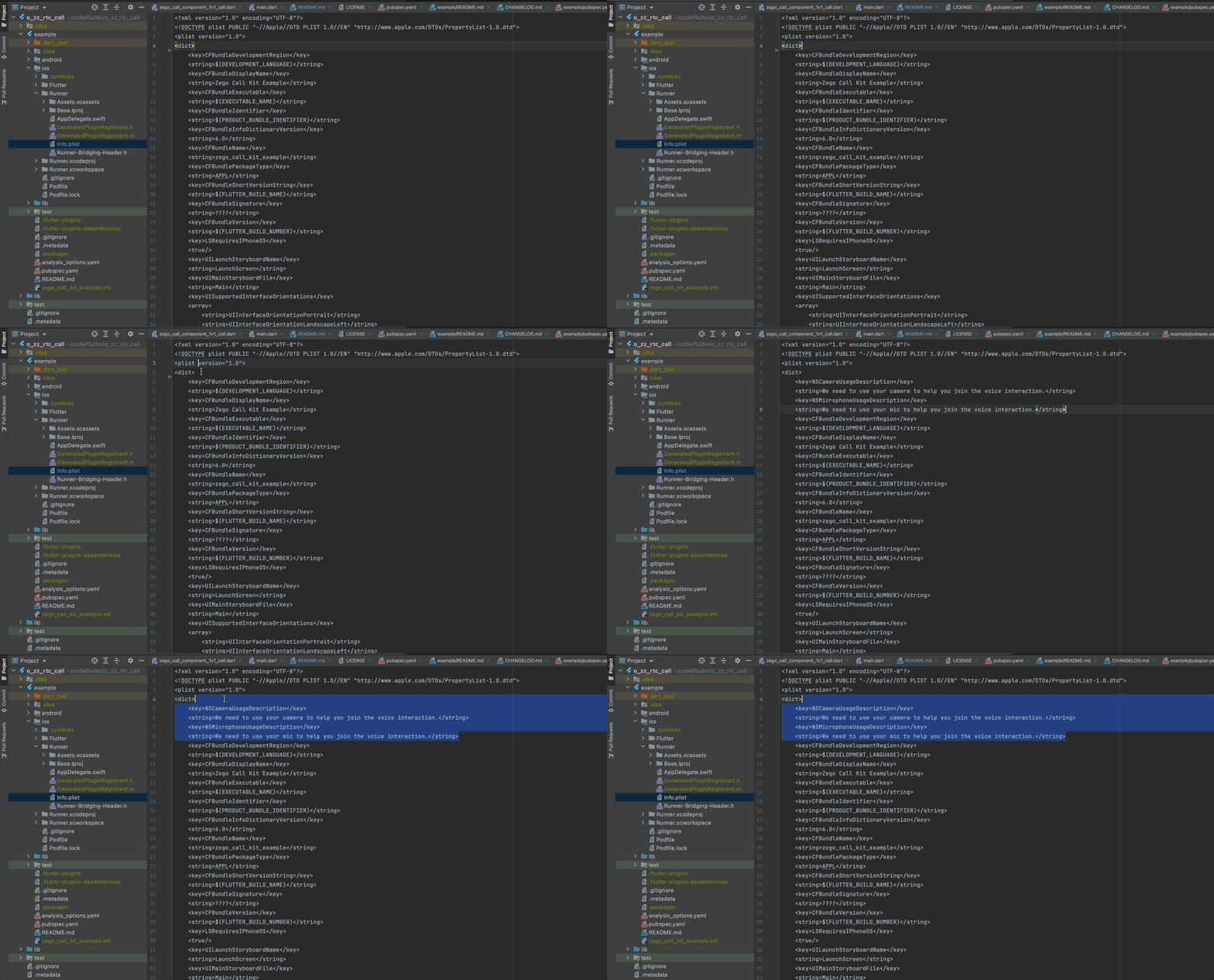
Add the lines to [your_project/ios/Runner/Info.plist]
<key>NSCameraUsageDescription</key>
<string>We need to use your camera to help you join the voice interaction.</string>
<key>NSMicrophoneUsageDescription</key>
<string>We need to use your mic to help you join the voice interaction.</string>
How to add 1v1 call functionality into my app? #
Using prebuilt UI widget #
Check completed example code: https://pub.dev/packages/o_zz_rtc_call/example
- Init ZegoCallKit on your application start up
You can get the AppID and AppSign from ZEGOCLOUD Console [My Projects] : https://console.zegocloud.com/project
ZegoCallKit().init(appID, appSign);
- Enable 1v1 call component on callkit
ZegoCallKit().enableComponent([Component.k1v1Call]);
- Listening button click callback if you want to handle some events of ZegoCallKit
ZegoCallKit().component1v1Call.handUpButton.onClicked = (bool stateOn) {
  // For example, you want to back to home page after call ended
  // Navigator.pushReplacementNamed(context, '/home_page');
};
- Add participant view to your UI
child: Stack(
          children: <Widget>[
            SizedBox.expand(
              child:
              ZegoCallKit().component1v1Call.remoteView, // Get from ZegoCallKit
            ),
            Positioned(
                top: 100,
                right: 16,
                child: SizedBox(
                  width: 114,
                  height: 170,
                  child: ZegoCallKit().component1v1Call.localView, // Get from ZegoCallKit
                )),
...
- Add call control buttons to your UI
child: Row(
  mainAxisAlignment: MainAxisAlignment.center,
  children: [
    // You can call also Button.click in your own style button instead using the prebuilt button provided by the ZegoCallKit.
    ElevatedButton(onPressed: () {
      ZegoCallKit().component1v1Call.cameraSwitchButton.click(false);
    }, child: const Text('Camera Off')),
    // Microphone control button
    ZegoCallKit().component1v1Call.micSwitchButton,
    // End call button
    ZegoCallKit().component1v1Call.handUpButton,
    // Camera control button
    ZegoCallKit().component1v1Call.cameraSwitchButton,
  ],
- Start the call
The callID should be same as the other participant use to start the call. We recommend only contain letters, numbers, and '_'.
The userID should be unique and we recommend only contain letters, numbers, and '_'.
ZegoCallKit().component1v1Call.startVideoCall(callID, userID, userName);
Metadata
0
likes
0
points
55
downloads
Publisher
unverified uploader
Weekly Downloads
Metadata
Simple Call Kit from zegocloud.
Homepage
Repository (GitHub)
View/report issues
License
 unknown (license)
Dependencies
flutter, permission_handler, zego_express_engine

