
o_zz_rtc_call 0.0.4  o_zz_rtc_call: ^0.0.4 copied to clipboard
Simple Call Kit from zegocloud.
ZegoCallKit #
Add ZegoCallKit into your project #
Add ZegoCallKit dependencies #
$ flutter pub add o_zz_rtc_call
Import the library #
import 'package:o_zz_rtc_call/o_zz_rtc_call.dart';
Setup permission configuration #
- Android
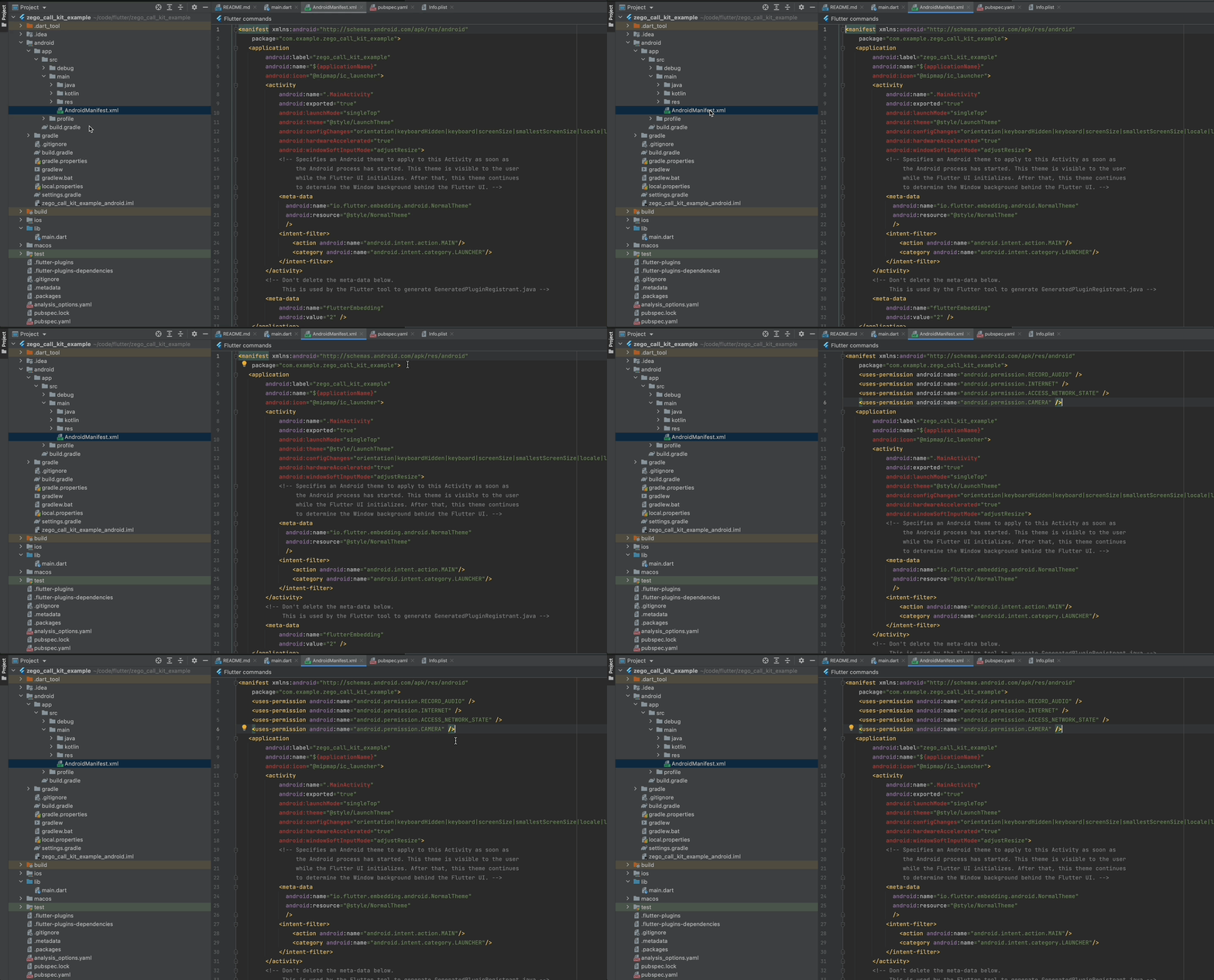
Add the lines to [project/android/app/src/main/AndroidManifest.xml]
<uses-permission android:name="android.permission.RECORD_AUDIO" />
<uses-permission android:name="android.permission.INTERNET" />
<uses-permission android:name="android.permission.ACCESS_NETWORK_STATE" />
<uses-permission android:name="android.permission.CAMERA" />
- iOS
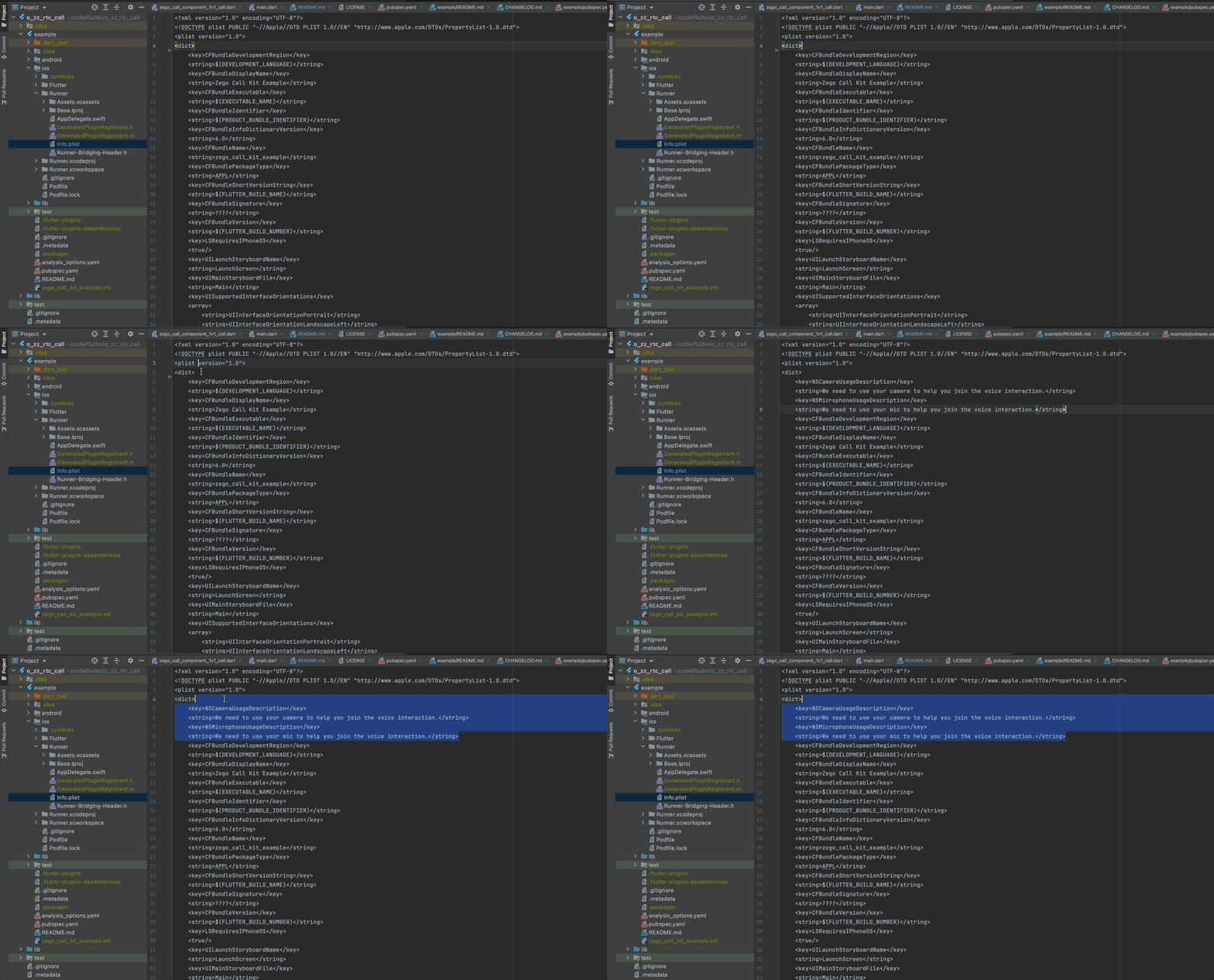
Add the lines to [your_project/ios/Runner/Info.plist]
<key>NSCameraUsageDescription</key>
<string>We need to use your camera to help you join the voice interaction.</string>
<key>NSMicrophoneUsageDescription</key>
<string>We need to use your mic to help you join the voice interaction.</string>
How to add 1v1 call functionality into my app? #
Using prebuilt UI widget #
Check completed example code: https://pub.dev/packages/o_zz_rtc_call/example
- Init ZegoCallKit on your application start up
You can get the AppID and AppSign from ZEGOCLOUD Console [My Projects] : https://console.zegocloud.com/project
ZegoCallKit().init(appID, appSign);
- Enable 1v1 call component on callkit
ZegoCallKit().enableComponent([Component.k1v1Call]);
- Listening button click callback if you want to handle some events of ZegoCallKit
ZegoCallKit().component1v1Call.handUpButton.onClicked = (bool stateOn) {
  // For example, you want to back to home page after call ended
  // Navigator.pushReplacementNamed(context, '/home_page');
};
- Add participant view to your UI
child: Stack(
          children: <Widget>[
            SizedBox.expand(
              child:
              ZegoCallKit().component1v1Call.remoteView, // Get from ZegoCallKit
            ),
            Positioned(
                top: 100,
                right: 16,
                child: SizedBox(
                  width: 114,
                  height: 170,
                  child: ZegoCallKit().component1v1Call.localView, // Get from ZegoCallKit
                )),
...
- Add call control buttons to your UI
child: Row(
  mainAxisAlignment: MainAxisAlignment.center,
  children: [
    // You can call also Button.click in your own style button instead using the prebuilt button provided by the ZegoCallKit.
    ElevatedButton(onPressed: () {
      ZegoCallKit().component1v1Call.cameraSwitchButton.click(false);
    }, child: const Text('Camera Off')),
    // Microphone control button
    ZegoCallKit().component1v1Call.micSwitchButton,
    // End call button
    ZegoCallKit().component1v1Call.handUpButton,
    // Camera control button
    ZegoCallKit().component1v1Call.cameraSwitchButton,
  ],
- Start the call
The callID should be same as the other participant use to start the call. We recommend only contain letters, numbers, and ''.
The userID should be unique and we recommend only contain letters, numbers, and ''.
ZegoCallKit().component1v1Call.startVideoCall(callID, userID, userName);
Metadata
0
likes
0
points
55
downloads
Publisher
unverified uploader
Weekly Downloads
Metadata
Simple Call Kit from zegocloud.
Homepage
Repository (GitHub)
View/report issues
License
 unknown (license)
Dependencies
flutter, permission_handler, zego_express_engine

