
my_json_view 1.0.0  my_json_view: ^1.0.0 copied to clipboard
A customizable Flutter widget for displaying JSON data in a tree view with search and expand/collapse functionality.

MyJsonView #
A customizable Flutter widget for displaying JSON data in a user-friendly, expandable, and searchable tree view.
Demo #
Check the demo at https://karnadii.github.io/my_json_view/ I don't know why the expand icon look off when expanded in the demo, in debug mode it looks nice, nothing off.
Screenshots #
| Screenshot 1 | Screenshot 2 | Screenshot 3 |
|---|---|---|
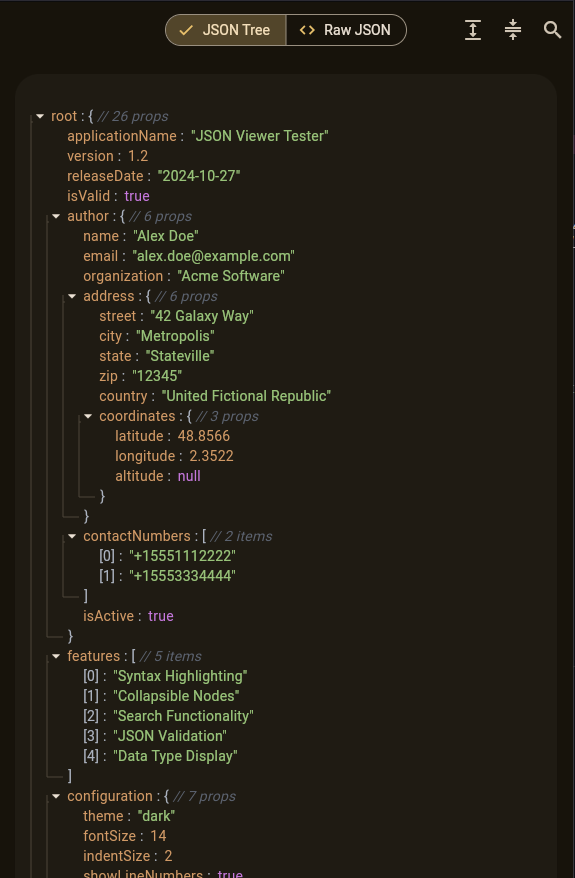 |
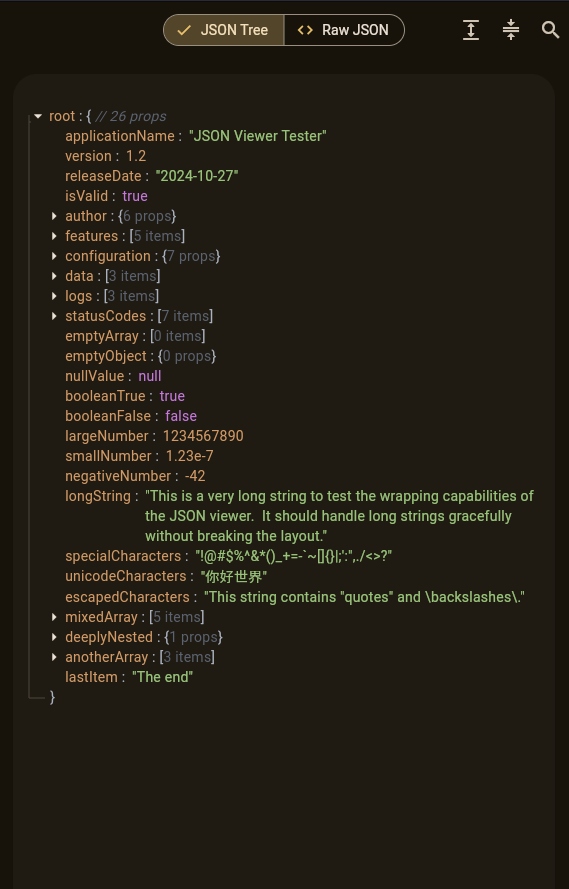 |
 |
Features #
- 🌳 Interactive tree view with expand/collapse functionality
- 🔍 Search and highlight functionality for both keys and values
- 🎨 Customizable appearance with
MyJsonViewStyle - 📋 Selectable text for easy copying
Installation #
Add this to your package's pubspec.yaml file:
dependencies:
  my_json_view: ^1.0.0
Usage #
Basic Usage #
import 'package:my_json_view/my_json_view.dart';

final controller = MyJsonViewController();
MyJsonView(
  json: {'name': 'John Doe', 'age': 30},
  controller: controller,
);
With Custom Style #
final style = MyJsonViewStyle(
  fontSize: 16.0,
  keyColor: Colors.blue,
  stringColor: Colors.green,
  numberColor: Colors.orange,
  booleanColor: Colors.purple,
  nullColor: Colors.red,
  fontFamily: 'Roboto Mono',
  showIndentGuide: true,
  objectInfoStyle: ObjectInfoStyle.annotated,
);

MyJsonView(
  json: yourJsonData,
  style: style,
  controller: MyJsonViewController(),
);
With Search Functionality #
final controller = MyJsonViewController();

Column(
  children: [
    TextField(
      onChanged: (value) {
        setState(() {
            controller.filter(value);
        });
      },
    ),
    Expanded(
      child: MyJsonView(
        json: yourJsonData,
        controller: controller,
      ),
    ),
  ],
);
With Expand/Collapse Controls #
final controller = MyJsonViewController();

Row(
  children: [
    IconButton(
      onPressed: () => controller.expandAll(),
      icon: Icon(Icons.expand),
    ),
    IconButton(
      onPressed: () => controller.collapseAll(),
      icon: Icon(Icons.compress),
    ),
    Expanded(
      child: MyJsonView(
        json: yourJsonData,
        controller: controller,
      ),
    ),
  ],
);
Customization #
Style Properties #
fontSize: Font size for all text elementsfontWeight: Font weight for all text elementsfontStyle: Font style for all text elementsfontFamily: Font family for all text elementskeyColor: Color for object keysstringColor: Color for string valuesnumberColor: Color for number valuesbooleanColor: Color for boolean valuesnullColor: Color for null valuesbracketColor: Color for brackets and colonsmetaColor: Color for metadata (e.g., object/array counts)showIndentGuide: Whether to show vertical indent guidesshowStartAndEndBrackets: Whether to show opening/closing bracketsobjectInfoStyle: How to display object/array information (truncated/concise/annotated)
Controller Features #
expandAll(): Expands all nodescollapseAll(): Collapses all nodesfilter(String query): Highlights text matching the queryclearFilter(): Clears the current search filter
Contributing #
Contributions are welcome! Please feel free to submit a Pull Request.
License #
This project is licensed under the MIT License - see the LICENSE file for details.
Metadata
Publisher
unverified uploader
Weekly Downloads
Metadata
A customizable Flutter widget for displaying JSON data in a tree view with search and expand/collapse functionality.
Repository (GitHub)
View/report issues
Documentation
License
 MIT (license)

