
graph_paper 0.1.0  graph_paper: ^0.1.0 copied to clipboard
Web component for generating various types of engineering graph paper using SVG, written in Dart and Polymer.
graph-paper #
Web component for generating various types of engineering graph paper using SVG, written in Dart and Polymer.
Overview #
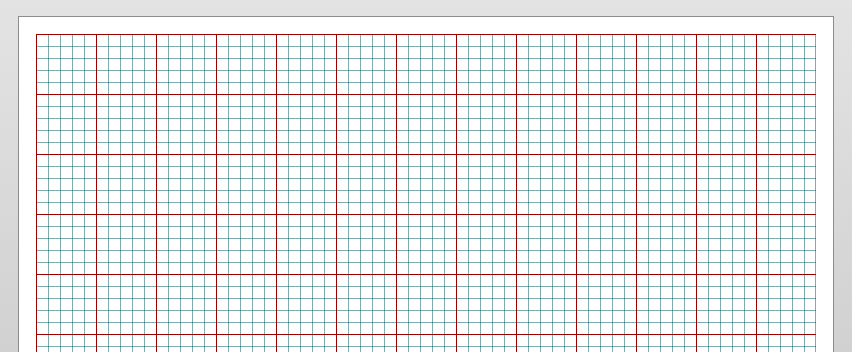
graph-paper provides a customizable user interface element for generating engineering graph paper.
| Name | Type | Default | Description |
|---|---|---|---|
| units | String | 'inch' | Available options are 'inch' and 'mm'. These are the measurement units used when computing paper size. |
| paperSize | String | 'letter' | Available options are 'letter', 'legal', 'tabloid' when the 'units' attribute is 'inch'. Available options are 'a4' and 'a3' when the 'units' attribute is 'mm'. |
| layout | String | 'portrait' | Available options are 'portrait' and 'landscape'. This sets the orientation of the paper on the screen. |
| gridSpacing | double | 0.1250 | Controls the spacing between two consecutive vertical and horizontal grid lines. A grid spacing value of '1' equals '96' pixels. |
| gridMargin | double | 0.1875 | Controls the margin around the grid area. A margin value of '1' equals '96' pixels. |
| loggingEnabled | boolean | false | Activates logging to the console of various internal library events. |
Status #
Please note that this is a beta release of this package and API changes are very probable while this package is in beta.
Using Elements #
All elements live at the top-level of the lib/ folder.
Import into HTML:
<link rel="import" href="packages/graph_paper/graph_paper.html">
Import into Dart:
import 'package:graph_paper/graph_paper.dart';
Build Notes #
Use the update.dart script to build the import .html and .dart files based on the sources in the lib/src directory.
The update.dart tool expects to be run in the repository root.
To build this project, run the following command from the repository root of the project:
./tool/update.dart lib/src/graph_paper/graph_paper.html
Running Sample Application #
To run the sample application, run the following command from the repository root of the project:
pub serve
Metadata
Publisher
unverified uploader
Weekly Downloads
Metadata
Web component for generating various types of engineering graph paper using SVG, written in Dart and Polymer.
Repository (GitHub)
View/report issues
License
 unknown (license)
Dependencies
polymer, quiver, web_components

