
flutter_spanned_grid_view 1.0.1  flutter_spanned_grid_view: ^1.0.1 copied to clipboard
Flutter widget offering a performant spanned grid with aligned grid rows for dynamic dashboards and complex responsive UIs.
flutter_spanned_grid_view #
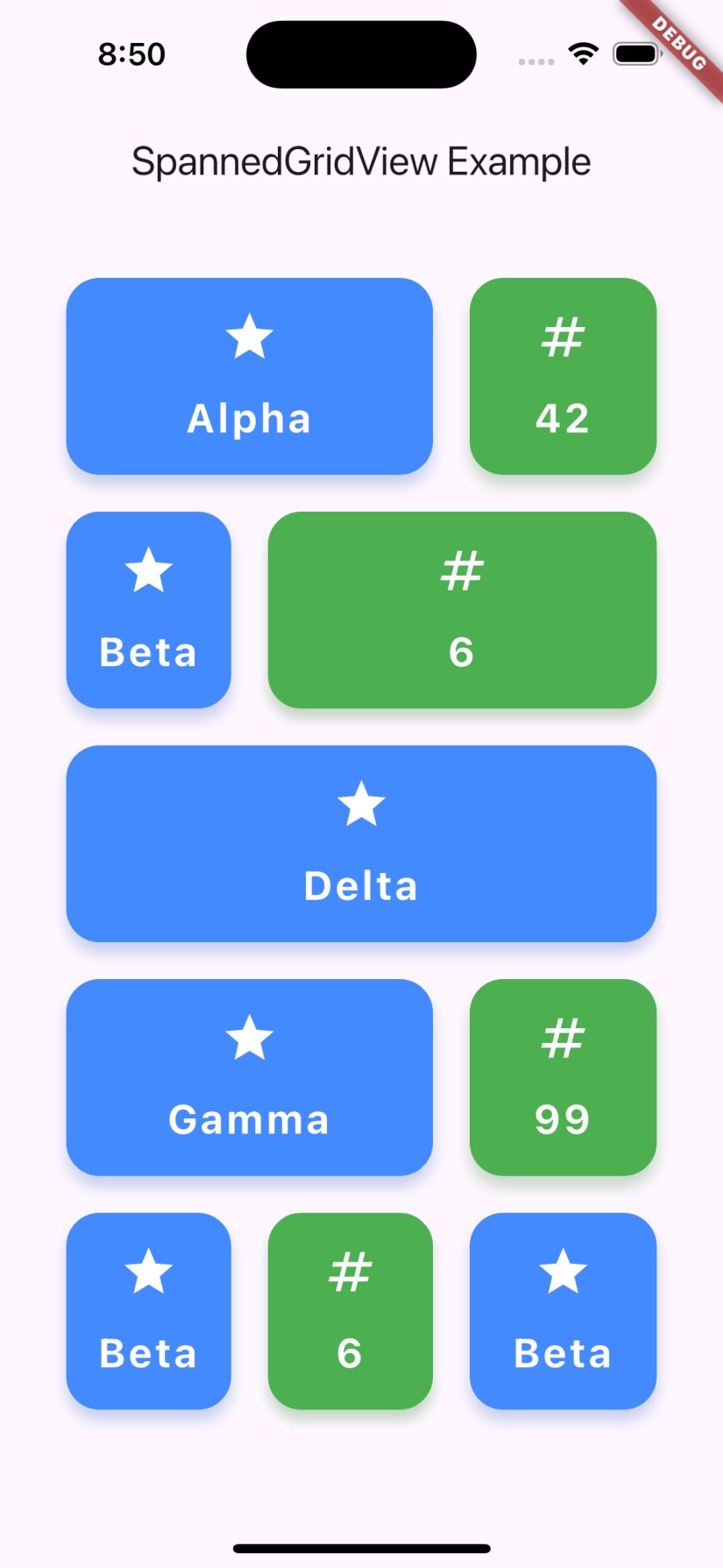
A highly flexible and performant Flutter package for displaying grid layouts with variable item spans, similar to Android's SpannedGrid. Build beautiful, responsive grids with custom item widgets and dynamic column spans, supporting any data type.
Features #
- Display items in a grid with variable column spans (like Android's SpannedGrid)
- Works with any data type via a generic interface
- Efficient: Only builds widgets as they enter the viewport (like
ListView.builder) - Customizable item widgets via builder function
- Supports dynamic or fixed column counts
- Easy integration with existing Flutter projects
- Null safety and sound typing
Getting Started #
Add the package to your pubspec.yaml:
dependencies:
  flutter_spanned_grid_view: ^1.0.1
Then run:
flutter pub get
Usage #
Import the package:
import 'package:flutter_spanned_grid_view/flutter_spanned_grid_view.dart';
Define Your Item Type #
Implement the SpannedGridItem interface for your data model:
class MyGridItem implements SpannedGridItem {
  @override
  final String id;
  @override
  final int? gridSpan; // Number of columns to span
  final String title;

  MyGridItem({required this.id, required this.title, this.gridSpan});
}
Use SpannedGridView #
SpannedGridView<MyGridItem>(
  items: myItemsList,
  maxColumns: 3, // Set max columns or leave null for auto
  itemBuilder: (context, item, index) {
    return Card(
      child: Center(child: Text(item.title)),
    );
  },
)
Example #
final items = [
  MyGridItem(id: '1', title: 'A', gridSpan: 2),
  MyGridItem(id: '2', title: 'B', gridSpan: 1),
  MyGridItem(id: '3', title: 'C', gridSpan: 3),
];

SpannedGridView<MyGridItem>(
  items: items,
  maxColumns: 3,
  itemBuilder: (context, item, index) => Card(
    child: Center(child: Text(item.title)),
  ),
)
API Reference #
SpannedGridView #
| Property | Description |
|---|---|
| items | List of items to display |
| itemBuilder | Widget builder for each item |
| maxColumns | Maximum number of columns (optional) |
SpannedGridItem #
Implement this interface for your data model:
String id(unique identifier)int? gridSpan(number of columns to span)
Why Use flutter_spanned_grid_view? #
- Performance: Only builds visible widgets
- Flexibility: Works with any data type and custom widgets
- Easy to Use: Simple API, integrates with existing code
- Responsive: Adapts to different screen sizes and item spans
Roadmap #
- Animations
- More layout options
Contributing #
Contributions are welcome! Please open issues or submit pull requests on GitHub.
License #
MIT License. See LICENSE.
Keywords #
flutter, grid, spanned, staggered, layout, builder, responsive, custom, widget, list, performance, dynamic, columns, masonry, android, flexible, dart
For more details and advanced usage, see the example directory.
Metadata
Publisher
unverified uploader
Weekly Downloads
Metadata
Flutter widget offering a performant spanned grid with aligned grid rows for dynamic dashboards and complex responsive UIs.
Repository (GitHub)
View/report issues
Documentation
License
 MIT (license)

