
flutter_realistic_flipbook 0.1.3  flutter_realistic_flipbook: ^0.1.3 copied to clipboard
A realistic 3D page-turn flipbook widget for Flutter, inspired by flipbook-vue.
flutter_realistic_flipbook #
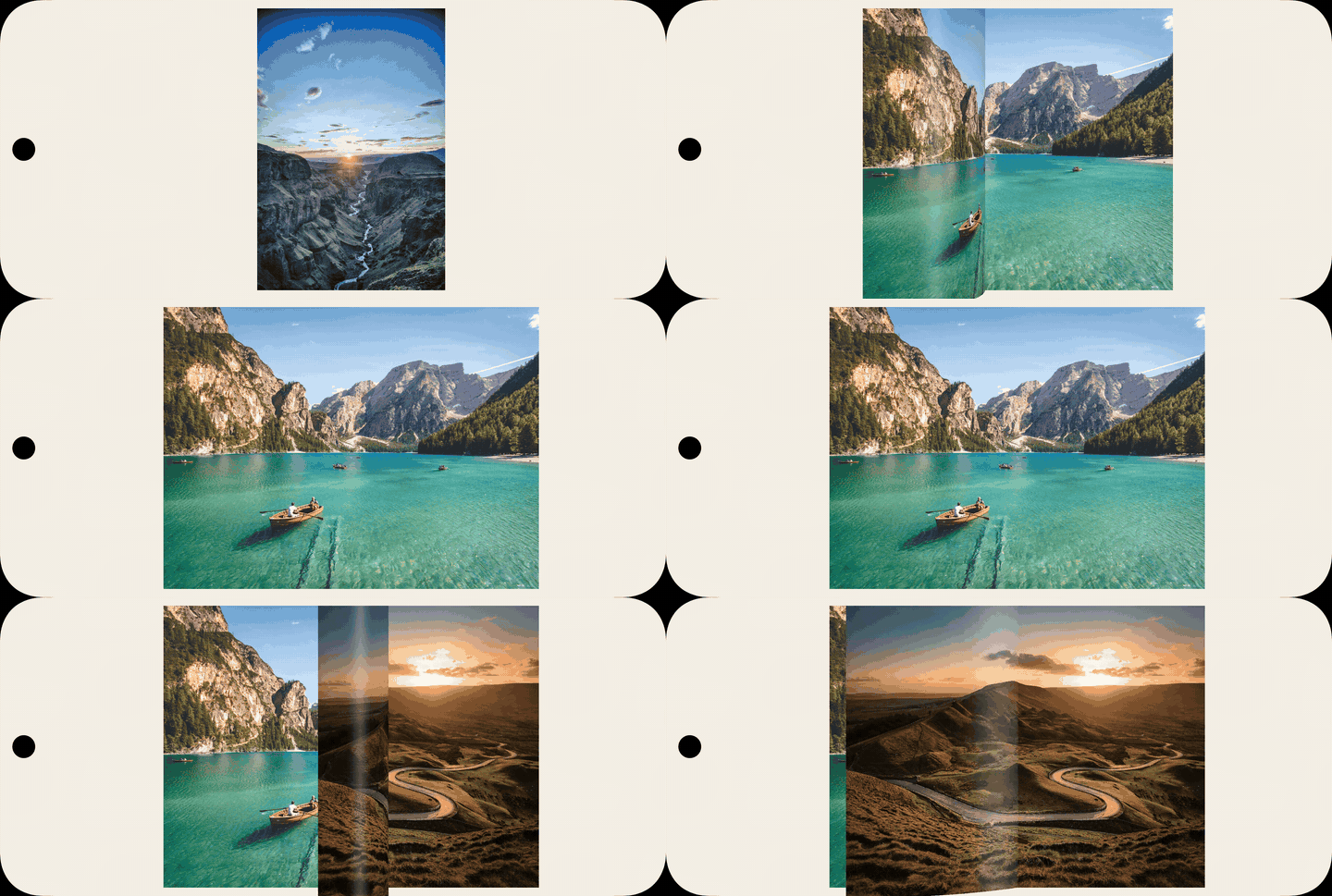
A realistic page-turn widget for Flutter.
It is designed for reader-style experiences (books, magazines, catalogs) with natural navigation in both single-page and double-page layouts.
Preview #
Features #
- Realistic page-turn animation
- Manual swipe and programmatic navigation
- Single-page and double-page display
- Zoom support
- Optional book-style page chrome (header, footer, border)
- Pre-flip navigation guard (
onFlipGuard) - Two content modes:
- Image pages
- Widget pages
Installation #
dependencies:
  flutter_realistic_flipbook: ^0.1.3
flutter pub get
Import #
import 'package:flutter_realistic_flipbook/flutter_realistic_flipbook.dart';
Basic Usage #
final controller = FlipbookController();

RealisticFlipbook(
  controller: controller,
  pages: pages,
  flipDuration: const Duration(milliseconds: 1200),
);
Page Content Modes #
Image Mode #
Use image-based pages when content is static.
final pages = <FlipbookPage?>[
  null,
  const FlipbookPage(image: AssetImage('assets/pages/1.jpg')),
  const FlipbookPage(image: AssetImage('assets/pages/2.jpg')),
  const FlipbookPage(image: AssetImage('assets/pages/3.jpg')),
];
Widget Mode #
Use widget-based pages when content is dynamic or interactive.
final pages = <FlipbookPage?>[
  null,
  FlipbookPage(
    sizeHint: const Size(1000, 1414),
    widgetBuilder: (context) => Container(
      color: const Color(0xFFFFF8E8),
      padding: const EdgeInsets.all(24),
      child: const Text('Dynamic page'),
    ),
  ),
  FlipbookPage(
    sizeHint: const Size(1000, 1414),
    widgetBuilder: (context) => Container(
      color: const Color(0xFFFFF8E8),
      child: const Center(child: Text('Another page')),
    ),
  ),
];
Gesture Integration #
If your page widgets handle their own taps/presses, enable gesture pass-through:
RealisticFlipbook(
  pages: pages,
  allowPageWidgetGestures: true,
  tapToFlip: false,
  clickToZoom: false,
  dragToFlip: true,
)
Navigation Guard #
Use onFlipGuard to block a flip before the animation starts:
RealisticFlipbook(
  pages: pages,
  onFlipGuard: (currentPage, targetPage, direction, auto) {
    final inAllowedRange = targetPage >= 10 && targetPage <= 30;
    return inAllowedRange;
  },
)
Core API #
RealisticFlipbook #
Main widget that renders and animates the book.
Use it to configure:
- pages and controller
- animation and navigation behavior
- single vs double page layout
- zoom and gesture behavior
- visual styling (paper/chrome)
FlipbookPage #
Data model for one page.
A page can be defined with either:
- an
image, or - a
widgetBuilder
You can also provide optional metadata (headerText, footerText, etc.).
FlipbookController #
Imperative controller for navigation and zoom.
It exposes:
- state (
page,numPages,canFlipLeft,canFlipRight, ...) - actions (
flipLeft,flipRight,zoomIn,zoomOut,goToPage)
Example #
A runnable demo is available in example/.
cd example
flutter run
License #
MIT. See LICENSE.
Metadata
Publisher
unverified uploader
Weekly Downloads
Metadata
A realistic 3D page-turn flipbook widget for Flutter, inspired by flipbook-vue.
Repository (GitHub)
View/report issues
Topics
#flipbook #page-turn #animation #three-d #reader
Documentation
License
 MIT (license)

