
flutter_embedding_cli 0.0.1-beta.5  flutter_embedding_cli: ^0.0.1-beta.5 copied to clipboard
 krispypen.be
This project helps generating modules for embedding flutter into a native ios, android or react-native app.
Flutter Embedding CLI #
A command-line tool for generating modules that allow embedding Flutter into native iOS, Android, React Native, Web (React), and Web (Angular) applications.
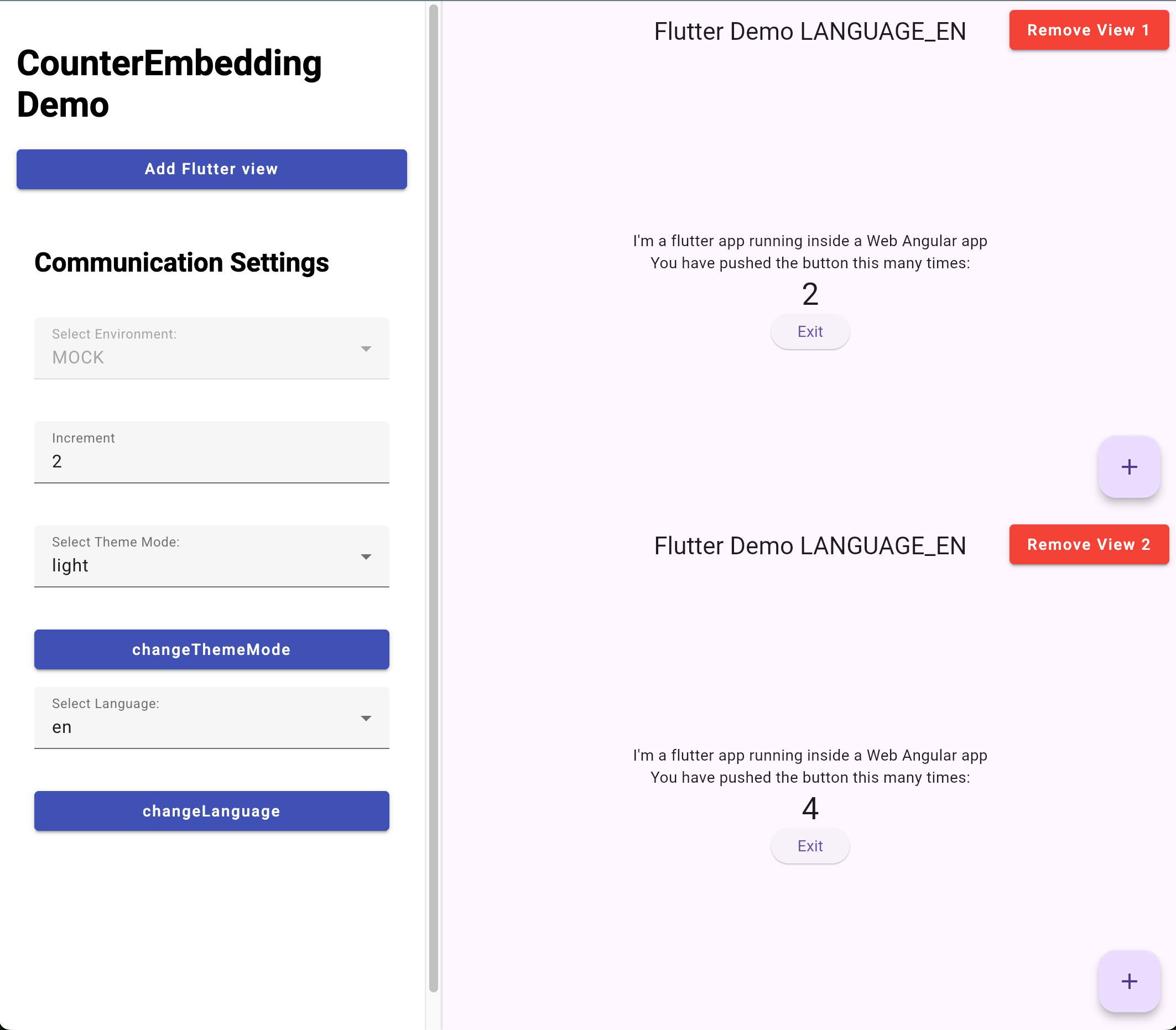
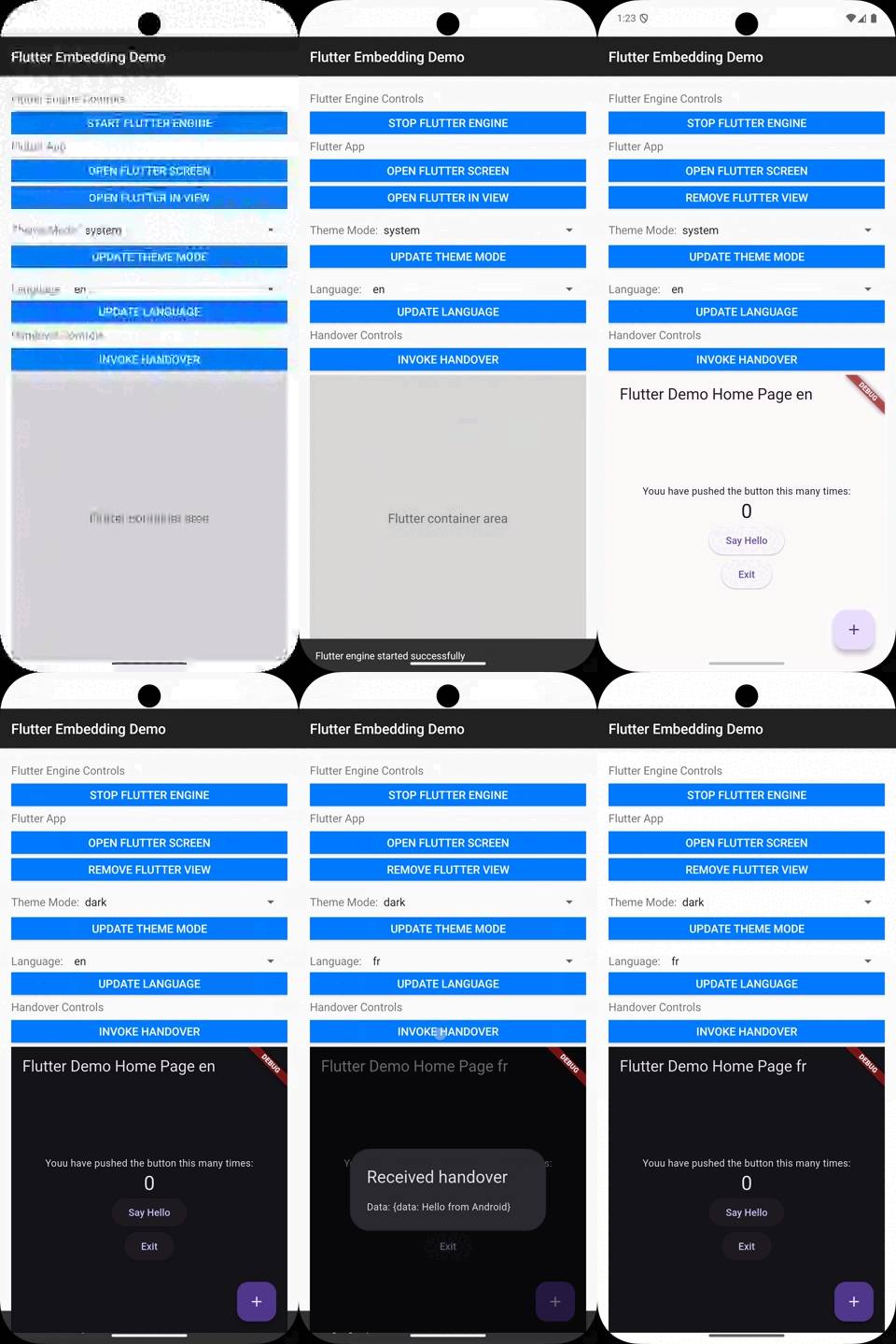
Screenshot #
Why Flutter Embedding CLI? #
Flutter's official "add-to-app" approach is notoriously complex and painful to set up. It requires manual configuration of build systems, managing framework dependencies across platforms, and writing boilerplate communication code — all of which is error-prone and time-consuming.
Flutter Embedding CLI eliminates this pain. With a single command, it generates production-ready modules for any target platform, complete with:
- ✅ Pre-configured build setup and dependency management
- ✅ Type-safe communication between Flutter and host using Protocol Buffers
- ✅ Ready-to-use example apps for immediate testing
- ✅ Proper packaging (CocoaPods for iOS, AAR for Android, npm packages for web)
Stop wrestling with build configurations. Start shipping features.
Why Protocol Buffers Instead of Pigeon? #
Flutter's official Pigeon package is great for type-safe communication, but it only supports generating code for native Android and iOS platforms. This is a significant limitation when you want to embed Flutter in web applications or React Native.
Flutter Embedding CLI uses Protocol Buffers because:
-
Universal platform support — Proto files generate Dart code plus native code for all requested host platforms: iOS (Swift), Android (Java), React Native (TypeScript), React Web (TypeScript), and Angular Web (TypeScript). One definition, all platforms.
-
Built on gRPC foundations — The communication layer hooks into the gRPC serialization system. Messages are converted to bytes and sent over the platform channel (iOS/Android), the embedding channel (React Native), or JS interop (Web). This proven approach handles complex data types reliably.
-
Excellent backward compatibility — Protocol Buffers have well-established rules for evolving message schemas. You can add new fields, deprecate old ones, and maintain compatibility between different versions of your Flutter module and host apps.
Overview #
This CLI tool helps developers create the module and example applications for integrating Flutter modules into existing native mobile and web applications. It supports the following platforms:
- iOS - Native iOS framework with CocoaPods integration
- Android - Android Archive (AAR) module
- React Native - Cross-platform React Native module
- Web (React) - React web component module
- Web (Angular) - Angular web component module
The tool uses Protocol Buffers (proto files) to define type-safe communication between the host platform and Flutter, enabling seamless handover of data and method calls.
Installation #
Add this to your package's pubspec.yaml file:
dependencies:
  flutter_embedding: ^0.0.1-beta.2

dev_dependencies:
  flutter_embedding_cli: ^0.0.1-beta.2
Configuration #
pubspec.yaml Requirements #
Your Flutter module's pubspec.yaml must include the flutter_embedding configuration section and the standard Flutter module configuration:
flutter_embedding:
  # Required: Unique identifier for your module
  package_name: com.example.counter_module

  # Required: Display name for the embedding (used in generated code)
  name: CounterEmbedding

  # Optional: Module name (defaults to {project_name}_module)
  module_name: counter_embedding

  # Proto handovers configuration - defines communication between Flutter and host
  handovers:
    # Proto files defining services that Flutter can call on the host
    to_host:
      - handovers_to_host_service.proto
    # Proto files defining services that the host can call on Flutter
    to_flutter:
      - handovers_to_flutter_service.proto
    # Message type used to pass initial parameters when launching Flutter
    start_params: StartParams

  # Platform-specific configuration (all optional)
  ios:
    example:
      bundle_identifier: com.example.ios.app
      display_name: My iOS App
      brick_patch: embedding/example_patch_bricks/ios

  android:
    example:
      package_name: com.example.android.app
      brick_patch: embedding/example_patch_bricks/android

  react_native:
    # Optional: defaults to {module_name}-react-native
    package_name: my-react-native-module
    example:
      brick_patch: embedding/example_patch_bricks/react-native

  web_react:
    # Optional: defaults to {module_name}-react
    package_name: my-react-module
    example:
      brick_patch: embedding/example_patch_bricks/web-react

  web_angular:
    # Optional: defaults to {module_name}-angular
    package_name: my-angular-module
    example:
      brick_patch: embedding/example_patch_bricks/web-angular

flutter:
  module:
    androidX: true
    androidPackage: com.example.flutter_module
    iosBundleIdentifier: com.example.flutterModule
Proto Files for Handover Communication #
Proto files define the communication contract between your Flutter module and the host platform. Place your proto files in embedding/protos/.
handovers_to_host_service.proto- Define services that Flutter can call on the host (e.g., get host info, request exit)handovers_to_flutter_service.proto- Define services that the host can call on Flutter (e.g., change language, change theme), plus theStartParamsmessage for initial parameters
See packages/example_module/embedding/protos/ for complete examples.
The CLI automatically generates platform-specific code from these proto files using protoc.
Usage #
The CLI provides a single command with multiple subcommands:
dart run flutter_embedding_cli:generate [options] <command> [arguments]
Commands #
iOS Module Generation
Generate iOS Flutter module and optionally create an example app:
dart run flutter_embedding_cli:generate ios [--example] [--verbose]
Options:
--example,-e: Generate an example iOS app alongside the module--verbose,-v: Show verbose output
What it does:
- Generates a Flutter module plugin with Swift handover services from proto files
- Builds the Flutter iOS framework with CocoaPods support
- Generates ZIP files of the iOS SDK
- Creates Podspec files for CocoaPods integration
- Generates a Pod helper file
- If
--exampleis specified, creates a complete example iOS app
Android Module Generation
Generate Android Flutter module and optionally create an example app:
dart run flutter_embedding_cli:generate android [--example] [--verbose]
Options:
--example,-e: Generate an example Android app alongside the module--verbose,-v: Show verbose output
What it does:
- Generates a Flutter module plugin with Java handover services from proto files
- Builds the Flutter Android Archive (AAR)
- If
--exampleis specified, creates a complete example Android app
React Native Module Generation
Generate React Native Flutter module and optionally create an example app:
dart run flutter_embedding_cli:generate react-native [--example] [--verbose]
Options:
--example,-e: Generate an example React Native app alongside the module--verbose,-v: Show verbose output
What it does:
- Generates the React Native module structure with TypeScript handover services
- Builds both Android AAR and iOS framework
- Copies Flutter artifacts to the appropriate platform directories
- Generates ZIP files and Podspecs for iOS
- Runs npm install, ci, and pack commands (packaging the module)
- If
--exampleis specified, creates a complete example React Native app
Web React Module Generation
Generate a React web module and optionally create an example app:
dart run flutter_embedding_cli:generate web-react [--example] [--verbose]
Options:
--example,-e: Generate an example React web app alongside the module--verbose,-v: Show verbose output
What it does:
- Generates the React web module structure with TypeScript handover services
- Builds Flutter for web with source maps
- Runs npm install, ci, build, and pack commands
- If
--exampleis specified, creates a complete example React web app
Web Angular Module Generation
Generate an Angular web module and optionally create an example app:
dart run flutter_embedding_cli:generate web-angular [--example] [--verbose]
Options:
--example,-e: Generate an example Angular web app alongside the module--verbose,-v: Show verbose output
What it does:
- Generates the Angular web module structure with TypeScript handover services
- Builds Flutter for web with source maps
- Runs npm install, build, and pack commands
- If
--exampleis specified, creates a complete example Angular web app
Multiple Views (Web Only) #
Web platforms (React and Angular) support multiple Flutter views within the same application. This allows you to:
- Dynamically add and remove Flutter views at runtime
- Run multiple independent Flutter instances side by side
- Each view has its own handover service client for independent communication
The Flutter engine is initialized once with multiViewEnabled: true, and each FlutterEmbeddingView component manages its own view instance. Views can be added and removed dynamically while sharing the same Flutter engine.
Output Structure #
All generated artifacts are placed in the embedding/ directory:
Flutter Module Plugin #
embedding/{module_name}/- Generated Flutter plugin with handover services
iOS #
embedding/ios/sdk/- iOS framework and CocoaPods filesembedding/ios/example/- Example iOS app (if--exampleflag used)
Android #
embedding/android/sdk/- Android AAR filesembedding/android/example/- Example Android app (if--exampleflag used)
React Native #
embedding/react-native/module/- React Native module packageembedding/react-native/example/- Example React Native app (if--exampleflag used)
Web React #
embedding/web-react/module/- React web module packageembedding/web-react/example/- Example React web app (if--exampleflag used)
Web Angular #
embedding/web-angular/module/- Angular web module packageembedding/web-angular/example/- Example Angular web app (if--exampleflag used)
Patch Bricks #
You can customize the generated example apps using Mason patch bricks. Specify the path to your custom brick in the flutter_embedding configuration:
flutter_embedding:
  ios:
    example:
      brick_patch: embedding/example_patch_bricks/ios
  android:
    example:
      brick_patch: embedding/example_patch_bricks/android
The patch brick will be applied after the base example app is generated, allowing you to add custom code or modify generated files.
Prerequisites #
- Flutter SDK
- For iOS: Xcode and CocoaPods
- For Android: Android SDK
- For React Native: Node.js and npm
- For Web: Node.js and npm
- Protocol Buffers compiler (
protoc) with language-specific plugins:- Dart:
protoc-gen-dart - Java:
protoc-gen-grpc-java - Swift:
protoc-gen-swiftandprotoc-gen-grpc-swift-2 - TypeScript:
protoc-gen-ts
- Dart:
License #
MIT License
Metadata
Publisher
Weekly Downloads
Metadata
This project helps generating modules for embedding flutter into a native ios, android or react-native app.
Homepage
Repository (GitHub)
View/report issues
Topics
#cli #embedding-flutter #embedding-ios #embedding-android #embedding-react-native
Documentation
License
 MIT (license)
Dependencies
args, mason, path, xcodeproj, yaml

