
flutter_easy_messages 0.0.2  flutter_easy_messages: ^0.0.2 copied to clipboard
A simple and customizable Flutter package for displaying toast notifications and snackbars. Features smooth animations, multiple positioning options, message types, and flexible behavior modes.
🍞 Flutter Easy Messages #
A simple, elegant, and highly customizable Flutter package for displaying toast notifications and snackbars. Features smooth animations, multiple positioning options, message types (error, success, info, warning), and flexible behavior modes (queue or replace).
✨ Features #
- 🍞 Toast Notifications - Overlay-based notifications with smooth animations
- 📱 Responsive Snackbars - Automatic sizing for mobile, tablet, and desktop
- 🎨 Message Types - Pre-styled messages (Error, Success, Info, Warning)
- 📍 9 Position Options - Top, center, or bottom with left/center/right alignment
- ⚡ Smooth Animations - Entry, exit, and pulse animations with customizable timing
- 🔄 Queue & Replace Modes - Control how multiple messages are handled
- 🎯 Deduplication - Prevent duplicate messages from appearing
- 📲 Responsive Design - Automatic layout adjustments for all screen sizes
- ♿ Accessibility Support - Screen reader integration with semantic labels
- ⚙️ Highly Configurable - Global config with per-message overrides
🎬 Demo #
Message Types & Colors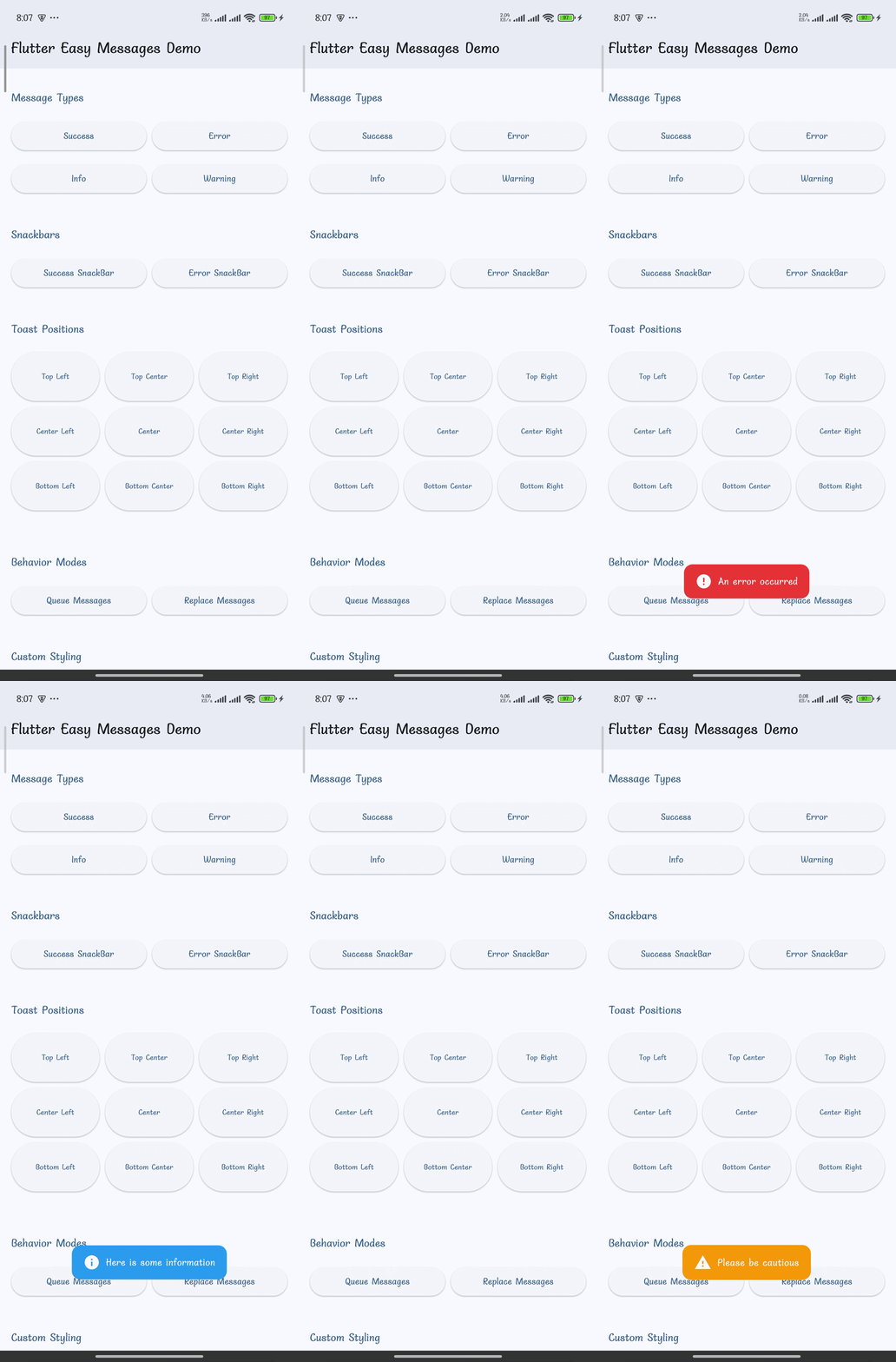
|
Snackbars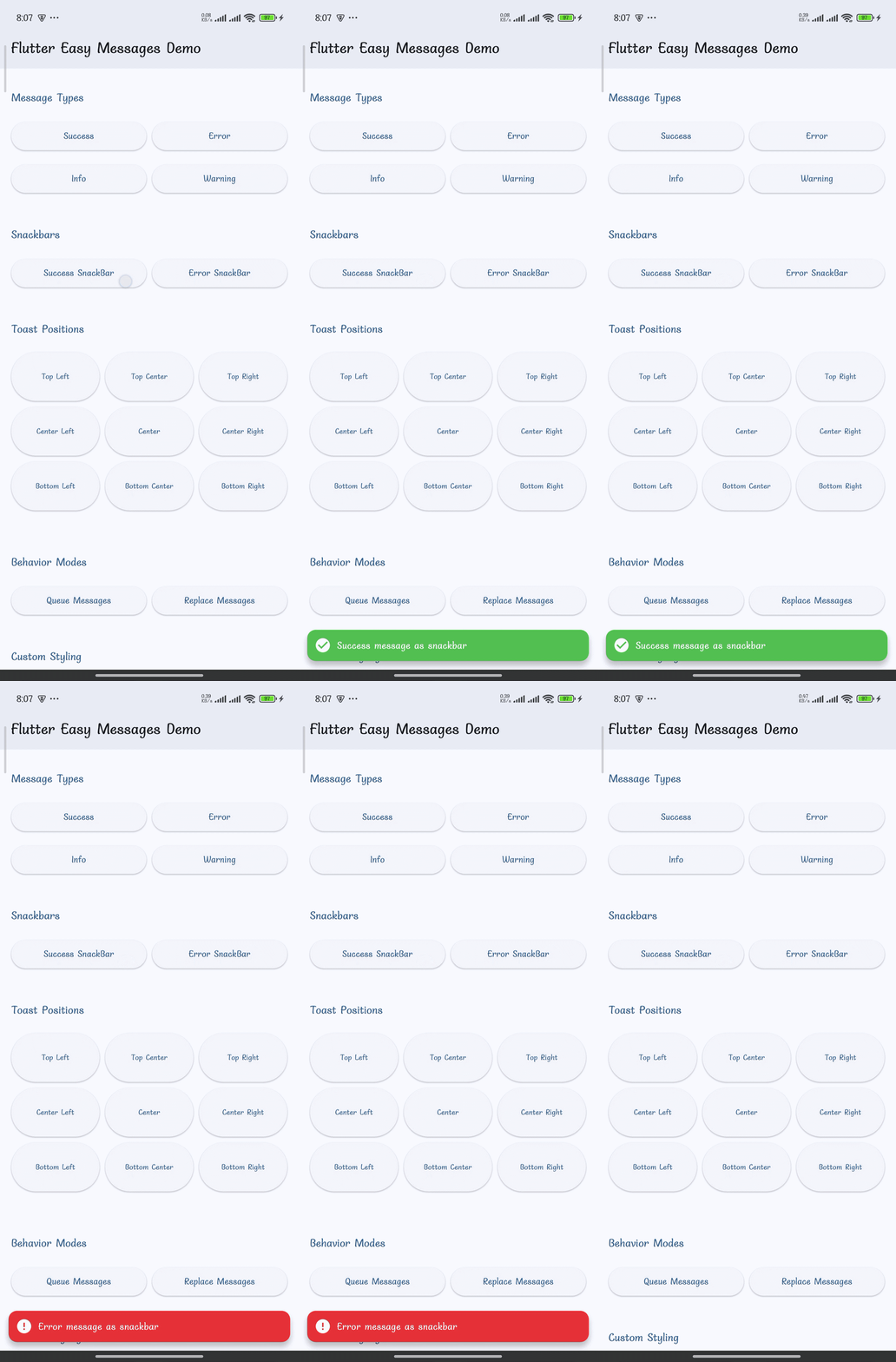
|
Toast Positions (9 Options)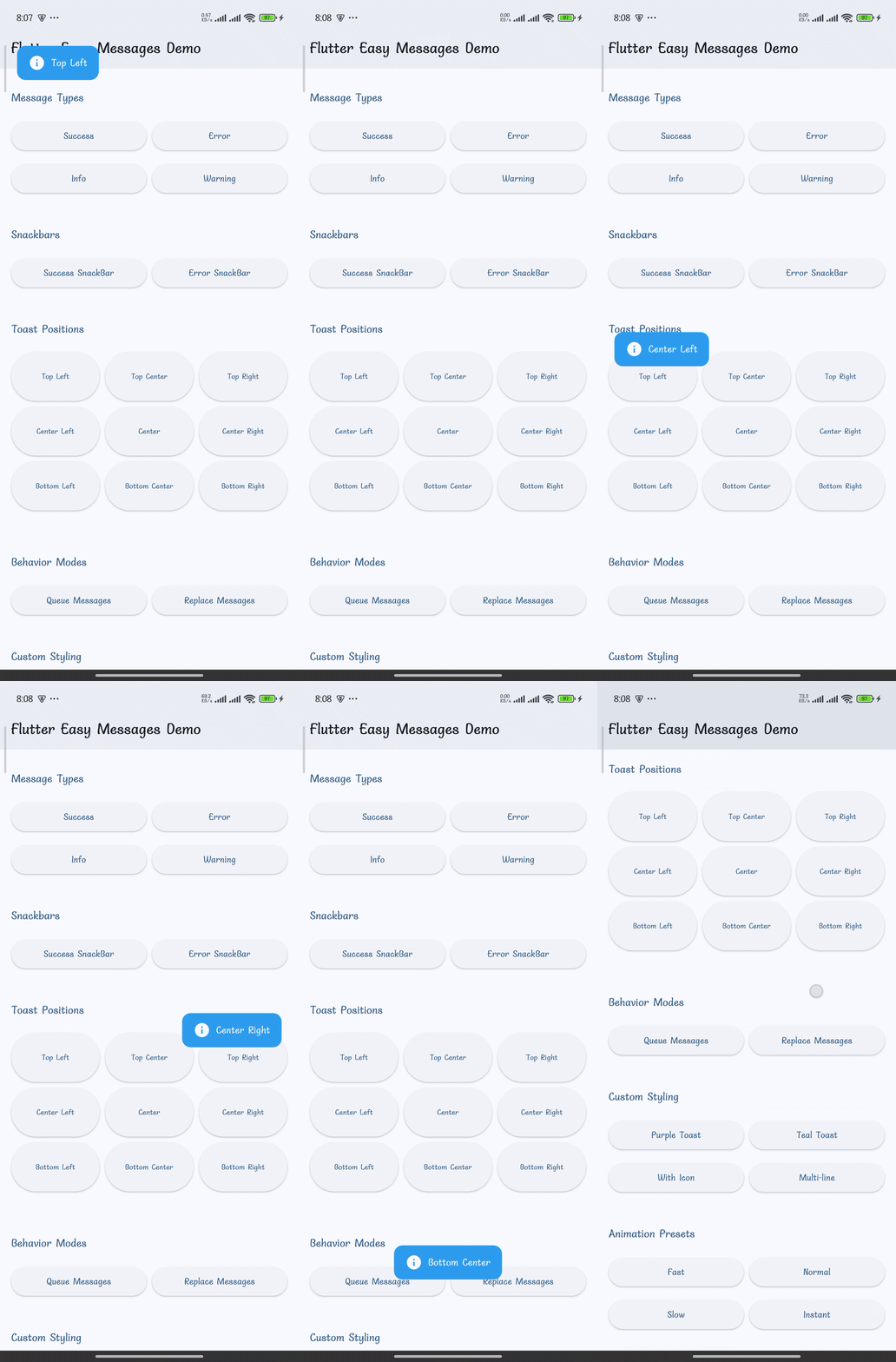
|
Custom Styling & Icons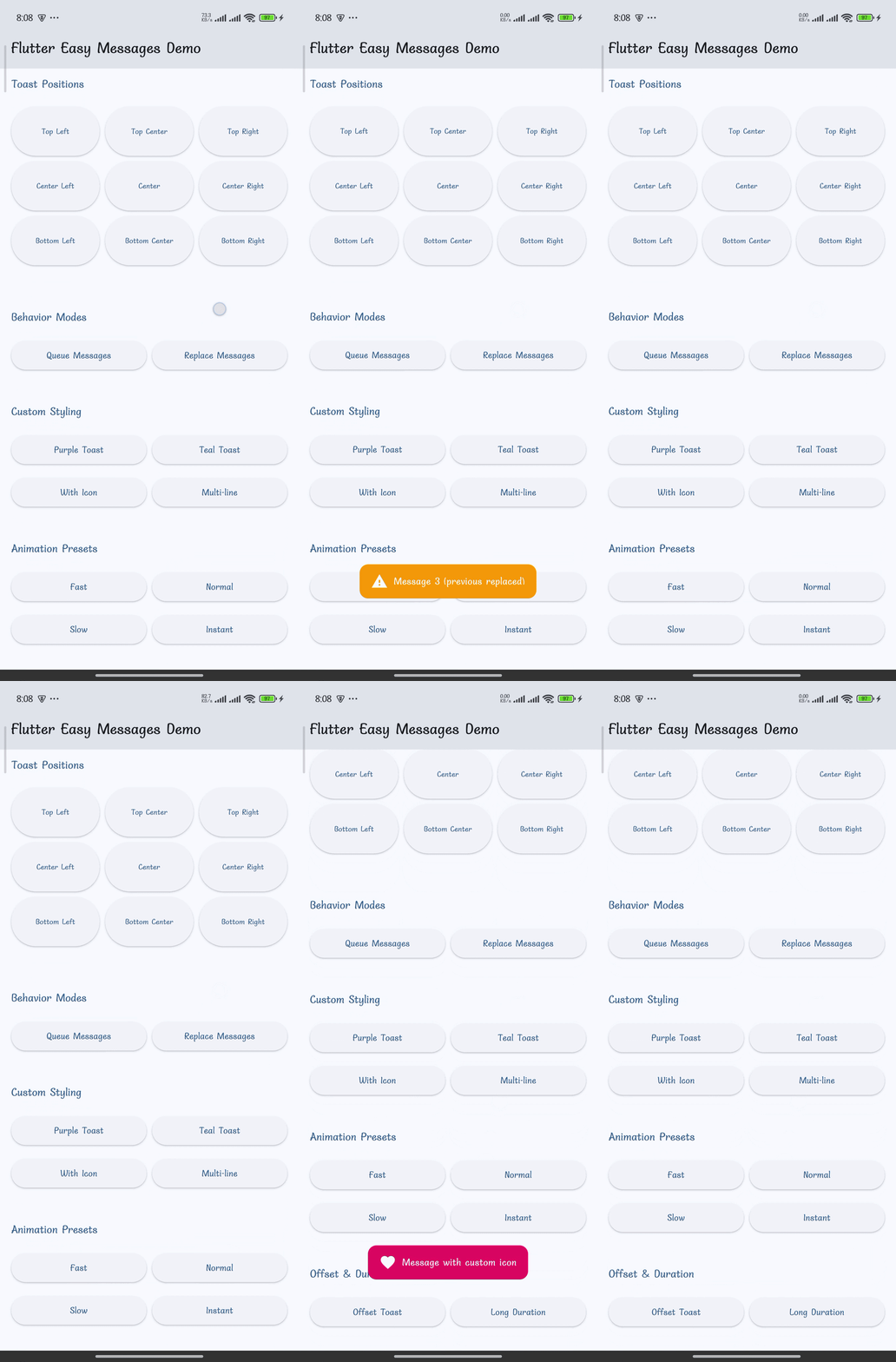
|
Animations & Durations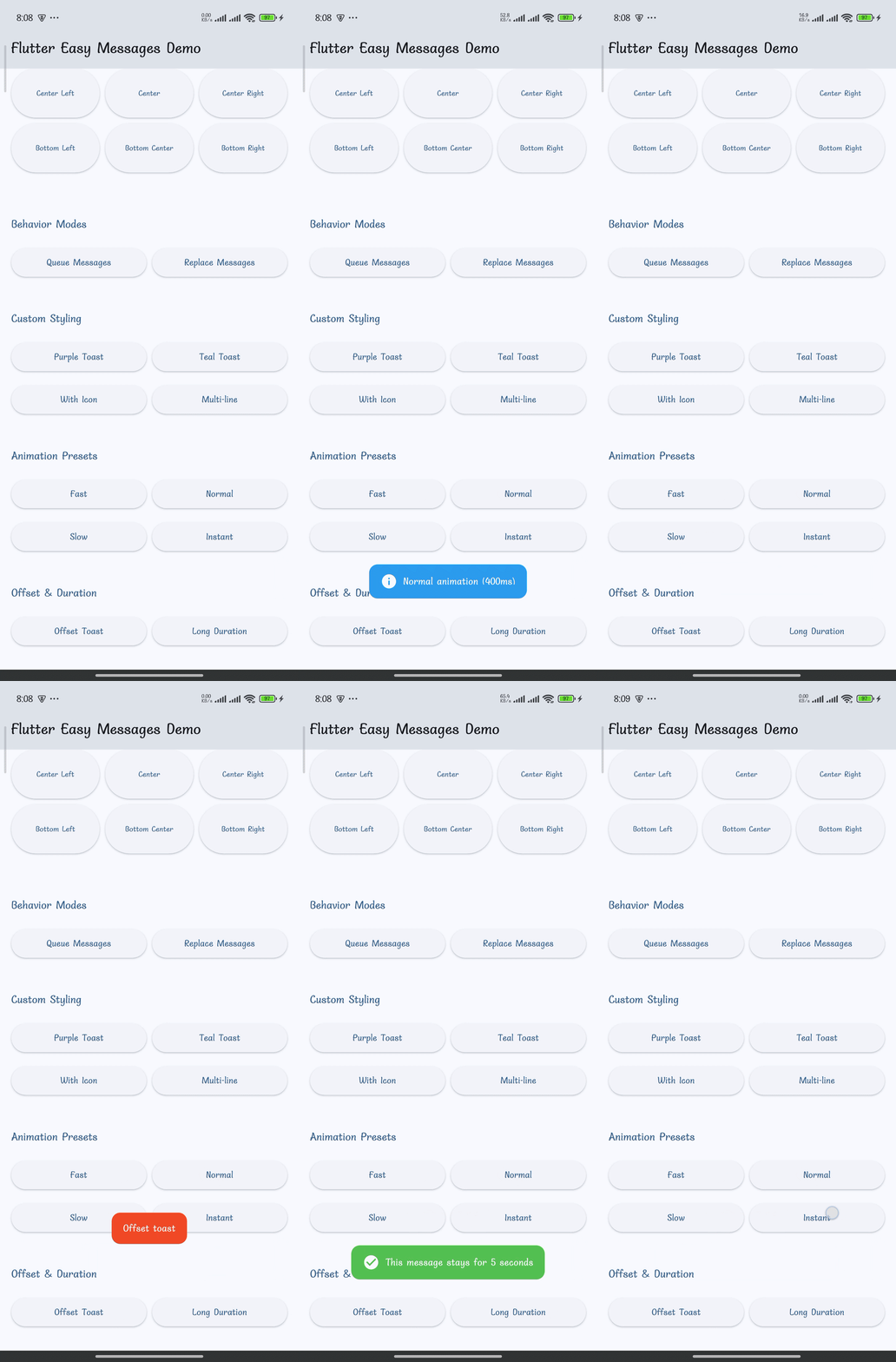
|
📦 Getting Started #
Installation #
Add to your pubspec.yaml:
dependencies:
  flutter_easy_messages: ^0.0.1
Run:
flutter pub get
Quick Start (No Setup Required!) #
import 'package:flutter_easy_messages/flutter_easy_messages.dart';

// Show a success toast
showAppToast(context, 'Success!', messageType: MessageType.success);
That's it! 🎉
📖 Usage #
🍞 Toast Notifications #
Preset Message Types
// Success
showAppToast(context, 'Operation successful!', messageType: MessageType.success);

// Error
showAppToast(context, 'Something went wrong', messageType: MessageType.error);

// Info
showAppToast(context, 'This is an info message', messageType: MessageType.info);

// Warning
showAppToast(context, 'Please be careful', messageType: MessageType.warning);
Custom Styling
showAppToast(
  context,
  'Custom message',
  backgroundColor: Colors.purple,
  duration: Duration(seconds: 3),
  position: MessagePosition.topCenter,
  borderRadius: 20,
  icon: Icon(Icons.favorite, color: Colors.white),
  maxLines: 2,
  offset: Offset(0, 10),
);
Behavior Modes
// Replace (default) - Only one toast shown at a time
showAppToast(context, 'Message 1', behavior: MessageBehavior.replace);
showAppToast(context, 'Message 2', behavior: MessageBehavior.replace);
// Result: Only 'Message 2' is shown

// Queue - Messages shown one after another
showAppToast(context, 'Message 1', behavior: MessageBehavior.queue);
showAppToast(context, 'Message 2', behavior: MessageBehavior.queue);
// Result: Both messages are shown in sequence
📋 Snackbars #
Simple Snackbar
showAppSnackBar(
  context,
  'Snackbar message',
  messageType: MessageType.success,
);
Responsive Snackbar
showAppSnackBar(
  context,
  'This adapts to screen size automatically',
  messageType: MessageType.info,
  responsive: true,
  mobileBreakpoint: 600,
  tabletBreakpoint: 1024,
);
⚙️ Global Configuration #
Configure globally in your main.dart:
void main() {
  EasyMessageConfig.configure(
    toastDuration: Duration(seconds: 3),
    snackBarDuration: Duration(seconds: 4),
    borderRadius: 16,
    toastPosition: MessagePosition.bottomCenter,
    toastOffset: Offset(0, -20),
    enablePulse: true,
    toastEntryAnimationDuration: Duration(milliseconds: 400),
    toastExitAnimationDuration: Duration(milliseconds: 300),
    toastPulseScale: 1.1,
  );

  runApp(MyApp());
}
📍 Toast Positions #
Nine positioning options available:
MessagePosition.topLeft       // Top-left corner
MessagePosition.topCenter     // Top-center
MessagePosition.topRight      // Top-right corner
MessagePosition.centerLeft    // Center-left
MessagePosition.center        // Exact center
MessagePosition.centerRight   // Center-right
MessagePosition.bottomLeft    // Bottom-left corner
MessagePosition.bottomCenter  // Bottom-center (default)
MessagePosition.bottomRight   // Bottom-right corner
Example:
showAppToast(
  context,
  'Top right notification',
  position: MessagePosition.topRight,
  messageType: MessageType.info,
);
🎨 Message Types & Styles #
Pre-configured message types with default icons and colors:
| Type | Icon | Color | Usage |
|---|---|---|---|
error |
❌ | Red | Error/Failure states |
success |
✓ | Green | Success/Completion |
info |
ℹ️ | Blue | Information/Notes |
warning |
⚠️ | Orange | Warnings/Cautions |
Customize Message Type Colors #
// Override default color for a message type
showAppToast(
  context,
  'Custom error color',
  messageType: MessageType.error,
  backgroundColor: Colors.pink, // Override red with pink
);
🚀 Advanced Usage #
Programmatically Dismiss Toasts #
// Dismiss the currently shown toast
ToastManager.dismissCurrent();
Clear Queue #
// Switch to replace mode (automatically clears the queue)
showAppToast(
  context,
  'This clears any queued messages',
  behavior: MessageBehavior.replace
);
Reset to Defaults #
// Reset all configuration to defaults
EasyMessageConfig.reset();
Animation Presets #
Use built-in animation speed presets:
// Fast animation (200ms entry)
EasyMessageConfig.configure(
  toastEntryAnimationDuration: AnimationPresets.fast.entry,
  toastExitAnimationDuration: AnimationPresets.fast.exit,
);

// Slow animation (600ms entry)
EasyMessageConfig.configure(
  toastEntryAnimationDuration: AnimationPresets.slow.entry,
  toastExitAnimationDuration: AnimationPresets.slow.exit,
);

// Instant (100ms entry)
EasyMessageConfig.configure(
  toastEntryAnimationDuration: AnimationPresets.instant.entry,
  toastExitAnimationDuration: AnimationPresets.instant.exit,
);
Available presets: instant, fast, normal, slow, extraSlow
♿ Accessibility #
Full support for accessibility services:
- ✅ Screen Reader Support - Semantic labels announce messages
- ✅ Dismissible - Users can dismiss messages via accessibility actions
- ✅ High Contrast - All preset colors meet WCAG contrast ratios
- ✅ Focus Management - Proper focus handling for keyboard navigation
// Messages automatically include accessibility labels
showAppToast(context, 'This is announced to screen readers');
📋 Configuration Reference #
Complete list of configuration options:
EasyMessageConfig.configure({
  // Durations
  Duration? toastDuration = Duration(seconds: 2),
  Duration? snackBarDuration = Duration(seconds: 3),
  Duration? toastEntryAnimationDuration = Duration(milliseconds: 400),
  Duration? toastExitAnimationDuration = Duration(milliseconds: 300),
  Duration? toastPulseAnimationDuration = Duration(milliseconds: 600),
  Duration? toastPulseReverseAnimationDuration = Duration(milliseconds: 600),

  // Styling
  double? borderRadius = 12,

  // Toast Positioning
  MessagePosition? toastPosition = MessagePosition.bottomCenter,
  Offset? toastOffset = Offset(0, 0),

  // Behavior
  MessageBehavior? toastBehavior = MessageBehavior.replace,
  MessageBehavior? snackBarBehavior = MessageBehavior.replace,

  // Animation
  double? toastPulseScale = 1.05,
  bool? enablePulse = true,
});
📱 Example App #
View the complete demo app with all features:
cd example
flutter run
The example includes demonstrations of:
- All 4 message types
- 9 different toast positions
- Queue vs Replace behavior
- Custom styling options
- Animation presets
- Responsive design on all screen sizes
💡 Tips & Best Practices #
When to Use Toast vs Snackbar? #
| Use Case | Toast | Snackbar |
|---|---|---|
| Quick feedback | ✅ | - |
| Important message | - | ✅ |
| Needs user action | - | ✅ |
| Non-blocking notice | ✅ | - |
| Limited screen space | ✅ | - |
Best Practices #
- Keep messages short - Aim for 1-2 lines max
- Use message types appropriately - Match severity (error/success/info/warning)
- Test on multiple devices - Responsive design adapts automatically
- Consider motion preferences - Use
enablePulse: falseif needed - Queue strategically - Only queue when waiting for user response
- Avoid notification spam - Use deduplication to prevent duplicates
- Provide feedback - Always tell users what happened (success/failure)
Performance Tips #
// Good: Configure once at startup
void main() {
  EasyMessageConfig.configure(
    toastDuration: Duration(seconds: 2),
    // ...
  );
  runApp(MyApp());
}

// Avoid: Reconfiguring frequently
// ❌ Don't do this in every build method
EasyMessageConfig.configure(...);
🐛 Troubleshooting #
Messages Not Showing? #
Problem: Toast or snackbar doesn't appear
Solution:
- Ensure you're passing a valid
BuildContextfrom a widget in your widget tree - Check that your app has a
Scaffoldwidget (required for snackbars) - Verify the widget is mounted (
if (mounted)check)
Animation Looks Choppy? #
Problem: Animations are jerky or laggy
Solution:
- Check device performance (animations are smoother on release builds)
- Reduce animation duration:
AnimationPresets.fast - Simplify the toast message (remove complex widgets)
Deduplication Preventing Messages? #
Problem: Same message type won't show twice in a row
Solution:
- Change the message text slightly
- Use
MessageBehavior.queuemode - Wait for the previous message to dismiss (check default duration)
Messages Stacking on Top of Each Other? #
Problem: Multiple toasts showing simultaneously
Solution:
- Ensure you're using
MessageBehavior.replace(default mode) - Or intentionally use
MessageBehavior.queuewith proper delays
Custom Icons Not Showing? #
Problem: Provided icon doesn't appear
Solution:
- Custom icons override message type icons
- Ensure your icon widget is properly configured
- Try with a built-in message type first to verify the system works
🤝 Contributing #
We welcome contributions! Found a bug or have a feature request?
- Report Issues - Open an issue
- Submit PRs - Fork, create a feature branch, and submit a pull request
- Enhance Docs - Help improve README, examples, or code comments
📄 License #
MIT License - see LICENSE file for details.
📚 More Information #
Made with ❤️ by sacarsacar
Metadata
Publisher
unverified uploader
Weekly Downloads
Metadata
A simple and customizable Flutter package for displaying toast notifications and snackbars. Features smooth animations, multiple positioning options, message types, and flexible behavior modes.
Repository (GitHub)
View/report issues
License
 unknown (license)

