
flutter_crop_camera 0.1.2  flutter_crop_camera: ^0.1.2 copied to clipboard
A high-performance Flutter camera plugin with a built-in crop editor, supporting custom aspect ratios, zoom, and orientation locking.
Flutter Crop Camera #


A high-performance Flutter camera plugin with a fully integrated, Instagram-inspired photo editor. Built with native CameraX (Android) and AVFoundation (iOS) for maximum performance. Supports camera capture, gallery picking, advanced cropping, photo filters, and draggable overlays — all in one package.
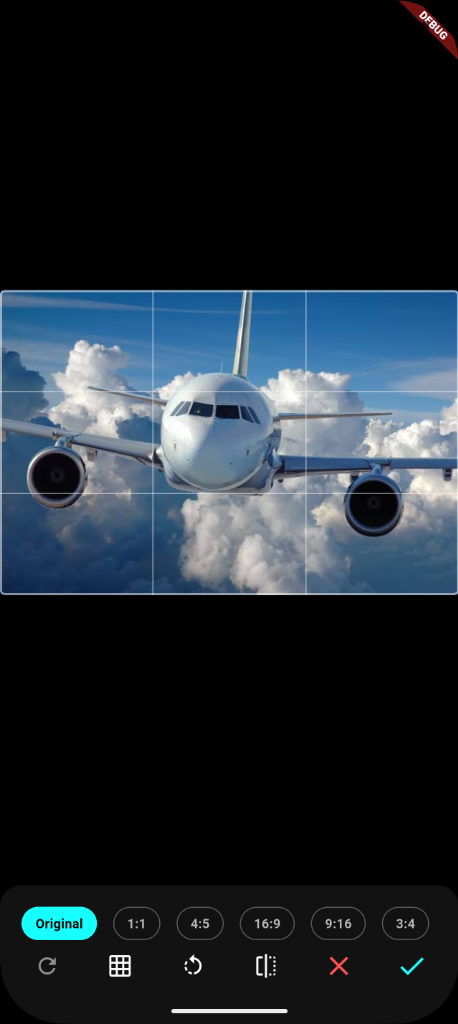
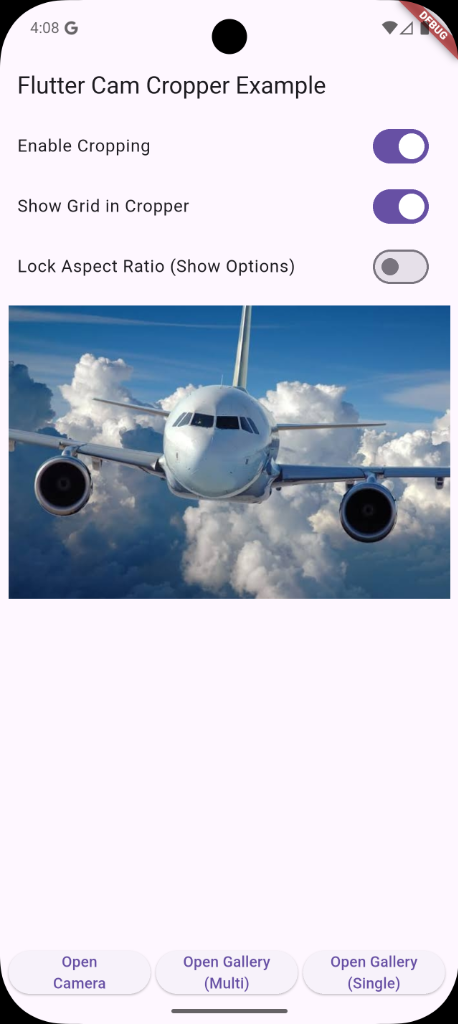
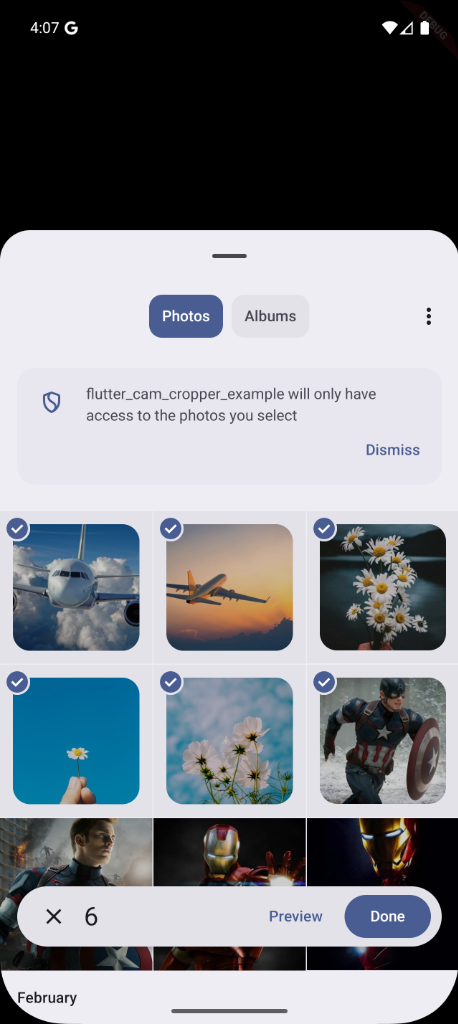
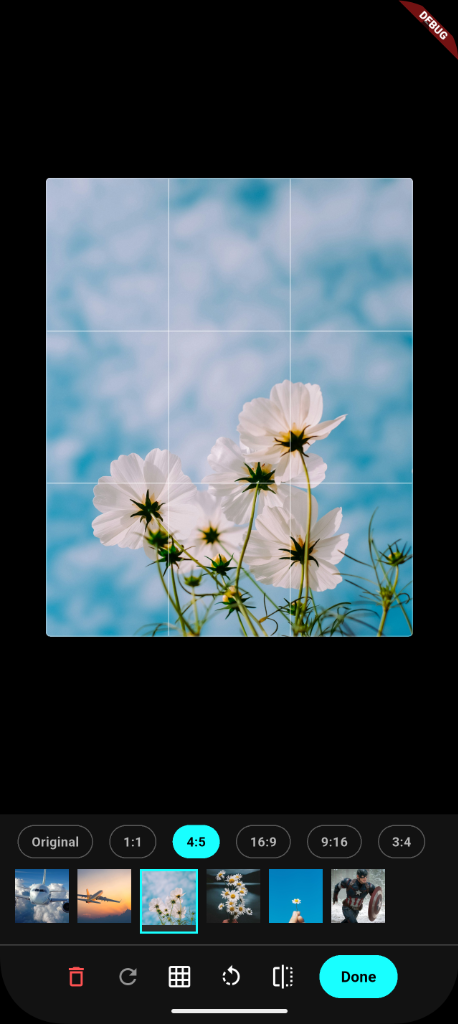
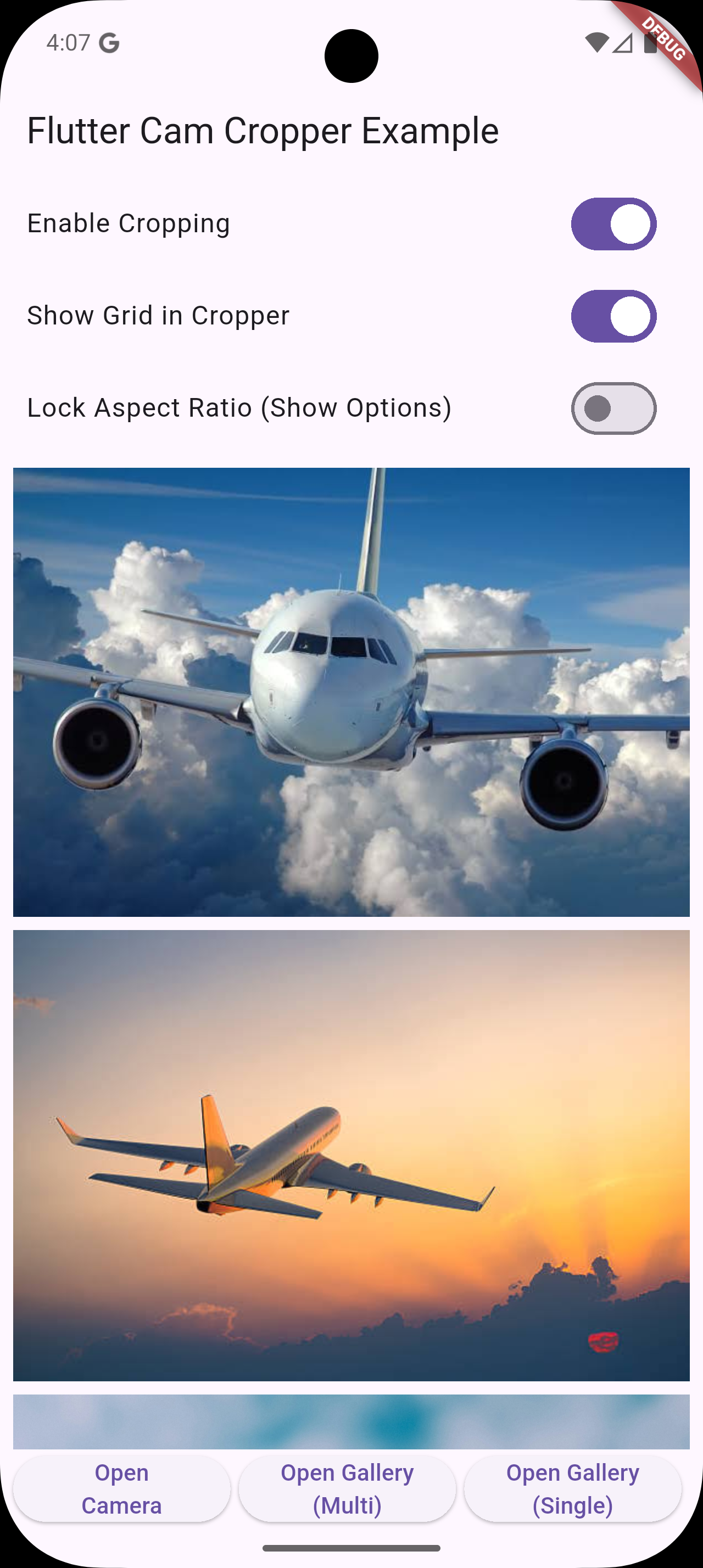
Screenshots #
Launch Camera
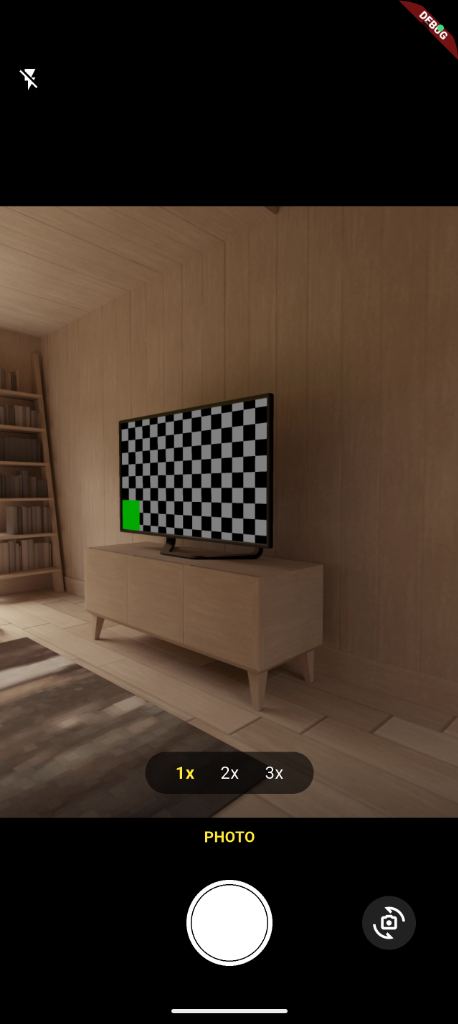
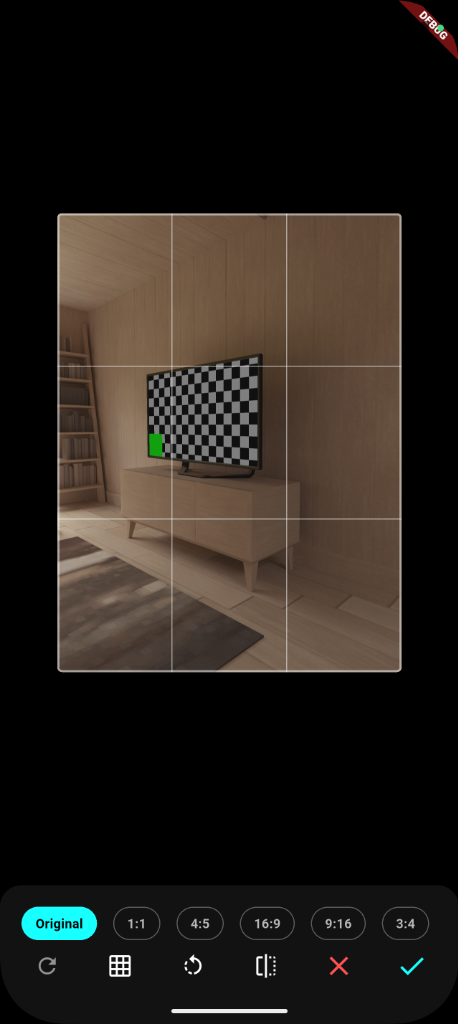
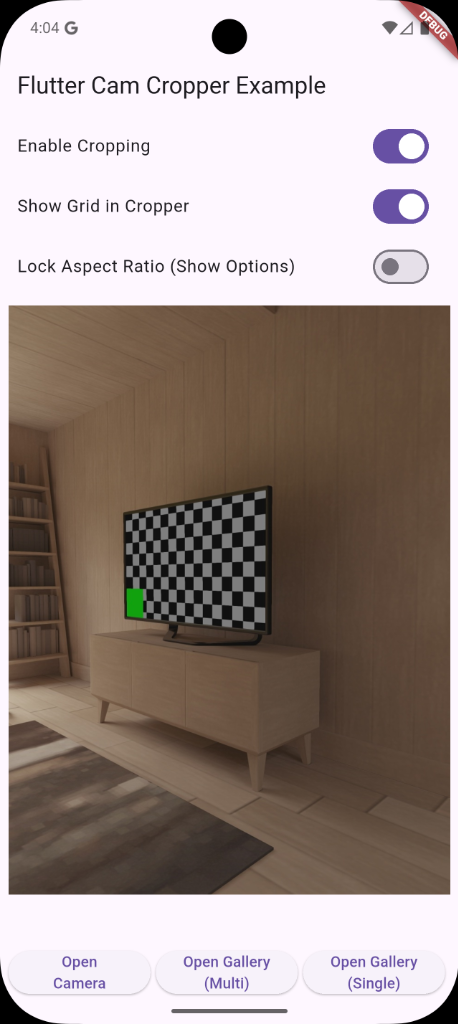
Pick from Gallery
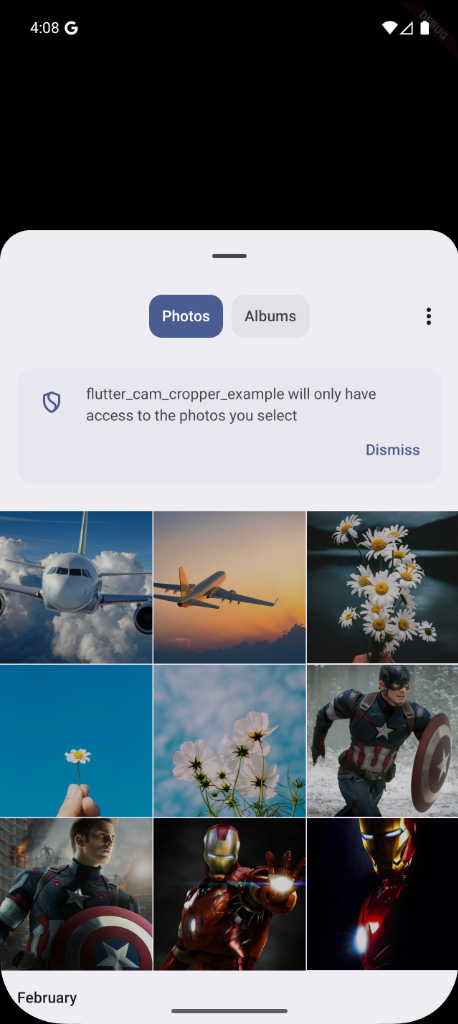
Pick Multiple Images
Features #
📸 Camera #
- Native Camera Preview — High-resolution preview using CameraX (Android) and AVFoundation (iOS).
- Front / Rear Camera — Choose the default lens and allow users to switch at any time.
- Flash Modes — Supports
Off,Auto, andOn. - Camera Aspect Ratios — Set the viewfinder shape:
3:4,4:3,9:16,16:9, or1:1. - Photo Mode — Capture full-resolution photos saved to device storage.
🔍 Zoom #
- Preset Zoom Buttons — Quick-access
1x,2x,3xtap targets. - iOS-Style Zoom Dial — Interactive, haptic-enabled scroll dial for precise zooming (shown on pinch/drag).
- Pinch-to-Zoom — Two-finger gesture to zoom in/out on the camera preview.
- Smooth Continuous Zoom — Supports full native zoom range reported by the device camera.
✂️ Crop Editor #
- Interactive Crop Frame — Pan, zoom, and adjust the crop region with touch gestures.
- Aspect Ratio Presets —
Original,1:1,4:5,5:4,16:9,9:16. - Free Crop — Unconstrained freeform cropping.
- Rotation — Rotate the image in 90° steps both clockwise and counter-clockwise.
- Horizontal Flip (Mirror) — Toggle horizontal mirroring.
- Rule-of-Thirds Grid — Toggleable 3×3 composition guide overlay.
- Lock Aspect Ratio — Optionally hide ratio controls to enforce a fixed crop ratio.
- Dedicated Tabs — Crop and Rotate controls are separated into intuitive
CropandRotatetabs.
🖼️ Multi-Image Crop Editor #
- Pick and crop multiple gallery images in a single session.
- Full feature parity with the single-image editor.
- Parallel processing pipeline for faster output when cropping multiple images.
🎨 Photo Filters #
Eight professional, Instagram-inspired color filters baked directly into the output image:
| Filter | Description |
|---|---|
| Normal | No filter applied |
| B&W | Classic black and white (Greyscale) |
| Sepia | Warm vintage brown tone |
| Pop | High contrast / vivid colors |
| Vintage | Warm, desaturated retro look |
| Cool | Blue-boosted cool tone |
| Techni | Technicolor-style vivid contrast |
| Invert | Full color inversion |
🖍️ Overlays (Text & Stickers) #
- Text Overlays — Add custom text with selectable color to photos.
- Emoji Stickers — Place emoji stickers anywhere on the image.
- Draggable — Move overlays freely with a single finger.
- Scalable — Pinch-to-scale or use the resize handle to resize any overlay.
- Rotatable — Two-finger rotation gesture to rotate overlays freely.
- Deletable — Tap an overlay to select it, then tap the delete button to remove it.
- Fully baked into output — All overlays are merged into the final exported image via a Flutter
Canvasrendering pipeline. - Android-safe export path — Platform-aware overlay baking prevents Android quality compression from stripping overlays.
📱 Orientation & UI #
- Orientation Locking — Lock both the camera and editor screens to any set of device orientations (e.g., portrait-only, landscape-only).
- Premium Dark UI — Sleek, dark-themed interface with glassmorphism effects and micro-animations.
- Auto-restores orientation — Resets to all orientations when screens are dismissed.
Installation #
Add flutter_crop_camera to your pubspec.yaml:
dependencies:
  flutter_crop_camera: ^0.2.0
Then run:
flutter pub get
Platform Setup #
Android #
Minimum SDK version: 24 (Android 7.0)
Add the following to your android/app/src/main/AndroidManifest.xml:
<!-- Required: Camera access for taking photos -->
<uses-permission android:name="android.permission.CAMERA" />

<!-- Optional: Hardware requirement declarations -->
<uses-feature android:name="android.hardware.camera" />
<uses-feature android:name="android.hardware.camera.autofocus" />
Note on Gallery Permissions (Android): No storage permissions (
READ_EXTERNAL_STORAGE,READ_MEDIA_IMAGES) are needed. The gallery picker uses the system's built-in media picker intent (ACTION_PICK), which gives the app temporary access to the selected images without requiring any storage permission. Adding unnecessary storage permissions will cause Google Play policy violations.
iOS #
Minimum iOS version: 13.0
Add the following usage description keys to your ios/Runner/Info.plist:
<!-- Required: Camera access for taking photos -->
<key>NSCameraUsageDescription</key>
<string>This app needs camera access to take and crop photos.</string>

<!-- Required: Photo library read access for gallery picker -->
<key>NSPhotoLibraryUsageDescription</key>
<string>This app needs photo library access to pick and edit photos.</string>

<!-- Required on iOS 14+: Limited photo library access -->
<key>NSPhotoLibraryAddUsageDescription</key>
<string>This app needs permission to save photos to your library.</string>
Note on
NSPhotoLibraryUsageDescription(iOS): Required both for picking images from the gallery and for saving output images. On iOS 14+, users may choose "Select Photos" for limited access; the picker will still function correctly.
Add this post_install hook to your ios/Podfile to ensure permissions compile correctly:
post_install do |installer|
  installer.pods_project.targets.each do |target|
    flutter_additional_ios_build_settings(target)
    target.build_configurations.each do |config|
      config.build_settings['GCC_PREPROCESSOR_DEFINITIONS'] ||= [
        '$(inherited)',
        'PERMISSION_CAMERA=1',
        'PERMISSION_PHOTOS=1',
      ]
    end
  end
end
Usage #
1. Open the Camera #
import 'dart:io';
import 'package:flutter/services.dart';
import 'package:flutter_crop_camera/flutter_crop_camera.dart';

final File? photo = await ImageSourcePicker().openCamera(
  context: context,
  cropEnabled: true,               // Show the crop editor after capture
  initialCamera: CamPreference.rear, // Start with the rear camera
  aspectRatio: CamRatio.ratio3x4,  // Set the viewfinder aspect ratio
  quality: 1.0,                    // Image quality (0.0 – 1.0)
  showGrid: true,                  // Show rule-of-thirds grid in crop editor
  lockAspectRatio: false,          // Allow the user to change aspect ratio
  screenOrientations: [DeviceOrientation.portraitUp], // Lock orientation
);

if (photo != null) {
  print('Captured image: ${photo.path}');
}
2. Pick a Single Image from Gallery #
final File? image = await ImageSourcePicker().pickImage(
  context: context,
  cropEnabled: true,
  quality: 0.9,
  showGrid: true,
  lockAspectRatio: false,
  screenOrientations: [DeviceOrientation.portraitUp],
);

if (image != null) {
  print('Picked image: ${image.path}');
}
3. Pick Multiple Images from Gallery #
final List<File> images = await ImageSourcePicker().pickMultipleImages(
  context: context,
  cropEnabled: true,    // Opens the multi-image crop editor
  quality: 0.9,
  showGrid: true,
  screenOrientations: [DeviceOrientation.portraitUp],
);

for (final file in images) {
  print('Picked: ${file.path}');
}
API Reference #
ImageSourcePicker #
The main entry point of the plugin.
openCamera
| Parameter | Type | Default | Description |
|---|---|---|---|
context |
BuildContext |
required | Flutter build context |
cropEnabled |
bool |
false |
Show crop editor after capture |
quality |
double |
1.0 |
Image quality 0.0–1.0 |
initialCamera |
CamPreference |
.rear |
Starting camera lens |
aspectRatio |
CamRatio |
.ratio3x4 |
Viewfinder aspect ratio |
showGrid |
bool |
true |
Show rule-of-thirds grid in editor |
lockAspectRatio |
bool |
false |
Prevent user from changing crop ratio |
screenOrientations |
List<DeviceOrientation> |
[portraitUp] |
Allowed screen orientations |
Returns: Future<File?> — the captured (and optionally cropped) image, or null if cancelled.
pickImage
| Parameter | Type | Default | Description |
|---|---|---|---|
context |
BuildContext |
required | Flutter build context |
cropEnabled |
bool |
false |
Show crop editor after selection |
quality |
double |
1.0 |
Image quality 0.0–1.0 |
showGrid |
bool |
true |
Show rule-of-thirds grid in editor |
lockAspectRatio |
bool |
false |
Prevent user from changing crop ratio |
screenOrientations |
List<DeviceOrientation> |
[portraitUp] |
Allowed screen orientations |
Returns: Future<File?> — the selected (and optionally cropped) image, or null if cancelled.
pickMultipleImages
| Parameter | Type | Default | Description |
|---|---|---|---|
context |
BuildContext |
required | Flutter build context |
cropEnabled |
bool |
false |
Show multi-image crop editor |
quality |
double |
1.0 |
Image quality 0.0–1.0 |
showGrid |
bool |
true |
Show rule-of-thirds grid in editor |
screenOrientations |
List<DeviceOrientation> |
[portraitUp] |
Allowed screen orientations |
Returns: Future<List<File>> — the list of selected (and optionally cropped) images.
Enums #
CamPreference
| Value | Description |
|---|---|
CamPreference.rear |
Start with the rear (back) camera |
CamPreference.front |
Start with the front (selfie) camera |
CamRatio
| Value | Aspect Ratio | Description |
|---|---|---|
CamRatio.ratio3x4 |
3:4 | Standard portrait (default) |
CamRatio.ratio4x3 |
4:3 | Standard landscape |
CamRatio.ratio9x16 |
9:16 | Full-screen portrait (Reels/Stories) |
CamRatio.ratio16x9 |
16:9 | Full-screen landscape (widescreen) |
CamRatio.ratio1x1 |
1:1 | Square (Instagram-style) |
PickSource
| Value | Description |
|---|---|
PickSource.camera |
Open the live camera viewfinder |
PickSource.gallery |
Open the device photo gallery |
PickerMode
| Value | Description |
|---|---|
PickerMode.single |
Select a single image |
PickerMode.multiple |
Select multiple images |
Migration Guide #
0.1.x → 0.2.0 #
Version 0.2.0 is largely backward compatible with 0.1.x. The ImageSourcePicker API is unchanged. The following features were added:
- Photo Filters (8 presets) now appear as a tab in the crop editor.
- Text and Emoji Sticker overlays can be added in the crop editor.
- Rotation and Crop controls are now separated into dedicated tabs.
- Multi-image editor now has full feature parity with the single-image editor.
- Internal Canvas-based image baking pipeline for correctly merging filters, overlays, and rotation into the output file.
No code changes are required to upgrade from 0.1.x to 0.2.0.
Permissions Summary #
| Permission | Android | iOS | When Required |
|---|---|---|---|
| Camera | CAMERA |
NSCameraUsageDescription |
Always, for openCamera() |
| Photo Library Read | (not required — system picker used) | NSPhotoLibraryUsageDescription |
For pickImage() / pickMultipleImages() on iOS |
| Photo Library Write | (not required) | NSPhotoLibraryAddUsageDescription |
For saving output photos on iOS 14+ |
Android: Only
CAMERApermission is required. Storage permissions are not needed — the gallery picker relies on the system media picker intent, which provides temporary access without any additional permission declaration.
Example #
A full example app is available in the /example directory.
Contributing #
Contributions, bug reports, and feature requests are welcome! Please open an issue or pull request on GitHub.
License #
MIT © Shithin Cherathuparambil
Metadata
Publisher
unverified uploader
Weekly Downloads
Metadata
A high-performance Flutter camera plugin with a built-in crop editor, supporting custom aspect ratios, zoom, and orientation locking.
Repository (GitHub)
View/report issues
License
 unknown (license)
Dependencies
flutter, path_provider, plugin_platform_interface
More
Packages that depend on flutter_crop_camera
Packages that implement flutter_crop_camera

