
flutter_book_reader 1.5.7  flutter_book_reader: ^1.5.7 copied to clipboard
A customizable Flutter reader widget for novels and ebooks: lazy chapter loading, paginated and continuous-scroll modes, themes, and pluggable data sources & progress storage.
📖 flutter_book_reader #


English | 中文
A polished, production-ready novel & ebook reader for Flutter — the kind of reading experience your users expect from a top-tier reading app, in a single widget.
🔗 Try the live demo → (runs in your browser)
⭐️ If this package helps you, please give it a like / star to support it. Ran into a problem, or something doesn't fit your needs? Let's talk it over in the issues — feedback and ideas are very welcome.
 |
 |
 |
 |
 |
 |
 |
 |
 |
 |
Point BookReader at your own data and you instantly get real pagination,
finger-following page-curl animations, chapter navigation, themes, and
reading-progress persistence. Everything is driven by small, replaceable
abstractions, so your content can come from an API, a database, local files, or
anywhere else — without touching the reader's internals.
Why flutter_book_reader? #
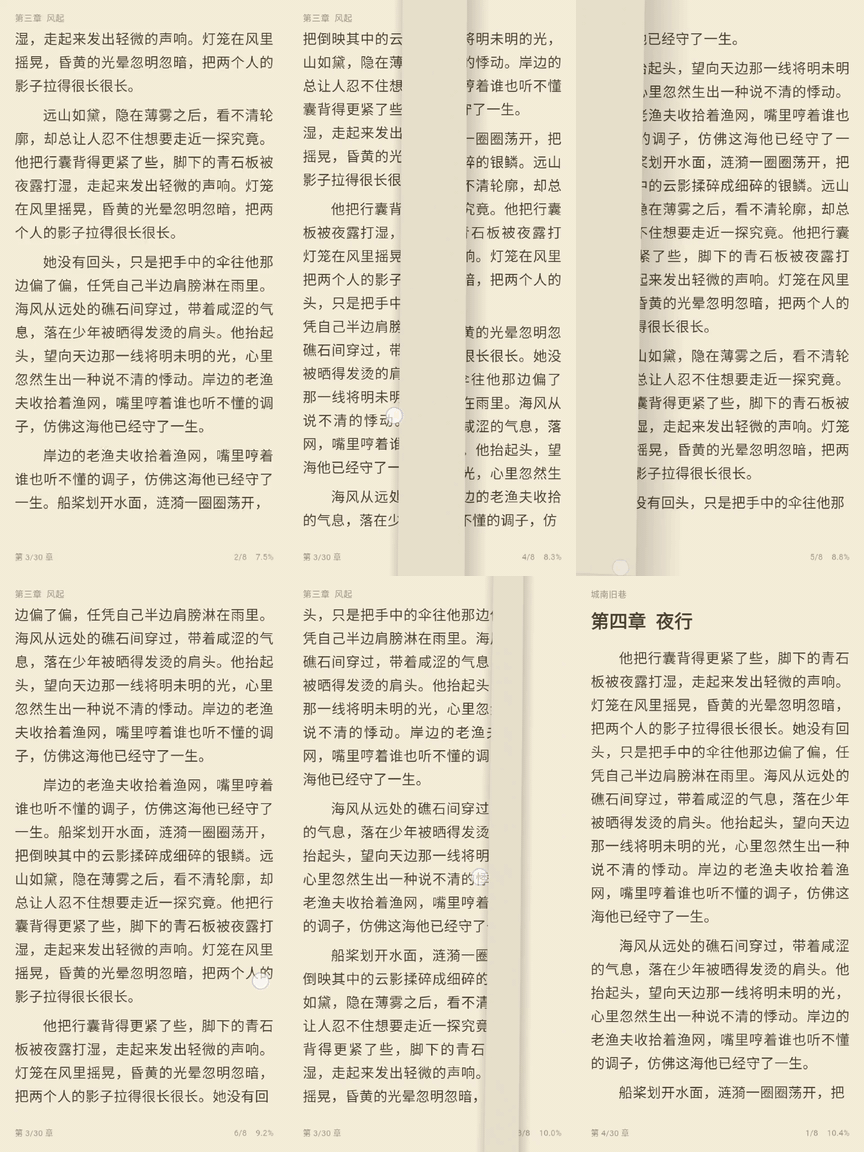
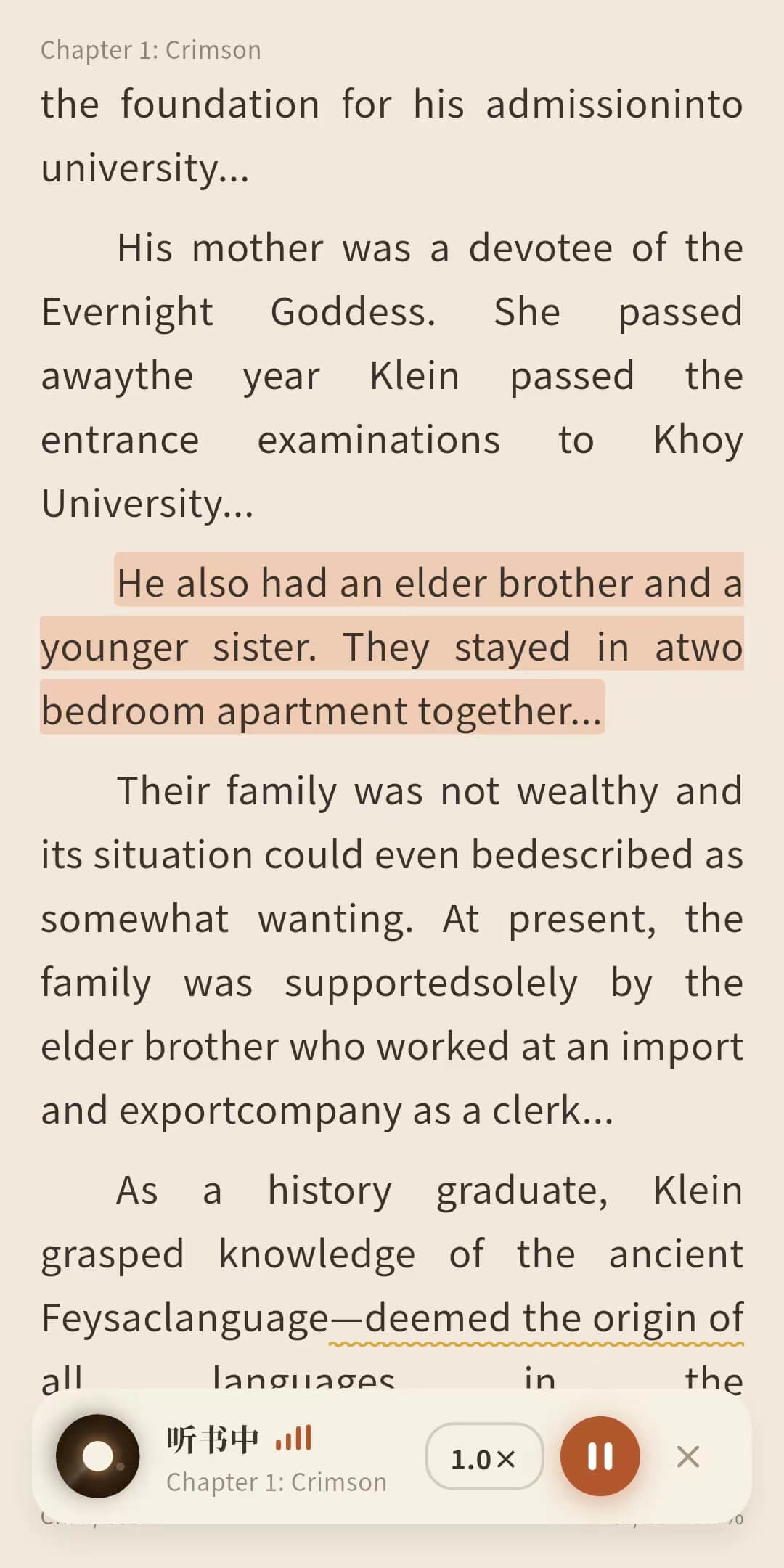
- 🪄 It feels like a real book. A realistic simulation page-curl that follows your finger, plus cover, slide, vertical-scroll, and no-animation modes.
- 📐 Real pagination, not a scroll hack. Paragraph-aware layout measured with
TextPainter, with proper first-line indent and justification. - 🔌 Bring your own everything. Data and progress storage are plain abstractions — network, DB, cloud sync, offline files all just work.
- 🎨 Beautiful out of the box. Six paper themes, one-tap day/night, adjustable font size / line height / spacing, and full-screen immersive reading.
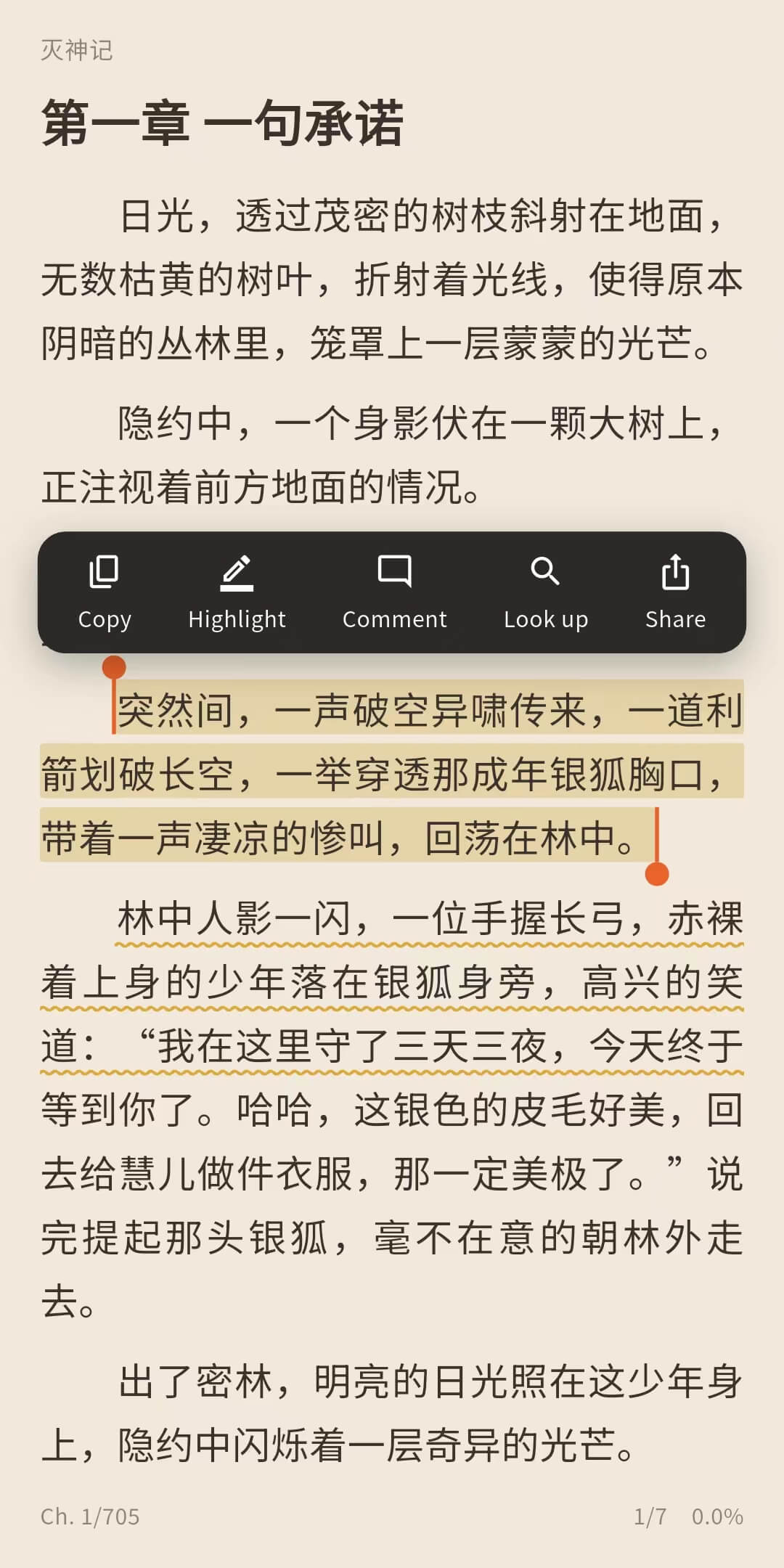
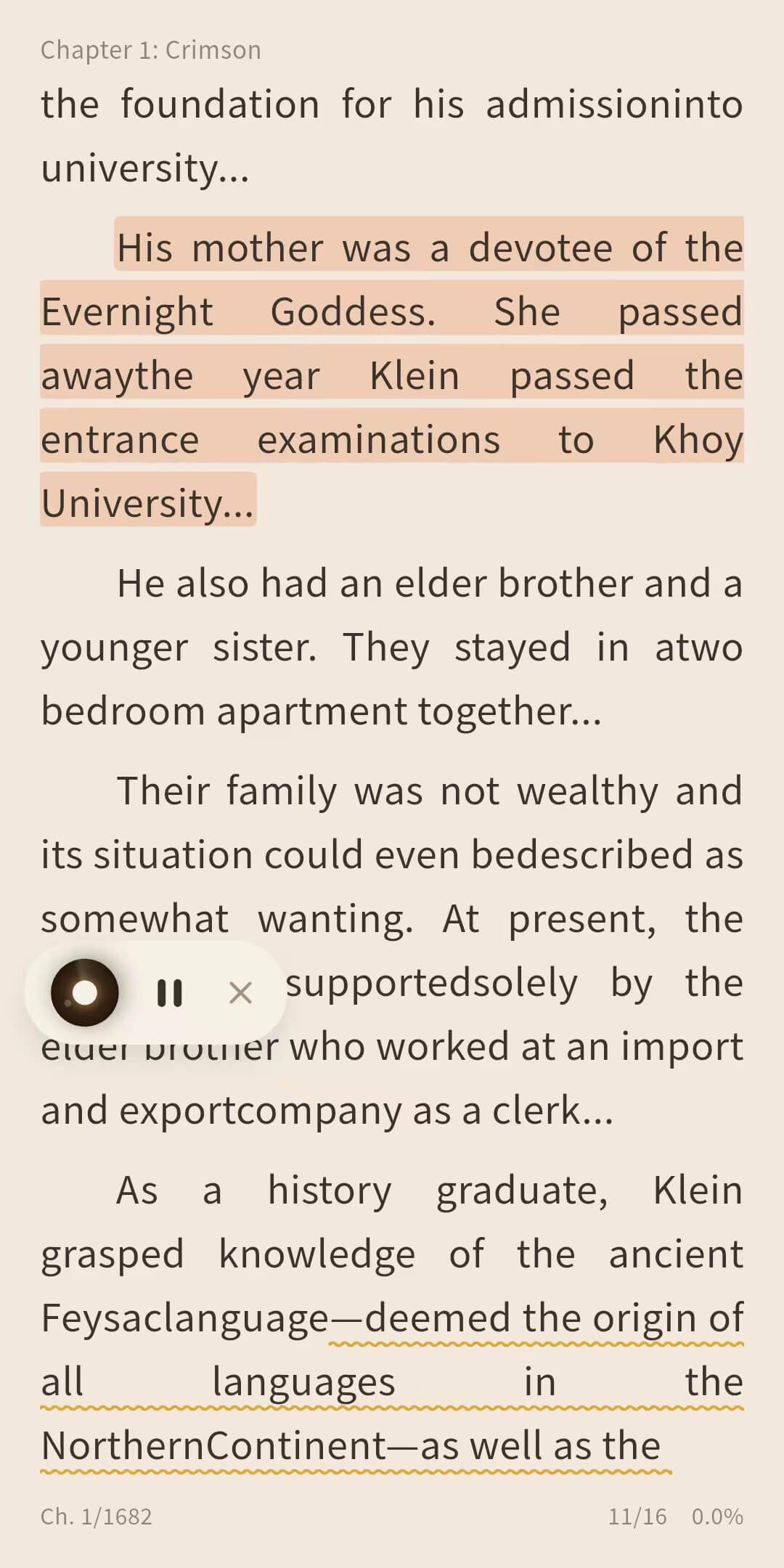
- ✍️ Select, highlight & annotate. Long-press selection with draggable handles, wavy highlights, and comments — all surfaced in a unified notes panel.
- 🧪 Built to last. A widget-free logic core that's fully unit-tested, with a clean, documented architecture.
Features #
- Five page modes — a realistic simulation page-curl that follows your finger (corner dog-ear, or a vertical curl when you swipe from the middle), cover (incoming page slides over the current one), smooth horizontal paging (seamless, flicker-free chapter crossing), continuous vertical scroll (auto-loads the next / previous chapter), and no-animation.
- Full-screen immersive reading — hides the status & system navigation bars
while reading, restored on exit; plus a one-tap day / night toggle. By
default the system bars reappear with the menu and hide again when it closes
(set
showSystemBarsWithMenu: falseto stay immersive even with the menu open). - Real pagination via
TextPainter, paragraph-aware: reader-owned first-line indent (works together with justification), paragraph spacing, and justification. Reading position is preserved across font-size / line-height / system-text-scale changes. - Lazy chapter loading with neighbor prefetch, a bounded LRU cache, and loading & error / retry states.
- Pluggable data source (
BookSource) and progress storage (ReaderProgressStore) — bring your own network / DB / cloud implementation. - Debounced progress saving with a flush when the app goes to background.
- Text selection & annotations — long-press to select with draggable start /
end handles that snap to character boundaries, and a bubble toolbar with
copy / highlight / comment / look-up / share. Highlights (wavy underline)
are rendered and persisted by the reader; copy / comment / look-up / share
are pure callbacks (
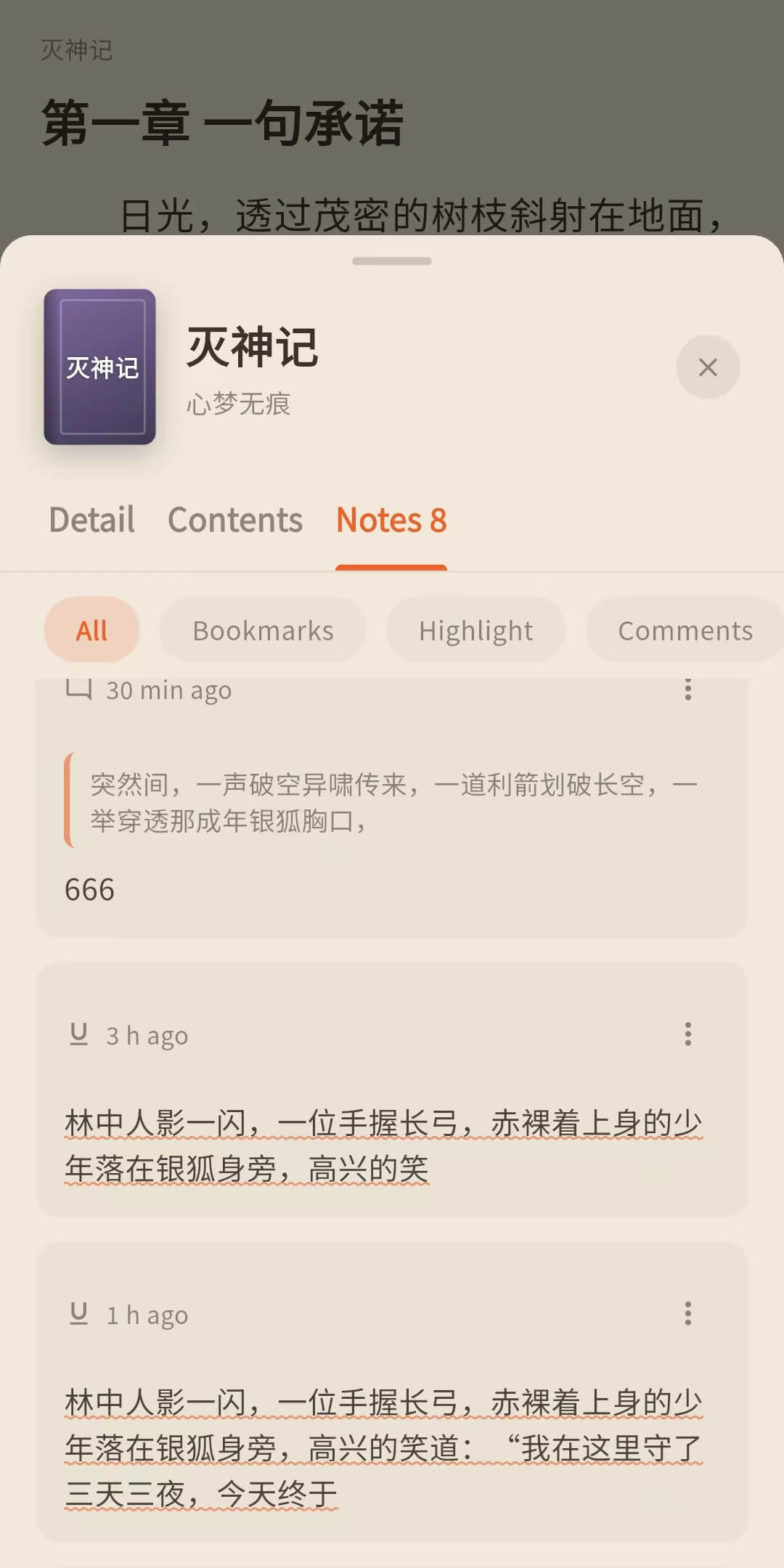
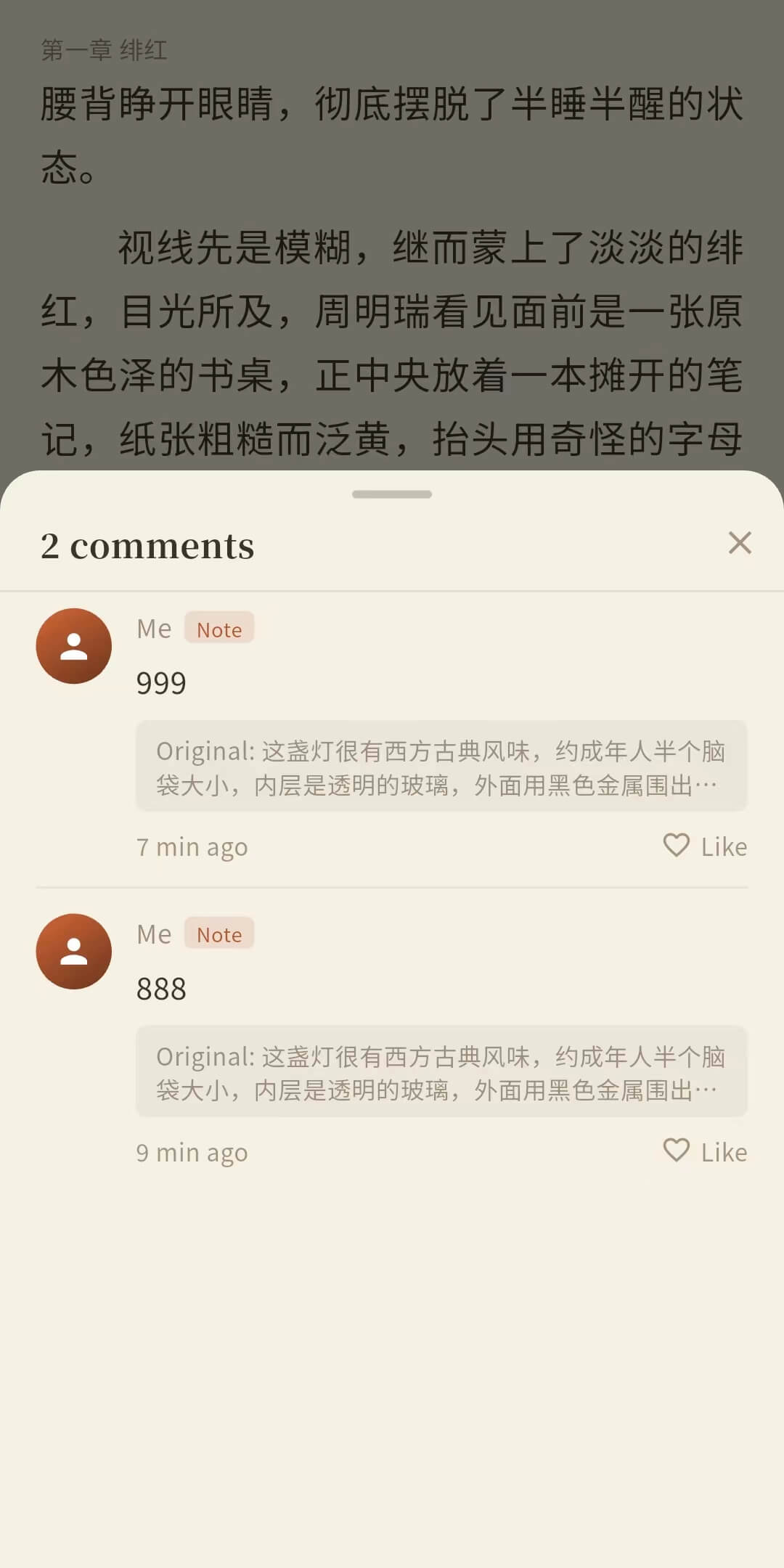
onTextAction(action, ReaderSelection)) so your app owns the behavior. Bookmarks, highlights & comments are collected in one Notes panel (filter by all / bookmarks / highlights / comments; tap to jump, or delete), each with its own pluggable store (ReaderBookmarkStore,ReaderUnderlineStore,ReaderCommentStore). - Paragraph comments — a tappable comment-count badge at each paragraph's end;
the tap is delivered via
onSegmentCommentTapso your app renders the comment list, andcommentsRefreshrefreshes badges/notes after a comment is added. - Battery indicator — an optional battery gauge in the footer, fed by the
host via
battery: ValueListenable<ReaderBatteryInfo?>({ level, charging }); charging shows a green bolt, otherwise the level fills with the percentage inside.nullhides it — no native battery dependency in the package. - Paid / locked chapters — mark chapters as locked via
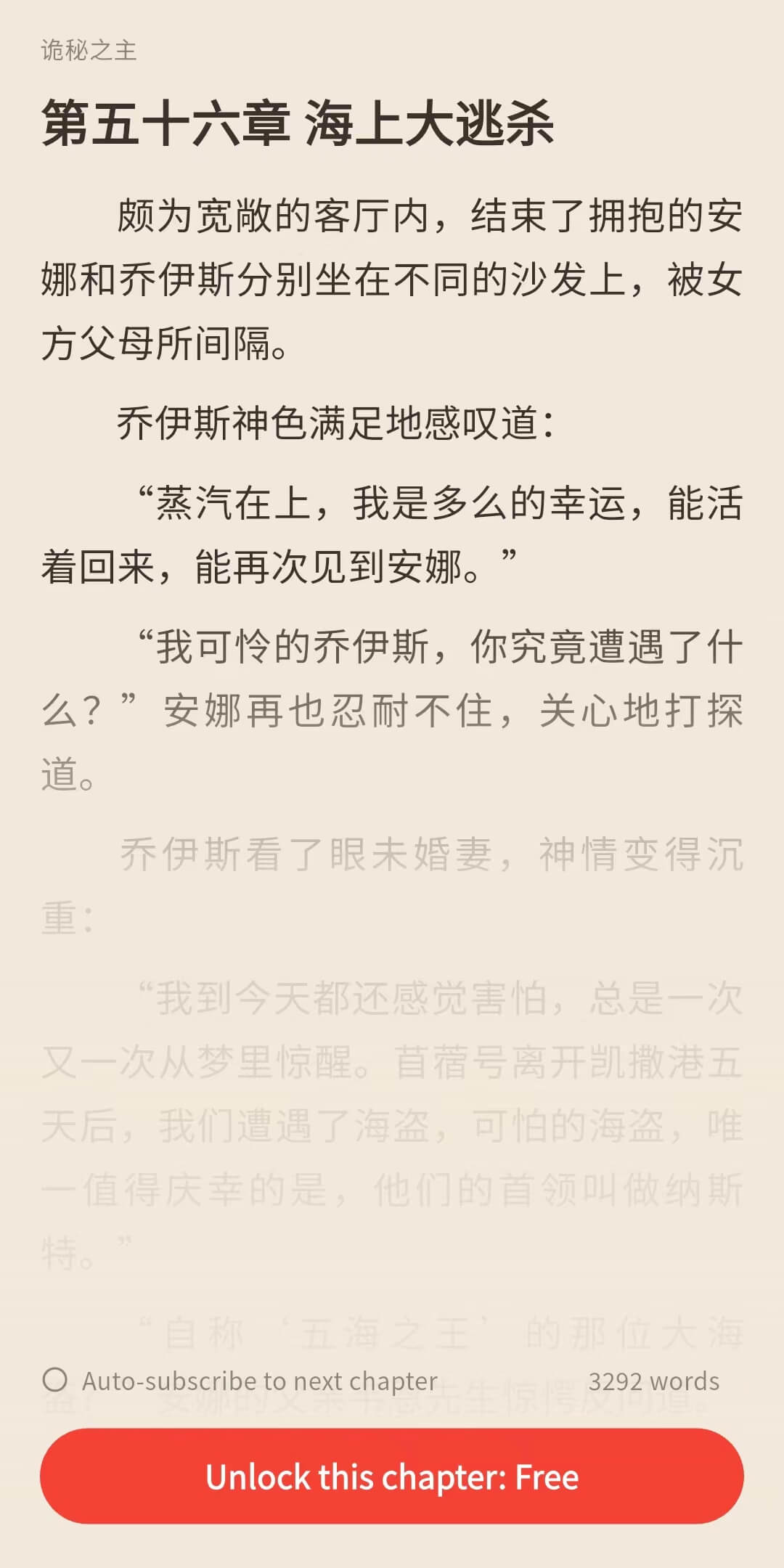
isChapterLocked; a locked chapter shows only its first page with your own unlock block (chapterLockBuilder) and paging forward skips to the next chapter. CalllockRefreshafter unlocking to reveal the full chapter; the catalog shows a lock icon on locked chapters. - Auto page-turn — hands-free reading via
controller.startAutoTurn(interval)/stopAutoTurn(). Paged modes flip every N seconds with a countdown line; scroll mode auto-scrolls smoothly. Built-in menu entry + speed/exit panel; it restarts on manual turns and stops at the book end or a locked chapter. Keep the screen awake yourself viaisAutoTurning(no native dependency). - Theming & typography — six built-in paper themes, per-theme accent color, and runtime controls for font size / line height / brightness.
- Localization built in —
ReaderLabelsships 12 languages (en, zh, es, fr, ar, bn, pt, ru, hi, ur, ja, ko) viaReaderLabels.forLanguageCode(code)(English fallback); every string is still overridable. Basic accessibility semantics.
Install #
dependencies:
  flutter_book_reader: ^1.5.7
import 'package:flutter_book_reader/flutter_book_reader.dart';
Quick start #
BookReader(
  source: MyBookSource(),               // your data
  progressStore: MyProgressStore(),     // optional, defaults to no-op
  onChapterChanged: (int index) => debugPrint('chapter $index'),
  onPositionChanged: (ReadingPosition pos) => save(pos),
)
1. Provide a data source #
BookSource is the only thing you must implement. It returns book metadata +
a chapter list once, and chapter bodies on demand.
class MyBookSource extends BookSource {
  @override
  Future<BookManifest> loadManifest() async => BookManifest(
        id: 42,
        title: 'The Long Journey',
        author: 'Jane Doe',
        intro: '…',
        coverColor: Colors.blueGrey,
        chapterTitles: <String>['Chapter 1', 'Chapter 2', 'Chapter 3'],
      );

  @override
  Future<String> loadChapterBody(int index) async {
    // Fetch from your API / DB / assets. Paragraphs separated by '\n'.
    return api.fetchChapter(index);
  }
}
2. (Optional) Persist reading progress #
class PrefsProgressStore extends ReaderProgressStore {
  @override
  Future<ReadingPosition?> load(Object bookId) async { /* … */ }

  @override
  Future<void> save(Object bookId, ReadingPosition position) async { /* … */ }
}
Built-ins: NoopReaderProgressStore (default) and InMemoryReaderProgressStore.
3. Theming, typography & page mode #
final config = ReaderConfig()
  ..setTheme(ReaderTheme.yellow.copyWith(accentColor: const Color(0xFF3366FF)))
  ..setFlipType(FlipType.simulation) // simulation / cover / slideHorizontal / scrollVertical / none
  ..setFirstLineIndent(2)
  ..setParagraphSpacing(8)
  ..setJustify(true);

BookReader(source: MyBookSource(), config: config);
Users can also switch theme, page mode, font size, spacing, and day / night from the in-reader settings menu at runtime.
4. Localize the UI #
Twelve languages are built in — just pass the current language code (anything outside the 12 falls back to English):
BookReader(
  source: MyBookSource(),
  labels: ReaderLabels.forLanguageCode(
    Localizations.localeOf(context).languageCode, // 'zh', 'en', 'ja', …
  ),
)
Or supply your own strings for full control / white-labeling:
BookReader(
  source: MyBookSource(),
  labels: const ReaderLabels(prevChapter: 'Previous', catalog: 'Contents'),
)
5. Selection actions, highlights & notes #
Highlights are handled inside the reader — just plug in a store (add
ReaderBookmarkStore / ReaderCommentStore the same way) and they render and
persist automatically:
BookReader(
  source: MyBookSource(),
  underlineStore: MyUnderlineStore(), // extends ReaderUnderlineStore
  commentStore: MyCommentStore(),     // extends ReaderCommentStore
)
Built-ins for each: Noop…Store (default) and InMemory…Store.
Copy / comment / look-up / share are delivered to you via onTextAction —
the reader performs no side effects (no clipboard write, no built-in dialog), so
you own the behavior. The ReaderSelection carries the chapter, chapter-space
range, and text, which is enough to build and persist your own Comment:
BookReader(
  source: MyBookSource(),
  onTextAction: (ReaderTextAction action, ReaderSelection sel) {
    switch (action) {
      case ReaderTextAction.copy:
        Clipboard.setData(ClipboardData(text: sel.text));
      case ReaderTextAction.comment:
        showMyCommentSheet(sel); // your own UI, then commentStore.save(...)
      case ReaderTextAction.query:
        openDictionary(sel.text);
      case ReaderTextAction.share:
        Share.share(sel.text);
      case ReaderTextAction.highlight:
        break; // handled internally by the reader
    }
  },
)
Bookmarks, highlights, and comments all show up together in the in-reader Notes panel (filter by all / bookmarks / highlights / comments; tap to jump, or delete).
For paragraph comments, the reader shows a count badge at each paragraph's
end and calls onSegmentCommentTap(ReaderSegmentTap segment) when tapped — your
app presents the list. After you add a comment, poke commentsRefresh (any
Listenable, e.g. a ValueNotifier) and the reader reloads counts from the store.
6. Imperative control via BookReaderController #
Pass a BookReaderController to drive the reader from the outside and read its
state. It's a ChangeNotifier, so listen to it to keep your own UI (playback
bar, bookmark icon…) in sync. This is what powers features like text-to-speech.
final controller = BookReaderController();

BookReader(source: MyBookSource(), controller: controller);

// Once controller.isReady:
controller.nextPage();                 // also previousPage()
controller.goToChapter(3);
controller.goToPosition(somePosition); // e.g. jump to a bookmark / highlight
final text = controller.currentPageText;   // feed a TTS engine
controller.markReading(ci, sentence);       // highlight + auto page-turn as it reads
controller.clearReading();

// Bookmarks — no need to reach for the top-bar button:
controller.toggleBookmark();                 // add / remove on the current page
final marked = controller.isCurrentPageBookmarked;
Also exposes isReady, chapterIndex / chapterCount, pageIndex /
pageCount, currentChapterTitle, position, isAtBookEnd, and menu state
(isMenuVisible, isMenuPanelExpanded, closeMenu()).
7. Promotional title page #
Add a title page before chapter 1 with titlePageBuilder. It's a real page in
the flip flow — swipe back and forth, and the menu still works — shown when the
book opens at its start. You define the style; the reader only positions it.
Pass null (default) for no title page. The callback hands you the current
ReaderTheme so your page can match the reader's day/night colors:
BookReader(
  source: MyBookSource(),
  titlePageBuilder: (BuildContext context, ReaderTheme theme) => MyTitlePage(
    theme: theme,      // match paper / text / accent colors
    // ...your own promo widget: cover, blurb, tags, reviews, etc.
  ),
)
ReaderTitlePageBuilder is Widget Function(BuildContext, ReaderTheme). See the
example app's ReaderTitlePage for a ready-made promo layout.
Architecture #
BookSource/ReaderProgressStore— public extension points (abstractions).ReadingController— pure, widget-free logic core, composed from four mixins (content loading / pagination / navigation / vertical flow); fully unit-testable.ReaderModeView— view base class;HorizontalReader,VerticalReader, andSimulationReaderextend it.BookReader— the single entry-point widget.
Example #
Try the live demo in your
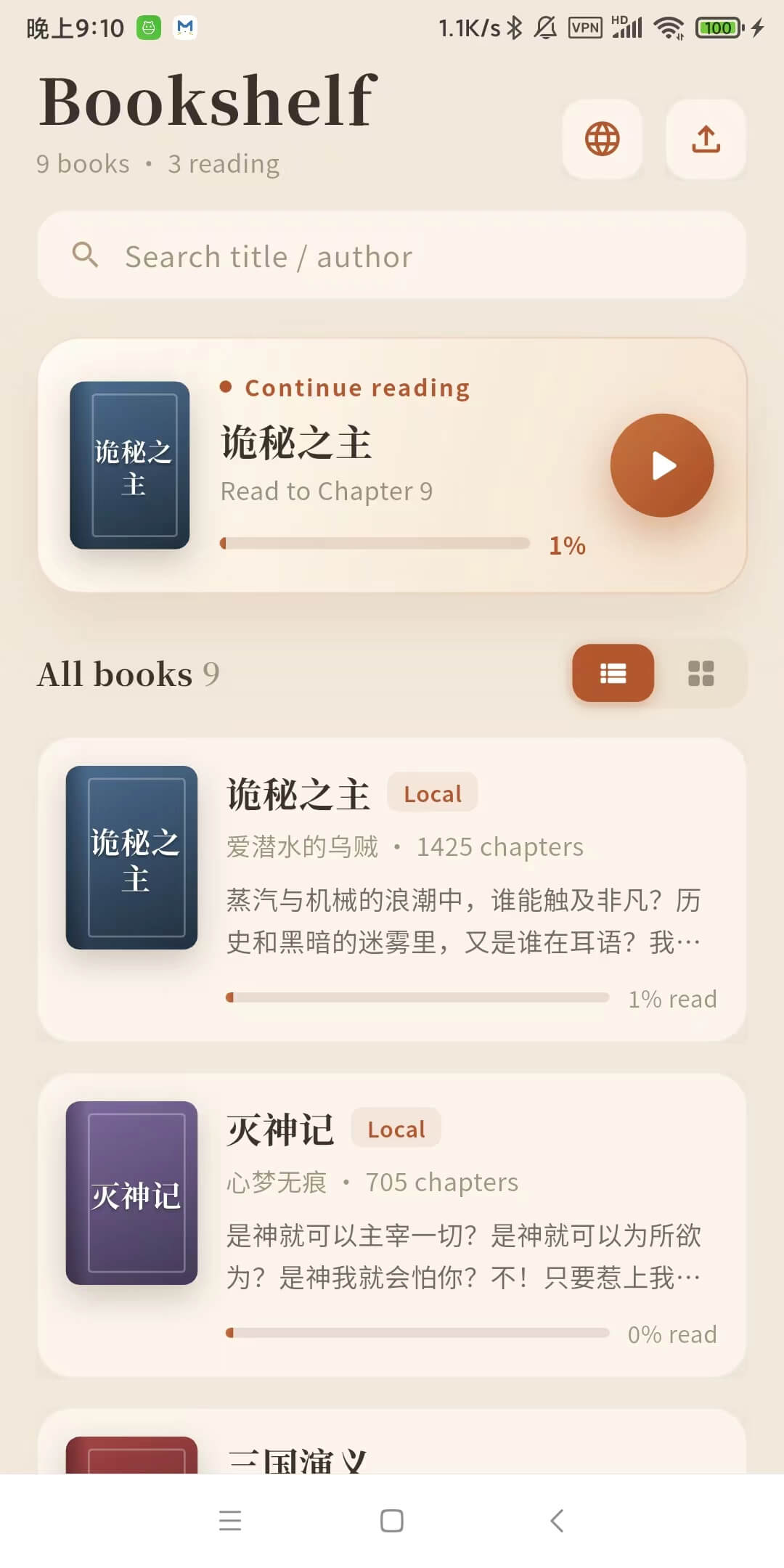
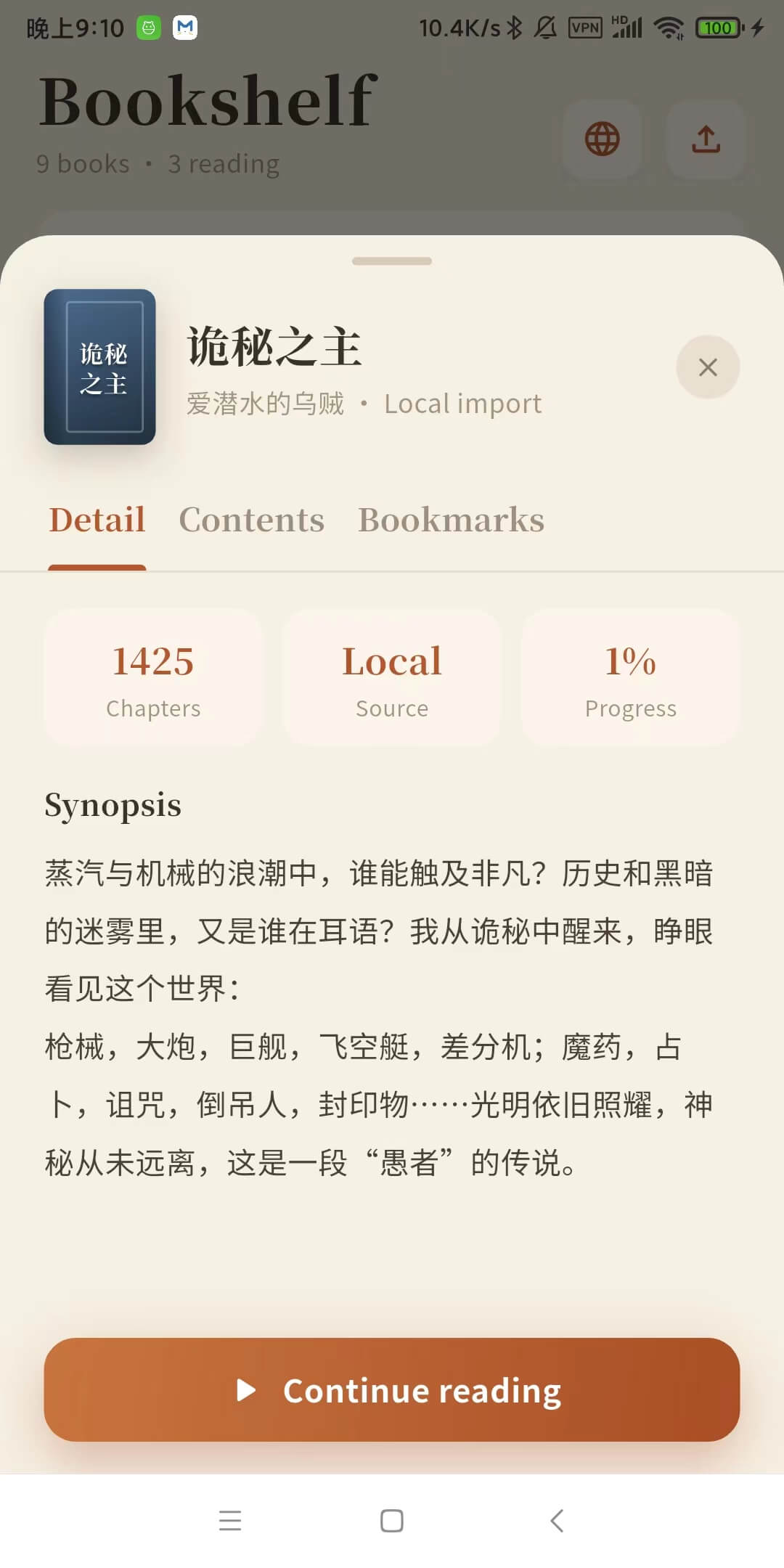
browser, or run it locally. A full example app (bookshelf + reader, data from
assets/books.json) lives in example/ and depends on this package
via path: ../:
cd example
flutter run
License #
MIT — see LICENSE.
Metadata
Publisher
unverified uploader
Weekly Downloads
Metadata
A customizable Flutter reader widget for novels and ebooks: lazy chapter loading, paginated and continuous-scroll modes, themes, and pluggable data sources & progress storage.
Repository (GitHub)
View/report issues
Topics
#reader #ebook #pagination #novel #reading
License
 unknown (license)