
flex_menu_button 0.0.7  flex_menu_button: ^0.0.7 copied to clipboard
A flexible and customizable dropdown menu button for Flutter. Supports headers, footers, icon or text triggers, custom styles, tooltips, and even secret invisible actions.
flex_menu_button #
A customizable and lightweight Flutter dropdown menu button designed to be used in AppBars, Toolbars, or anywhere you want quick access to menu actions. It supports icons, text, headers, footers, dividers, custom widgets, flexible alignment, and full style control.
Features #
🔘 Works out of the box — no dependencies
🔘Custom icon, label, text styles
🔘Optional header and footer widgets
🔘Dropdown alignment and screen-side flipping
🔘Custom width, max height, padding, and scrolling
🔘Optional custom widgets, dividers, and trailing elements
🔘Tooltip customization
🔘Fully modular, easy to extend
Installation #
Add this to your pubspec.yaml:
dependencies:
  flex_menu_button: ^<latest_version>
Then run:
flutter pub get
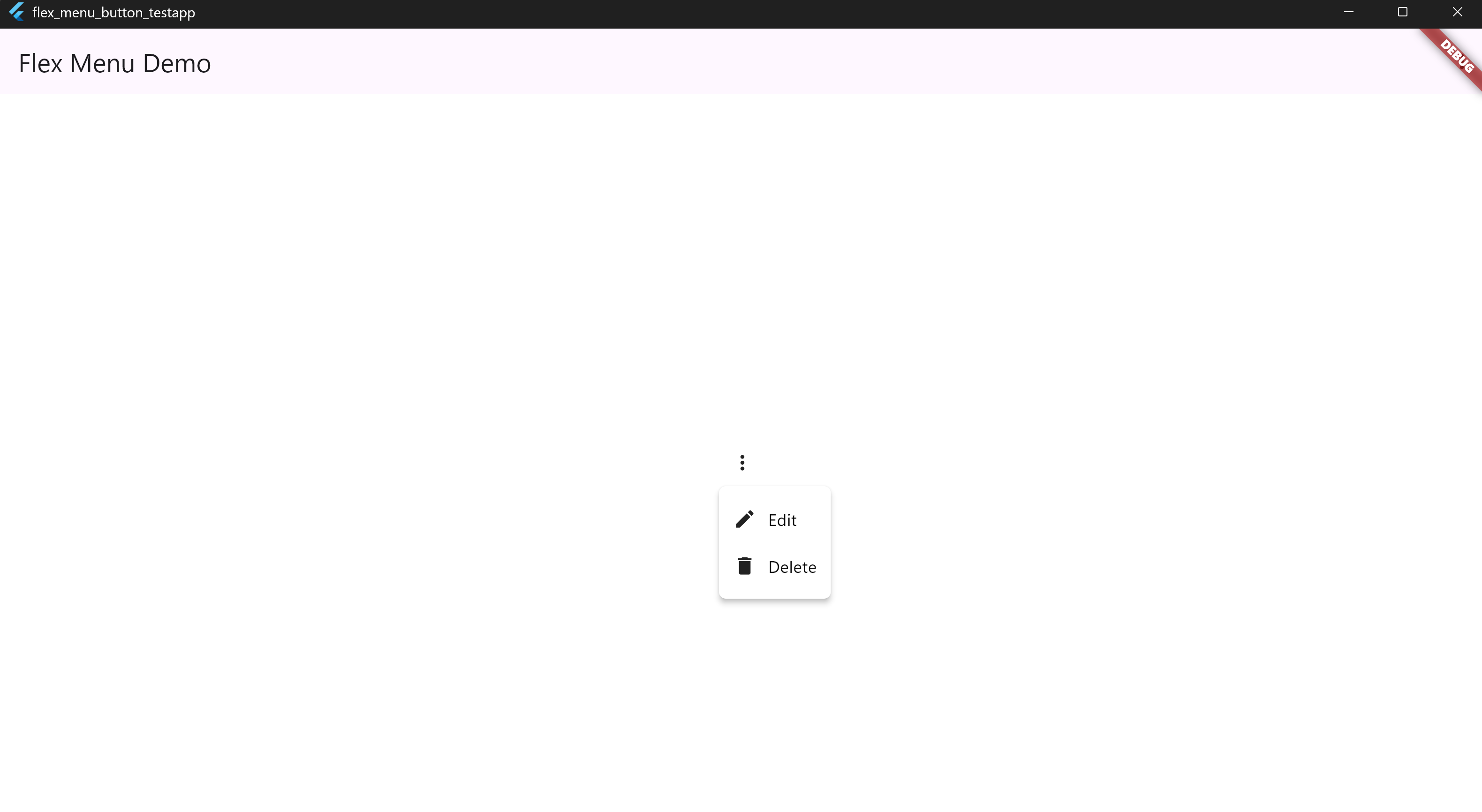
🔘 1. Basic Usage #
MenuDropdownButton(
  tooltip: 'Options',
  icon: Icons.more_vert,
  items: [
    MenuItem(icon: Icons.edit, label: 'Edit', onTap: () {}),
    MenuItem(icon: Icons.delete, label: 'Delete', onTap: () {}),
  ],
)
📸 Screenshot:
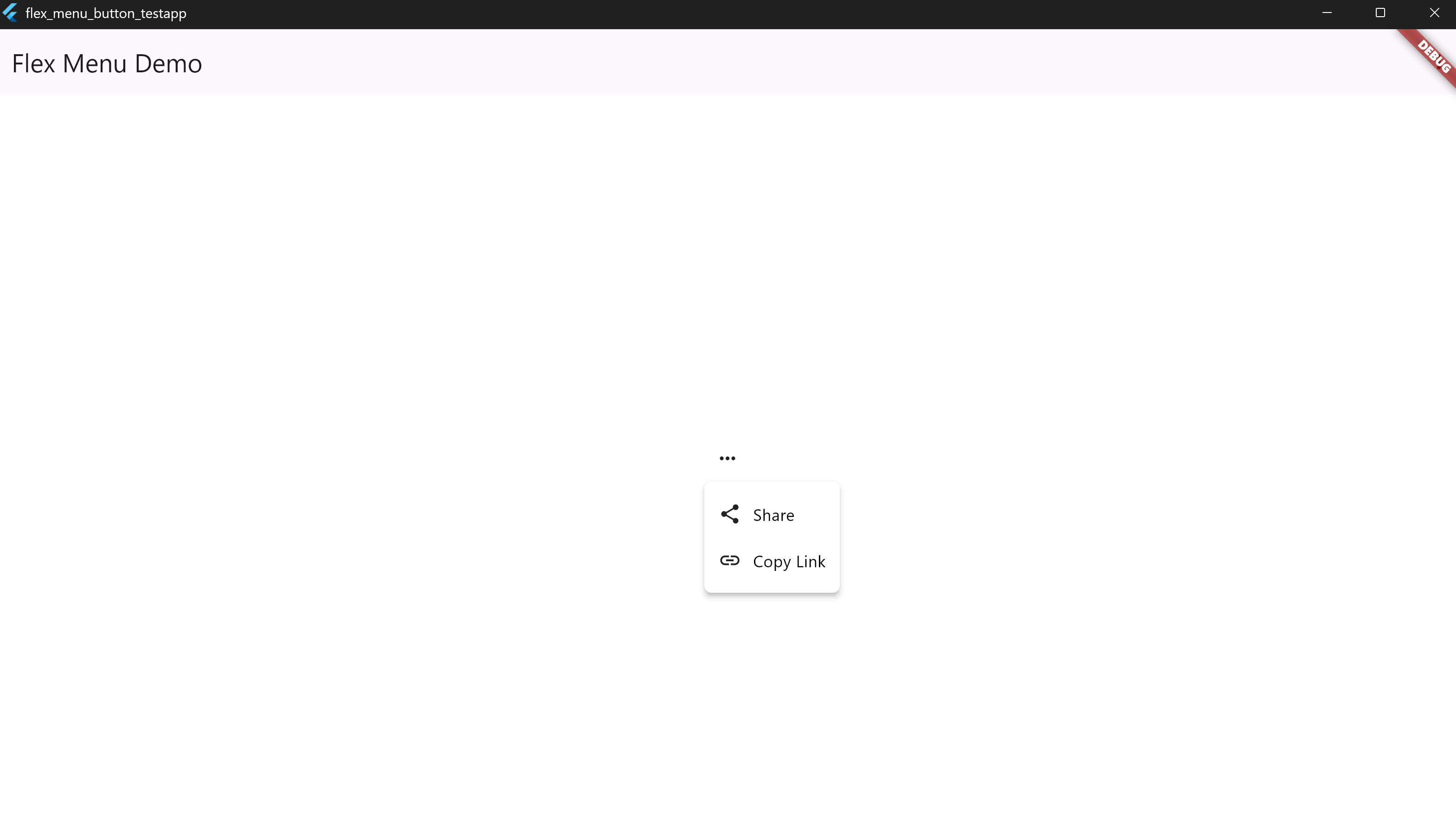
🔘 2. Menu Alignment Options #
MenuDropdownButton(
  tooltip: 'Align Center',
  icon: Icons.more_horiz,
  config: MenuDropdownConfig(
    alignment: MenuAlignment.center,
  ),
  items: [
    MenuItem(icon: Icons.share, label: 'Share', onTap: () {}),
    MenuItem(icon: Icons.link, label: 'Copy Link', onTap: () {}),
  ],
)
📸 Screenshot:
🔘 3. Header & Footer #
MenuDropdownButton(
  tooltip: 'Menu with Header/Footer',
  icon: Icons.menu,
  header: Padding(
    padding: EdgeInsets.all(8),
    child: Text('Header: Account Actions', style: TextStyle(color: Colors.white)),
  ),
  footer: Padding(
    padding: EdgeInsets.all(8),
    child: Text('Footer: Version 1.0.0', style: TextStyle(color: Colors.grey)),
  ),
  items: [
    MenuItem(icon: Icons.account_circle, label: 'Profile'),
    MenuItem(icon: Icons.logout, label: 'Logout'),
  ],
)
📸 Screenshot:
[Header & Footer]
🔘 4. Custom Colors and Text Styles #
MenuDropdownButton(
  tooltip: 'Styled Menu',
  icon: Icons.palette,
  config: MenuDropdownConfig(
    backgroundColor: Colors.blue,
    labelTextStyle: TextStyle(color: Colors.yellowAccent),
    tooltipBackgroundColor: Colors.black87,
    tooltipTextColor: Colors.white,
  ),
  items: [
    MenuItem(icon: Icons.visibility, label: 'Preview'),
    MenuItem(icon: Icons.save, label: 'Save Draft'),
  ],
)
📸 Screenshot:
[Custom Styles]
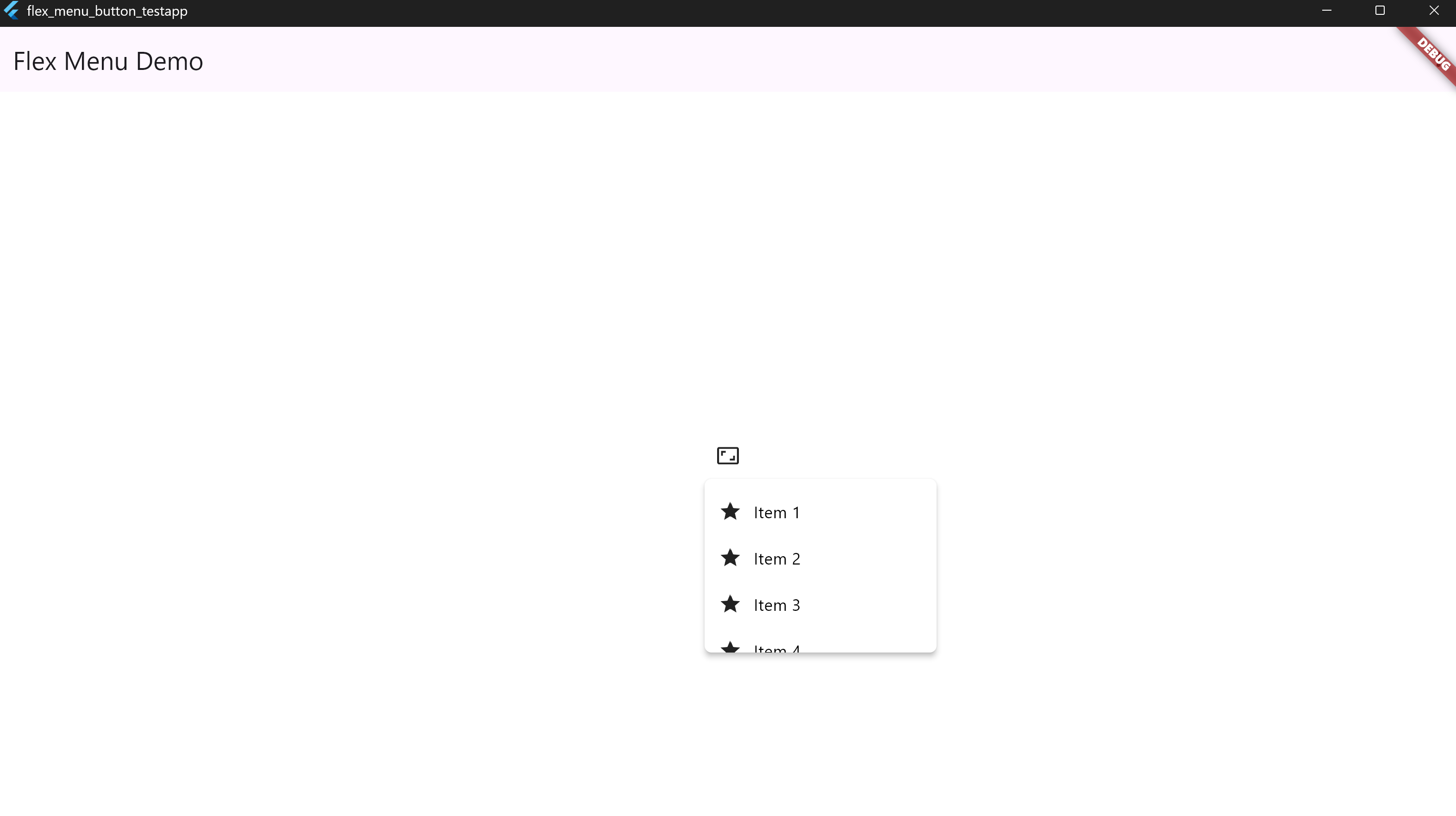
🔘 5. Fixed Width and Max Height #
MenuDropdownButton(
  tooltip: 'Sized Menu',
  icon: Icons.aspect_ratio,
  config: MenuDropdownConfig(
    width: 200,
    maxHeight: 150,
  ),
  items: List.generate(
    10,
    (i) => MenuItem(icon: Icons.star, label: 'Item ${i + 1}'),
  ),
)
📸 Screenshot:
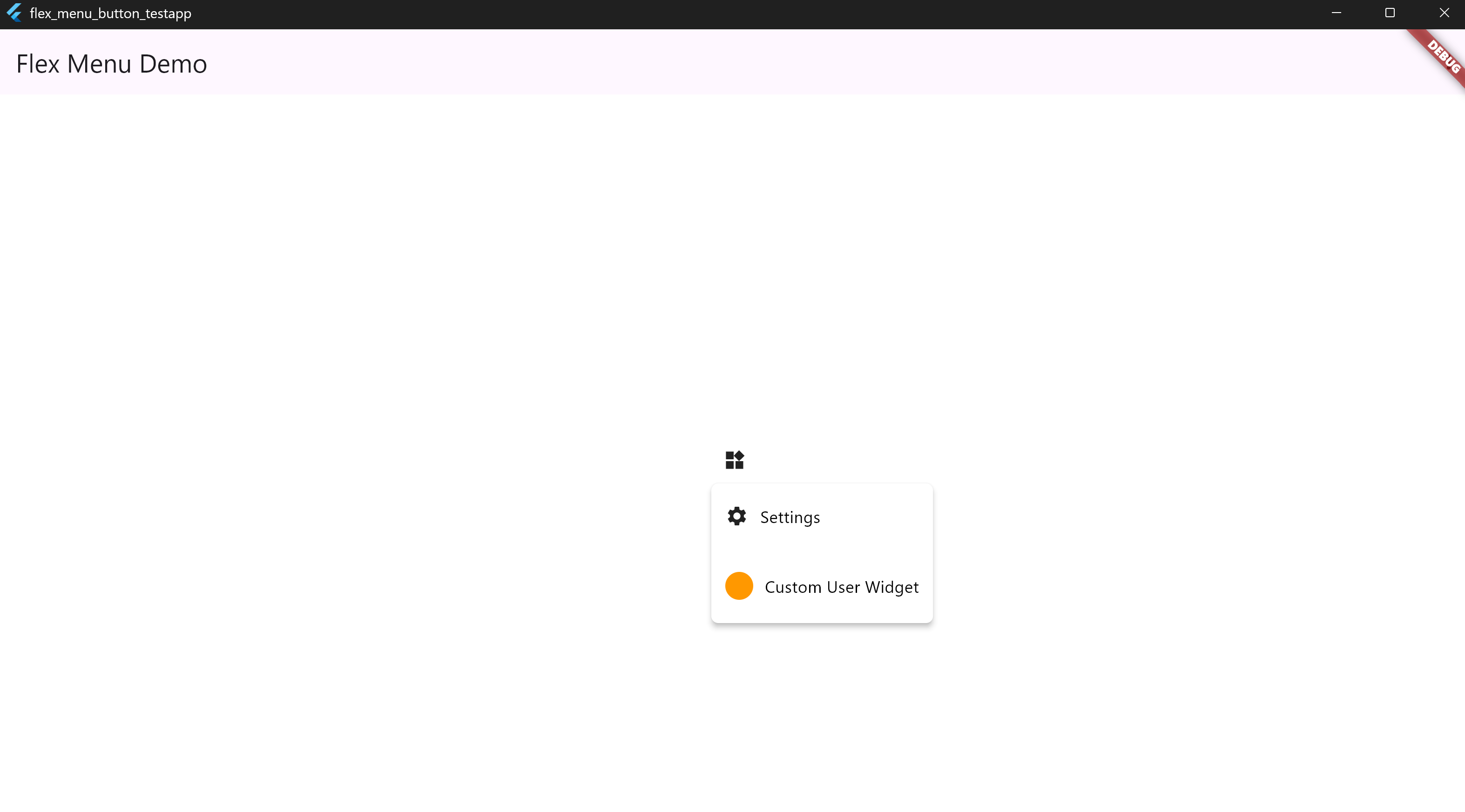
🔘 6. Divider and Custom Widgets #
MenuDropdownButton(
  tooltip: 'Custom Items',
  icon: Icons.widgets,
  items: [
    MenuItem(icon: Icons.settings, label: 'Settings'),
    MenuItem(isDivider: true),
    MenuItem(
      customWidget: Padding(
        padding: EdgeInsets.all(12),
        child: Row(
          children: [
            CircleAvatar(radius: 12, backgroundColor: Colors.orange),
            SizedBox(width: 10),
            Text('Custom User Widget', style: TextStyle(color: Colors.white)),
          ],
        ),
      ),
    ),
  ],
)
📸 Screenshot:
🔘 7. Custom Icon Color & Size for the Root Button #
MenuDropdownButton(
  icon: Icons.more_vert,
  tooltip: "Menu",
  iconColor: Colors.red,
  iconSize: 30,
  items: [
    MenuItem(icon: Icons.settings, label: 'Settings'),
    MenuItem(icon: Icons.logout, label: 'Logout'),
  ],
)
📸 Screenshot:

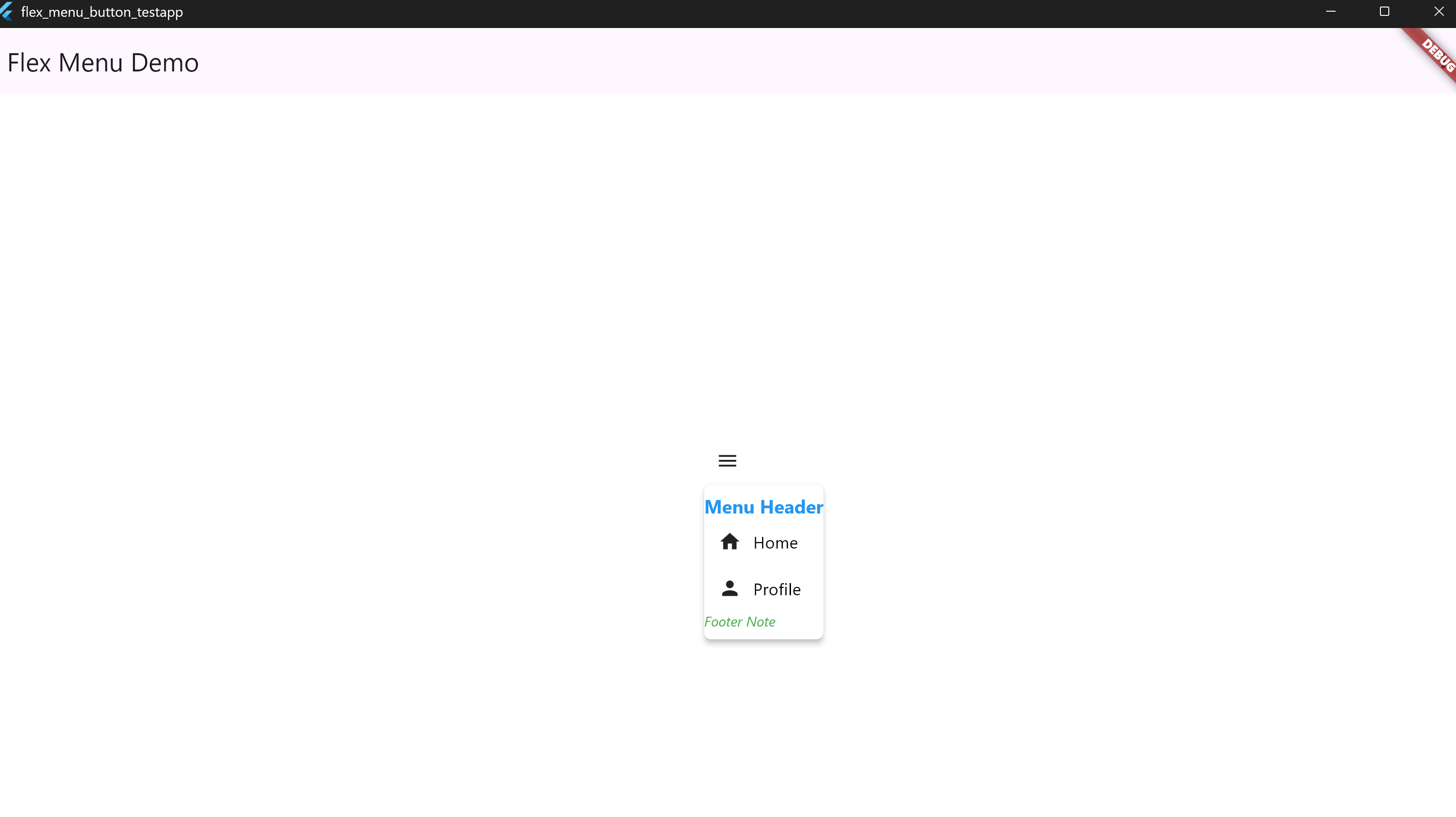
🔘 8. Custom Header & Footer Styles #
MenuDropdownButton(
  icon: Icons.menu,
  tooltip: "Menu",
  header: Text('Menu Header'),
  footer: Text('Footer Note'),
  config: MenuDropdownConfig(
    headerTextStyle: TextStyle(
      color: Colors.blue,
      fontSize: 16,
      fontWeight: FontWeight.bold,
    ),
    footerTextStyle: TextStyle(
      color: Colors.green,
      fontSize: 12,
      fontStyle: FontStyle.italic,
    ),
  ),
  items: [
    MenuItem(icon: Icons.home, label: 'Home'),
    MenuItem(icon: Icons.person, label: 'Profile'),
  ],
)
📸 Screenshot:
🔘 9. Custom Tooltip Colors #
MenuDropdownButton(
  icon: Icons.info,
  tooltip: "Info Tooltip",
  tooltipTextColor: Colors.black,
  tooltipBackgroundColor: Colors.yellow,
  items: [
    MenuItem(icon: Icons.help, label: 'Help'),
  ],
)
📸 Screenshot:

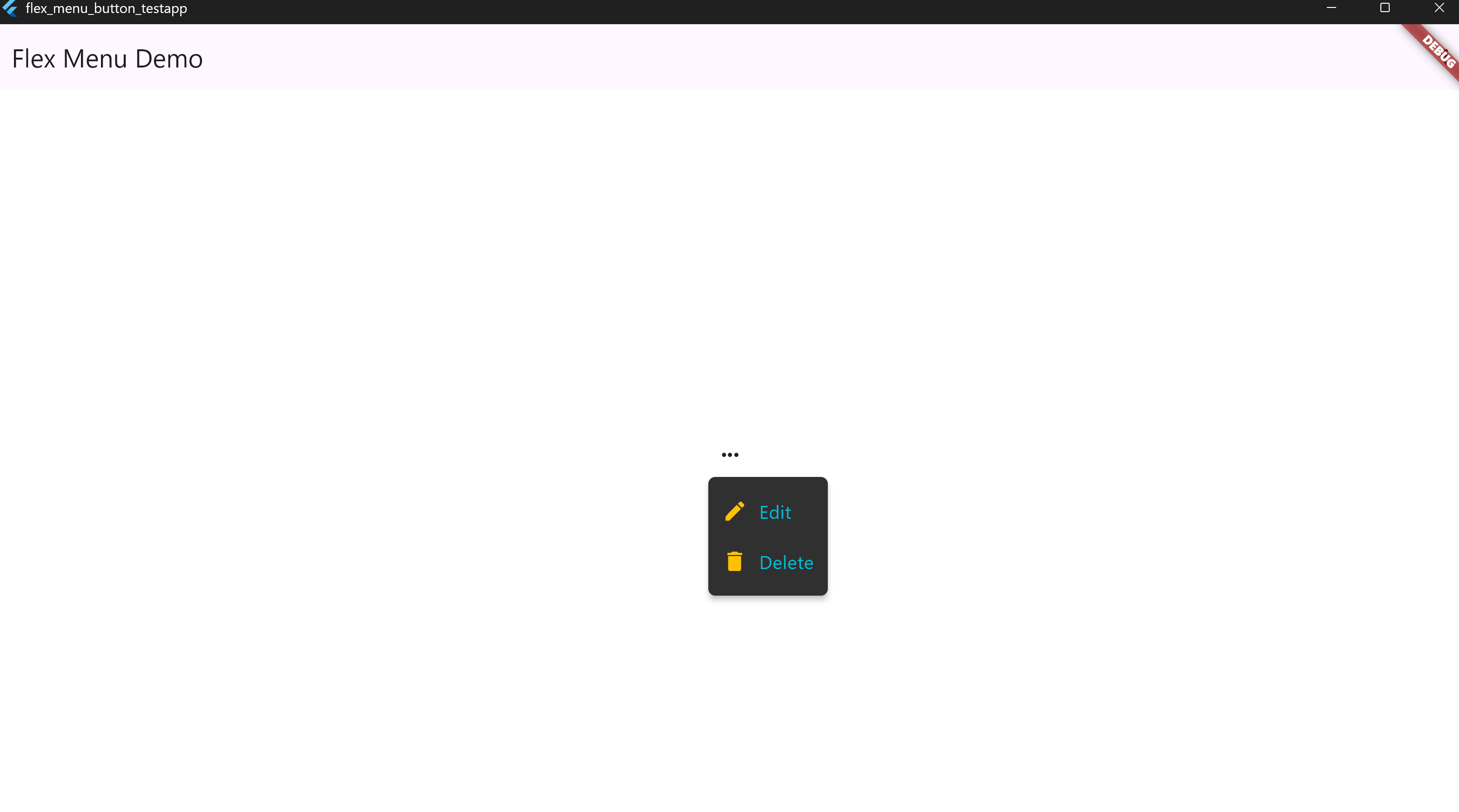
🔘 10. Label and Icon Colors for Items #
MenuDropdownButton(
  icon: Icons.more_horiz,
  tooltip: "Options",
  items: [
    MenuItem(icon: Icons.edit, label: 'Edit'),
    MenuItem(icon: Icons.delete, label: 'Delete'),
  ],
  config: MenuDropdownConfig(
    backgroundColor: Colors.grey[850]!,
    itemIconColor: Colors.amber, // icon color
    labelTextStyle: TextStyle(color: Colors.cyan, fontSize: 16), // text style
    iconSize: 22,
  ),
)
📸 Screenshot:
🔘 11. Root Text Instead of Icon #
MenuDropdownButton(
  tooltip: 'Open Menu',
  label: 'Menu',
  labelTextStyle: TextStyle(
    fontSize: 16,
    fontWeight: FontWeight.bold,
    color: Colors.blue,
  ),
  items: [
    MenuItem(icon: Icons.settings, label: 'Settings'),
    MenuItem(icon: Icons.logout, label: 'Logout'),
  ],
)
📸 Screenshot:
[Root Text]
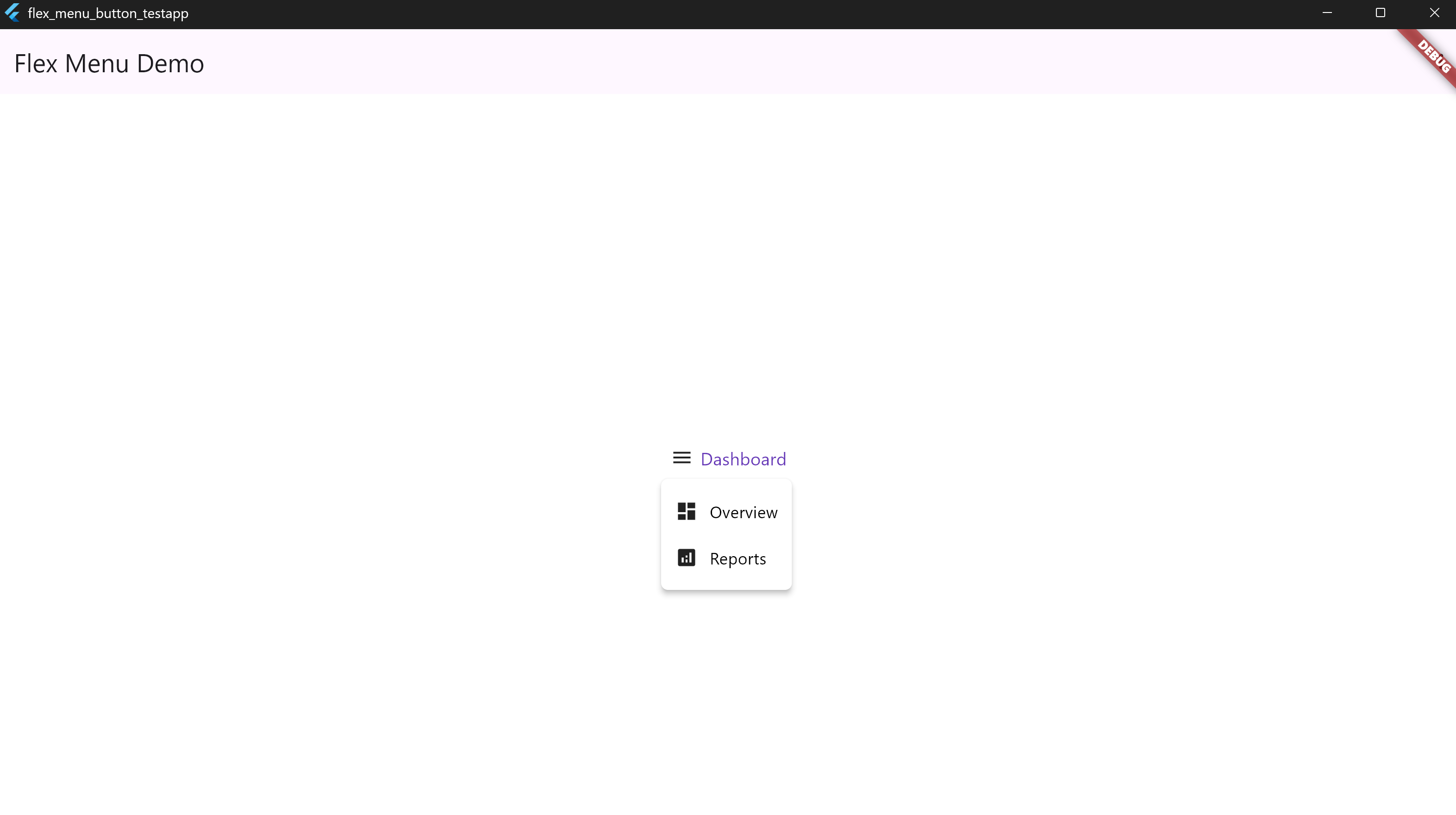
🔘 12. Root Icon + Text Combination #
MenuDropdownButton(
  tooltip: 'Open Panel',
  icon: Icons.menu,
  rootText: 'Dashboard',
  rootTextStyle: TextStyle(
    fontSize: 15,
    color: Colors.deepPurple,
  ),
  items: [
    MenuItem(icon: Icons.dashboard, label: 'Overview'),
    MenuItem(icon: Icons.analytics, label: 'Reports'),
  ],
)
📸 Screenshot:
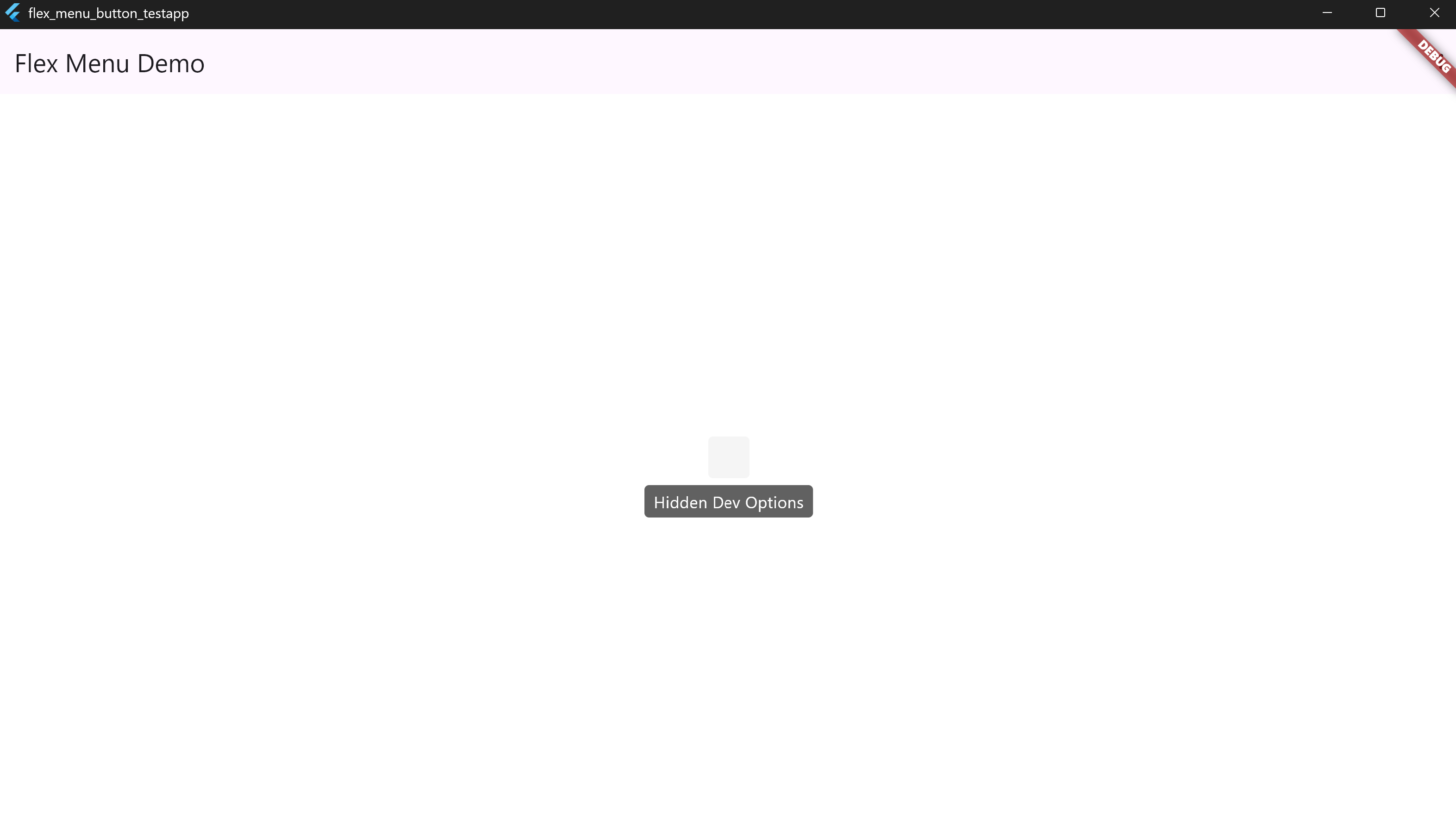
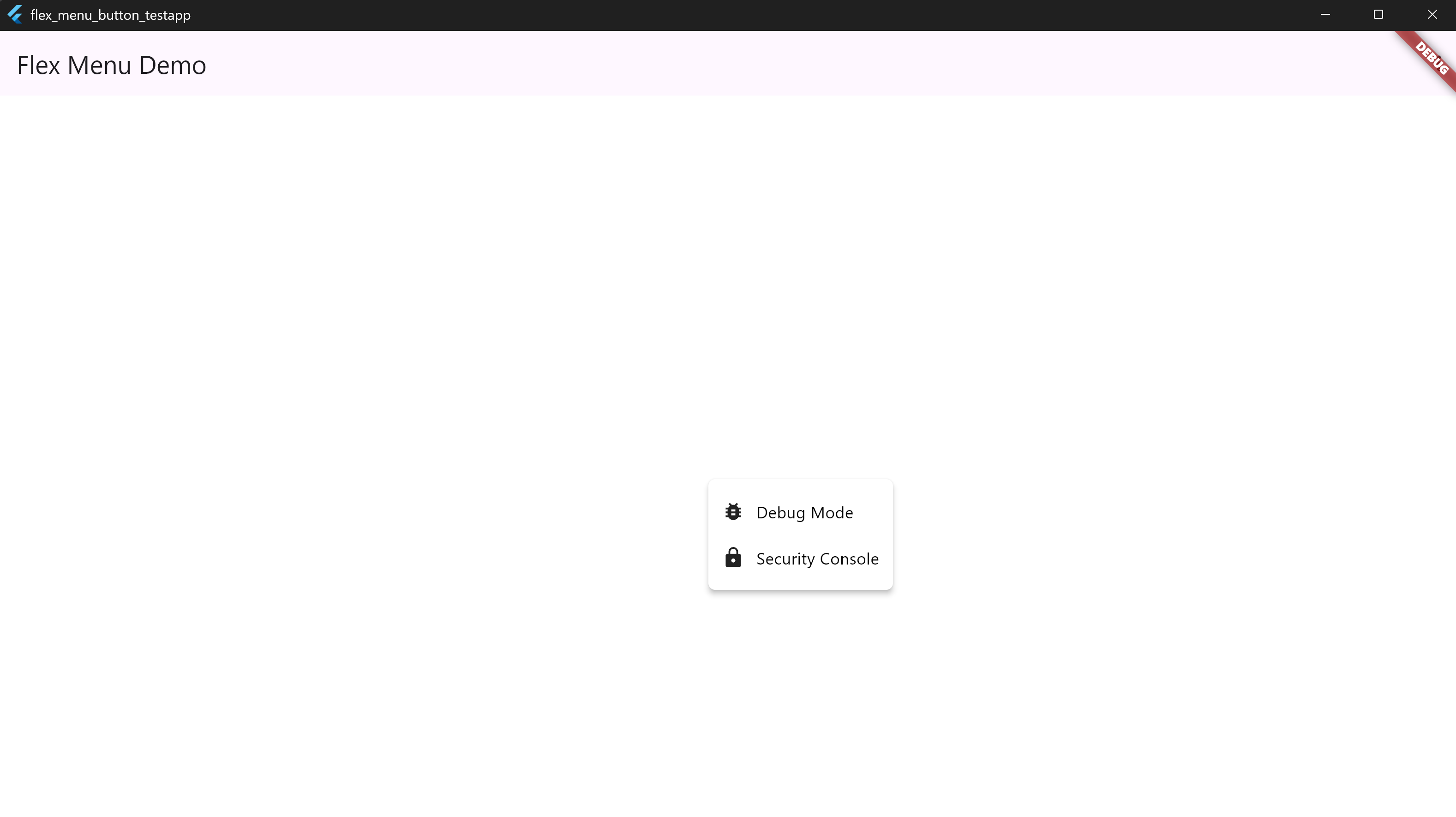
🔘 13. Invisible Trigger (Secret Function Example) #
MenuDropdownButton(
  tooltip: 'Hidden Dev Options',
  items: [
    MenuItem(icon: Icons.bug_report, label: 'Debug Mode'),
    MenuItem(icon: Icons.lock, label: 'Security Console'),
  ],
)
📸 Screenshots:
🔘 14. Dropdown Size Customization & Auto-Resizing #
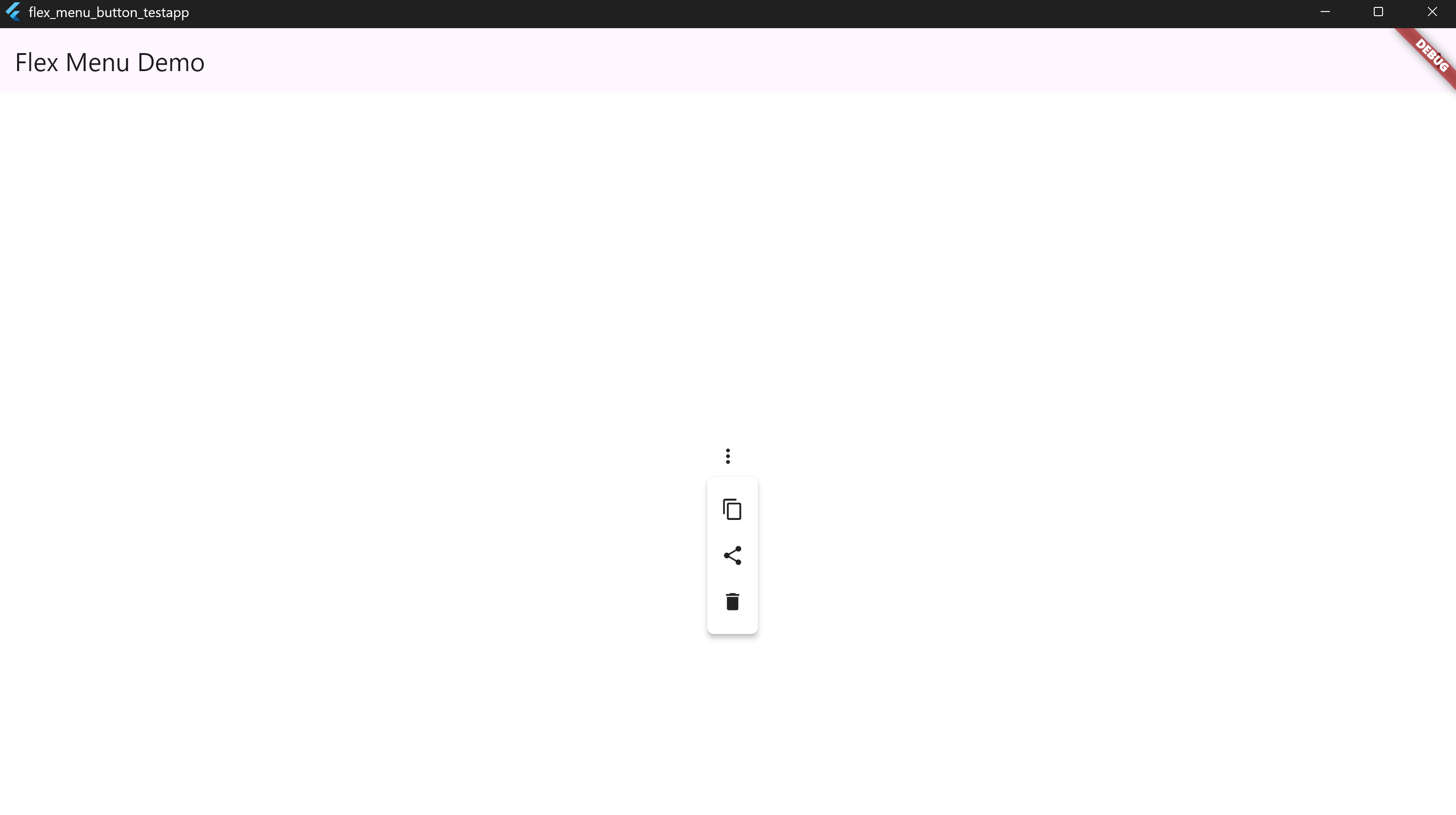
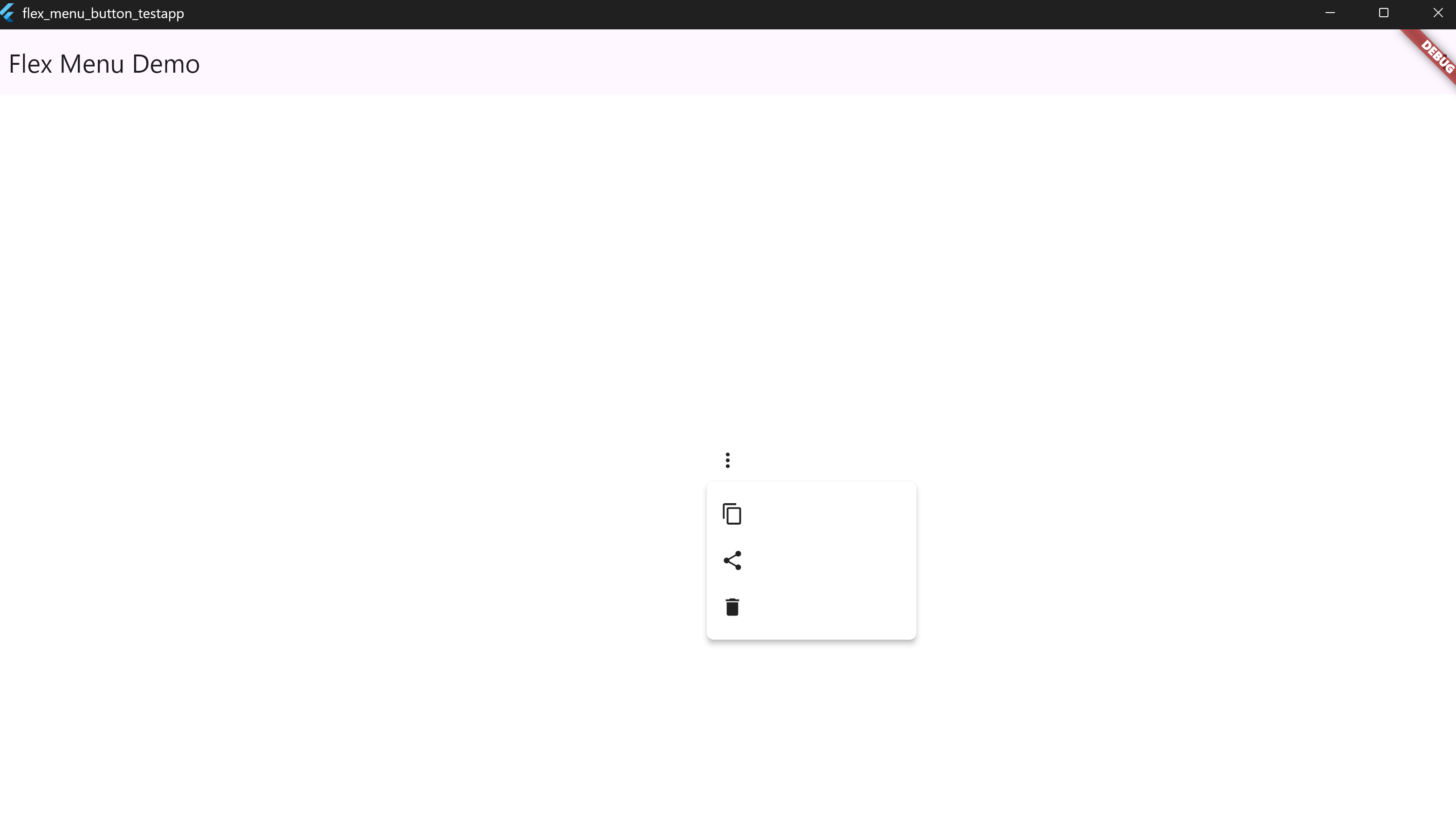
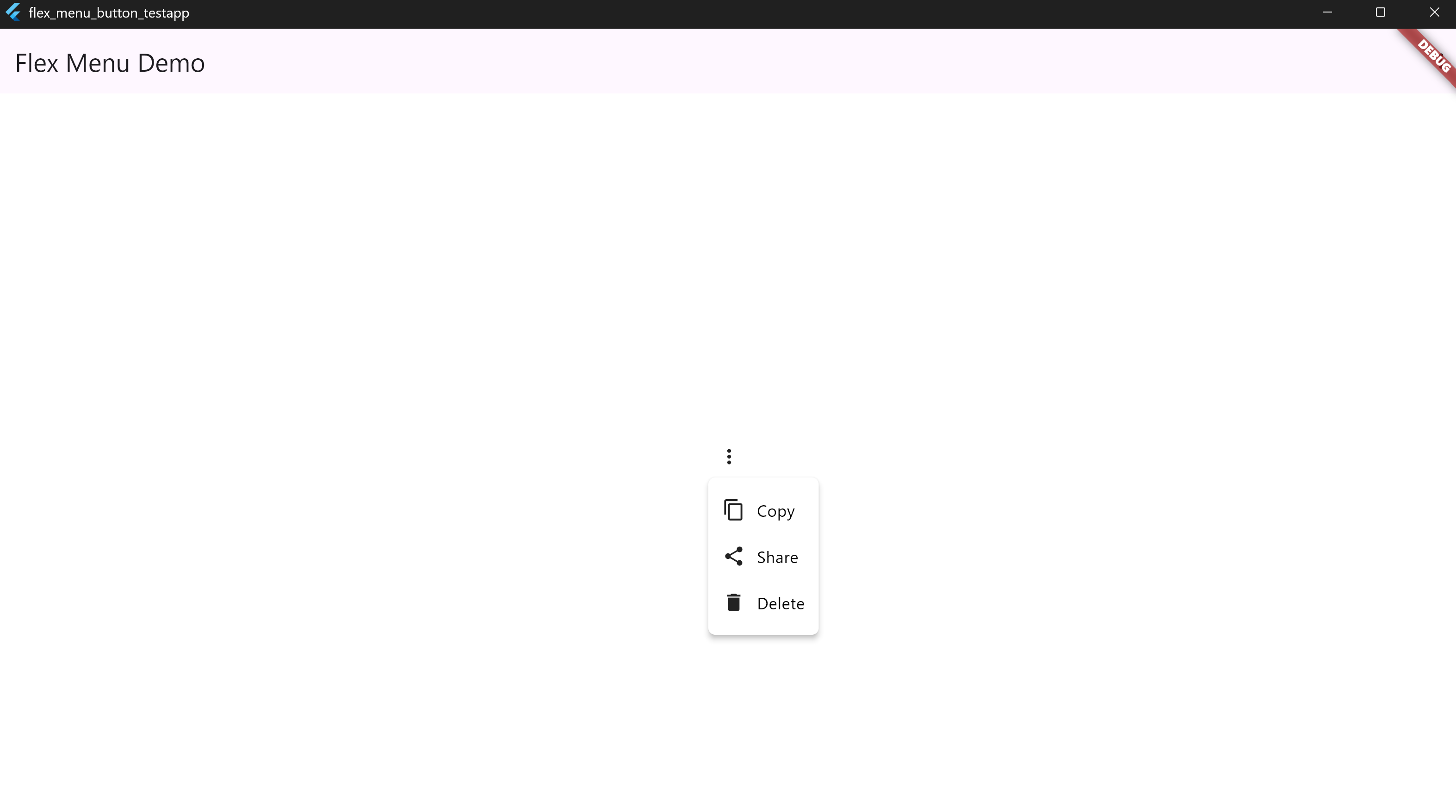
The flex_menu_button widget supports both automatic content-based sizing and manual width control.
🔍 Visual Comparison #
| Icon Only (Auto) | Icon Only (Fixed Width) | Icon + Text (Auto) |
|---|---|---|
 |
 |
 |
✅ Example 1 – Icons Only (Auto-Sized) #
MenuDropdownButton(
  icon: Icons.more_vert,
  tooltip: 'Options',
  config: MenuDropdownConfig(),
  items: [
    MenuItem(icon: Icons.copy, label: ''),
    MenuItem(icon: Icons.share, label: ''),
    MenuItem(icon: Icons.delete, label: ''),
  ],
)
📸 Screenshot:
#
✅ Example 2 – Icons Only (Fixed Width) #
MenuDropdownButton(
  icon: Icons.more_vert,
  tooltip: 'Options',
  config: MenuDropdownConfig(
    width: 180,
  ),
  items: [
    MenuItem(icon: Icons.copy, label: ''),
    MenuItem(icon: Icons.share, label: ''),
    MenuItem(icon: Icons.delete, label: ''),
  ],
)
📸 Screenshot:
#
✅ Example 3 – Icons + Text (Auto-Sized) #
MenuDropdownButton(
  icon: Icons.more_vert,
  tooltip: 'Options',
  config: MenuDropdownConfig(),
  items: [
    MenuItem(icon: Icons.copy, label: 'Copy'),
    MenuItem(icon: Icons.share, label: 'Share'),
    MenuItem(icon: Icons.delete, label: 'Delete'),
  ],
)
📸 Screenshot:
#
📝 Note:
If you don't specify a width in MenuDropdownConfig, the dropdown will scale based on the largest element (icon, label, or trailing widget). You can override this with a fixed width value if layout consistency is preferred.
👨💻 Developer #
🔗 Connect with Me #
☕ Buy Me a Coffee #
Metadata
Publisher
unverified uploader
Weekly Downloads
Metadata
A flexible and customizable dropdown menu button for Flutter. Supports headers, footers, icon or text triggers, custom styles, tooltips, and even secret invisible actions.
Repository (GitHub)
View/report issues
License
 unknown (license)

