
firestore_entity_gen 0.0.2+1-pre  firestore_entity_gen: ^0.0.2+1-pre copied to clipboard
 mizou.co.jp
A source_gen-based generator to produce structured Firestore entity mappers for Flutter/Dart.
firestore_entity_gen #
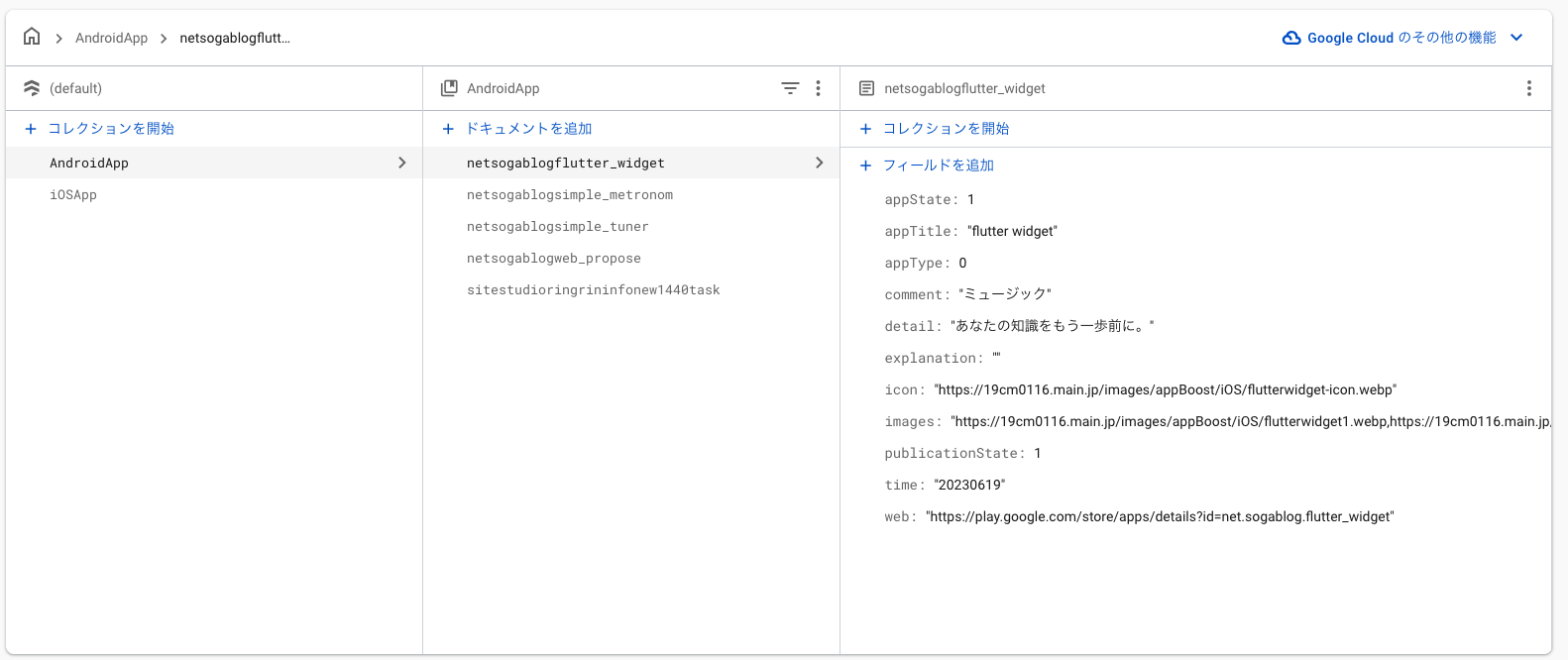 ----------- 👇 Gen -----------

Key points (must read)
- Users normally do not write model classes by hand. The intended workflow is to use bin/gen_from_firestore.dart to infer types from Firestore (REST) and auto-generate them.
- The library-side @FirestoreEntity (source_gen) support is an auxiliary feature. The recommended workflow is generation via the CLI.
Quickstart (gcloud-based)
- Get dependencies
fvm dart pub get
- Prepare and authenticate gcloud
Example using Homebrew on macOS:
brew install --cask gcloud
Initialize gcloud (choose account and project):
gcloud init
Issue Application Default Credentials (token used by the CLI):
gcloud auth application-default login
If needed, set a quota project:
gcloud auth application-default set-quota-project [YOUR_PROJECT_ID]
Verify token retrieval to confirm everything works:
gcloud auth application-default print-access-token
If a token is shown you can use the CLI to generate code:
# In your project directory
fvm dart pub add firestore_entity_gen
fvm dart run firestore_entity_gen:gen_from_firestore -p [YOUR_PROJECT_ID] -c [Collection name] -o [output base e.g.: example/lib/generated]
Notes (for developers)
- If a developer checks out the repository and wants to run it directly, call the script from the repo root pointing to bin:
# From the repository root
fvm dart run bin/gen_from_firestore.dart -p YOUR_PROJECT_ID -c Collection -o example/lib/generated
Note: If gcloud auth application-default login fails, check network connectivity, gcloud version, and existing authentication state (gcloud auth list).
About the id field
- Generated classes include an id field. This represents the Firestore document ID (extracted from the REST response's name field).
- The CLI parses the name field from each Firestore REST document, extracts the id, and injects an id key into the parsed map at generation time. Therefore the generated _$ClassFromFirestore and utilities can refer to map['id'].
- If you manually construct a map and pass it to a fromFirestore-equivalent function, always include the id key (for example: {'id': '
要点(必読)
- 利用者は通常モデルクラスを手で書きません。
bin/gen_from_firestore.dartを使い、Firestore(REST)から型推論して自動生成するワークフローを想定しています。 - ライブラリ側の
@FirestoreEntity(source_gen)サポートは補助機能です。推奨ワークフローは CLI による生成です。
クイックスタート (gcloud ベース)
- 依存を取得
fvm dart pub get
- gcloud の準備と認証
macOS では Homebrew を使った例:
brew install --cask gcloud
gcloud 初期化 (アカウントとプロジェクトを選択):
gcloud init
Application Default Credentials を発行 (CLI が利用するトークン):
gcloud auth application-default login
必要に応じてクォータプロジェクトを設定:
gcloud auth application-default set-quota-project [YOUR_PROJECT_ID]
トークン取得を確認して動作を検証:
gcloud auth application-default print-access-token
トークンが表示されれば CLI を使って生成できます:
# プロジェクトディレクトリで
fvm dart pub add firestore_entity_gen
fvm dart run firestore_entity_gen:gen_from_firestore -p [YOUR_PROJECT_ID] -c [Collection name] -o [出力バス 例:example/lib/generated]
備考(開発者向け)
- 開発者がリポジトリをチェックアウトして直接実行する場合は、ルートから bin を指定して呼べます:
# リポジトリのルートで
fvm dart run bin/gen_from_firestore.dart -p YOUR_PROJECT_ID -c Collection -o example/lib/generated
注: gcloud auth application-default login が失敗する場合は、ネットワークや gcloud のバージョン、既存の認証状態(gcloud auth list)を確認してください。
id フィールドについて #
- 生成されるクラスには
idフィールドが含まれます。これは Firestore のドキュメントID(REST レスポンスのnameフィールドから抽出)を表します。 - CLI は Firestore REST の各ドキュメントから
nameをパースしてidを抽出し、生成時にパース済みマップへidキーを注入します。したがって、生成された_$ClassFromFirestoreやユーティリティはmap['id']を参照できます。 - 手動でマップを作成して
fromFirestore相当の関数に渡す場合は、必ずidキーを含めてください(例:{'id': '<docId>', 'name': '...'})。
Metadata
Documentation
Publisher
Weekly Downloads
Metadata
A source_gen-based generator to produce structured Firestore entity mappers for Flutter/Dart.
Repository (GitHub)
View/report issues
License
 MIT (license)
Dependencies
analyzer, args, build, dart_style, http, meta, source_gen

