
editor_ant 0.1.0  editor_ant: ^0.1.0 copied to clipboard
Simple rich text editor with easy to use API.
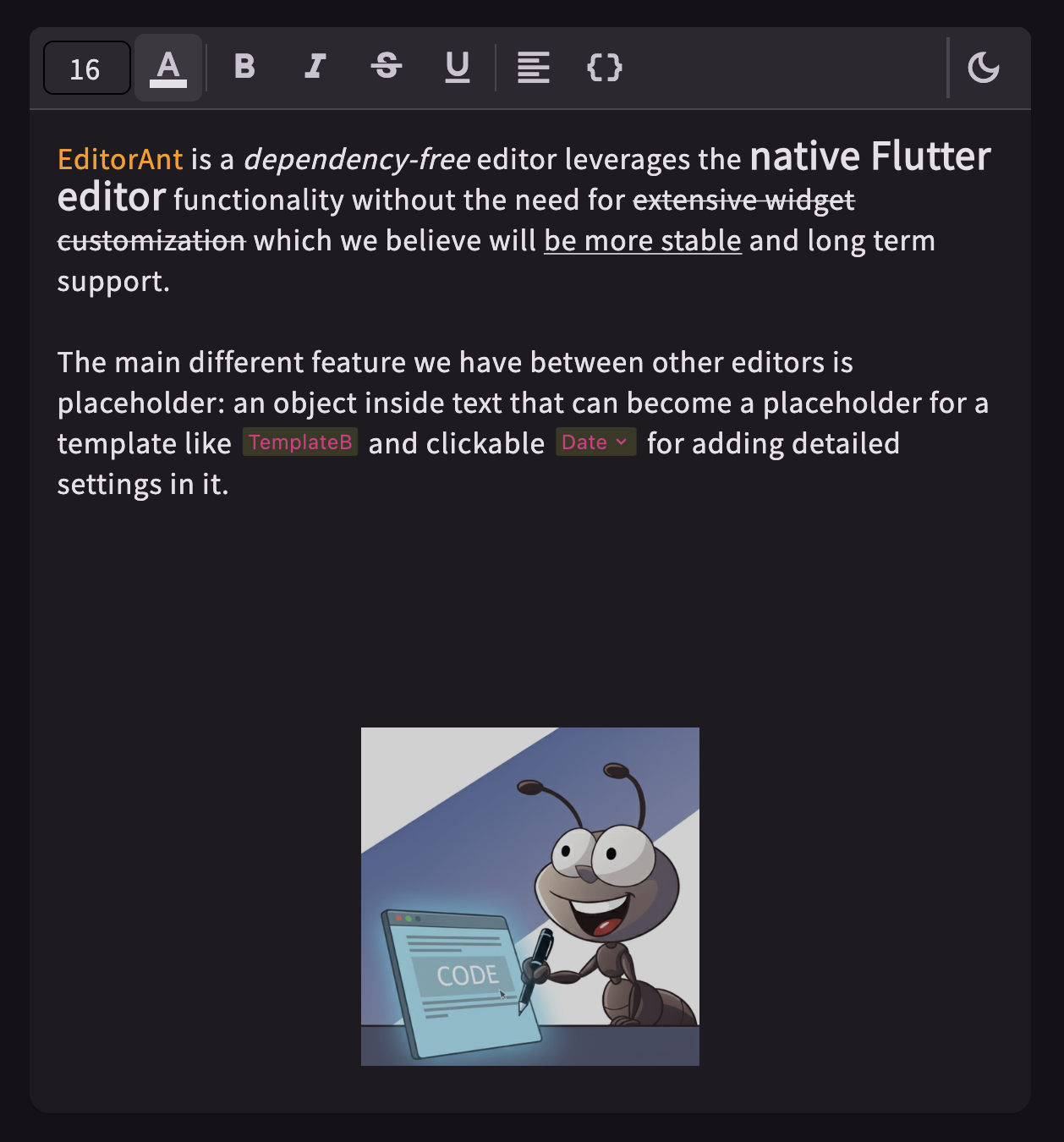


EditorAnt provide simple interface and demo widgets to create styled editor.
This package is separated from my project POS-System.
Play it yourself by visiting the online demo page!
See more details in example.
Installation #
flutter pub add editor_ant
Usage #
The main widget StyledEditingController provide a method addStyle to apply
custom style in editing text.
_controller = StyledEditingController<StyledText>();
TextField(
  controller: _controller,
  decoration: const InputDecoration.collapsed(hintText: 'Start typing...'),
);
Above StyledText is a demo styling instructor, below is a simplified implements:
class StyledText extends StyledRange<StyledText> {
  final bool isBold;

  StyledText({
    required super.range,
    this.isBold = false,
  });

  @override
  StyledText copyWith({
    int? start,
    int? end,
    StyledText? other,
    bool toggle = false,
    bool isBold = false,
  }) {
    return StyledText(
      range: TextRange(start: start ?? range.start, end: end ?? range.end),
      isBold: isBold
          ? true
          : other?.isBold == true
          ? (!this.isBold || !toggle)
          : this.isBold,
    );
  }

  @override
  bool hasSameToggleState(StyledText other) {
    if (other.isBold) {
      return isBold;
    }
    return false;
  }

  @override
  // use for change notifier
  bool operator ==(Object other) {
    return other is StyledText &&
        isBold == other.isBold;
  }

  @override
  TextStyle toTextStyle() {
    return TextStyle(
      fontWeight: isBold ? FontWeight.bold : null,
    );
  }

  @override
  int get hashCode => Object.hash(range, isBold);
}
And now you can use the toggled bold style in the menu bar.
IconButton(
  icon: const Icon(Icons.format_bold),
  onPressed: () {
    _controller.addStyle(StyledText(range: _controller.selection, isBold: true));
  },
)
Metadata
0
likes
0
points
246
downloads
Publisher
unverified uploader
Weekly Downloads
Metadata
Simple rich text editor with easy to use API.
Repository (GitHub)
View/report issues
License
 unknown (license)

