
drag_anim 1.2.1  drag_anim: ^1.2.1 copied to clipboard
Support reorderable table drag and drop sorting of all widgets (including slivers)。 Waterfall, listView, and GridView
drag_anim #
Precautions
- Support drag-and-drop function with components
- When sliding the component, you need to pass the scrollController and scrollDirection, otherwise it will not be able to automatically scroll to the edge
- Theoretically supports all widgets, has been tested flutter_staggered_grid_view, listView, GridView, Sliver Series
- Multiple drags and drops are supported, such as SliverList + SliverGrid, for example in double_sliver
dependencies:
  ...
  drag_anim: <latest_version>
| List Demo | Sliver Demo |
|---|---|
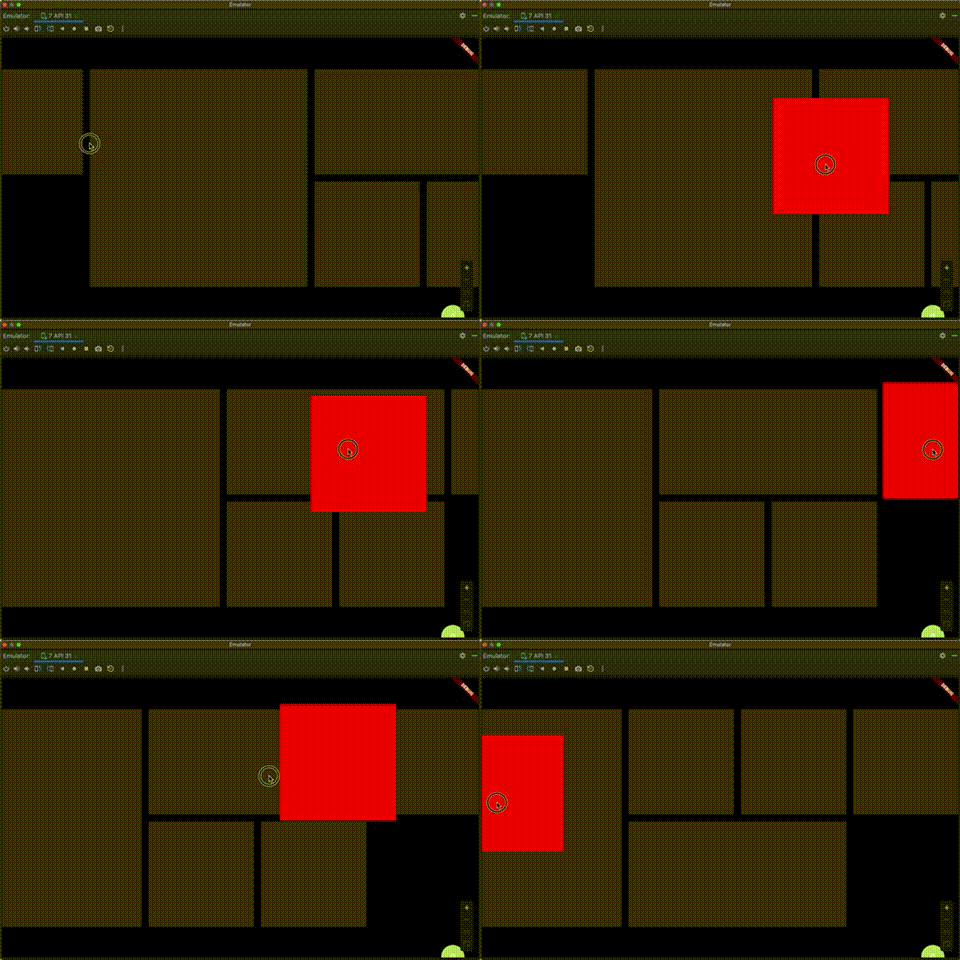 |
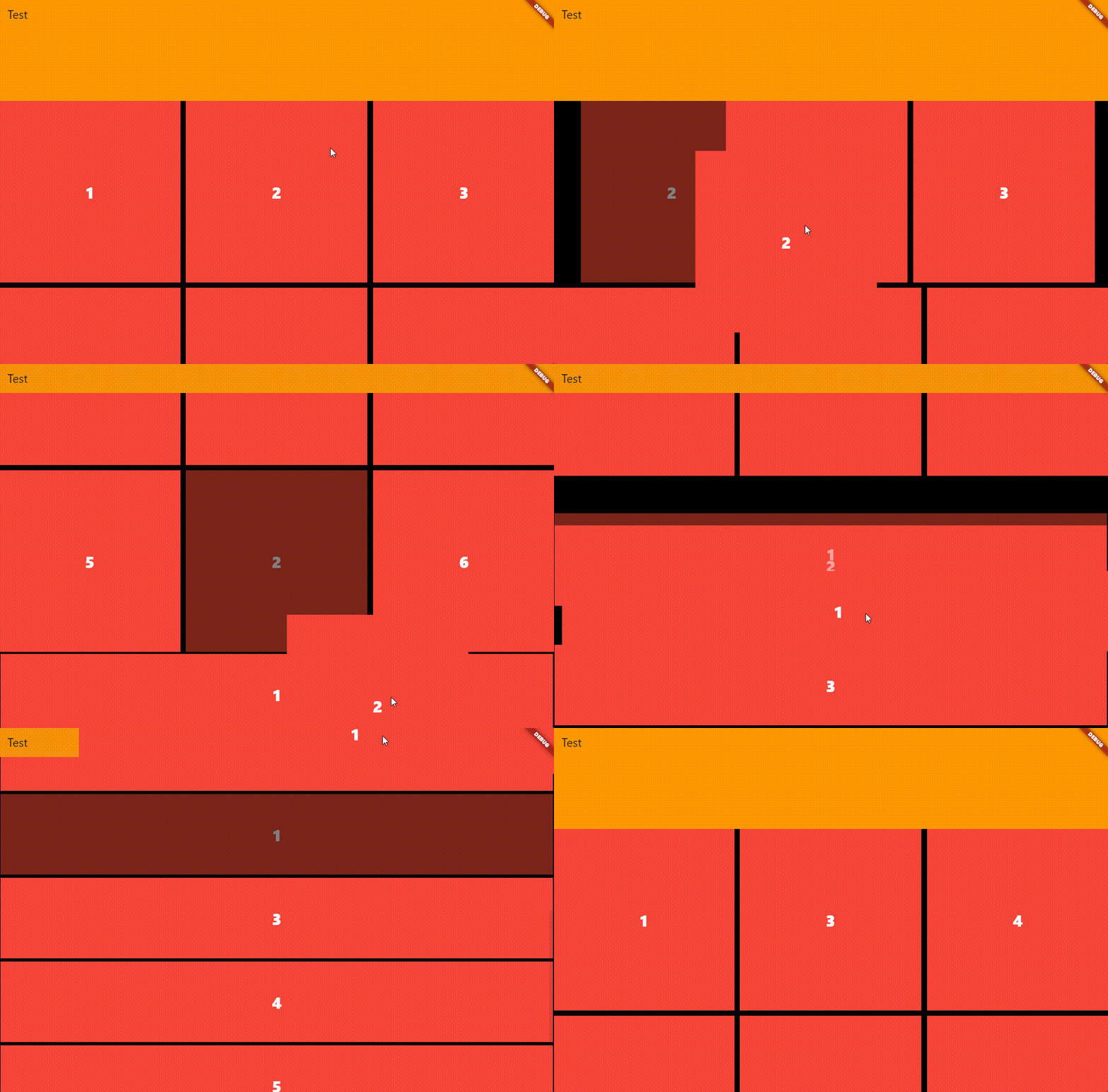 |
![Staired example][aligned_example]
import 'package:drag_anim/drag_anim.dart';
import 'package:flutter/material.dart';

void main() {
  runApp(const MyApp());
}

class MyApp extends StatelessWidget {
  const MyApp({super.key});

  // This widget is the root of your application.
  @override
  Widget build(BuildContext context) {
    return MaterialApp(
      title: 'Flutter Demo',
      theme: ThemeData(colorScheme: ColorScheme.fromSeed(seedColor: Colors.deepPurple)),
      home: const MyHomePage(title: 'Flutter Demo Home Page'),
    );
  }
}

class MyHomePage extends StatefulWidget {
  const MyHomePage({super.key, required this.title});

  final String title;

  @override
  State<MyHomePage> createState() => _MyHomePageState();
}

class _MyHomePageState extends State<MyHomePage> {
  List<String> items = [
    'a',
    'b',
    'c',
    'd',
    'e',
    'f',
    'g',
    'h',
    'i',
    'j',
    'k',
    'l',
    'm',
    'n',
    'o',
    'p',
    'q',
    'r',
    's',
    't',
    'u',
    'v',
    'w',
    'x',
    'y',
    'z',
  ];
  ScrollController scrollController = ScrollController();

  @override
  Widget build(BuildContext context) {
    return Scaffold(
      appBar: AppBar(backgroundColor: Theme.of(context).colorScheme.inversePrimary, title: Text(widget.title)),
      body: DragAnim(
        scrollController: scrollController,
        scrollDirection: Axis.vertical,
        buildItems: (dragItems) {
          return GridView.builder(
            controller: scrollController,
            gridDelegate: const SliverGridDelegateWithFixedCrossAxisCount(
              crossAxisCount: 6,
              mainAxisSpacing: 10,
              crossAxisSpacing: 10,
            ),
            itemBuilder: (_, index) {
              return dragItems(
                data: items[index],
                child: Container(
                  color: Colors.red,
                  alignment: Alignment.center,
                  child: Text(
                    items[index],
                    style: const TextStyle(fontSize: 30, color: Colors.white, decoration: TextDecoration.none),
                  ),
                ),
                key: ValueKey<String>(items[index]),
              );
            },
            itemCount: items.length,
          );
        },
        dataList: items,
      ),
    );
  }
}
- Or flutter_staggered_grid_view
@override
Widget build(BuildContext context) {
  return Scaffold(
    appBar: AppBar(backgroundColor: Theme.of(context).colorScheme.inversePrimary, title: Text(widget.title)),
    body: DragAnim(
      scrollController: scrollController,
      scrollDirection: Axis.vertical,
      buildItems: (dragItems) {
        return MasonryGridView.count(
          crossAxisCount: 4,
          mainAxisSpacing: 4,
          crossAxisSpacing: 4,
          controller: scrollController,
          itemCount: items.length,
          itemBuilder: (context, index) {
            return dragItems(
              data: items[index],
              child: Container(
                color: Colors.red,
                alignment: Alignment.center,
                child: Text(
                  items[index],
                  style: const TextStyle(fontSize: 30, color: Colors.white, decoration: TextDecoration.none),
                ),
              ),
              key: ValueKey<String>(items[index]),
            );
          },
        );
      },
      dataList: items,
    ),
  );
}
-Or Multiple Sliver components are supported
class _DoubleSliverPageState extends State<DoubleSliverPage> {
  List<A> itemsA = [A('1'), A('2'), A('3'), A('4'), A('5'), A('6')];

  List<B> itemsB = [B('1'), B('2'), B('3'), B('4'), B('5'), B('6')];
  ScrollController scrollController = ScrollController();

  @override
  Widget build(BuildContext context) {
    return Scaffold(
      appBar: AppBar(backgroundColor: Theme.of(context).colorScheme.inversePrimary, title: Text(widget.title)),
      body: DragAnim<Object>(
        scrollController: scrollController,
        scrollDirection: Axis.vertical,
        onWillAcceptWithDetails: (DragTargetDetails<Object> details, Object data, bool isTimer) {
          var list = data is A && details.data is A ? itemsA : (data is B && details.data is B ? itemsB : null);
          if (list != null) {
            setState(() {
              final int index = list.indexOf(data);
              list.remove(details.data);
              list.insert(index, details.data);
            });
          }
          return list != null;
        },
        buildItems: (dragItems) {
          return CustomScrollView(
            controller: scrollController,
            slivers: [
              SliverAppBar(
                expandedHeight: 190.0,
                title: const Text('Test'),
                elevation: 5,
                pinned: true,
                backgroundColor: Colors.orange,
              ),
              SliverGrid.builder(
                gridDelegate: SliverGridDelegateWithFixedCrossAxisCount(
                  crossAxisCount: 3,
                  mainAxisSpacing: 10,
                  crossAxisSpacing: 10,
                ),
                itemCount: itemsA.length,
                itemBuilder: (BuildContext context, int index) {
                  return dragItems(
                    data: itemsA[index],
                    child: Container(
                      color: Colors.red,
                      alignment: Alignment.center,
                      child: Text(
                        itemsA[index].value,
                        style: const TextStyle(fontSize: 30, color: Colors.white, decoration: TextDecoration.none),
                      ),
                    ),
                    key: ValueKey<A>(itemsA[index]),
                  );
                },
              ),
              SliverList(
                delegate: SliverChildBuilderDelegate(
                  (_, int index) => dragItems(
                    data: itemsB[index],
                    child: Container(
                      color: Colors.red,
                      alignment: Alignment.center,
                      child: Text(
                        itemsB[index].value,
                        style: const TextStyle(fontSize: 30, color: Colors.white, decoration: TextDecoration.none),
                      ),
                    ),
                    key: ValueKey<B>(itemsB[index]),
                  ),
                  childCount: itemsB.length,
                ),
              ),
            ],
          );
        },
      ),
    );
  }
}
LICENSE! #
Drag Anim is MIT-licensed.
Let us know! #
We’d be really happy if you send us links to your projects where you use our component. Just send an email to 1023308356@qq.com And do let us know if you have any questions or suggestion regarding our work.
Metadata
11
likes
135
points
155
downloads
Publisher
unverified uploader
Weekly Downloads
Metadata
Support reorderable table drag and drop sorting of all widgets (including slivers)。 Waterfall, listView, and GridView
Repository (GitHub)
View/report issues
Documentation
License
 MIT (license)

