
chiclet 1.2.1  chiclet: ^1.2.1 copied to clipboard
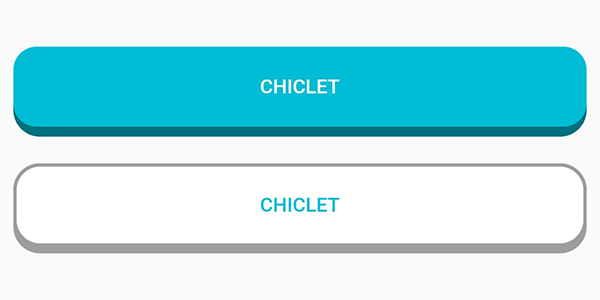
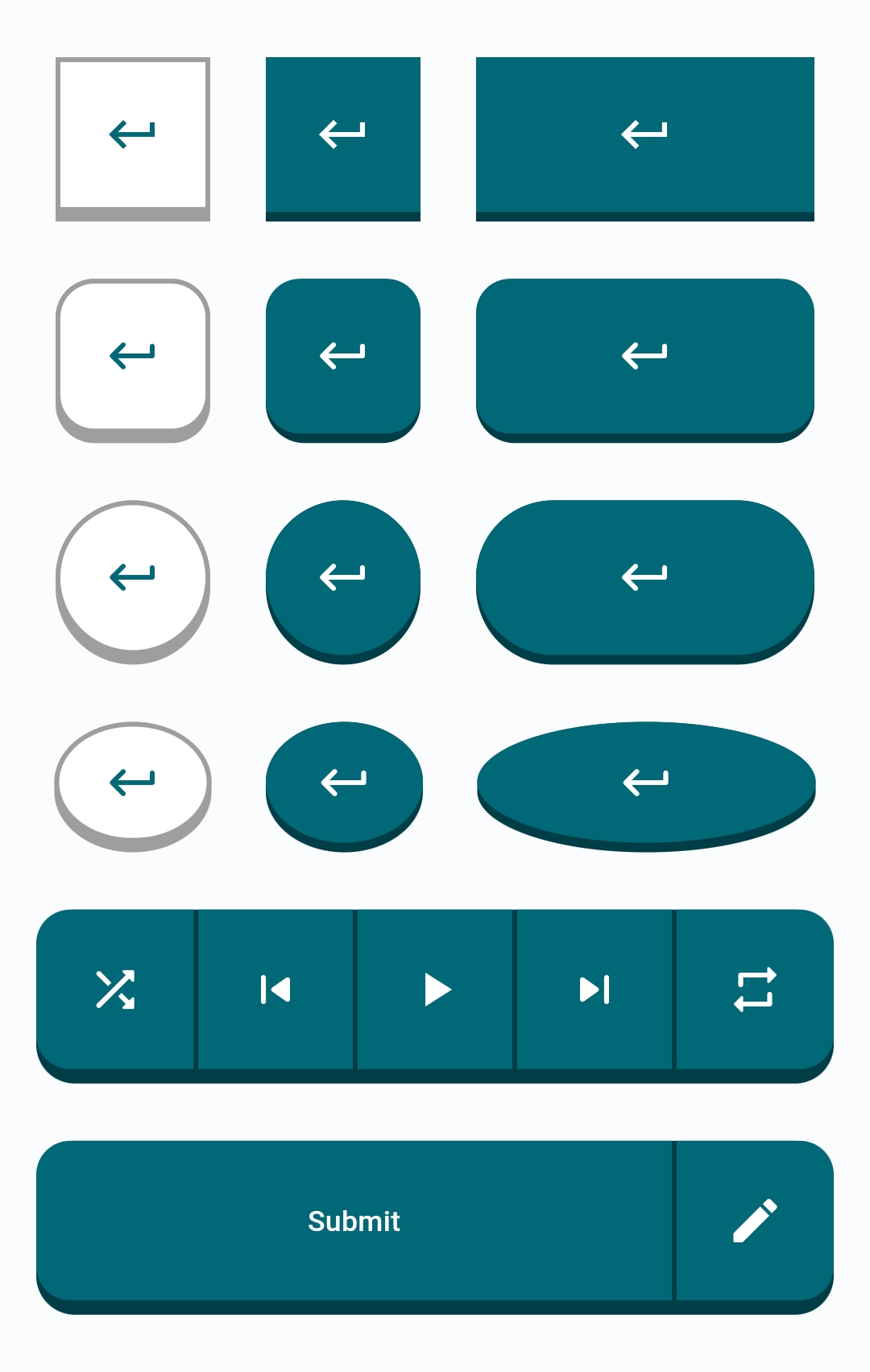
Chiclet provides you with highly customizable island-style buttons similar to those found in the popular language learning app Duolingo and Figma courses.
Highly customizable island-style buttons known as Chiclet.
Features #
Chiclet provides you with highly customizable island-style buttons similar to those found in the popular language learning app Duolingo and Figma courses.
Getting started #
In the dependencies: section of your pubspec.yaml, add the following line:
dependencies:
  chiclet: <latest_version>
Usage #
- Import
Chicletin your main.dart.
import 'package:chiclet/chiclet.dart';
- Basic implementation:
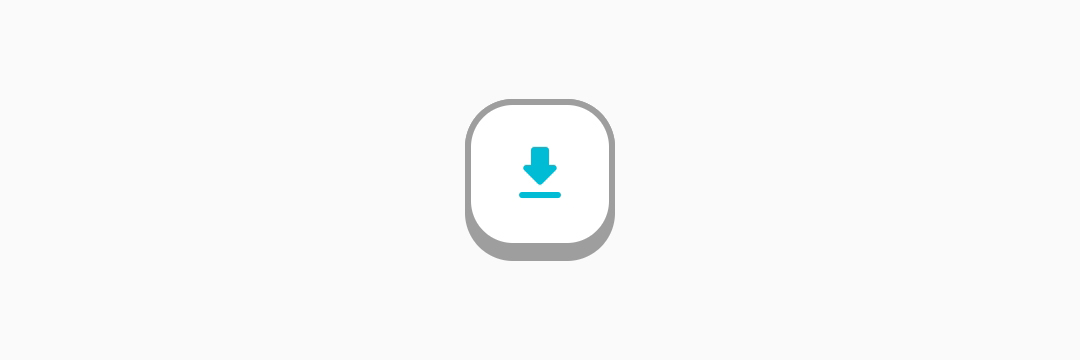
ChicletOutlinedAnimatedButton(
onPressed: () {},
child: const Icon(Icons.download_rounded),
),
Buttons List #
- ChicletButton
- ChicletAnimatedButton
- ChicletOutlinedButton
- ChicletAnimatedOutlinedButton
- ChicletSegmentedButton
Button Types #
1. RoundedRectangle (default type): #
- You can either not specify it, or write
ChicletButtonTypes.roundedRectanglein front of thebuttonTypeproperty. In either case, the result will be the same. Example:ChicletOutlinedAnimatedButton( onPressed: () {}, child: const Icon(Icons.download_rounded), ),ChicletOutlinedAnimatedButton( onPressed: () {}, buttonType: ChicletButtonTypes.roundedRectangle, child: const Icon(Icons.download_rounded), ),
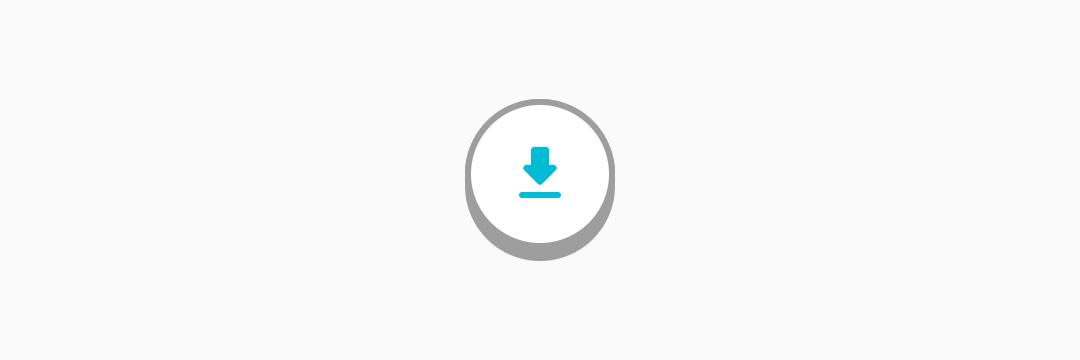
2. Circle: #
- You can create a circle shaped button by writing
ChicletButtonTypes.circlein front of thebuttonTypeproperty. Example:ChicletOutlinedAnimatedButton( onPressed: () {}, buttonType: ChicletButtonTypes.circle, child: const Icon(Icons.download_rounded), ),
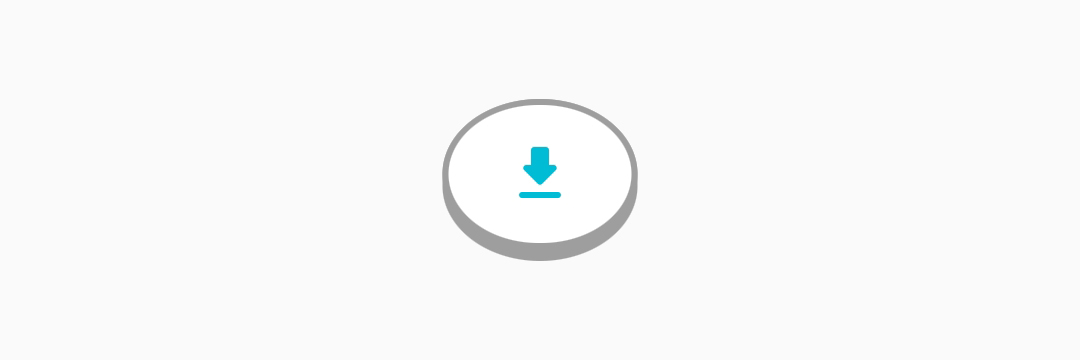
3. Oval: #
- You can create an oval shaped button by writing
ChicletButtonTypes.circlein front of thebuttonTypeproperty. Example:ChicletOutlinedAnimatedButton( onPressed: () {}, width: 65, buttonType: ChicletButtonTypes.oval, child: const Icon(Icons.download_rounded), ),
You can find more examples in the /example/lib/main.dart directory.
Customizable Properties #
ChicletButton and ChicletAnimatedButton: #
- padding,
- width (If not provided, it will be the same as
height), - height (default is 50),
- minimumSize,
- maximumSize,
- isPressed (default is false),
- buttonHeight (default is 4, and it applies in addition to the
height), - borderRadius (default is 16),
- buttonColor (default is
shade.900ofThemeData'sprimarySwatch, unless you provide thebackgroundColorproperty, then it will beshade.900of thebackgroundColorproperty), - foregroundColor (default is
Colors.white), - backgroundColor (default is
ThemeData'sprimarySwatch), - disabledforegroundColor,
- disabledbackgroundColor,
- splashFactory (default is
NoSplash.splashFactory), - buttonType (default is
ChicletButtonTypes.roundedRectangle),
ChicletOutlinedButton and ChicletOutlinedAnimatedButton: #
- padding,
- width (If not provided, it will be the same as
height), - height (default is 50),
- minimumSize,
- maximumSize,
- isPressed (default is false),
- buttonHeight (default is 4, and it applies in addition to the
height), - borderWidth (default is 2),
- borderRadius (default is 16),
- borderColor (default is
Colors.grey), - buttonColor (default is
Colors.grey), - foregroundColor (default is
ThemeData'sprimarySwatch), - backgroundColor (default is
Colors.white), - disabledborderColor (default is
Theme.colorScheme.onSurface(0.12)), - disabledforegroundColor,
- disabledbackgroundColor,
- splashFactory (default is
NoSplash.splashFactory), - buttonType (default is
ChicletButtonTypes.roundedRectangle),
ChicletSegmentedButton: #
- padding
- width
- height
- minimumSize,
- maximumSize,
- isPressed (default is false),
- buttonHeight (default is 4, and it applies in addition to the
height), - borderRadius (default is 16),
- buttonColor (default is
Colors.grey), - foregroundColor (default is
ThemeData'sprimarySwatch), - backgroundColor (default is
Colors.white), - disabledforegroundColor,
- disabledbackgroundColor,
- splashFactory (default is
NoSplash.splashFactory), - buttonType (default is
ChicletButtonTypes.roundedRectangle),
ChicletButtonSegment (Intended to be used only as ChicletSegmentedButton's child): #
- padding
- width
- isPressed (default is false),
- buttonColor (default is
Colors.grey), - foregroundColor (default is
ThemeData'sprimarySwatch), - backgroundColor (default is
Colors.white), - disabledforegroundColor,
- disabledbackgroundColor,
Note
When using Material 3, providing the primarySwatch doesn't affect the color properties. You should consider providing either colorScheme or ColorSchemeSeed.
Support the Project #
If you find this project useful and would like to support its development, you can donate using the following cryptocurrencies. We work on this project in our spare time alongside our full-time jobs, and even a small donation — as little as $1 — goes a long way in Iran and helps us dedicate more time to improving and maintaining it.
- BTC (Bitcoin):
bc1qkxcvlvkrslx33g2kql45au438ua3qrvanangw2 - ETH (Ethereum):
0x575ef94aea4aa5bdf5c74c6b47311768118ad7c7 - TRX (Tron):
TRXMXafCkQ1sND7f9rfUNVDWazR866GHwF - USDT (Tron):
TRXMXafCkQ1sND7f9rfUNVDWazR866GHwF - Toncoin (Ton):
UQBcgZhcrJ-Qd-MUol1SvCLSqZCWZ01efrJJh4SUsoBpGtJw
Additional information #
Suggestions, recommendations, bug reports, and issues: DevRedStone
Metadata


Publisher
unverified uploader
Weekly Downloads
Metadata
Chiclet provides you with highly customizable island-style buttons similar to those found in the popular language learning app Duolingo and Figma courses.
Repository (GitHub)
View/report issues
Documentation
License
 MIT (license)

