
arcore_flutter_plus
Introducing arcore flutter plus. This package allows you to experience Augmented Reality (AR) on Android devices using Google ARCore.
Key Enhancements (What's New?)
In addition to all the original features, this version includes:
- Fixed Model Loading: Give support for
.glband.sfb3d models. - Custom Shapes: Added support for new shapes like.
- Improved Documentation: Clearer examples for distance measurement and interactive model placement.
🙏 Credits & Origin
This package is a upgraded version of the original arcore_flutter_plugin created by gdifrancesco. Since the original package has been inactive for several years, arcore_flutter_plus aims to keep the plugin alive by providing:
- Compatibility with modern Flutter 3.x versions.
- Support for updated Android SDKs.
- New custom features and bug fixes.
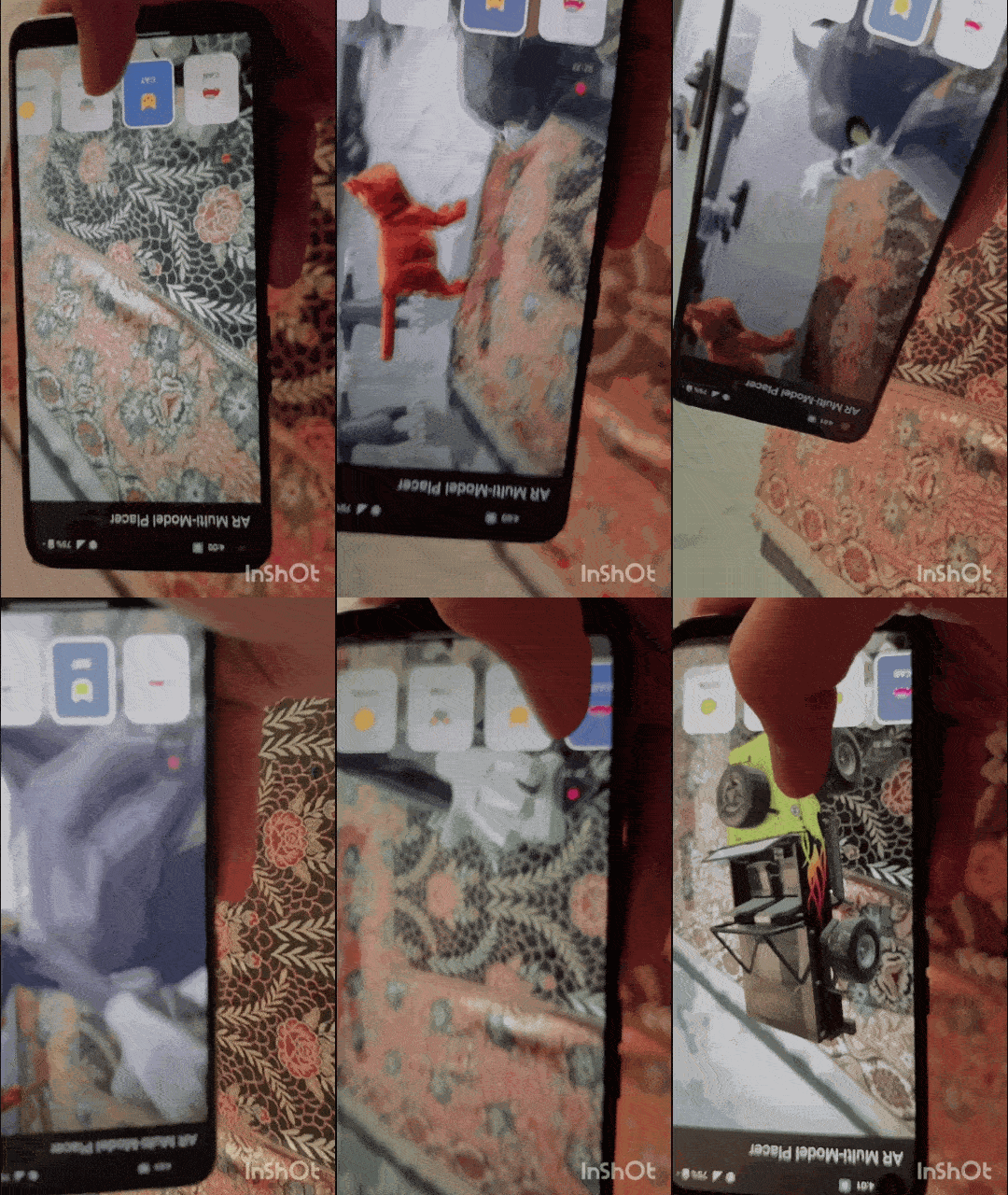
3D Model Placement |
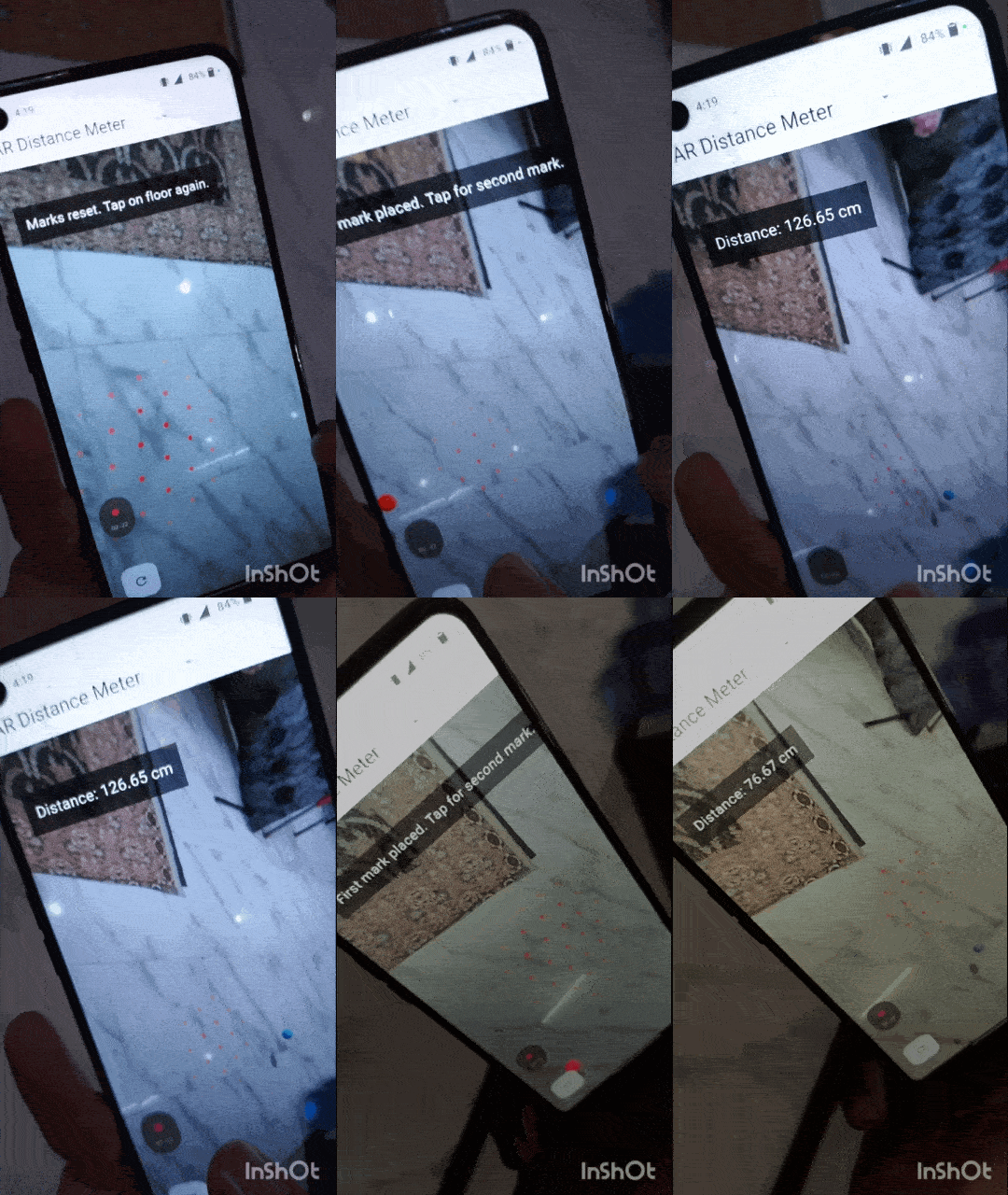
Distance Measurement |
🚀 Getting Started
📱 Platform Support
This package is Android-only because it relies on Google's ARCore SDK. (If you are looking for iOS AR support, consider using arkit_plugin)
1. Requirements
- Android API Level: 24 (Android 7.0) or higher.
2. Installation
Add this to your pubspec.yaml:
dependencies:
  arcore_flutter_plus: ^1.0.0
3. Add Permissions
Ensure your AndroidManifest.xml includes Camera permissions:
<uses-permission android:name="android.permission.CAMERA" />
<uses-feature android:name="android.hardware.camera.ar" />
4. Adding assets and models
Add your .glb models to android/app/src/main/assets/.
📖 Usage Example: Placing a Model
ArCoreReferenceNode node = ArCoreReferenceNode(
  name: "Tom",
  object3DFileName: "tom.glb",
  position: vector.Vector3(0, 0, -1.0),
);
arCoreController.addArCoreNode(node);
📱 Example Project
You can find a complete, ready-to-run example project showcasing all features (including distance measurement, placing objects etc.) in the official examples repository:
🔗 arcore_flutter_examples
The simplest code example:
void main() => runApp(
  const MaterialApp(
    debugShowCheckedModeBanner: false,
    //home: AREmojiWorld(), ////-- uncomment to run this example
     home: ARDistanceMeasurer(),
  ),
);

////--Example 1 to calculate distance b/w 2 marks on floor

class ARDistanceMeasurer extends StatefulWidget {
  const ARDistanceMeasurer({super.key});

  @override
  State<ARDistanceMeasurer> createState() => _ARDistanceMeasurerState();
}

class _ARDistanceMeasurerState extends State<ARDistanceMeasurer> {
  ArCoreController? arCoreController;

  // To store 2 points
  ArCoreNode? startNode;
  ArCoreNode? endNode;
  String distanceText = "Tap on floor to place marks";

  @override
  Widget build(BuildContext context) {
    return Scaffold(
      appBar: AppBar(title: const Text('AR Distance Meter')),
      body: Stack(
        children: [
          ArCoreView(
            onArCoreViewCreated: _onArCoreViewCreated,
            enableTapRecognizer: true,
            enablePlaneRenderer: true, // this will show dots
            planeColor: Colors.red,
          ),

          // Distance display karne ke liye UI
          Positioned(
            top: 50,
            left: 20,
            child: Container(
              padding: const EdgeInsets.all(12),
              color: Colors.black54,
              child: Text(
                distanceText,
                style: const TextStyle(color: Colors.white, fontSize: 18),
              ),
            ),
          ),
          Positioned(
            bottom: 30,
            left: 20,
            child: FloatingActionButton(
              onPressed: _resetMarks,
              child: const Icon(Icons.refresh),
            ),
          ),
        ],
      ),
    );
  }

  void _onArCoreViewCreated(ArCoreController controller) {
    arCoreController = controller;
    // Plane detection configuration
    arCoreController?.onPlaneTap = _handleOnPlaneTap;
  }

  void _handleOnPlaneTap(List<ArCoreHitTestResult> hits) {
    if (hits.isEmpty) return;
    final hit = hits.first;

    if (startNode == null) {
      // 1st mark
      startNode = _createMark(hit.pose.translation, Colors.red);
      arCoreController?.addArCoreNode(startNode!);
      setState(() {
        distanceText = "First mark placed. Tap for second mark.";
      });
    } else if (endNode == null) {
      // 2nd mark
      endNode = _createMark(hit.pose.translation, Colors.blue);
      arCoreController?.addArCoreNode(endNode!);

      // Distance calculate
      _calculateDistance();
    }
  }

  ArCoreNode _createMark(vector.Vector3 position, Color color) {
    final material = ArCoreMaterial(color: color, metallic: 1.0);
    final sphere = ArCoreSphere(materials: [material], radius: 0.03);
    return ArCoreNode(shape: sphere, position: position);
  }

  void _calculateDistance() {
    if (startNode == null || endNode == null) return;

    // .value lagana zaroori hai kyunki position ek ValueNotifier hai
    final startPos = startNode!.position!.value;
    final endPos = endNode!.position!.value;

    // Distance Formula implementation
    double dx = endPos.x - startPos.x;
    double dy = endPos.y - startPos.y;
    double dz = endPos.z - startPos.z;

    // math.sqrt use  as prefix imported hai
    double distance = math.sqrt(dx * dx + dy * dy + dz * dz);

    setState(() {
      distanceText = "Distance: ${(distance * 100).toStringAsFixed(2)} cm";
    });
  }

  void _resetMarks() {
    if (startNode != null)
      arCoreController?.removeNode(nodeName: startNode!.name);
    if (endNode != null) arCoreController?.removeNode(nodeName: endNode!.name);
    startNode = null;
    endNode = null;
    setState(() {
      distanceText = "Marks reset. Tap on floor again.";
    });
  }

  @override
  void dispose() {
    arCoreController?.dispose();
    super.dispose();
  }
}
Documentation
Classes provided by the plugin
There are a total of 13 classes provided by this plugin.
- ArCoreView
- ArCoreController
- ArCoreFaceView
- ArCoreFaceController
- ArCoreSphere
- ArCoreCylinder
- ArCoreCube
- ArCoreNode
- ArCoreMaterial
- ArCoreHitTestResult
- ArCoreRotatingNode
- ArCorePlane
- ArCoreReferenceNode
ArCoreView
This class returns the view type. There are two types of views in it.
AUGMENTEDFACE STANDARDVIEW
There are 4 properties in it:
- onArCoreViewCreated
- enableTapRecognizer
- enableUpdateListener
- type
onArCoreViewCreated
This property takes a ArCoreController.
enableTapRecognizer
Initially, set to false. It is used as an argument by the MethodChannel.
enableUpdateListener
Initially, set to false. It is used as an argument by the MethodChannel.
type
It is a view type, it is either AUGMENTEDFACE, STANDARDVIEW*. It is set to STANDARDVIEW by default.
ArCoreController
This controller is used to add an ArNode using the addArCoreNode function, add an ArCoreNode with an anchor using the addArCoreNodeWithAnchor function, and also remove a node using the removeNode function.
ArCoreFaceView
It is a stateful widget that returns a ArCoreAndroidView. It has two properties enableAugmentedFaces, onArCoreViewCreated.
Initially, enableAugmentedFaces is set to false. onArCoreViewCreated takes a function with ArCoreController argument.
ArCoreFaceController
It used dispose and loadMesh method to control the FaceView.
ArCoreSphere
It is ArCoreShape, takes a radius & ArCoreMaterial.
ArCoreCylinder
It is an ArCoreShape, takes a radius, height, & ArCoreMaterial.
ArCoreCube
It is ArCoreShape, takes a size i.e. Vector3 & ArCoreMaterial.
ArCoreNode
This widget is used to provide the position, shape, scale, rotation, name.
ArCoreMaterial
It is used to describe the outlook of the virtual object created by the user.
It has color,textureBytes, metallic, roughness, reflection.
ArCoreRotatingNode
It is an ArCoreNode with a degreesPerSecond property which is a double value.
ArCorePlane
It takes the x, y coordinate of the plane, ArCorePose & ArCorePlaneType.
There are three types of plane:
- HORIZONTAL_UPWARD_FACING
- HORIZONTAL_DOWNWARD_FACING
- VERTICAL
ArCoreReferenceNode
It is ArCoreNode, it has all the properties that the ArCoreNode has also it has objectUrl and object3DFileName.
objectUrl
URL of glft object for remote rendering.
object3DFileName
Filename of sfb, glb object in android/app/src/main/assets folder.