

XWidget
A Flutter package for building dynamic UIs using an expressive, XML-based markup language. Unlike traditional Flutter development where the UI is written in Dart and compiled, XWidget interprets XML at runtime — enabling dynamic layouts, server-driven UI, and over-the-air updates.
<Column crossAxisAlignment="start">
    <Text data="Hello World">
        <TextStyle for="style" fontWeight="bold" color="#262626"/>
    </Text>
    <Text>Welcome to XWidget!</Text>
</Column>
Features
Dynamic UI Fragments
Define your UI in XML and inflate it at runtime. Compose screens from reusable fragments with nesting, parameter passing, and conditional rendering.
@override
Widget build(BuildContext context) {
  return XWidget.inflateFragment("home", Dependencies());
}
Full Widget Compatibility
Use any Flutter widget — Material, Cupertino, third-party packages, or your own custom widgets. XWidget auto-generates inflaters from Flutter's widget definitions, ensuring 100% API compatibility. If Flutter supports it, XWidget supports it.
Expression Language
A powerful expression language with operators, 60+ built-in functions, and custom logic — evaluated directly in your XML markup.
<Text data="${user.firstName + ' ' + user.lastName}"/>
<Text visible="${items.length > 0}" data="Found ${items.length} items"/>
<Container color="${isActive ? toColor('#00FF00') : toColor('#FF0000')}"/>
State Management
Separate business logic from UI with controllers, reactive updates via ValueListener and EventListener, and a flexible dependencies system with dot/bracket notation, global data sharing, and automatic scoping.
<Controller name="CounterController">
    <ValueListener varName="count">
        <Text data="${toString(count)}"/>
    </ValueListener>
</Controller>
Data Modeling
Structured data models with property transformers, type conversion, null safety, and instance
management. Map any source data structure to your model with PropertyTranslation.
Server-Driven UI
Load UI fragments and value resources from XWidget Cloud's content server at runtime. Deploy updates to staging, test, then promote to production — no app store review required.
await XWidget.initialize(
  projectKey: '<your-project-key>',
  storageKey: '<your-storage-key>',
  channel: 'production',
  version: '1.0.0',
);
Automatic Analytics
Zero-instrumentation analytics when connected to XWidget Cloud. Fragment renders, bundle downloads, errors, and navigation transitions are tracked automatically.
Cross-Platform
Works on all Flutter platforms — iOS, Android, Web, Windows, macOS, and Linux.
Quick Start
flutter pub add xwidget dev:xwidget_builder
dart run xwidget_builder:init --new-app
dart run xwidget_builder:generate
Documentation
Full documentation is available at docs.xwidget.dev, including:
- Fragments — XML-based UI components
- Controllers — State management and business logic
- Expression Language — Operators, functions, and custom logic
- Cloud Integration — Server-driven UI setup
- Analytics — Automatic event tracking
- Code Generation — Inflaters, icons, controllers, schema
Android Studio Plugin
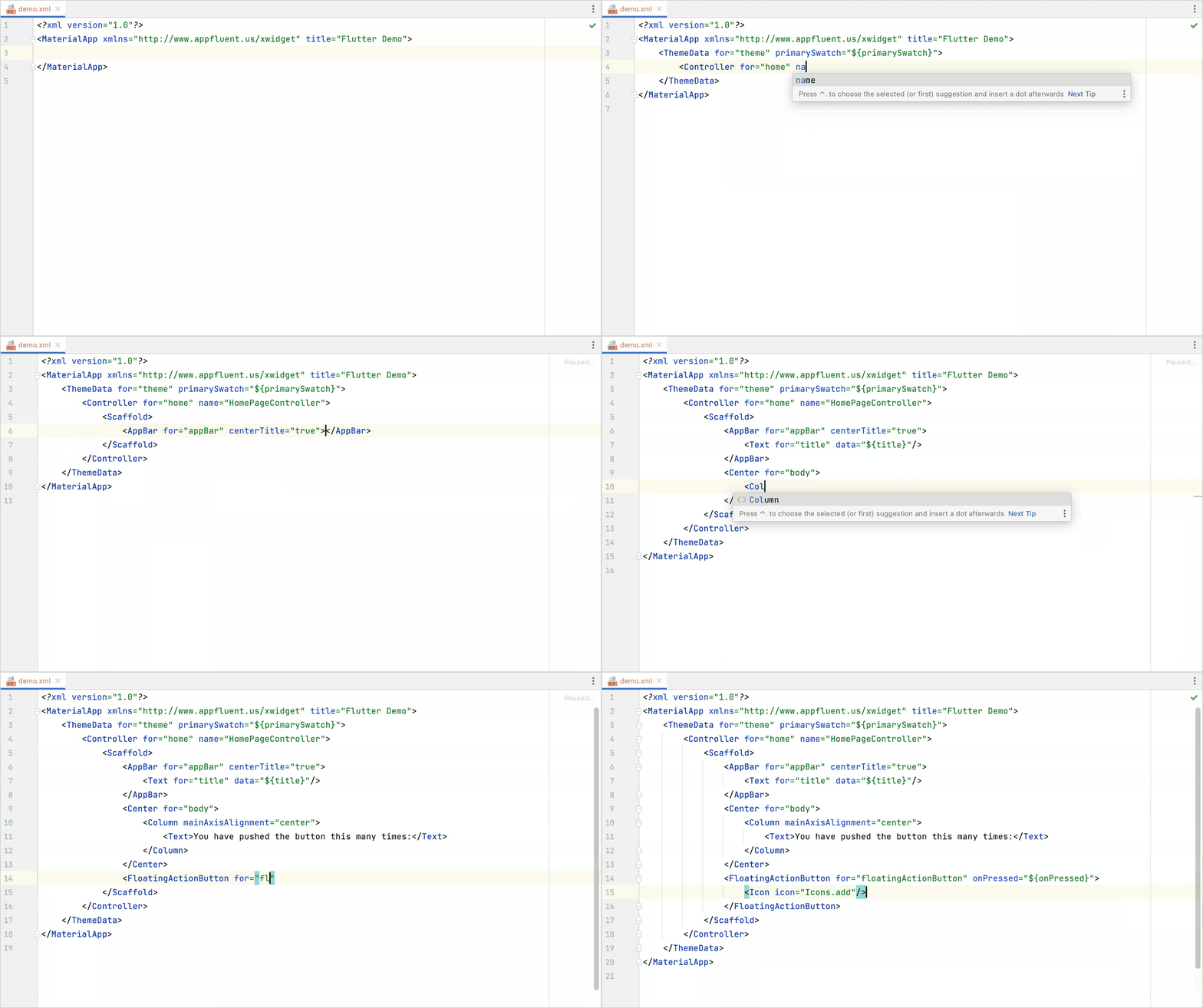
Install the Flutter XWidget plugin for EL syntax highlighting, contextual navigation, and component generation.
License
See LICENSE for details.