
sticky_header_reordering_list
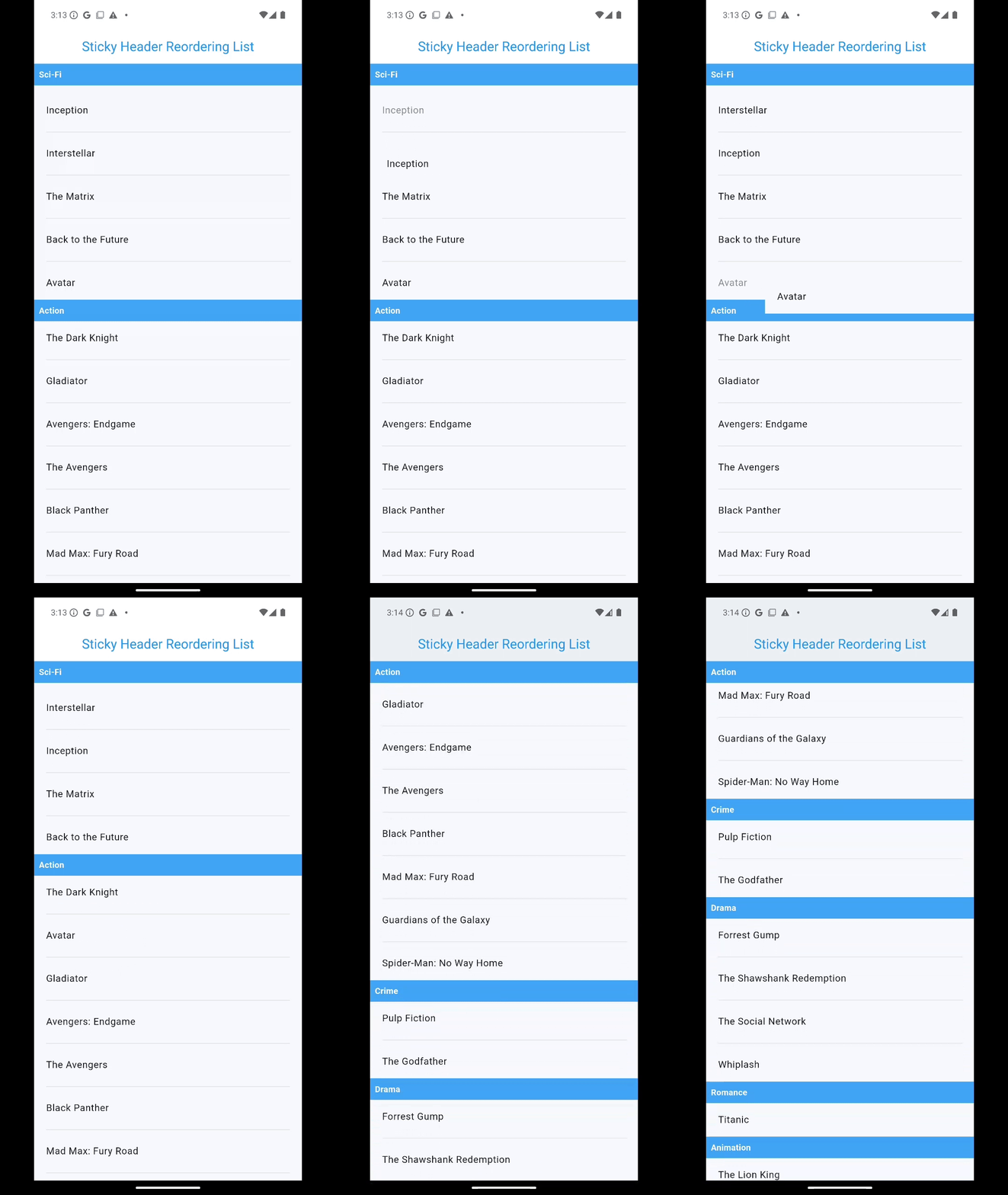
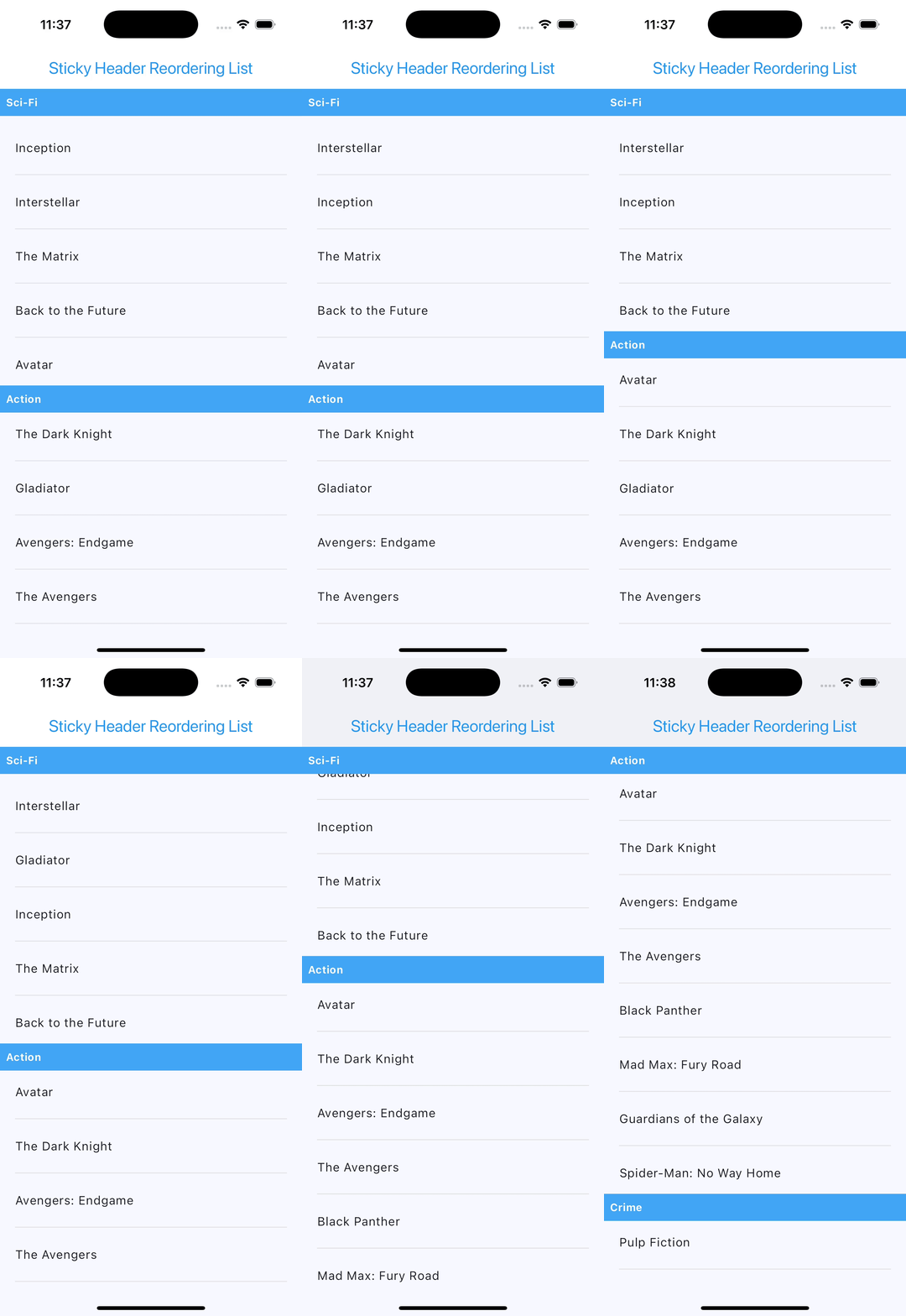
A Flutter widget to create reordering lists with sticky headers, making it easy to group items by sections, reorder them with drag-and-drop functionality, and optionally add customizable dividers between list items.
Features
- Group items into sections using custom extractors.
- Display sticky headers for each section.
- Enable drag-and-drop reordering of items within or across sections.
- Add optional separators between list items with a customizable builder.
- Fully customizable headers, items, and drag feedback.
- Compatible with any type of data.
Installation
Add this package to your project by including it in the pubspec.yaml file:
dependencies:
  sticky_header_reordering_list: ^1.0.2
Import it in your Dart code:
import 'package:sticky_header_reordering_list/sticky_header_reordering_list.dart';
Usage
Here’s how to use StickyHeaderReorderingList in your Flutter application:
StickyHeaderReorderingList<Map<String, String>>(
  items: movies,
  sectionExtractor: (item) => item["genre"] ?? "",
  headerBuilder: (context, section) => Container(
    color: Colors.blue[400],
    padding: const EdgeInsets.all(8.0),
    child: Text(
        section,
        style: const TextStyle(
        fontWeight: FontWeight.bold,
        color: Colors.white,
      ),
    ),
  ),
  itemBuilder: (context, item) => Column(
    children: [
        ListTile(
          title: Text(item["title"] ?? "Unknown"),
        ),
      ],
    ),
  isReordering: true,
  onReorderElements: (data, oldItem, newItem, newIndex, oldIndex, groupedItems) {
    print("Reordered: $oldItem -> $newItem");
  },
  dividerBuilder: (context, index) => Divider(
    color: Colors.grey,
    thickness: 1,
    ),
),
Properties
The StickyHeaderReorderingList widget accepts the following properties:
| Property | Description | Required | Type | Default |
|---|---|---|---|---|
items |
The list of items to display. | Yes | List<T> |
|
sectionExtractor |
Function to extract the section name from each item. | Yes | String Function(T) |
|
headerBuilder |
Builder function for creating section headers. | Yes | Widget Function(BuildContext, String) |
|
itemBuilder |
Builder function for creating list items. | Yes | Widget Function(BuildContext, T) |
|
isReordering |
Determines whether drag-and-drop reordering is enabled. | No | bool |
false |
onReorderElements |
Callback triggered during reordering of items. | No | void Function(...) |
null |
heightOfFirstHeader |
The height of the first sticky header. | No | double |
50 |
feedback |
Widget displayed during a drag-and-drop operation. | No | Widget? |
null |
childWhenDragging |
Widget displayed in place of the dragged item. | No | Widget? |
null |
dividerBuilder |
Builder function for creating a separator between items. | No | Widget Function(BuildContext, int)? |
null |
Customization
Header Customization
Modify the appearance of headers using the headerBuilder property:
headerBuilder: (context, section) => Container(
  color: Colors.blueAccent,
  padding: const EdgeInsets.all(8.0),
  child: Text(
    section,
    style: const TextStyle(
      fontSize: 18,
      color: Colors.white,
    ),
  ),
)
Drag Feedback
Customize the feedback widget during dragging:
feedback: Material(
  elevation: 4.0,
  child: Container(
      color: Colors.amber,
      padding: const EdgeInsets.all(16.0),
      child: const Text("Dragging Item"),
  ),
)
Divider Customization
Add separators between list items using the dividerBuilder property. You can fully customize the appearance and behavior of the separators:
dividerBuilder: (context, index) => Divider(
    color: Colors.grey[400],
    thickness: 1,
    indent: 16,
    endIndent: 16,
),
The dividerBuilder is optional. If not provided, no separators will appear between the list items.
Feel free to customize the properties and behavior based on your specific needs!
Screenshots
Android
iOS
Example App
For a complete working example, check out the example folder.
Coming Soon: sticky_header_reordering_grid
I'm excited to announce a new addition to the family! sticky_header_reordering_grid will bring all the features of sticky_header_reordering_list to a grid layout.
Stay tuned for updates as I develop this flexible widget for your Flutter applications!
License
This library is licensed under the BSD 3-Clause License. See the LICENSE file for details.
This library is designed to provide a flexible way to manage sticky headers and reordering lists in Flutter applications.