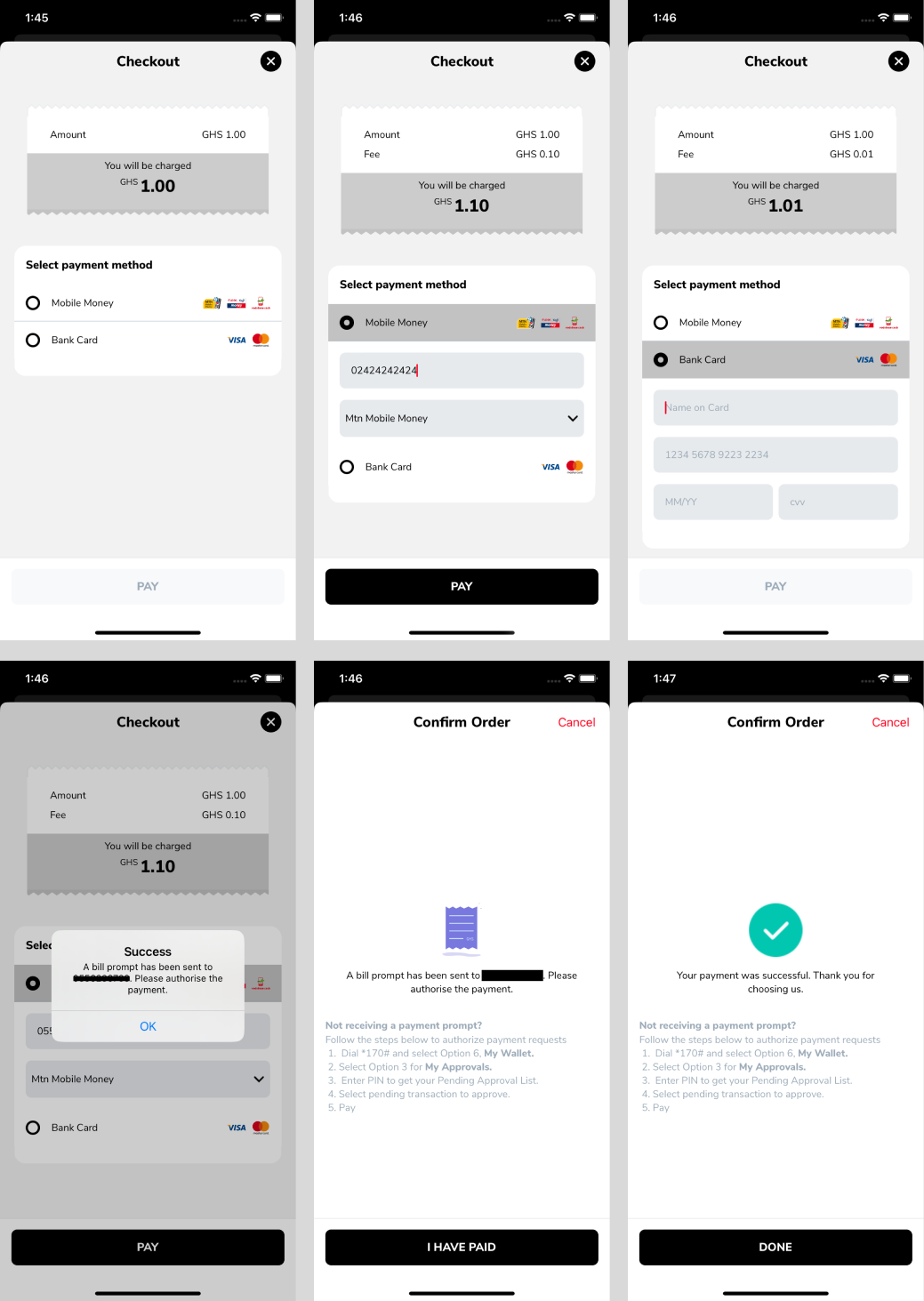
Hubtel Merchant Checkout SDK - Flutter
Note
This is a fork from https://github.com/hubtel/hubtel-mobile-flutter-merchant-checkout-sdk.git to fix build not working on android.
The Hubtel Flutter Checkout Package is a convenient and easy-to-use library that simplifies the process of implementing a checkout flow in your Flutter application.
Installation
The Hubtel Merchant Checkout package is available on GitHub for Flutter apps to integrate with their apps. It'll be available
on pub.dev soon.
github.com
- Open your
pubspec.yamlfile. - Add the following lines to your dependencies section:
hubtel_merchant_checkout_sdk:
  git:
    url: https://github.com/hubtel/hubtel-mobile-flutter-merchant-checkout-sdk.git
    ref: master
Getting Started
Objects needed
| Properties | Explanation |
|---|---|
HubtelCheckoutConfiguration |
is an object used for payment processing with Hubtel Checkout service. It enables merchants to set their identification, specify a callback URL for payment notifications, and secure transations with a merchant API key. |
merchantId (required) |
given to the merchant to use the sdk. This is one of three parameters to be passed to the configuration object. |
merchantApiKey (required) |
Base64 encoded string of the customer’s id and password. Also passed to be passed to the configuration object. |
callbackUrl (required) |
A url provided by the merchant in order to be able to listen for callbacks from the payment api to know the status of payments. Also passed to the configuration object. |
PurchaseInfo |
Information about the purchase to process. Details are given below. |
amount (required) |
The price of the item or service the customer is trying to purchase from. |
customerPhoneNumber (required) |
A required mobile number of the customer purchasing the item. |
purchaseDescription (required) |
An optional description attached to the purchase. |
ThemeConfig |
Lets you pass a primaryColor that the checkout adopts. |
Integration
- Add the package to your app as described above.
- Import the package in the screen you want to implement the checkout like so:
import 'package:hubtel_merchant_checkout_sdk/hubtel_merchant_checkout_sdk.dart';
- Create a
HubtelCheckoutConfigurationobject, like so:
final hubtelConfig = HubtelCheckoutConfiguration(
  merchantApiKey: "QTN1akQ1SzpiM2IxMjA1NTEwZmI0NjYzYTdiY2ZmZmUyNmQ1YmIzZA==",
  merchantID: "1122334",
  callbackUrl: "www.sdfasd.com",
);
- Create a
PurchaseInfoobject, like so:
final purchaseInfo = PurchaseInfo(
  amount: 0.1,
  customerPhoneNumber: '0541234567',
  clientReference: const Uuid().v4(),
  purchaseDescription: 'Camera',
);
Note that Uuid().v4() is agnostic of this package, it's given by the uuid package available on pub.dev.
- You may optionally create a
ThemeConfigobject like so:
final themeConfig = ThemeConfig(primaryColor: Colors.black);
- On your pay button, for example, having all necessary configurations set, navigate to the
CheckoutScreenlike so:
final onCheckoutCompleted = Navigator.push(
  context,
  MaterialPageRoute(
    builder: (context) {
      return CheckoutScreen(
        purchaseInfo: purchaseInfo,
        configuration: hubtelConfig,
        themeConfig: themeConfig,
      );
    },
  ),
);

if (onCheckoutCompleted is CheckoutCompletionStatus){
    //Your activity after checkout Completion.
}
PaymentStatus Cases
The UnifiedCheckoutPaymentStatus is an enum displaying the status of payment. It contains the following cases:
userCancelledPayment: When the user closes the checkout page without performing any transaction.paymentFailed: When the user performs a transaction but payment fails.paymentSuccessful: When the user finally pays successfully.unknown: When the user cancels transaction after payment attempt without checking status.pending: when the user performs a bank pay transaction and receipt is successfully downloaded.
Screenshots