
Hand Drawn Toolkit
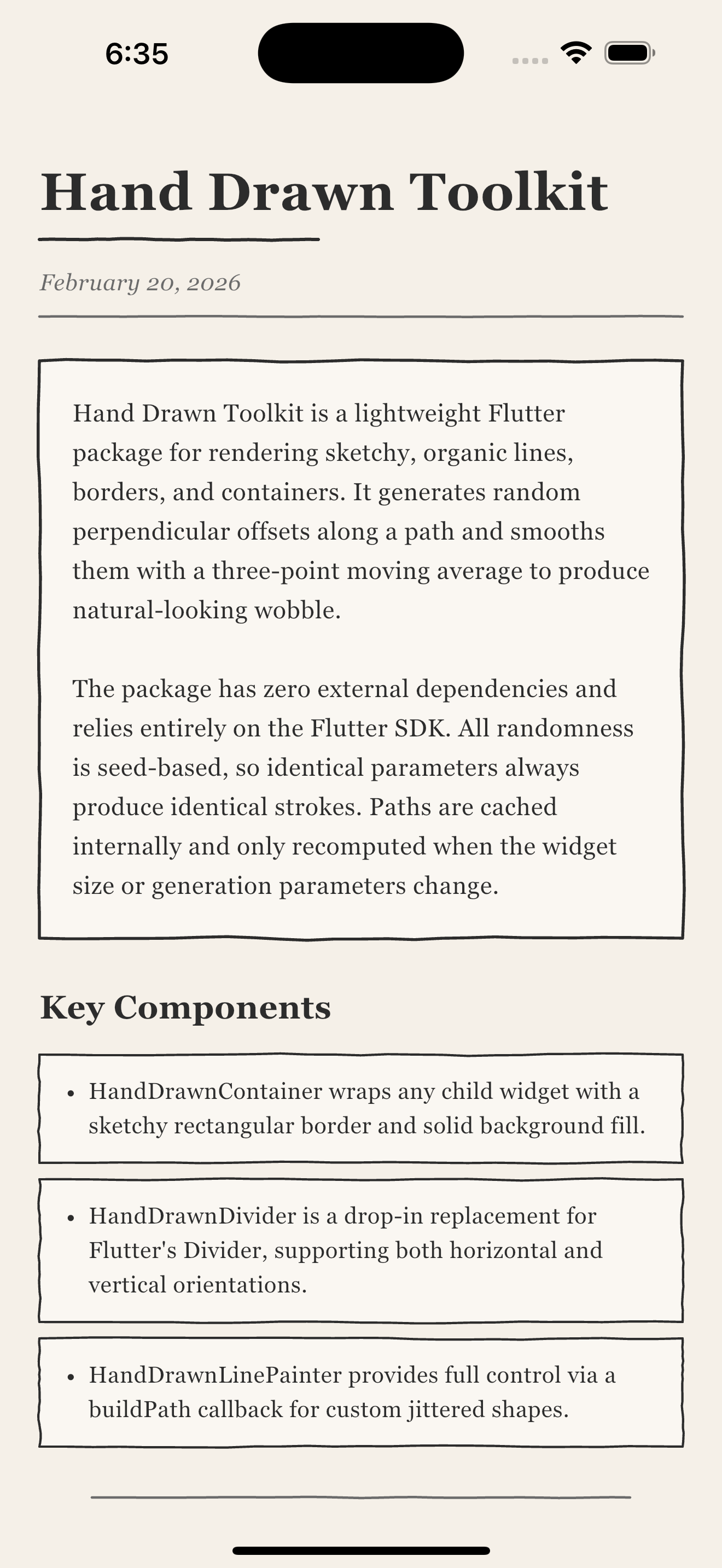
A lightweight Flutter package for rendering hand-drawn, sketchy lines, borders, and containers with a natural, organic feel.



Example
Features
- Realistic hand-drawn borders, dividers, and custom path shapes
- Smooth, organic wobble via 3-point moving average smoothing
- Fully customizable styling (irregularity, segments, stroke width)
- Deterministic seed-based generation — identical parameters always produce identical strokes
- Internal path caching for efficient repaints
- Zero external dependencies — only the Flutter SDK
Installation
Add the package to your pubspec.yaml:
dependencies:
  hand_drawn_toolkit: ^0.1.2
Then run:
flutter pub get
Quick Start
import 'package:hand_drawn_toolkit/hand_drawn_toolkit.dart';

// Sketchy container around any widget:
HandDrawnContainer(
  child: Text('Looks hand-drawn!'),
)

// Sketchy divider:
HandDrawnDivider()
Usage Guide
HandDrawnContainer
Wraps a child widget with a hand-drawn rectangular border and solid background fill:
HandDrawnContainer(
  backgroundColor: Colors.white,
  strokeColor: Colors.black87,
  strokeWidth: 2.0,
  irregularity: 3.5,
  seed: 42,
  padding: EdgeInsets.all(20),
  child: Text('Sketchy!'),
)
Animating the Border
Use borderOpacity to fade the border in or out without changing the stroke color — useful for entrance animations or interactive states:
HandDrawnContainer(
  borderOpacity: _animationController.value,
  child: MyContent(),
)
Varying the Wobble Pattern
Each unique seed produces a different jitter pattern. Use this to give adjacent containers distinct borders:
for (int i = 0; i < items.length; i++)
  HandDrawnContainer(
    seed: i * 17 + 3,
    child: ListTile(title: Text(items[i])),
  )
HandDrawnDivider
A drop-in sketchy replacement for Flutter's Divider, supporting both orientations:
// Horizontal (default)
Column(
  children: [
    Text('Section A'),
    HandDrawnDivider(),
    Text('Section B'),
  ],
)

// Vertical
Row(
  children: [
    Text('Left'),
    HandDrawnDivider(direction: Axis.vertical, height: 40),
    Text('Right'),
  ],
)
With indentation:
HandDrawnDivider(
  indent: 16,
  endIndent: 16,
  color: Colors.grey,
)
Using HandDrawnLinePainter
For full control, use the painter directly with CustomPaint. The buildPath callback receives a HandDrawnHelpers instance with methods for generating jittered paths:
CustomPaint(
  painter: HandDrawnLinePainter(
    color: Colors.black,
    strokeWidth: 2.0,
    irregularity: 3.5,
    buildPath: (size, helpers) => helpers.rectBorder(size),
  ),
  child: MyWidget(),
)
Use it as a foregroundPainter to draw the stroke on top of content:
CustomPaint(
  foregroundPainter: HandDrawnLinePainter(
    color: Colors.red,
    buildPath: (size, h) => h.lineHorizontal(size),
  ),
  child: MyWidget(),
)
Custom Path Shapes
Use HandDrawnHelpers.smoothedOffsets() to build arbitrary jittered paths beyond the built-in shapes:
HandDrawnLinePainter(
  color: Colors.deepPurple,
  strokeWidth: 2.5,
  irregularity: 2.0,
  buildPath: (size, h) {
    // A diagonal line from bottom-left to top-right with wobble
    final offsets = h.smoothedOffsets();
    final dx = size.width / h.segments;
    final path = Path()..moveTo(0, size.height);
    for (int i = 1; i <= h.segments; i++) {
      final t = i / h.segments;
      final y = size.height * (1 - t) + offsets[i];
      path.lineTo(dx * i, y);
    }
    return path;
  },
)
Customization
Core Parameters
These parameters are shared across all APIs:
| Parameter | Type | Default | Description |
|---|---|---|---|
irregularity |
double |
3.5 |
Jitter magnitude in pixels (0 = straight, 6+ = very rough) |
segments |
int |
24 |
Points per edge (more = smoother wobble, fewer = chunkier) |
seed |
int |
42 |
Random seed (same seed = same stroke every time) |
strokeWidth |
double |
2.0 |
Stroke thickness in logical pixels |
color |
Color |
varies | Stroke color |
HandDrawnContainer Properties
| Parameter | Type | Default | Description |
|---|---|---|---|
backgroundColor |
Color |
Colors.white |
Solid fill behind content |
strokeColor |
Color |
Colors.black87 |
Border stroke color |
padding |
EdgeInsets |
EdgeInsets.all(20) |
Inner padding |
borderOpacity |
double |
1.0 |
Border opacity multiplier (0.0–1.0) |
HandDrawnDivider Properties
| Parameter | Type | Default | Description |
|---|---|---|---|
direction |
Axis |
Axis.horizontal |
Line orientation |
thickness |
double |
1.5 |
Stroke width (subtler default than container) |
width |
double? |
double.infinity |
Horizontal divider length |
height |
double? |
null |
Vertical divider length |
indent |
double |
0.0 |
Start padding |
endIndent |
double |
0.0 |
End padding |
How It Works
-
Offset generation —
smoothedOffsets()creates random perpendicular offsets for each segment point. First and last points are pinned to zero so strokes start and end cleanly. -
Smoothing — A 3-point moving average softens harsh spikes while preserving the organic feel, preventing the "angry zigzag" look that raw random offsets produce.
-
Path assembly — Built-in helpers (
lineHorizontal,lineVertical,rectBorder) stitch smoothed offsets into FlutterPathobjects.rectBorderuses four independent offset sets so irregularity varies around the perimeter. -
Caching —
HandDrawnLinePaintercaches the generated path and only recomputes when the widget size or generation parameters change. -
Determinism — All randomness flows through
dart:math.Random(seed), so identical parameters always produce identical strokes.
Best Practices
Tune irregularity to context — borders look good at 2.0–4.0, while dividers work better at 0.5–1.5. The defaults reflect this (3.5 for containers, 1.0 for dividers).
Use unique seeds for adjacent elements to prevent identical wobble patterns lining up:
ListView.builder(
  itemBuilder: (context, index) => HandDrawnContainer(
    seed: index * 17 + 3,
    child: MyListItem(index),
  ),
)
Keep segment count reasonable — 20–30 segments is the sweet spot for most use cases. Going above 50 adds computation without visible improvement at typical widget sizes.
Leverage caching — the painter only recomputes when parameters or size change, so avoid recreating HandDrawnLinePainter instances unnecessarily in build methods. The convenience widgets (HandDrawnContainer, HandDrawnDivider) handle this correctly by default.
License
MIT License — see LICENSE for details.
Contributing
Contributions are welcome! Please feel free to submit issues and pull requests.
Libraries
- hand_drawn_toolkit
- A lightweight Flutter package for rendering hand-drawn, sketchy lines, borders, and containers.