
Alice - HTTP Inspector for Flutter 🎁



Alice is a powerful HTTP Inspector tool for Flutter developers. It captures, stores, and displays HTTP requests and responses in a user-friendly interface, making debugging network calls effortless. Alice supports popular Dart HTTP clients like Dio, HttpClient, and the http package.
Perfect for Flutter app development, API debugging, network monitoring, and troubleshooting HTTP issues.
Friendly version of Alice by Jakub. Inspired from Chuck and Chucker.
🚀 Key Features
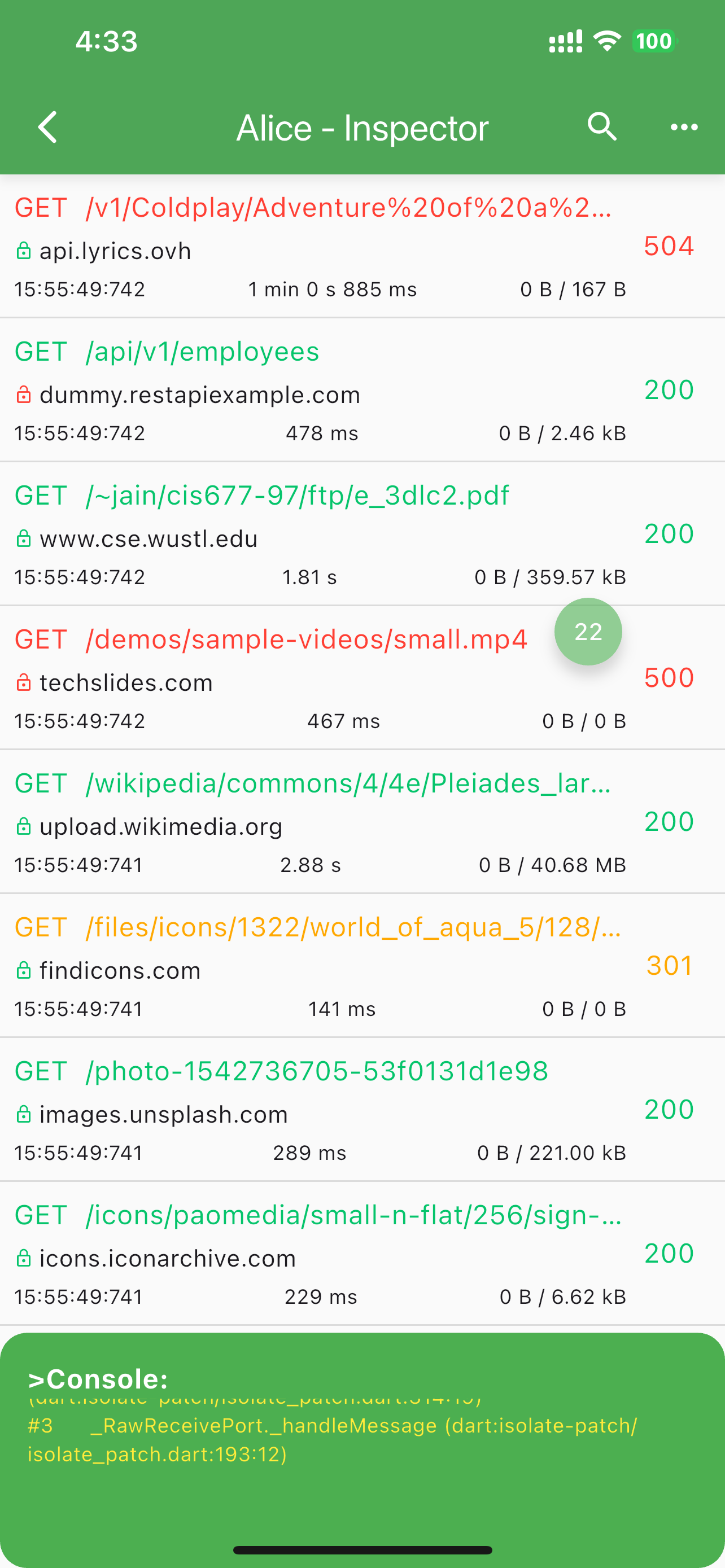
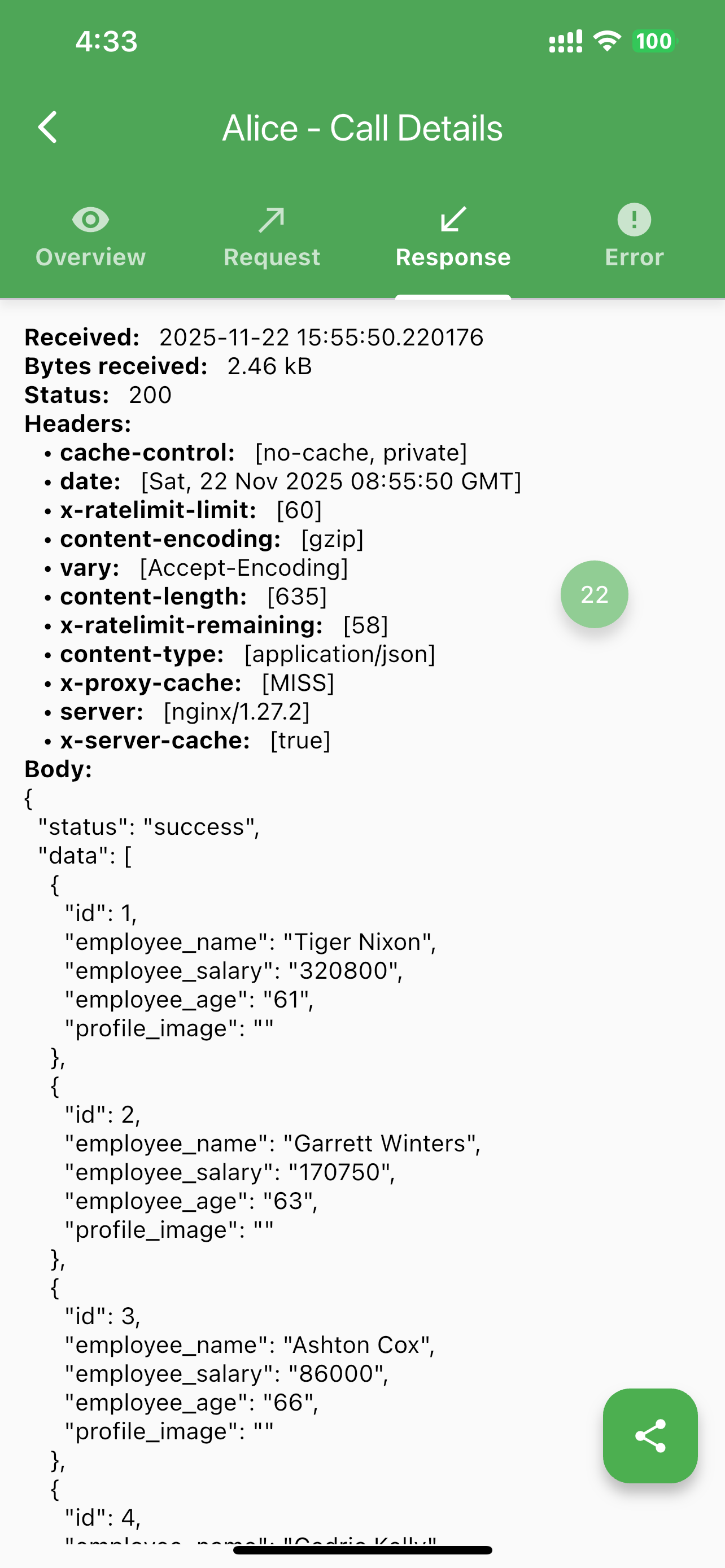
- Detailed HTTP Logs: View complete request and response details
- Intuitive Inspector UI: Easy-to-navigate interface for HTTP calls
- Statistics Dashboard: Analyze network performance
- Multi-Client Support: Works with Dio, HttpClient, and http package
- Error Handling: Catch and inspect failed requests
- Search Functionality: Quickly find specific HTTP calls
- Bubble Overlay: Floating inspector access
- JSON Viewer: Built-in JSON response viewer for easy parsing
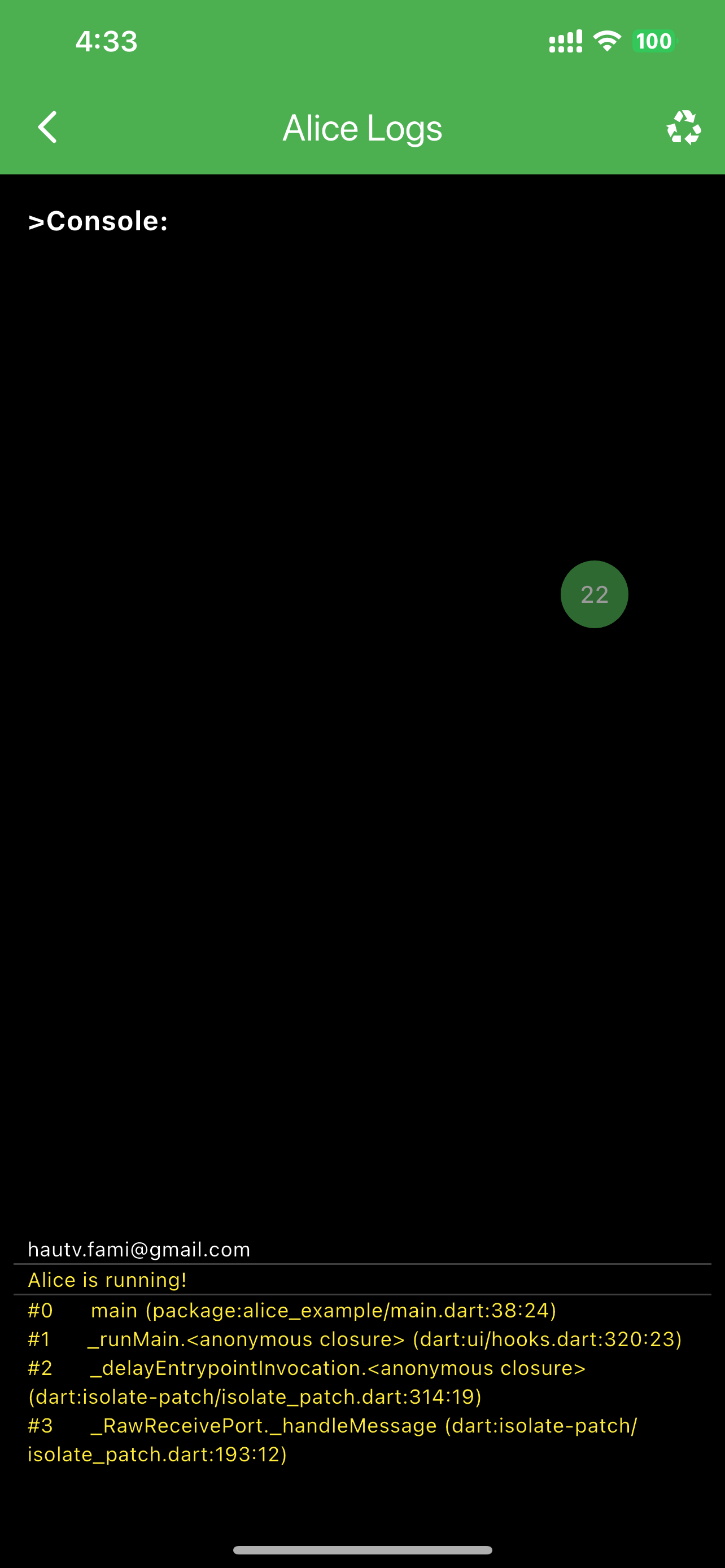
- Alice Console: Log messages for debugging in release environments where console access is limited
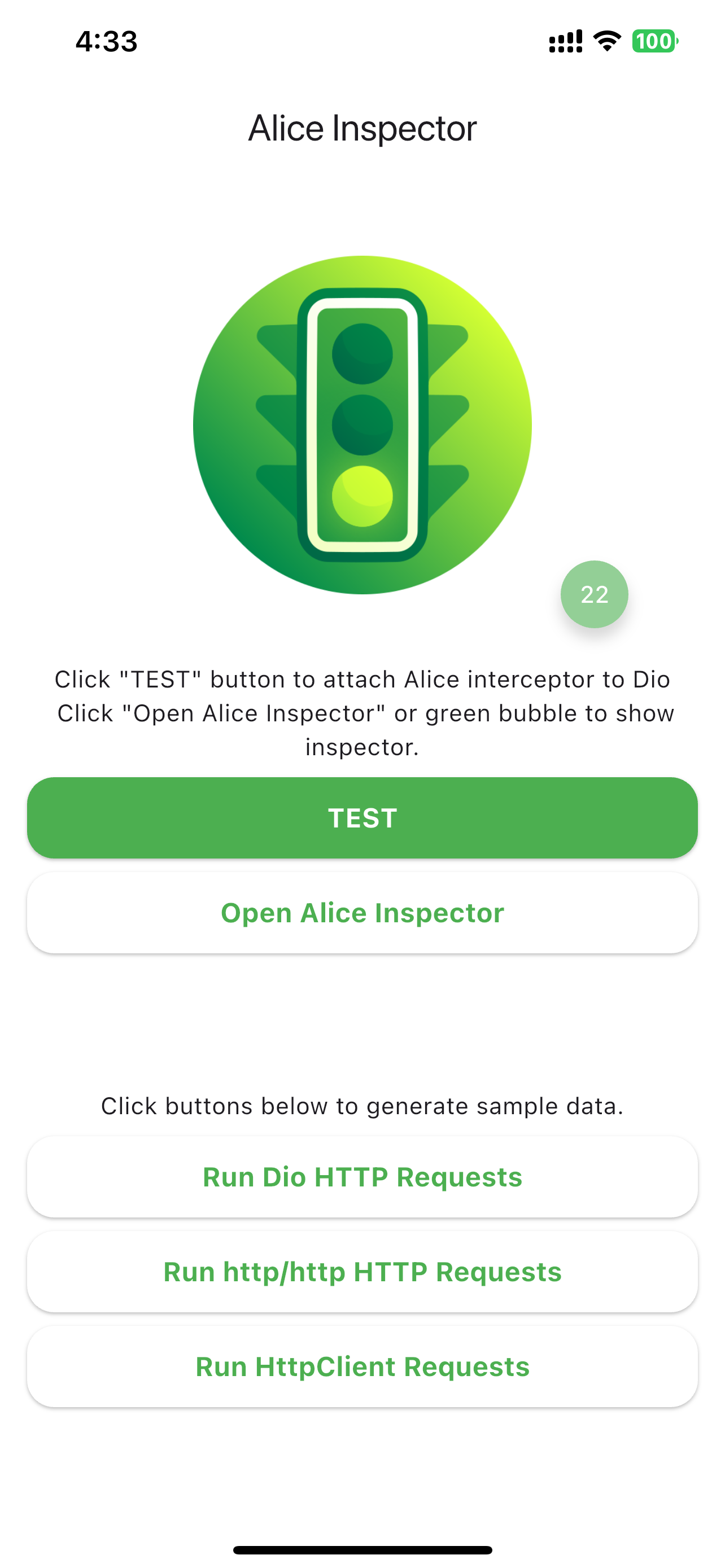
📸 Demo Video & Screenshots
 |
 |
 |
 |
🛠️ Supported HTTP Clients
- Dio: Popular HTTP client for Flutter
- HttpClient (dart:io): Built-in Dart HTTP client
- Http Package: Standard http/http library
- Generic HTTP Client: Flexible integration
📦 Installation
- Add Alice to your
pubspec.yaml:
dependencies:
  flutter_alice: ^2.1.0-beta.1
- Run the following command:
flutter pub get
- Import Alice in your Dart code:
import 'package:flutter_alice/alice.dart';
🚀 Quick Start
Recommended: Using AliceInspector Widget
For the easiest setup, wrap your app with AliceInspector. This automatically configures Alice, adds Dio interceptors, and provides a floating inspector button.
import 'package:flutter_alice/alice.dart';

final alice = Alice();
final navigatorKey = GlobalKey<NavigatorState>();
final dio = Dio();

void main() {
  alice.log("Alice is running!", color: Colors.yellow);
  runApp(MyApp());
}

class MyApp extends StatelessWidget {
  @override
  Widget build(BuildContext context) {
    return AliceInspector(
      debug: true,  // Enable debug mode
      dios: [dio],  // List of Dio instances to intercept
      navigatorKey: navigatorKey,
      child: MaterialApp(
        navigatorKey: navigatorKey,
        debugShowCheckedModeBanner: false,
        home: HomePage(),
      ),
    );
  }
}
Alternative: Manual Alice Setup
If you prefer manual control, create an Alice instance and configure it step-by-step.
1. Configure Alice
// Define a navigator key
final navigatorKey = GlobalKey<NavigatorState>();

// Create Alice instance
final alice = Alice(navigatorKey: navigatorKey);
2. Set Up Your App
MaterialApp(
  navigatorKey: navigatorKey,
  home: YourHomeWidget(),
)
3. Integrate HTTP Clients
Dio Integration
final dio = Dio();
dio.interceptors.add(alice.getDioInterceptor());
Http Package Integration
Using extensions for cleaner code:
import 'package:flutter_alice/core/alice_http_extensions.dart';

http
  .get(Uri.parse('https://jsonplaceholder.typicode.com/posts'))
  .interceptWithAlice(alice);

// For POST with body
http
  .post(Uri.parse('https://jsonplaceholder.typicode.com/posts'), body: body)
  .interceptWithAlice(alice, body: body);
Or standard approach:
http.get(Uri.parse('https://jsonplaceholder.typicode.com/posts')).then((response) {
  alice.onHttpResponse(response);
});
HttpClient Integration
Using extensions:
import 'package:flutter_alice/core/alice_http_client_extensions.dart';

httpClient
  .getUrl(Uri.parse("https://jsonplaceholder.typicode.com/posts"))
  .interceptWithAlice(alice);
Or standard approach:
httpClient
  .getUrl(Uri.parse("https://jsonplaceholder.typicode.com/posts"))
  .then((request) async {
    alice.onHttpClientRequest(request);
    var httpResponse = await request.close();
    var responseBody = await utf8.decoder.bind(httpResponse).join();
    alice.onHttpClientResponse(httpResponse, request, body: responseBody);
  });
4. Open Inspector
// Button to open inspector
ElevatedButton(
  child: Text("Open HTTP Inspector"),
  onPressed: alice.showInspector,
)

// Or call from anywhere
alice.showInspector();
📝 Alice Console
Alice provides a built-in console for logging messages, especially useful in release builds where console access is limited.
// Log a message with default color
alice.log("This is a log message");

// Log with custom color
alice.log("Error occurred", color: Colors.red);

// View logs in the inspector
alice.showInspector(); // Logs are displayed in the Alice UI
🤝 Contributing
We welcome contributions! Please see our Contributing Guide for details.
📄 License
This project is licensed under the MIT License - see the LICENSE file for details.
⭐ Support
If you find Alice helpful, please give it a ⭐ on GitHub! Your support motivates us to keep improving.
For issues or questions, open an issue on GitHub.
Libraries
- alice
- core/alice_chopper_response_interceptor
- core/alice_core
- core/alice_dio_interceptor
- core/alice_http_adapter
- core/alice_http_client_adapter
- core/alice_http_client_extensions
- core/alice_http_extensions
- core/alice_inspector
- core/expandable_fab
- helper/alice_alert_helper
- helper/alice_convert_helper
- helper/alice_json_viewer
- helper/alice_save_helper
- model/alice_form_data_file
- model/alice_from_data_field
- model/alice_http_call
- model/alice_http_error
- model/alice_http_request
- model/alice_http_response
- ui/page/alice_about
- ui/page/alice_call_details_screen
- ui/page/alice_calls_list_screen
- ui/page/alice_logs_screen
- ui/page/alice_stats_screen
- ui/utils/alice_constants
- ui/utils/alice_parser
- ui/utils/alice_theme
- ui/widget/alice_base_mixin
- ui/widget/alice_call_error_widget
- ui/widget/alice_call_list_item_widget
- ui/widget/alice_call_overview_widget
- ui/widget/alice_call_request_widget
- ui/widget/alice_call_response_widget
- ui/widget/alice_logs_widget