
AnyDrawer
Beautiful drawers from any edge. No Scaffold needed.








Why AnyDrawer?
Flutter's built-in Drawer widget is tied to Scaffold, limited to left/right, and gives you little control. AnyDrawer removes all those constraints.
| Feature | Flutter Drawer | AnyDrawer |
|---|---|---|
| No Scaffold required | ❌ | ✅ |
| Slide from any edge (L/R/T/B) | ❌ Left/Right only | ✅ All four sides |
| Backdrop blur (frosted glass) | ❌ | ✅ |
| Return results (Future) | ❌ | ✅ |
| Multiple drawers at once | ❌ | ✅ |
| Drag to dismiss with callbacks | ❌ | ✅ |
| Swipe-from-edge gesture | ❌ | ✅ |
| Declarative widget API | ❌ | ✅ |
| Elevation and shadow | ❌ | ✅ |
| Custom barrier builder | ❌ | ✅ |
| Programmatic open/close/state | ❌ | ✅ |
| Width constraints (min/max) | ❌ | ✅ |
| Custom animation curve | ❌ | ✅ |
| Works with dialogs on top | ❌ | ✅ |
| Accessibility (semantics) | Partial | ✅ |
✨ Features at a Glance
- 🎯 No Scaffold needed — show a drawer from literally anywhere
- ↔️ All four sides — slide in from left, right, top, or bottom
- 🌫️ Backdrop blur — frosted glass effect behind the drawer
- 🔄 Result return —
showDrawer<T>()returnsFuture<T?>likeshowDialog - 📚 Multiple drawers — open several drawers simultaneously
- 🖱️ Drag to close — optional drag gesture support with callbacks
- 🎮 Programmatic control —
AnyDrawerControllerto open/close from code - 🧩 Declarative API —
AnyDrawerwidget for embedding in the widget tree - 👆 Swipe-from-edge —
AnyDrawerRegiondetects edge swipes to open - ✨ Elevation & shadow — Material shadow on the drawer edge
- 🎨 Custom barrier — provide your own barrier widget
- ⌨️ Close on Escape / Back — keyboard and Android back button
- 📐 Width constraints —
maxWidthandminWidthfor responsive layouts - ♿ Accessibility — built-in semantics label support
📸 Preview
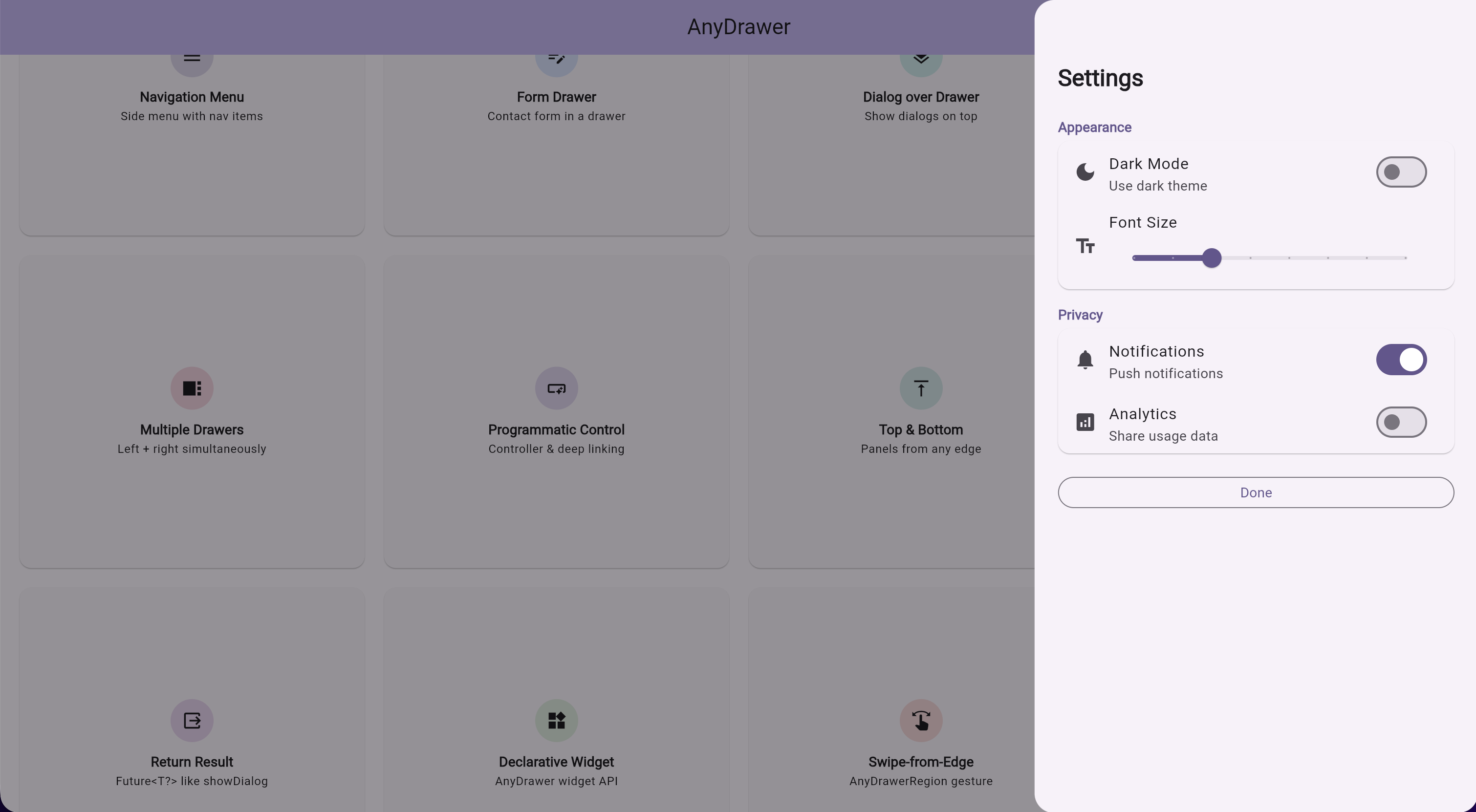
Web / Tablet — grid layout with settings drawer
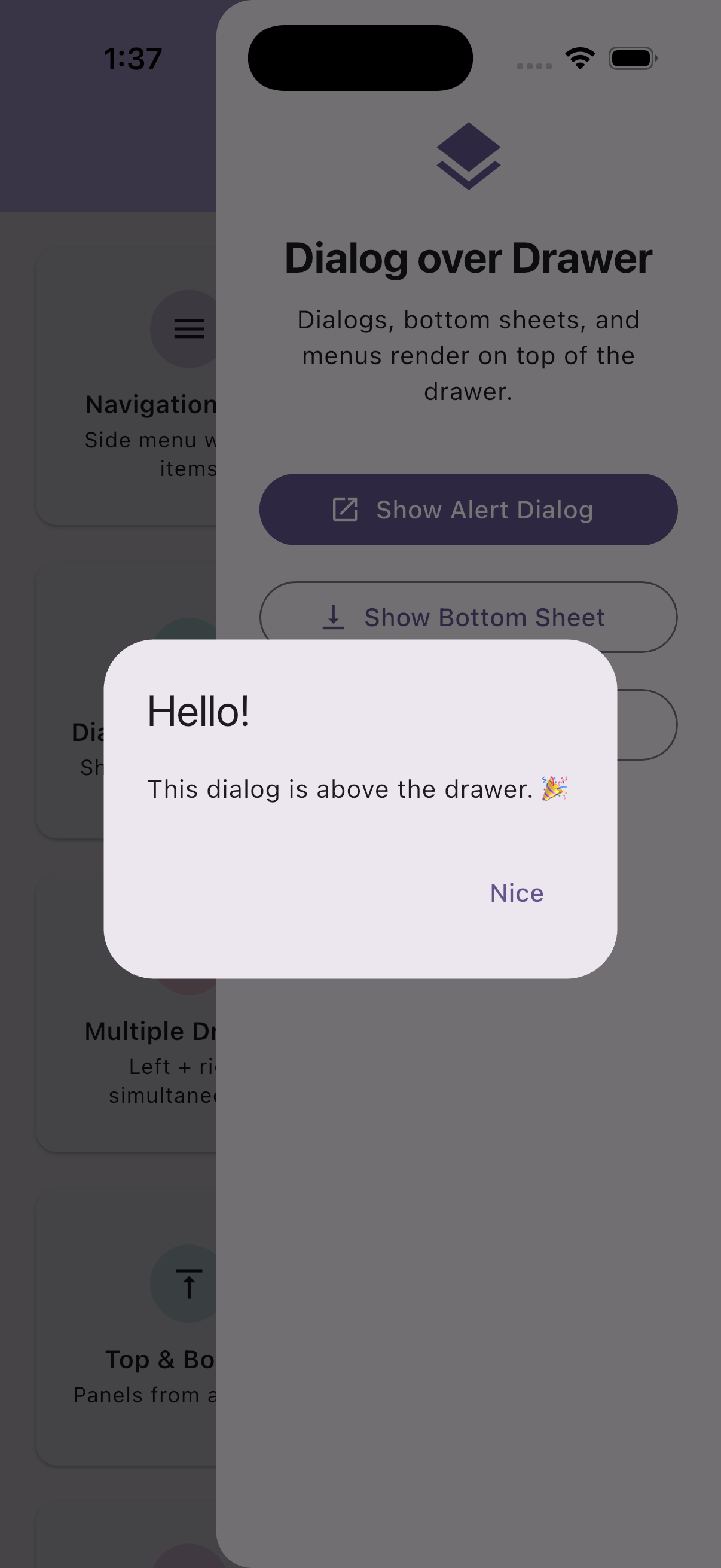
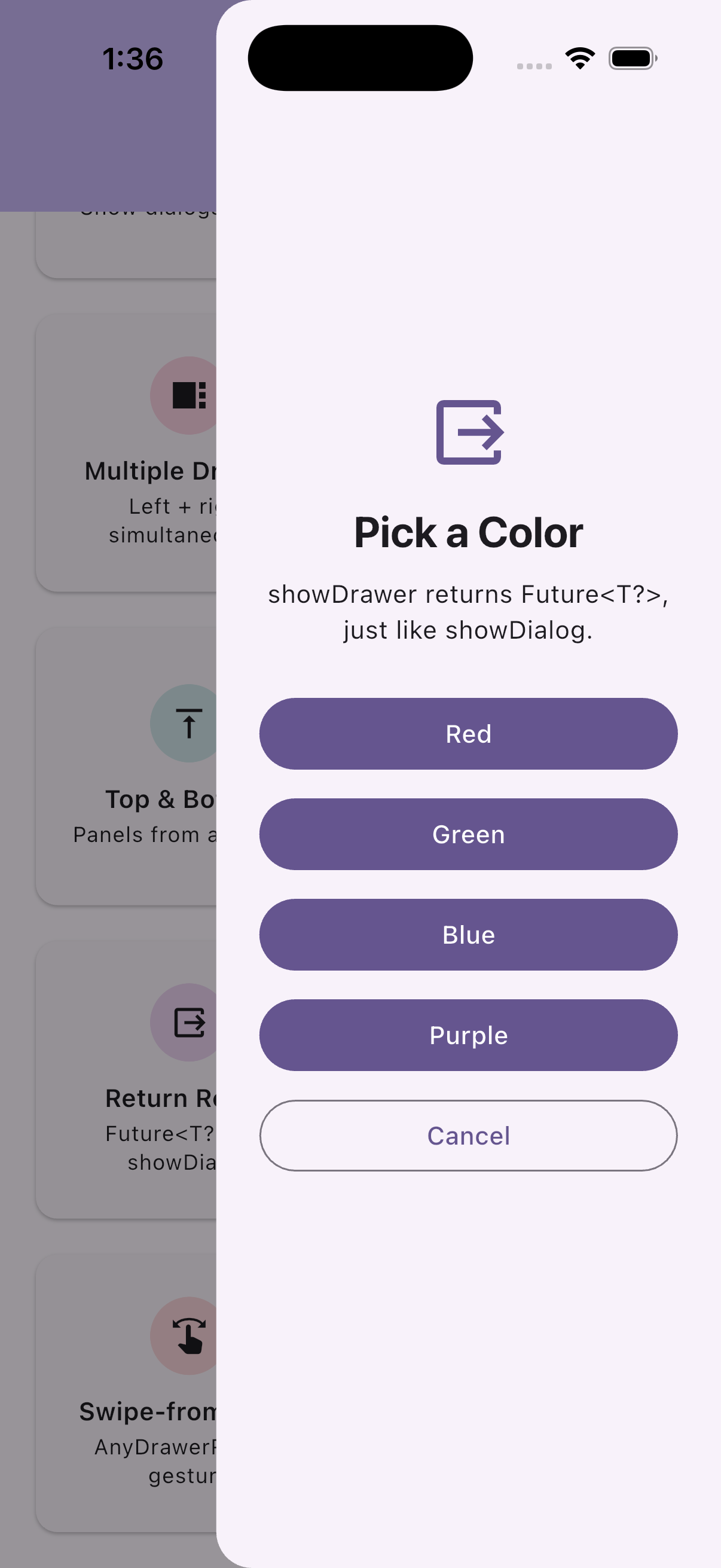
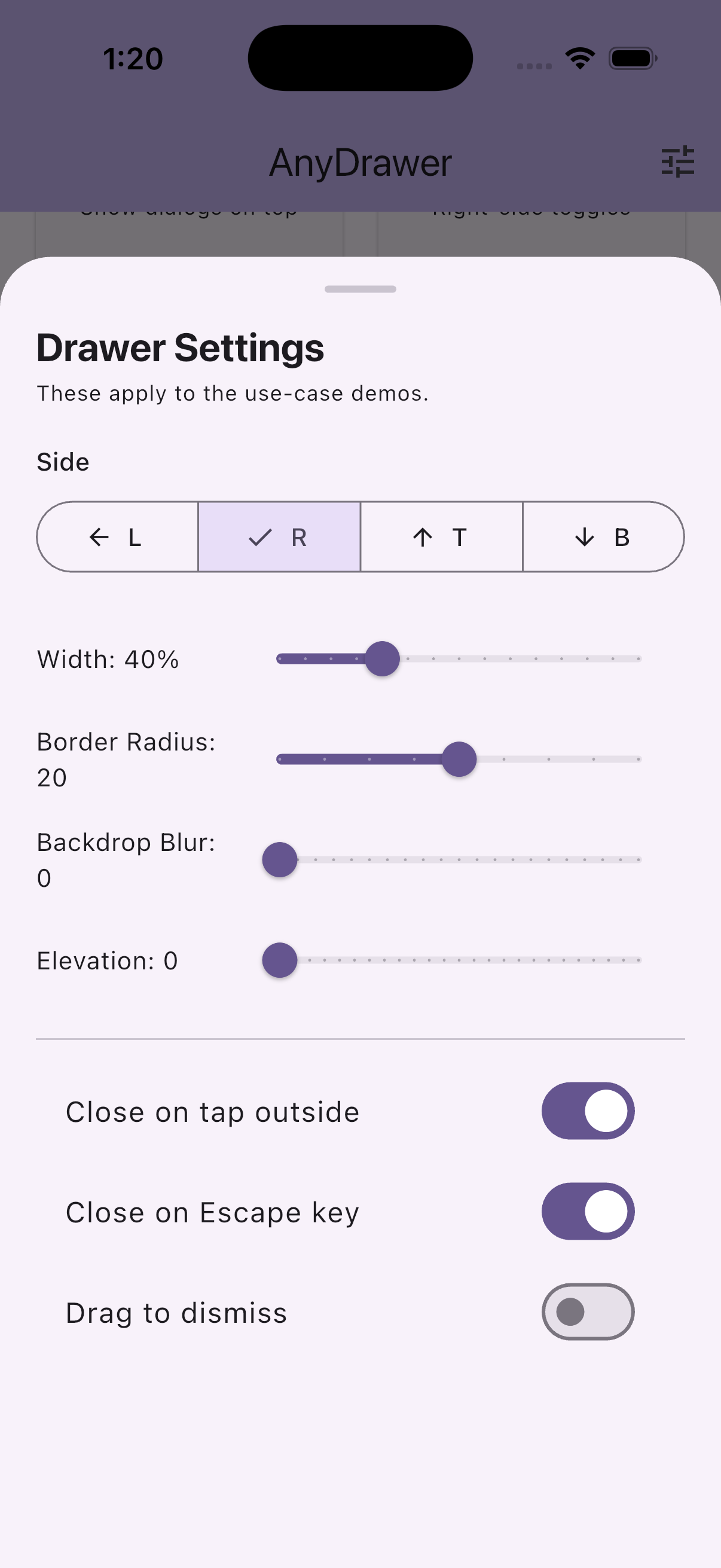
Mobile — dialog over drawer · return results · drawer settings
Installation
dependencies:
  anydrawer: ^2.0.0
flutter pub get
Quick Start
Imperative API
import 'package:anydrawer/anydrawer.dart';

showDrawer(
  context,
  builder: (context) {
    return const Center(
      child: Text('Hello from the drawer!'),
    );
  },
);
Declarative API
final controller = AnyDrawerController();

// In your widget tree:
AnyDrawer(
  controller: controller,
  builder: (context) => const MyDrawerContent(),
  config: const DrawerConfig(side: DrawerSide.left),
);

// Open/close from anywhere:
controller.open();
controller.close();
Swipe-from-Edge
AnyDrawerRegion(
  side: DrawerSide.left,
  builder: (context) => const NavigationMenu(),
  config: const DrawerConfig(side: DrawerSide.left, dragEnabled: true),
  child: const MyPageContent(),
)
Configuration
Pass a DrawerConfig to customize behavior and appearance:
showDrawer(
  context,
  builder: (context) => const MyDrawerContent(),
  config: const DrawerConfig(
    side: DrawerSide.left,
    widthPercentage: 0.4,
    borderRadius: 24,
    backdropOpacity: 0.5,
    backdropBlur: 5.0,
    closeOnClickOutside: true,
    closeOnEscapeKey: true,
    closeOnResume: true,       // Android only
    closeOnBackButton: true,   // Requires a route navigator
    dragEnabled: true,
    curve: Curves.easeOutCubic,
    maxWidth: 400,
    elevation: 8,
    semanticsLabel: 'Navigation drawer',
  ),
  onOpen: () => print('Drawer opened'),
  onClose: () => print('Drawer closed'),
  onDragUpdate: (details) => print('Dragging: ${details.primaryDelta}'),
  onDragEnd: (details) => print('Drag ended'),
);
DrawerConfig Properties
| Property | Type | Default | Description |
|---|---|---|---|
side |
DrawerSide |
right |
Side the drawer slides in from |
widthPercentage |
double? |
auto | Size fraction of primary axis (0.1 – 0.99) |
borderRadius |
double |
20 |
Corner radius of the drawer edge |
backdropOpacity |
double |
0.4 |
Opacity of the dark backdrop (0 – 1) |
backdropBlur |
double |
0.0 |
Blur sigma for frosted glass backdrop |
animationDuration |
Duration |
300ms | Slide animation duration |
curve |
Curve |
Curves.easeInOut |
Animation curve for the slide transition |
closeOnClickOutside |
bool |
true |
Close when tapping the backdrop |
closeOnEscapeKey |
bool |
true |
Close on Escape key press |
closeOnResume |
bool |
false |
Close when app resumes (Android only) |
closeOnBackButton |
bool |
false |
Close on Android back button |
dragEnabled |
bool |
false |
Allow drag to dismiss |
maxDragExtent |
double |
300 |
Maximum drag distance |
maxWidth |
double? |
— | Maximum pixel size constraint |
minWidth |
double? |
— | Minimum pixel size constraint |
elevation |
double |
0.0 |
Material shadow elevation |
shadowColor |
Color? |
— | Shadow color when elevation is set |
barrierBuilder |
BarrierBuilder? |
— | Custom barrier widget builder |
semanticsLabel |
String? |
— | Accessibility label for screen readers |
resizable |
bool |
false |
Enable animated runtime size changes |
Returning Results
showDrawer returns a Future<T?>, just like showDialog:
final result = await showDrawer<String>(
  context,
  builder: (context) {
    return Center(
      child: ElevatedButton(
        onPressed: () => Navigator.of(context).pop('selected!'),
        child: const Text('Select'),
      ),
    );
  },
);
print(result); // 'selected!'
Programmatic Control
Use AnyDrawerController to open and close the drawer from code:
final controller = AnyDrawerController();

showDrawer(
  context,
  builder: (context) => MyDrawerContent(),
  controller: controller,
  onClose: () {
    // Safe to dispose here — onClose is deferred automatically
    controller.dispose();
  },
);

// Check state
print(controller.isOpen); // true

// Close the drawer later
controller.close();
Top & Bottom Drawers
Show drawers from any edge of the screen:
// Bottom panel (like a custom bottom sheet)
showDrawer(
  context,
  builder: (context) => const DetailsPanel(),
  config: const DrawerConfig(
    side: DrawerSide.bottom,
    widthPercentage: 0.4,  // 40% of screen height
    borderRadius: 20,
  ),
);

// Top notification bar
showDrawer(
  context,
  builder: (context) => const NotificationBar(),
  config: const DrawerConfig(
    side: DrawerSide.top,
    widthPercentage: 0.15,
    backdropOpacity: 0.2,
  ),
);
Backdrop Blur
Add a frosted glass effect behind the drawer:
showDrawer(
  context,
  builder: (context) => const MyDrawerContent(),
  config: const DrawerConfig(
    backdropBlur: 8.0,
    backdropOpacity: 0.2,
  ),
);
Custom Barrier
Provide a completely custom barrier widget:
showDrawer(
  context,
  builder: (context) => const MyDrawerContent(),
  config: DrawerConfig(
    barrierBuilder: (context, animation) {
      return GestureDetector(
        onTap: () => Navigator.of(context).pop(),
        child: AnimatedBuilder(
          animation: animation,
          builder: (context, child) => Container(
            color: Colors.purple.withValues(alpha: 0.3 * animation.value),
          ),
        ),
      );
    },
  ),
);
Showing Dialogs Inside the Drawer
Dialogs, bottom sheets, and menus work seamlessly from inside the drawer:
showDrawer(
  context,
  builder: (context) {
    return Center(
      child: ElevatedButton(
        onPressed: () {
          showDialog(
            context: context,
            builder: (context) => AlertDialog(
              title: Text('Hello!'),
              content: Text('This dialog appears above the drawer.'),
            ),
          );
        },
        child: Text('Show Dialog'),
      ),
    );
  },
);
Multiple Drawers
You can open multiple drawers simultaneously — for example, a left navigation drawer and a right details panel:
// Open left drawer
showDrawer(
  context,
  builder: (context) => const NavigationMenu(),
  config: const DrawerConfig(
    side: DrawerSide.left,
    widthPercentage: 0.35,
    backdropOpacity: 0.1,
    closeOnClickOutside: false,
  ),
);

// Open right drawer on top
showDrawer(
  context,
  builder: (context) => const DetailsPanel(),
  config: const DrawerConfig(
    side: DrawerSide.right,
    widthPercentage: 0.35,
  ),
);
You can also open nested drawers from inside an existing drawer.
Deep Linking
Open a drawer in response to a deep link or push notification:
MaterialApp(
  onGenerateRoute: (settings) {
    if (settings.name == '/settings') {
      return MaterialPageRoute(
        builder: (context) {
          WidgetsBinding.instance.addPostFrameCallback((_) {
            showDrawer(
              context,
              builder: (ctx) => const SettingsDrawer(),
              config: const DrawerConfig(side: DrawerSide.right),
            );
          });
          return const HomePage();
        },
      );
    }
    return null;
  },
);
Migration from 1.x
Breaking changes in 2.0.0
showDrawerreturnsFuture<T?>— previously returnedvoid. Callers that ignore the return value need no changes.DrawerSidehas new values —topandbottomwere added. If you have exhaustiveswitchstatements onDrawerSide, add cases for the new values.- Assertion removed — previously, either
closeOnClickOutsideorcloseOnEscapeKeyhad to betrue. Now both can befalse.
Contributing
Pull requests are welcome! For major changes, please open an issue first to discuss what you would like to change.
Support
If you find this package useful, consider:
- ⭐ Starring the GitHub repository
- 👍 Liking on pub.dev
- 📢 Sharing with fellow Flutter developers
- 🐛 Reporting bugs via GitHub Issues
License
This project is licensed under the MIT License.
Libraries
- anydrawer
- AnyDrawer is a Flutter package that allows you to show drawers from any side of the screen — left, right, top, or bottom. You can also fully customize the drawers.