
📱 Country Code Picker
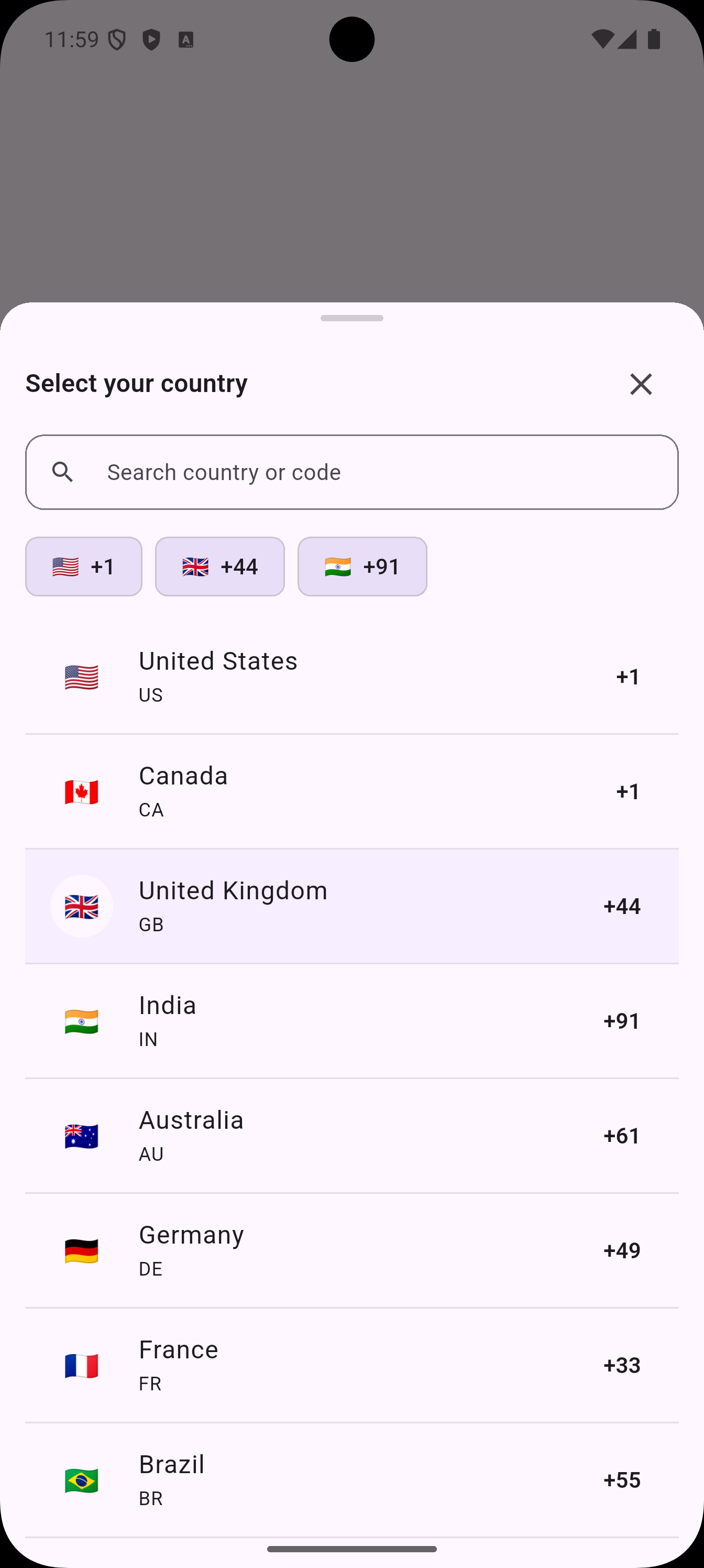
A lightweight and customizable Flutter package to pick country codes easily. 🌍
✨ Features
- 🔹 Searchable country list (name, ISO, dial code)
- 🔹 Default selection support
- 🔹 Works with TextField or forms
- 🔹 Callback when user selects a country
- 🔹 Emoji flags support 🇮🇳 🇺🇸 🇬🇧
- 🔹 Simple API, no heavy dependencies
- 🔹 🌐 Built-in localization support (EN, HI, ES, FR, DE)
🚀 Installation
Add the dependency in your pubspec.yaml:
dependencies:
  world_code_picker: ^4.0.0
Run:
flutter pub get
📖 Example
Here’s a minimal usage example:
import 'package:flutter/material.dart';
import 'package:world_code_picker/country.dart';
import 'package:world_code_picker/world_code_picker.dart';

void main() => runApp(const MyApp());

class MyApp extends StatelessWidget {
  const MyApp({super.key});

  @override
  Widget build(BuildContext context) {
    return MaterialApp(
      title: 'Country Code Picker Demo',
      theme: ThemeData(
        colorScheme: ColorScheme.fromSeed(seedColor: Colors.deepPurple),
      ),
      home: const MyHomePage(),
    );
  }
}

class MyHomePage extends StatefulWidget {
  const MyHomePage({super.key});

  @override
  State<MyHomePage> createState() => _MyHomePageState();
}

class _MyHomePageState extends State<MyHomePage> {
  Country? _selected;

  @override
  Widget build(BuildContext context) {
    return Scaffold(
      appBar: AppBar(title: const Text("Country Code Picker")),
      body: Center(
        child: Column(
          mainAxisAlignment: MainAxisAlignment.center,
          children: [
            FilledButton.icon(
              icon: const Icon(Icons.flag),
              label: const Text('Pick Country Code'),
              onPressed: () async {
                final result = await showCountryCodePickerBottomSheet(
                  context: context,
                  style: const CountryPickerStyle(
                    sheetTitle: 'Select your country',
                    searchHintText: 'Search country, ISO, or +code',
                    cornerRadius: 20,
                  ),
                );
                if (result != null) {
                  setState(() => _selected = result);
                }
              },
            ),
            const SizedBox(height: 16),
            Text(
              _selected == null
                  ? 'Selected: None'
                  : 'Selected: ${_selected!.flagEmoji} ${_selected!.name} (${_selected!.dialCode})',
              style: Theme.of(context).textTheme.titleMedium,
            ),
          ],
        ),
      ),
    );
  }
}
📸 Screenshots
| Country Picker | Search Feature |
|---|---|
|
|
🌐 Localization Setup
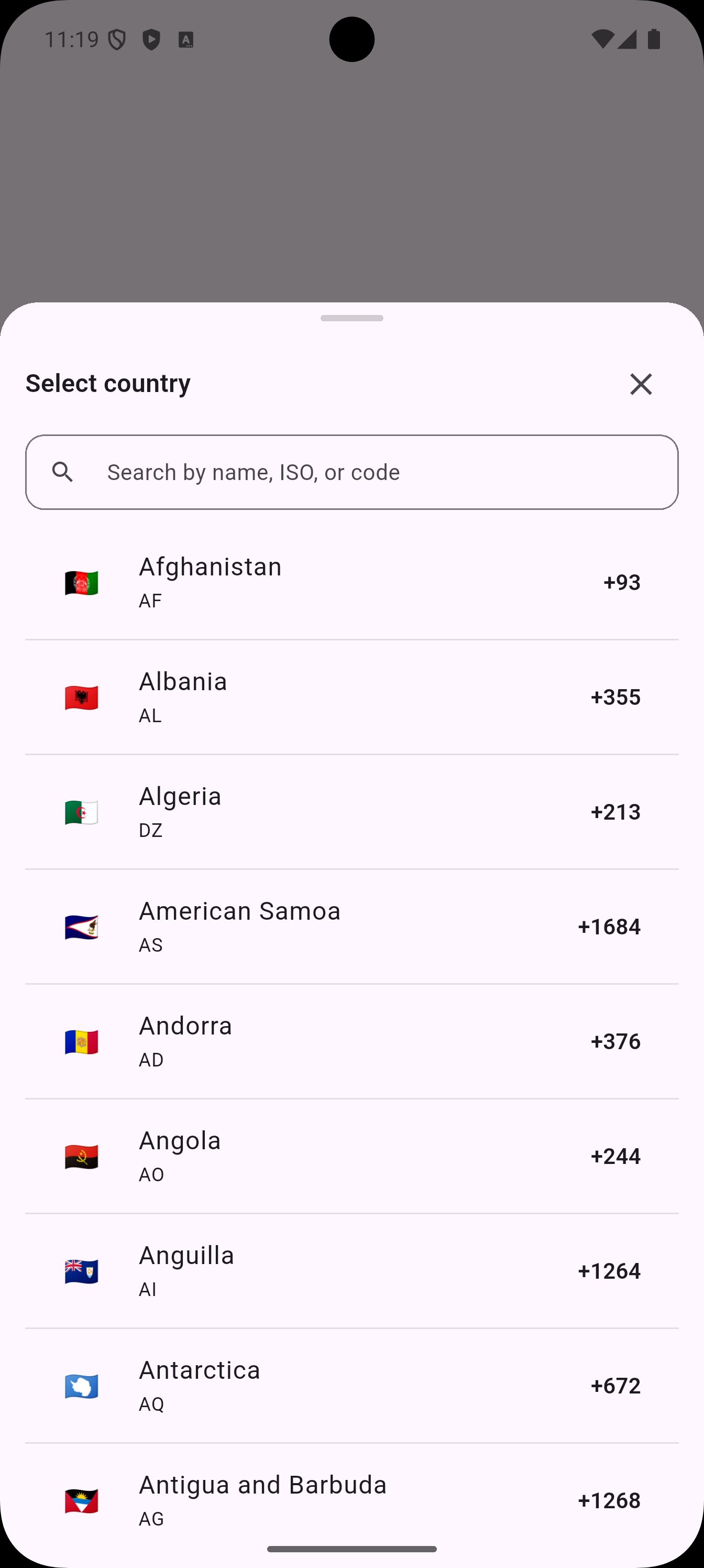
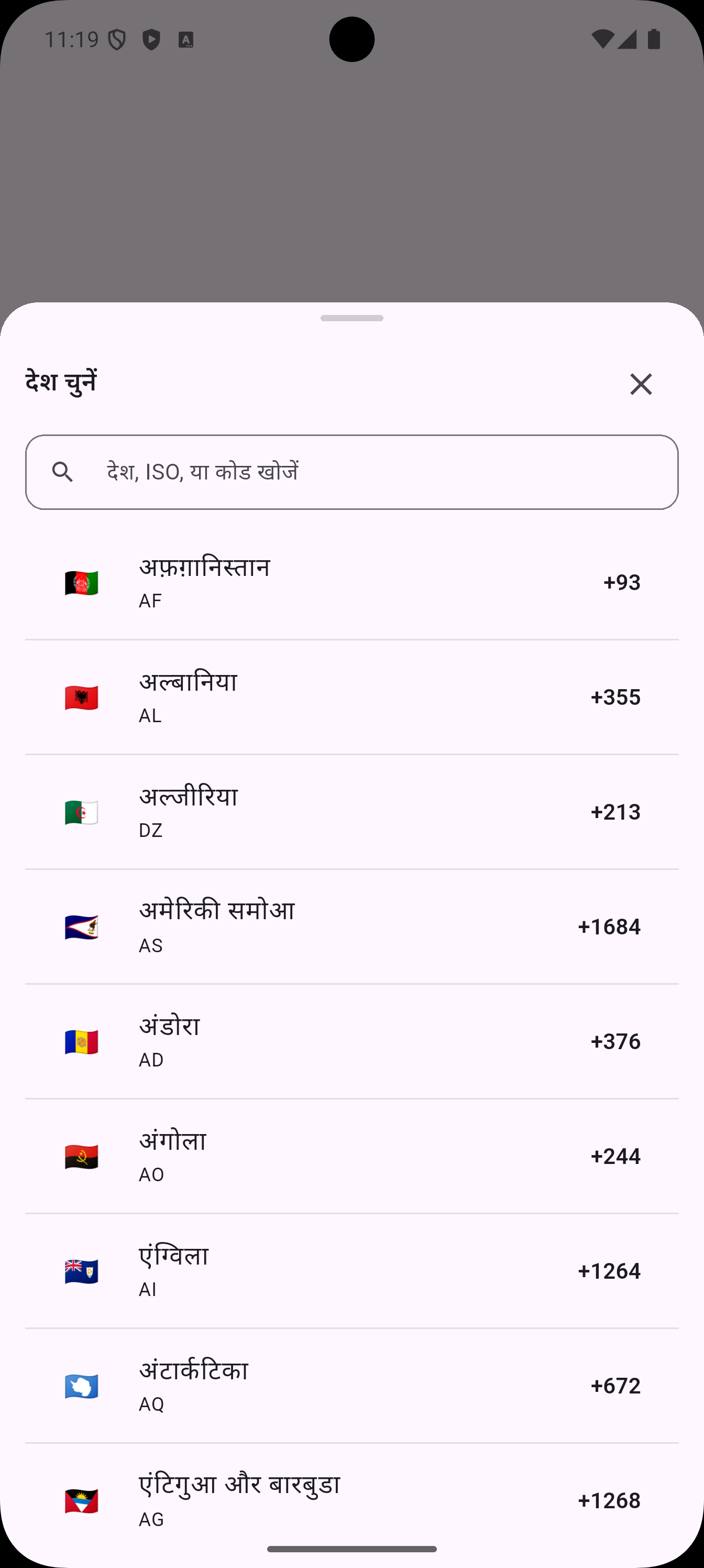
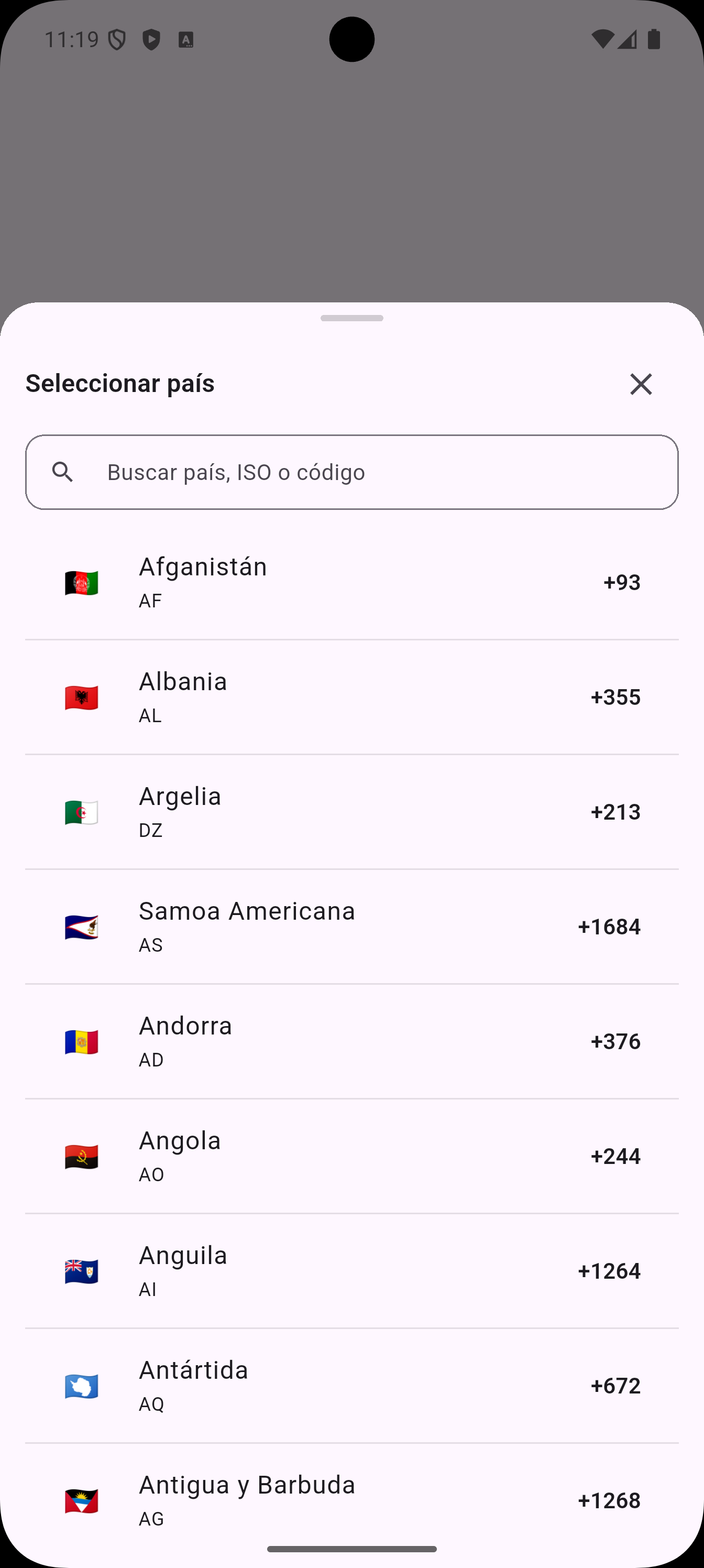
This package supports localization out of the box. Currently supported languages: English (en), Hindi (hi), Spanish (es), French (fr), German (de). You can add your own by providing translation maps.
1️⃣ Enable Flutter localization
Add these to your pubspec.yaml:
dependencies:
  flutter_localizations:
    sdk: flutter
Update your MaterialApp:
import 'package:flutter_localizations/flutter_localizations.dart';
import 'package:world_code_picker/localization/country_localizations.dart';

MaterialApp(
      debugShowCheckedModeBanner: false,
      title: 'Flutter Demo',
      theme: ThemeData(
        colorScheme: ColorScheme.fromSeed(seedColor: Colors.deepPurple),
      ),
      locale: const Locale('fr'),
      localizationsDelegates:  [
        CountryPickerLocalizationsDelegate(),            // package delegate
        GlobalMaterialLocalizations.delegate,            // Flutter built-ins
        GlobalWidgetsLocalizations.delegate,
        GlobalCupertinoLocalizations.delegate,
      ],
      supportedLocales: CountryPickerLocalizations.supportedLocales, //
      home: const MyHomePage(title: 'Flutter Demo Home Page'),
    );
📖 Example
Here’s a minimal usage example:
import 'package:country_code_picker/country.dart';
import 'package:flutter/material.dart';
import 'package:flutter_localizations/flutter_localizations.dart';
import 'localization.dart';

void main() {
  runApp(const MyApp());
}

class MyApp extends StatelessWidget {
  const MyApp({super.key});

  @override
  Widget build(BuildContext context) {
    return MaterialApp(
      debugShowCheckedModeBanner: false,
      title: 'Flutter Demo',
      theme: ThemeData(
        colorScheme: ColorScheme.fromSeed(seedColor: Colors.deepPurple),
      ),
      locale: const Locale('fr'), // Change locale here
      localizationsDelegates: [
        CountryPickerLocalizationsDelegate(), // package delegate
        GlobalMaterialLocalizations.delegate, // Flutter built-ins
        GlobalWidgetsLocalizations.delegate,
        GlobalCupertinoLocalizations.delegate,
      ],
      supportedLocales: CountryPickerLocalizations.supportedLocales,
      home: const MyHomePage(title: 'Flutter Demo Home Page'),
    );
  }
}

class MyHomePage extends StatefulWidget {
  const MyHomePage({super.key, required this.title});
  final String title;

  @override
  State<MyHomePage> createState() => _MyHomePageState();
}

class _MyHomePageState extends State<MyHomePage> {
  Country? _selected;

  @override
  Widget build(BuildContext context) {
    return Scaffold(
      body: SafeArea(
        child: Column(
          crossAxisAlignment: CrossAxisAlignment.center,
          mainAxisAlignment: MainAxisAlignment.center,
          children: [
            const SizedBox(height: 500),
            FilledButton.icon(
              icon: const Icon(Icons.flag),
              label: const Text('Pick country code'),
              onPressed: () async {
                final result = await showCountryCodePickerBottomSheet(
                  context: context,
                  style: const CountryPickerStyle(
                    cornerRadius: 24,
                  ),
                );
                if (result != null) {
                  setState(() => _selected = result);
                }
              },
            ),
            const SizedBox(height: 16),
            Text(
              _selected == null
                  ? 'Selected: None'
                  : 'Selected: ${_selected!.flagEmoji}  ${_selected!.name} (${_selected!.dialCode})',
              style: Theme.of(context).textTheme.titleMedium,
            ),
          ],
        ),
      ),
    );
  }
}
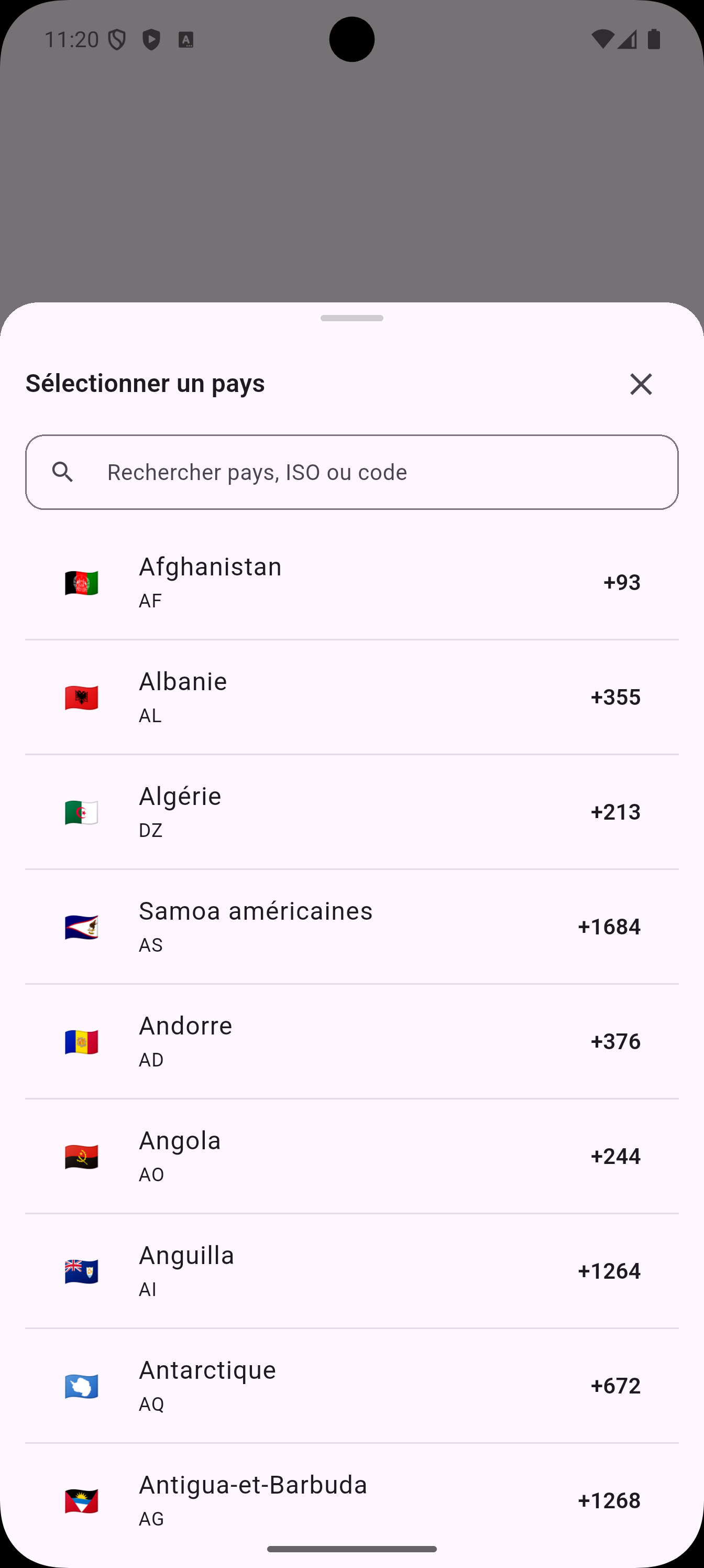
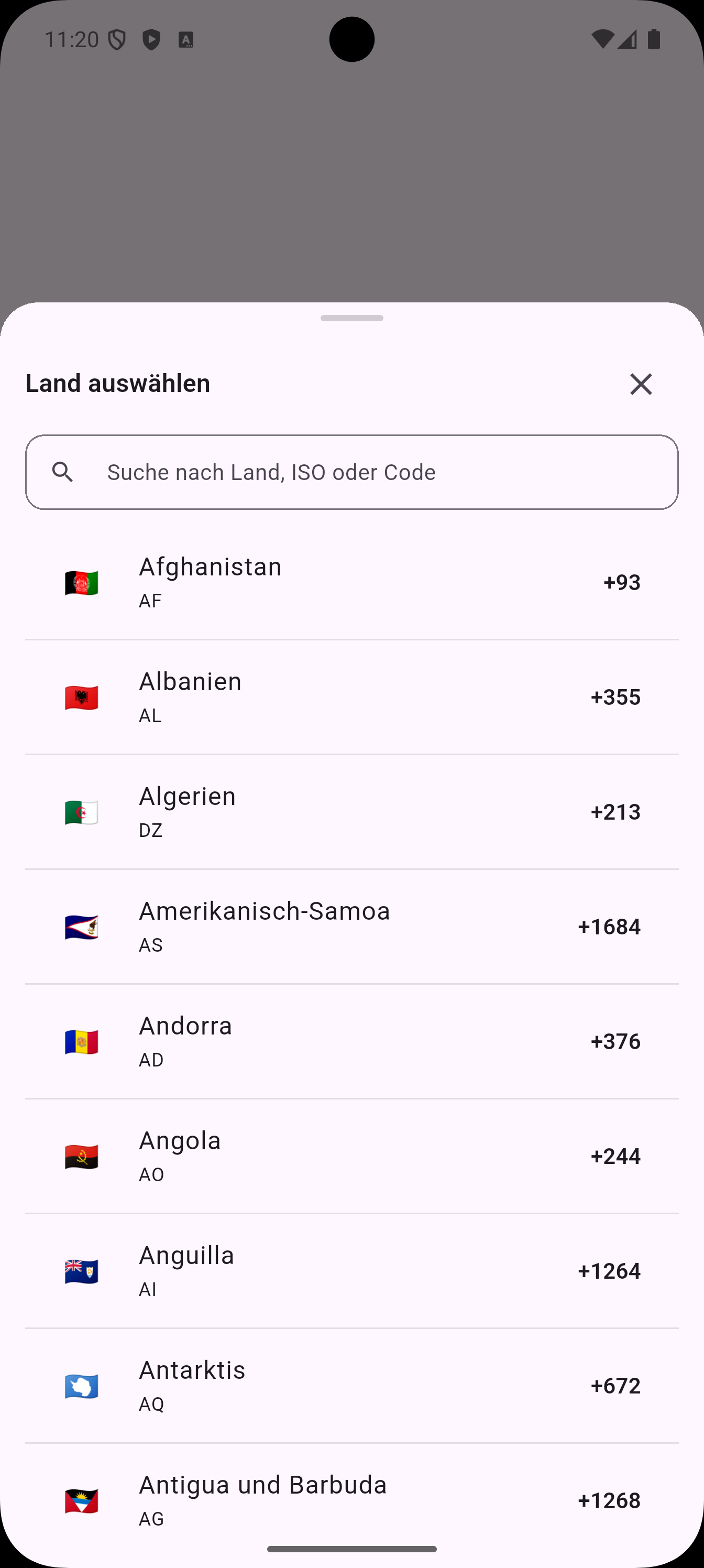
🌐 Localization & Screenshots
This package supports multiple languages out of the box. Currently available localizations:
supportedLocales: const [
  Locale('en'), // English
  Locale('hi'), // Hindi
  Locale('es'), // Spanish
  Locale('fr'), // French
  Locale('de'), // German
],
🌐 Get Localized Country Name
You can access the localized country name using the CountryPickerLocalizations helper:
onPressed: () async {
  final result = await showCountryCodePickerBottomSheet(
    context: context,
    style: const CountryPickerStyle(cornerRadius: 24),
  );

  if (result != null) {
    final loc = CountryPickerLocalizations.of(context);
    final displayName = loc.countryName(result.isoCode, result.name);

    print("Localized name: $displayName");

    setState(() => _selected = result);
  }
}
📸 Screenshots by Language
| English 🇺🇸 | Hindi 🇮🇳 | Spanish 🇪🇸 |
|---|---|---|
 |
 |
 |
| French 🇫🇷 | German 🇩🇪 |
|---|---|
 |
 |
⚙️ Parameters
| Parameter | Type | Description |
|---|---|---|
sheetTitle |
String | Title shown at the top of bottom sheet |
searchHintText |
String | Placeholder in the search field |
cornerRadius |
double | Corner radius of the bottom sheet |
🤝 Contributing
Contributions are welcome! 🎉
- Open an issue for bugs/feature requests
- Submit a PR for fixes and improvements
📄 License
This project is licensed under the MIT License.
See the LICENSE file for details.