
Play YouTube videos on mobile devices with WebView
Use IFrame Player API and WebView to play YouTube videos on mobile devices.
This package leverages webview_flutter to embed a YouTube video player through the IFrame Player API. For state management, it utilizes the provider package.
Demo
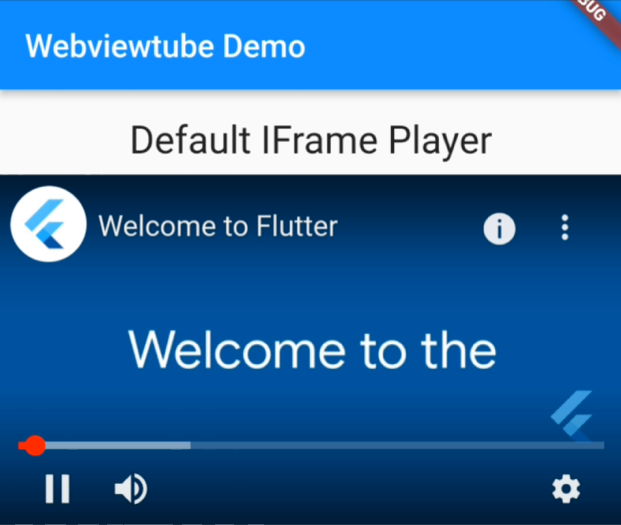
IFrame player
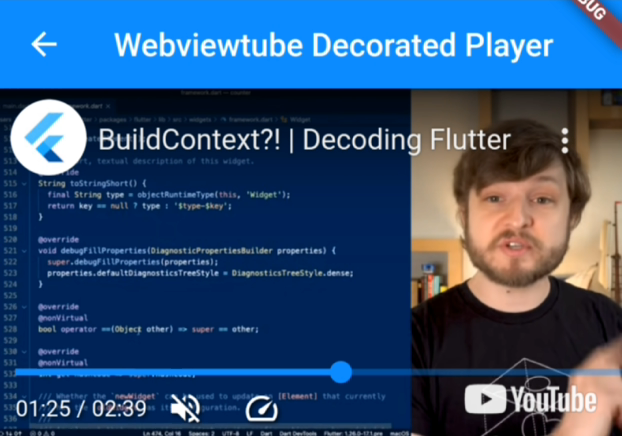
Decorated player
Features
- Customizable player
WebviewtubePlayerprovides a WebView that integrates with the YouTube IFrame Player API, allowing for extensive customization without additional widgets.
- Decorated player with basic controls.
WebviewtubeVideoPlayercombines the default player with custom widgets, offering a more integrated player with basic controls.
Supported Platforms
The same as webview_flutter. On Android, hybrid composition mode is used.
- Android: SDK 19+
- iOS: 11.0+
Setup
Android
Set the correct minSdkVersion in android/app/build.gradle
android {
    defaultConfig {
        minSdkVersion 19
    }
}
iOS
No configuration needed.
Usage
Check out example/lib/ for more details.
Default IFrame player
WebviewtubePlayer(videoId: '4AoFA19gbLo')
Widgets decorated player
WebviewtubeVideoPlayer(videoId: '4AoFA19gbLo')
Configure the player
Pass a WebviewtubeOptions to configure the player.
final options = const WebviewtubeOptions(
    forceHd: true,
    enableCaption: false,
);

/// `showControls` will always be false for [WebviewtubeVideoPlayer]
WebviewtubeVideoPlayer(videoId: '4AoFA19gbLo', options: options);
To interact with the player (e.g., retrieve video metadata, control playback) and manage its state (e.g., pause, load new videos), use a WebviewtubeController. Make sure to pass this controller to the player instance and remember to dispose of it when it's no longer needed to free up resources.
// ...
// inside a state of a stateful widget
final controller = WebviewtubeController();

@override
void dispose() {
  controller.dispose();
  super.dispose();
}

@override
Widget build(BuildContext context) {
    return WebviewtubeVideoPlayer(
      videoId: '4AoFA19gbLo',
      controller: controller,
    );
}
Customize the player
This package uses provider for state management, but you're free to fork and use your preferred tools. To create a customized player, explore the source code of WebviewtubeVideoPlayer and modify it according to your needs.
Using StatefulWidget and setState
For an example of integrating the player with a StatefulWidget, refer to example/lib/customized_player.dart. This example demonstrates how to control the player and update the UI based on player events and state changes.
Acknowledgments
This package is built upon/inspired by the following packages, for which credit goes out to the respective authors.
Libraries
- webviewtube
- Play YouTube videos using WebView and the IFrame Player API.