
voice_anim_kit



A pure Flutter package offering 9 stunning, highly customizable recording and voice animation visualizers. No platform dependencies, blazing fast, and incredibly simple to use.
Whether you're building a voice assistant, a chat app with audio messages, or a music player, voice_anim_kit provides the perfect aesthetic feedback for your audio streams.
✨ Features
- 9 Distinct Styles: Wave, Bar, Circle, Blob, Line, Particle, Ripple, AI Gaze, and Glow Bar.
- Zero External Dependencies: 100% pure Dart & Flutter Canvas — no third-party packages required.
- Built-in Smoothing: Integrated exponential smoothing low-pass filter prevents jitter from raw hardware noise.
- Elegant Animations: Built-in fade-in / fade-out transitions when recording starts or stops.
- High Aesthetics: Out-of-the-box support for beautiful glows, morphing, chromatic glitching, and physics-based animations.
- Interactive:
GlowBarVisualizerresponds to finger drag to create a 2D positional glow effect. - Highly Responsive: Handles rapid amplitude changes seamlessly with fluid state transitions.
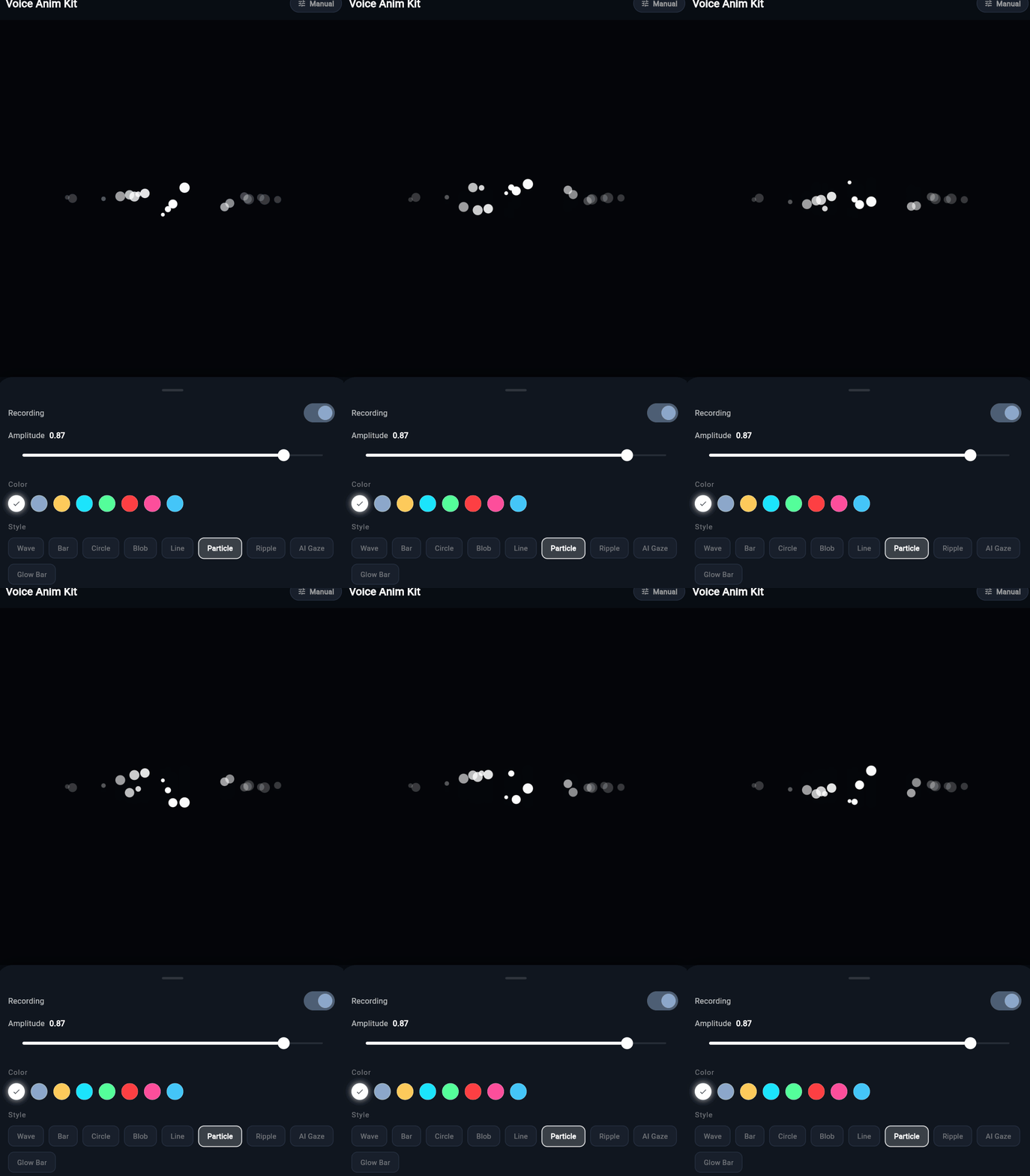
📸 Preview
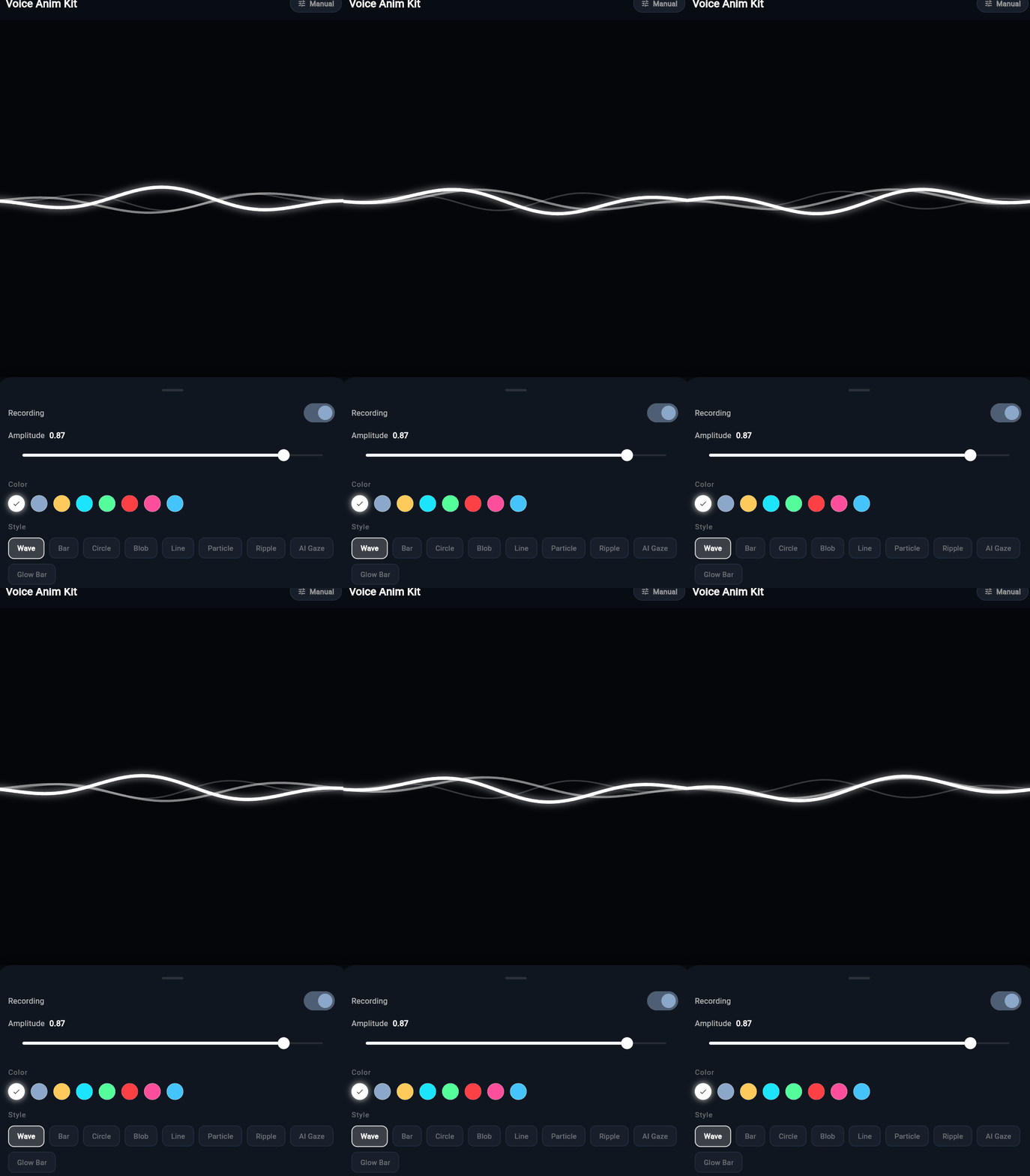
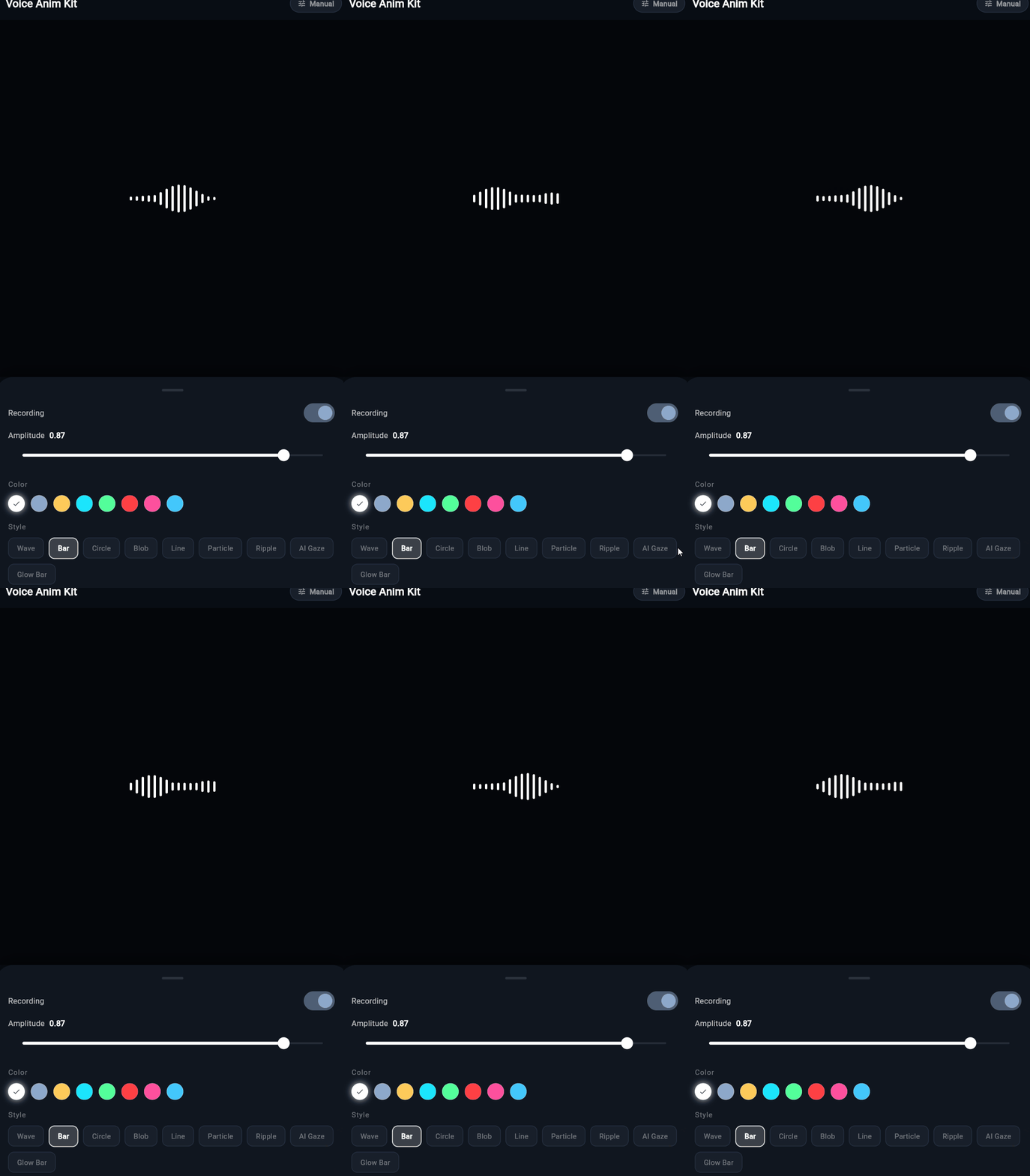
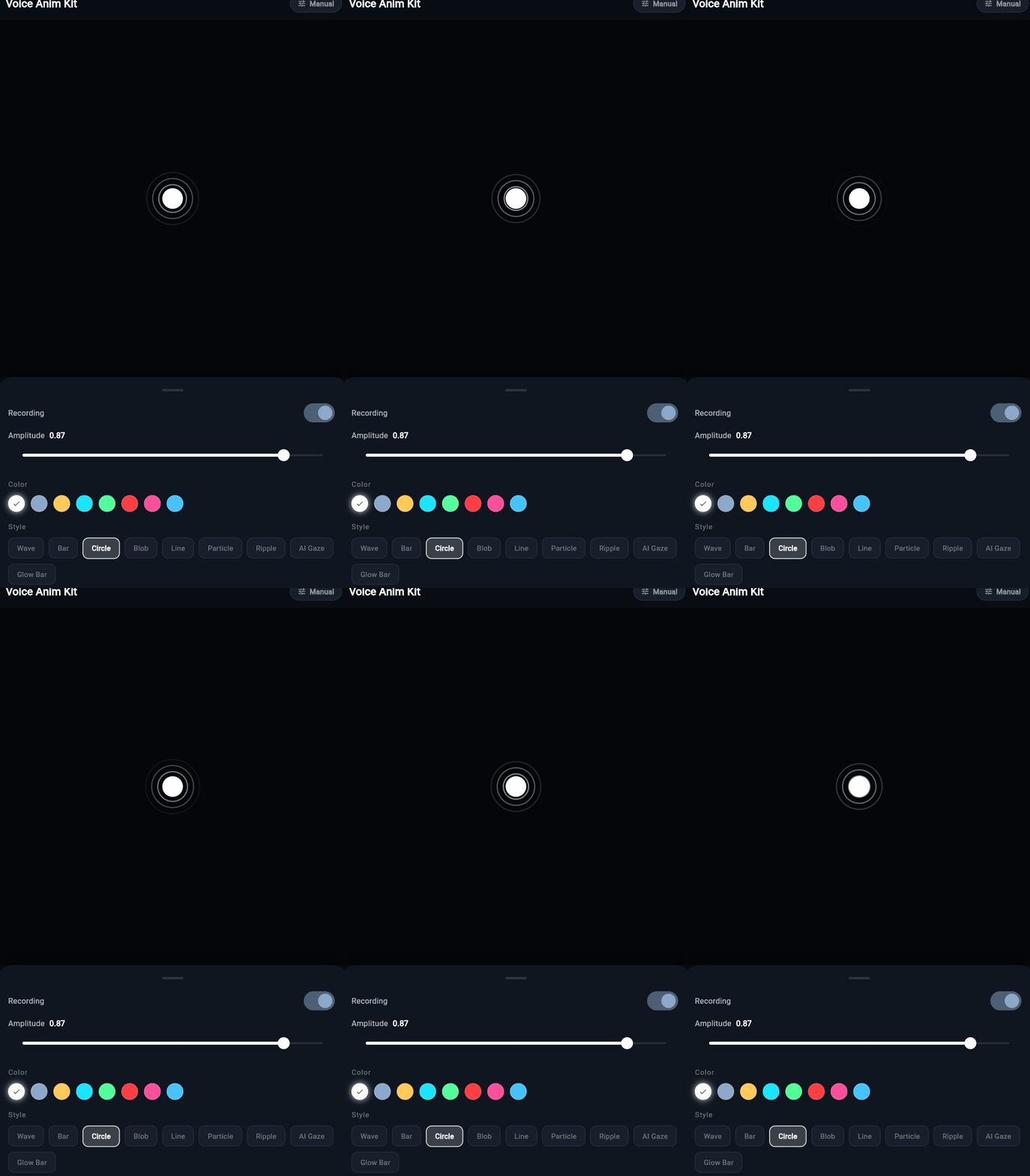
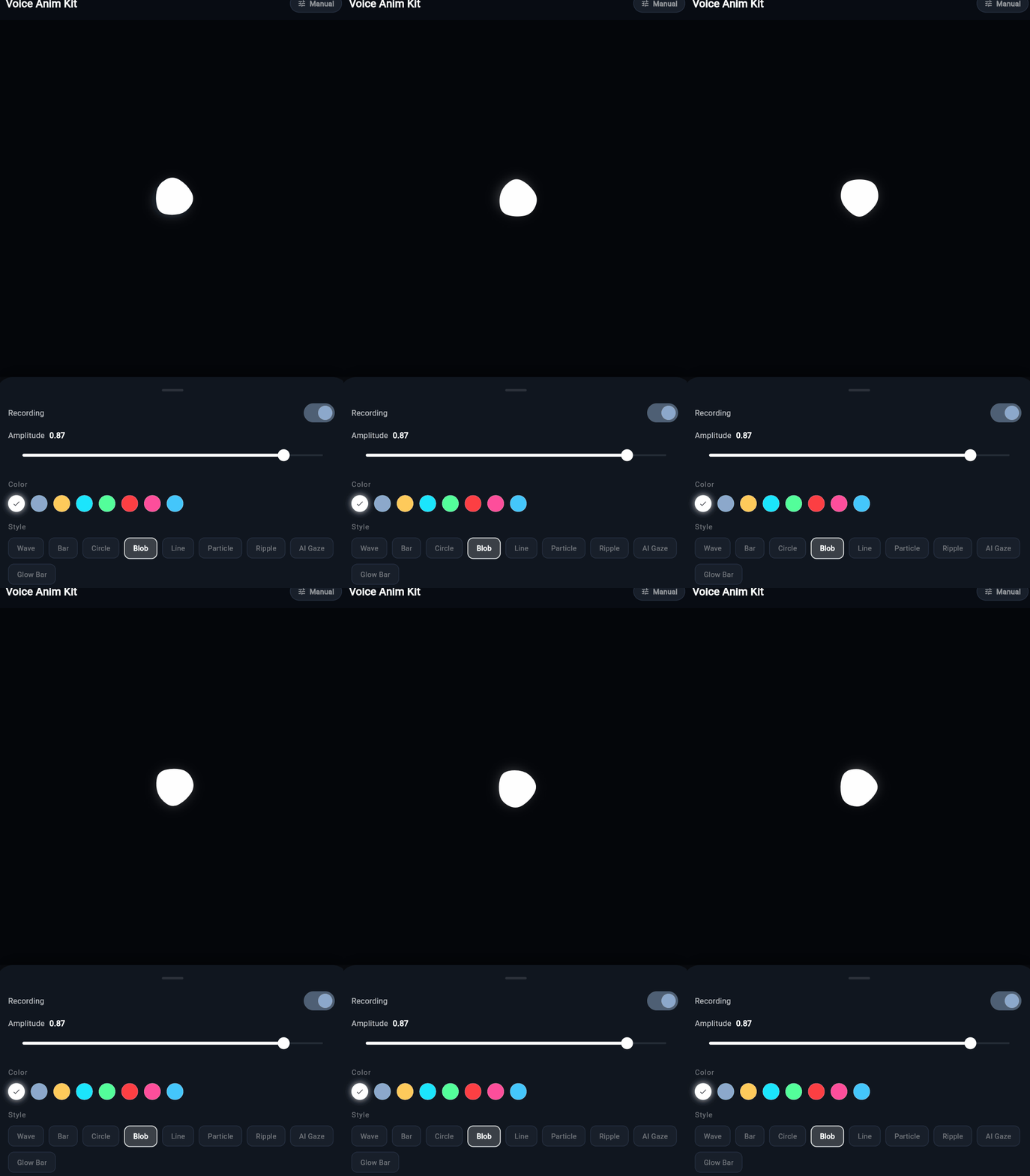
🚀 Getting Started
Add voice_anim_kit to your pubspec.yaml:
dependencies:
  voice_anim_kit: ^0.2.0
Then run:
flutter pub get
Import it in your Dart file:
import 'package:voice_anim_kit/voice_anim_kit.dart';
💻 Basic Usage
All visualizers share the same minimal API. You only need two required properties:
| Property | Type | Description |
|---|---|---|
isRecording |
bool |
Whether audio recording is active. Drives fade-in/out animations. |
amplitude |
double |
Normalized audio level between 0.0 (silence) and 1.0 (peak). |
WaveVisualizer(
  isRecording: _isRecording, // true or false
  amplitude: _currentAmplitude, // 0.0 to 1.0
  color: Colors.blueAccent, // optional: defaults to Theme.primaryColor
  height: 60.0,             // optional
)
Feeding Amplitude from a Real Microphone
The package is agnostic to your audio recording stack. Here's how to wire common packages:
Using the record package:
final recorder = AudioRecorder();

// Poll amplitude every 50ms (~20fps)
Timer.periodic(const Duration(milliseconds: 50), (_) async {
  final amp = await recorder.getAmplitude();
  // amp.current is in dB (-160 to 0). Normalize to 0.0-1.0:
  final normalized = ((amp.current + 50) / 50).clamp(0.0, 1.0);
  setState(() => _amplitude = normalized);
});
The visualizers internally apply a noise floor threshold and exponential smoothing filter — you can feed fast, raw data without worrying about visual stuttering.
🎨 Visualizer Gallery
1. WaveVisualizer
Multi-layered overlapping sine waves with a glowing aura. Inspired by modern voice assistants (Siri, Google Assistant).
WaveVisualizer(
  isRecording: _isRecording,
  amplitude: _amplitude,
  color: Colors.cyanAccent,
  height: 80.0,
)
2. BarVisualizer
Center-symmetric equalizer frequency bars that dance with the audio. Classic and clean.
BarVisualizer(
  isRecording: _isRecording,
  amplitude: _amplitude,
  color: Colors.greenAccent,
  height: 60.0,
)
3. CircleVisualizer
Pulsating radial circles that expand gracefully outwards like ripples in water.
CircleVisualizer(
  isRecording: _isRecording,
  amplitude: _amplitude,
  color: Colors.blueAccent,
  radius: 40.0,
)
4. BlobVisualizer
An organic, morphing metaball that deforms based on voice intensity. Feels alive.
BlobVisualizer(
  isRecording: _isRecording,
  amplitude: _amplitude,
  color: Colors.purpleAccent,
  size: 120.0,
)
5. LineVisualizer
A single, minimal ECG-style flatline that spikes sharply on loud noise. Perfect for a minimalist UI.
LineVisualizer(
  isRecording: _isRecording,
  amplitude: _amplitude,
  color: Colors.white,
  height: 50.0,
)
6. ParticleVisualizer
Floating orbs that bounce and rise with the audio waves. Creates a dreamy, magical effect.
ParticleVisualizer(
  isRecording: _isRecording,
  amplitude: _amplitude,
  color: Colors.amberAccent,
  height: 80.0,
)
7. RippleVisualizer
A classic, solid dot with expanding halo rings. Simple and satisfying.
RippleVisualizer(
  isRecording: _isRecording,
  amplitude: _amplitude,
  color: Colors.tealAccent,
  radius: 24.0,
)
8. AIGazeVisualizer (New in v0.2.0)
HAL-9000 inspired mutated eyeball with:
- Breathing effect — subtle pulse even in silence
- Iris detail — radiating fiber lines with phase-twist
- Amplitude-reactive pupil — expands from 25% to 75% of the widget
- Chromatic glitch — cyan/red stereo separation + jagged contour at amplitude > 0.6
AIGazeVisualizer(
  isRecording: _isRecording,
  amplitude: _amplitude,
  color: Colors.redAccent,
  size: 120.0,
)
9. GlowBarVisualizer (New in v0.2.0)
Equalizer-style dot/bar columns featuring a dual-layer interactive glow system:
- Static outer glow — Atmospheric halo fixed at the bottom center, creates depth
- Dynamic inner glow — Follows the user's finger position in 2D across the widget
- Proximity-based bar brightness — Bars closest to the finger are brightest
GlowBarVisualizer(
  isRecording: _isRecording,
  amplitude: _amplitude,
  color: const Color(0xFF00E5FF),
  height: 120.0,
  barCount: 45,    // optional, default 45
  barWidth: 4.0,   // optional, default 4.0
  barSpacing: 4.0, // optional, default 4.0
)
Tip: This visualizer is best used on a dark background where the glow can truly shine.
🛠 Full API Reference
All visualizers share a common parameter structure for easy swapping:
| Parameter | Type | Default | Applies To |
|---|---|---|---|
isRecording |
bool |
(required) | All |
amplitude |
double |
(required) | All |
color |
Color? |
Theme.primaryColor |
All |
animationDuration |
Duration |
3000ms |
All |
height |
double |
60.0 |
Wave, Bar, Line, Particle, GlowBar |
radius |
double |
32.0 |
Circle, Ripple |
size |
double |
120.0 |
Blob, AIGaze |
barCount |
int |
45 |
GlowBar |
barWidth |
double |
4.0 |
GlowBar |
barSpacing |
double |
4.0 |
GlowBar |
Smoothing & Noise Floor
All visualizers apply internal smoothing automatically:
- Noise floor: Amplitudes below ~5% are clamped to zero, preventing idle flickering.
- Exponential smoothing (EMA): Rapid spikes are smoothed over several frames for a pleasing visual result. You can still feed raw 50ms polling data directly.
📁 Project Structure
voice_anim_kit/
├── lib/
│   ├── voice_anim_kit.dart        ← Public exports
│   └── src/
│       ├── core/
│       │   ├── visualizer_mixin.dart  ← Shared animation lifecycle
│       │   └── paint_utils.dart       ← Shared canvas utilities
│       └── visualizers/
│           ├── wave_visualizer.dart
│           ├── bar_visualizer.dart
│           ├── circle_visualizer.dart
│           ├── blob_visualizer.dart
│           ├── line_visualizer.dart
│           ├── particle_visualizer.dart
│           ├── ripple_visualizer.dart
│           ├── ai_gaze_visualizer.dart
│           └── glow_bar_visualizer.dart
└── example/                       ← Full interactive demo app
🧪 Running the Example
cd example
flutter pub get
flutter run
The example app features:
- Live microphone input mode (permissions handled automatically)
- Manual amplitude slider for testing without a mic
- Color picker with 8 preset palette colors
- Style switcher to preview all 9 visualizers
📝 License
MIT License. See LICENSE for details.
Feel free to use this in personal and commercial projects.
🤝 Contributing
Issues and PRs are welcome at github.com/BrotherPeng/voice_anim_kit.