





A fully customizable virtual on-screen keyboard for Flutter.
Perfect for kiosk apps, password UIs, and custom input interfaces.
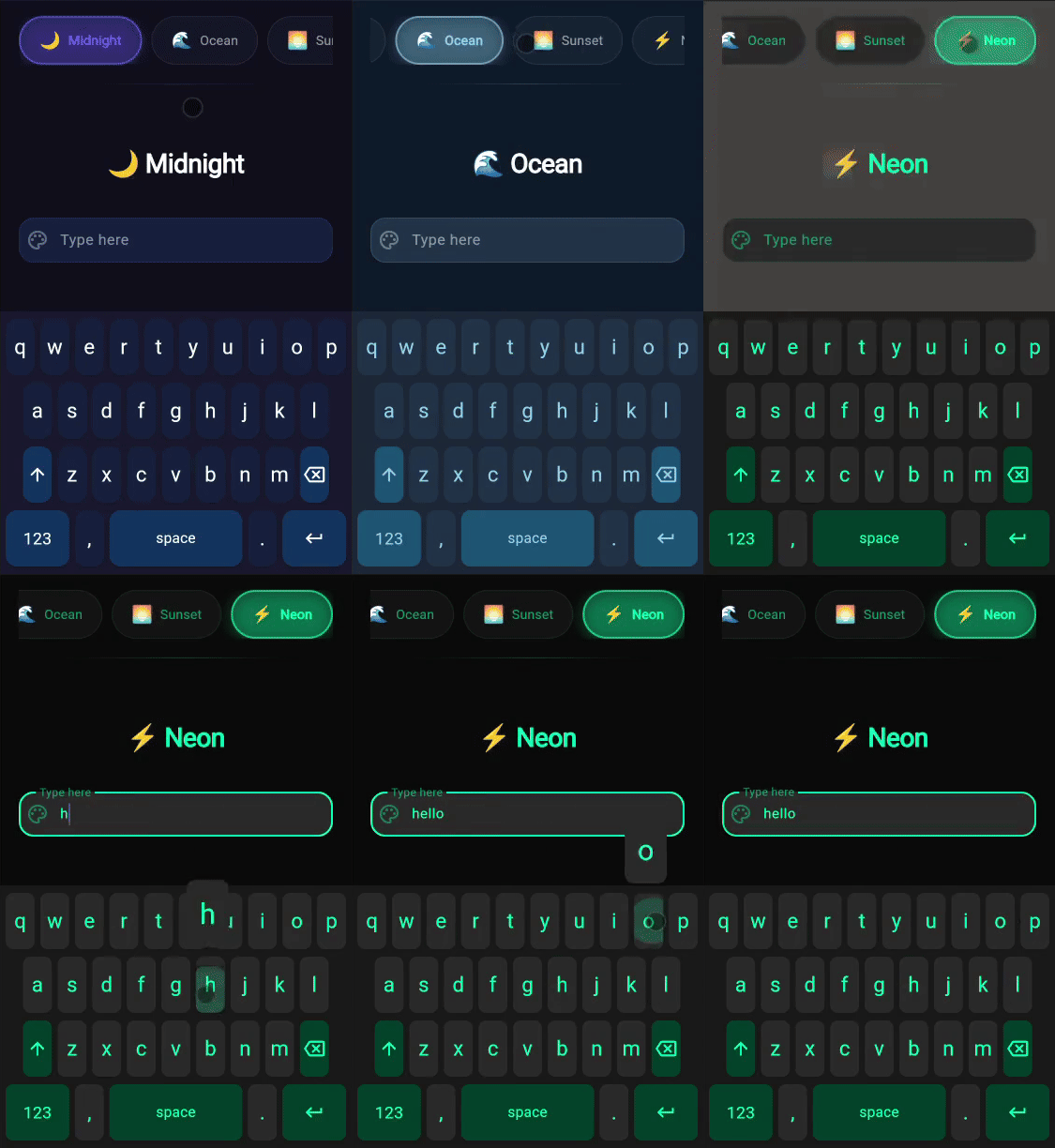
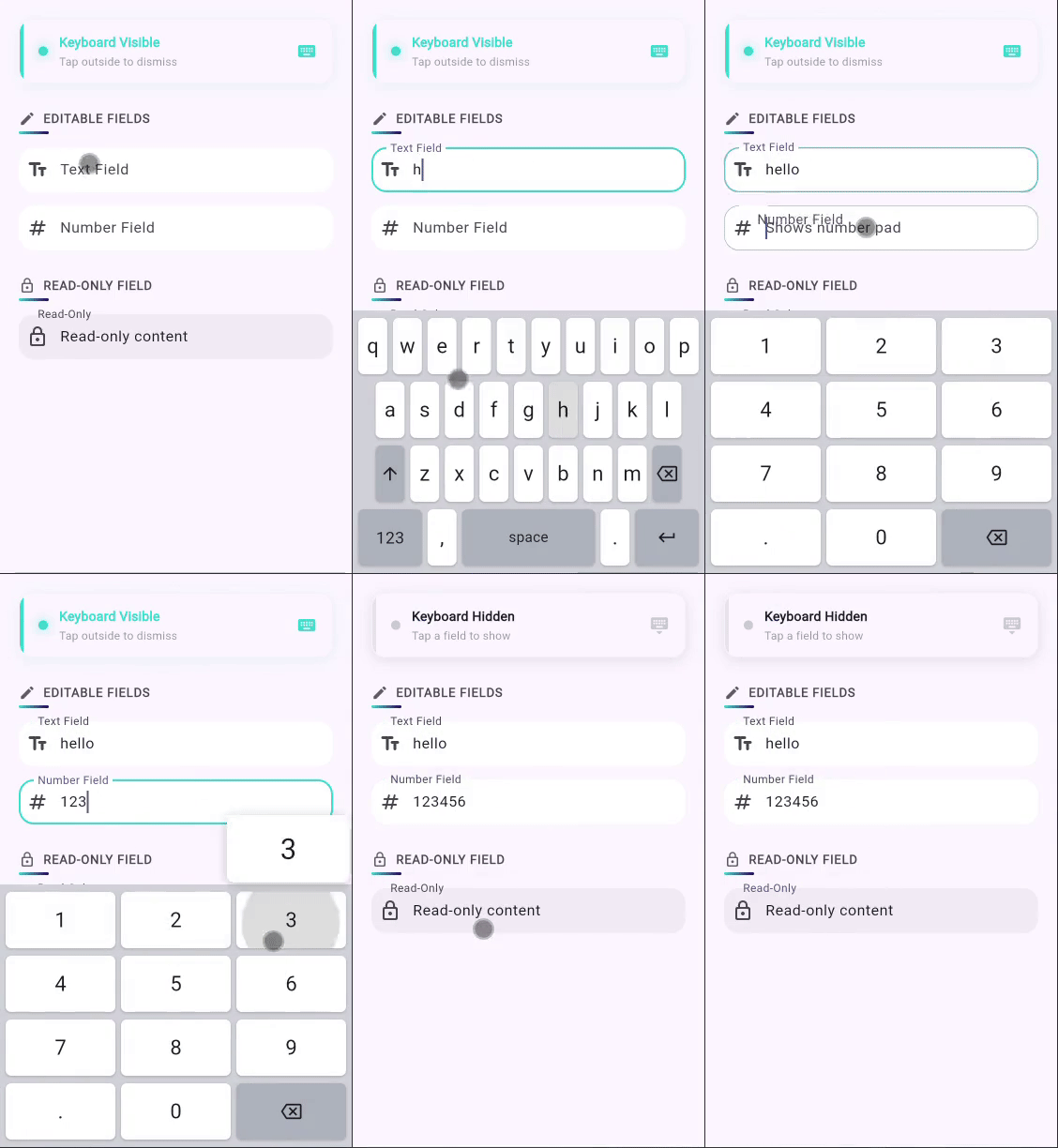
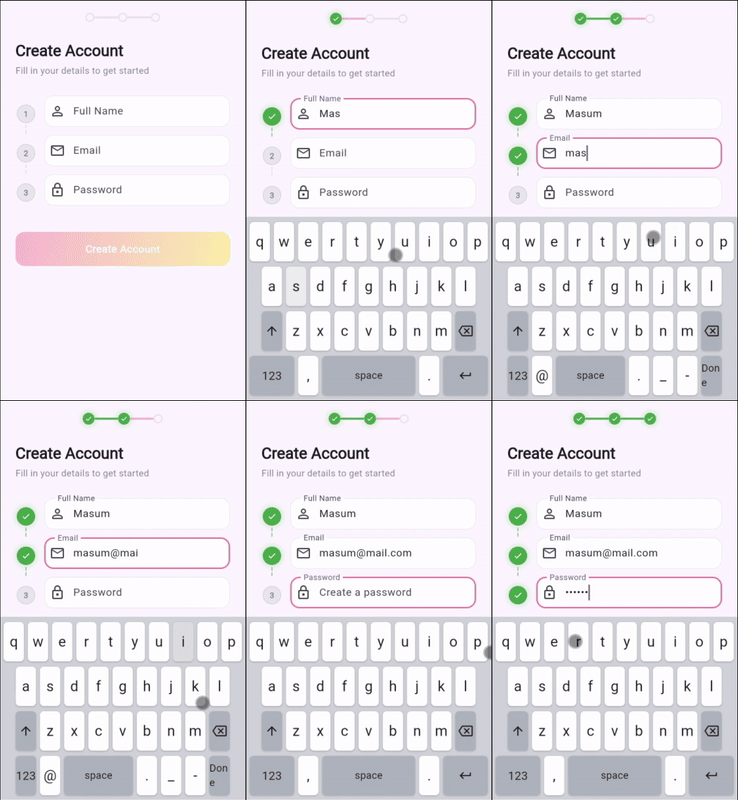
Features
- 🎹 Multiple Layouts - Text, numeric, phone, email, URL, or fully custom
- 🌍 Multi-Language - Built-in English, Bengali & French, easily extensible
- 🔌 Standalone Mode - Works with any standard Flutter TextField
- 🎯 Standalone Scope - Restrict keyboard to a widget subtree
- 🔤 Smart TextField - Auto-adapts keyboard layout based on input type
- 🎨 Fully Customizable - Light, dark, or fully custom themes
- 📱 Cross-Platform - Works on iOS, Android, Web, macOS, Windows, Linux
- ✂️ Full Editing - Selection, copy/paste, cursor control
- 👆 Key Preview - Native-style key press popup feedback
- 🫥 Auto-Hide - Animated show/hide on focus change
Installation
dependencies:
  virtual_keypad: ^latest
Quick Start
Standalone Mode (works with any TextField)
import 'package:virtual_keypad/virtual_keypad.dart';

void main() {
  initializeKeyboardLayouts();
  runApp(MyApp());
}

class MyApp extends StatelessWidget {
  final controller = TextEditingController();

  @override
  Widget build(BuildContext context) {
    return Column(
      children: [
        TextField(controller: controller),
        VirtualKeypad(standalone: true),
      ],
    );
  }
}
Just add
standalone: true— no wrapper widgets needed. The keyboard auto-detects focused fields and adapts layout based onkeyboardType.
Scoped Standalone Mode
Wrap with VirtualKeypadStandaloneScope to restrict the keyboard to a specific subtree (useful in Widgetbook or multi-panel UIs):
VirtualKeypadStandaloneScope(
  child: Column(
    children: [
      TextField(controller: controller),
      VirtualKeypad(standalone: true),
    ],
  ),
)
Fields outside the scope won't trigger this keyboard.
Scope Mode (full control)
import 'package:virtual_keypad/virtual_keypad.dart';

void main() {
  initializeKeyboardLayouts();
  runApp(MyApp());
}

class _MyAppState extends State<MyApp> {
  final controller = VirtualKeypadController();

  @override
  Widget build(BuildContext context) {
    return VirtualKeypadScope(
      child: Column(
        children: [
          VirtualKeypadTextField(
            controller: controller,
            decoration: InputDecoration(labelText: 'Enter text'),
          ),
          VirtualKeypad(),
        ],
      ),
    );
  }
}
Three components work together:
VirtualKeypadScope→VirtualKeypadTextField→VirtualKeypad. Use this mode for selection callbacks, submit handling, and physical keyboard blocking.
Keyboard Types
VirtualKeypadTextField(
  controller: controller,
  keyboardType: KeyboardType.emailAddress, // Auto-shows @ and .
)
| Type | Use Case |
|---|---|
text |
General text input (QWERTY) |
emailAddress |
Email fields (QWERTY + @ .) |
url |
URL fields (QWERTY + / : .) |
number |
Numeric input (0-9) |
phone |
Phone dialer |
multiline |
Text areas with newline |
custom |
User-defined layouts |
Custom Layout
final pinLayout = [
  [
    VirtualKey.character(text: '1'),
    VirtualKey.character(text: '2'),
    VirtualKey.character(text: '3'),
  ],
  [
    VirtualKey.character(text: '4'),
    VirtualKey.character(text: '5'),
    VirtualKey.character(text: '6'),
  ],
  [
    VirtualKey.character(text: '7'),
    VirtualKey.character(text: '8'),
    VirtualKey.character(text: '9'),
  ],
  [
    VirtualKey.action(action: KeyAction.backSpace),
    VirtualKey.character(text: '0'),
    VirtualKey.action(action: KeyAction.done, label: '✓'),
  ],
];

VirtualKeypad(
  type: KeyboardType.custom,
  customLayout: pinLayout,
)
Theming
// Built-in themes
VirtualKeypad(theme: VirtualKeypadTheme.light)
VirtualKeypad(theme: VirtualKeypadTheme.dark)

// Custom theme
VirtualKeypad(
  theme: VirtualKeypadTheme(
    backgroundColor: Colors.grey[900]!,
    keyColor: Colors.grey[800]!,
    actionKeyColor: Colors.grey[700]!,
    keyTextColor: Colors.white,
    keyBorderRadius: 12,
  ),
)

// Modify existing theme
VirtualKeypad(
  theme: VirtualKeypadTheme.dark.copyWith(
    keyBorderRadius: 12,
    keyTextSize: 24,
  ),
)
| Property | Type | Default | Description |
|---|---|---|---|
backgroundColor |
Color |
#D1D3D9 |
Keyboard background |
keyColor |
Color |
#FFFFFF |
Character key background |
actionKeyColor |
Color |
#ADB3BC |
Action key background |
keyTextColor |
Color |
#1C1C1E |
Text/icon color |
keyTextSize |
double |
22.0 |
Font size |
keyBorderRadius |
double |
6.0 |
Corner radius |
keyShadow |
bool |
true |
Show key shadows |
splashColor |
Color? |
null |
Tap ripple color |
Multi-Language
initializeKeyboardLayouts(); // Registers English & Bengali

// Switch language
KeyboardLayoutProvider.instance.setLanguage('bn'); // Bengali
KeyboardLayoutProvider.instance.setLanguage('en'); // English
| Code | Language | Layout |
|---|---|---|
en |
English | QWERTY |
bn |
Bengali | বাংলা |
fr |
French | AZERTY |
Adding a Custom Language
final spanishLanguage = KeyboardLanguage(
  code: 'es',
  name: 'Spanish',
  nativeName: 'Español',
  textLayouts: KeyboardLayoutSet(
    primary: textPrimaryLayout,
    secondary: symbolsLayout,
    tertiary: moreSymbolsLayout,
  ),
);

KeyboardLayoutProvider.instance.registerLanguage(spanishLanguage);
KeyboardLayoutProvider.instance.setLanguage('es');
API Reference
VirtualKeypadTextField
VirtualKeypadTextField(
  controller: controller,           // Required
  keyboardType: KeyboardType.text,   // Layout type
  obscureText: false,                // Password mode
  allowPhysicalKeyboard: false,      // Block system keyboard
  maxLength: null,                   // Character limit
  maxLines: 1,                       // Line count (null = unlimited)
  onChanged: (value) {},             // Text change callback
  onSubmitted: (value) {},           // Submit callback
)
VirtualKeypad
VirtualKeypad(
  standalone: false,                 // true = works with any TextField
  type: null,                        // Override layout (auto if null)
  height: 280,                       // Keyboard height
  theme: VirtualKeypadTheme.light,   // Visual theme
  hideWhenUnfocused: false,          // Auto-hide animation
  customLayout: null,                // Custom key arrangement
  onKeyPressed: (key) {},            // Key press callback
)
VirtualKeypadController
final controller = VirtualKeypadController();

controller.insertText('Hello');    // Insert at cursor
controller.deleteBackward();       // Delete before cursor
controller.selectAll();            // Select all text
controller.clear();                // Clear all
controller.cursorPosition = 5;     // Set cursor position
controller.moveCursorLeft();       // Move cursor
controller.moveCursorRight();
Examples
Check out the example directory for a complete demo app with 9 screens showcasing all features.
Documentation
| Guide | Description |
|---|---|
| API Reference | Complete API documentation |
| Custom Layouts | Build custom keyboard layouts |
| Adding Languages | Add new language support |
| Theming | Customize keyboard appearance |
Contributing
Contributions welcome! See the Contributing Guide.
License
MIT License - see LICENSE for details.
Made with ❤️ by Masum
Libraries
- virtual_keypad
- A Flutter package for creating customizable virtual on-screen keyboards.