
Timer Button


This Package will enable a new Flutter package for the timer button after a specified time.
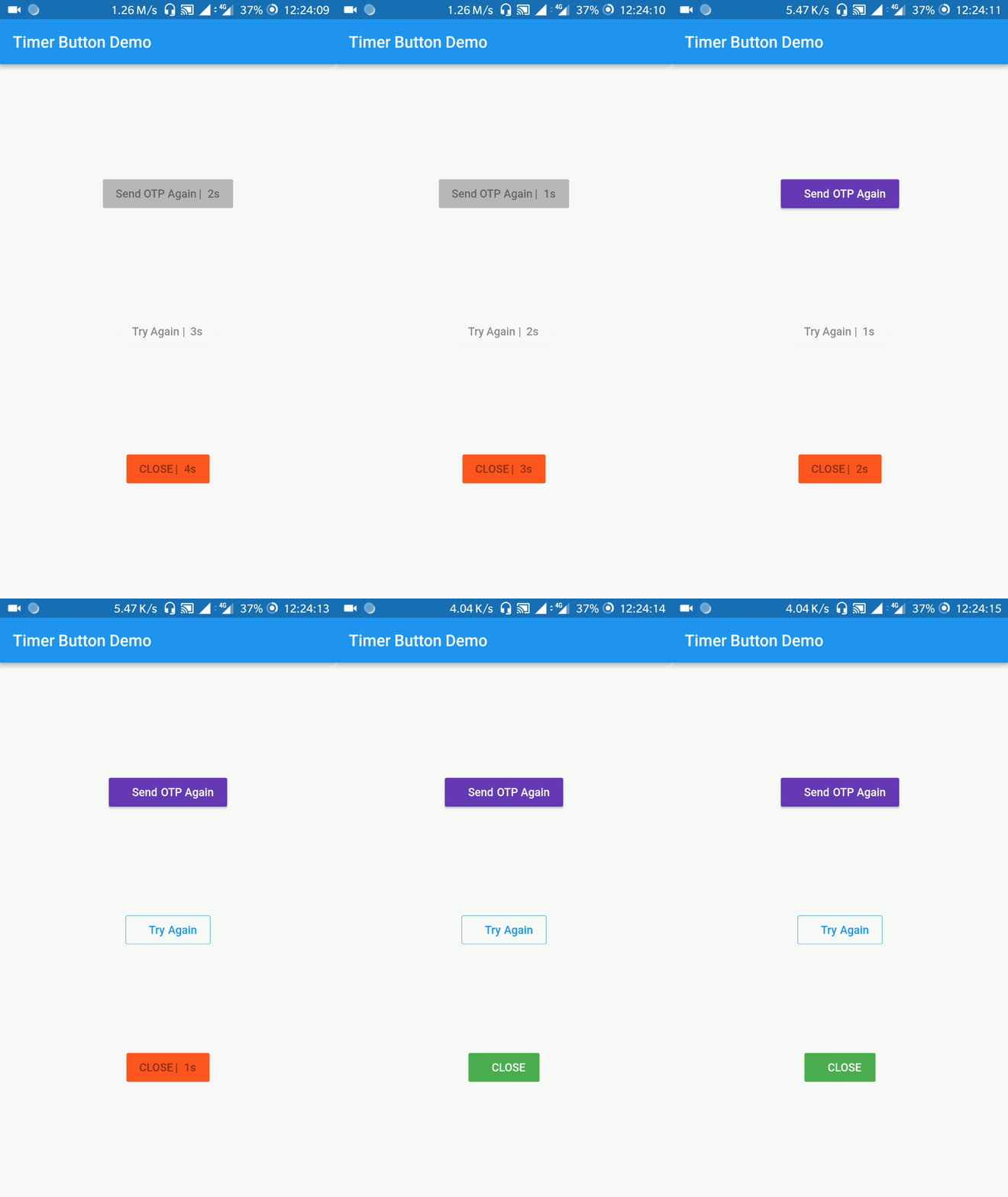
A Button that gets triggered will enable after a specified time.
Let's get started
- Go to
pubspec.yaml - add a ns_utils and replace
[version]with the latest version:
dependencies:
  flutter:
    sdk: flutter
  timer_button_fork: ^[version]
- click the packages get button or flutter pub get
Import the package
import 'package:timer_button/timer_button_fork.dart';
Usage
Set ButtonType for Button. There are 3 Type of button :
- ElevatedButton
buttonType: ButtonType.ElevatedButton - TextButton
buttonType: ButtonType.TextButton - OutlinedButton
buttonType: ButtonType.OutlinedButton
Set text/label label: "Try Again"
Set timeout in seconds timeOutInSeconds: 20
Set color color: Colors.deepPurple
Set disabled color disabledColor: Colors.red
Example
                new TimerButton(
                  label: "Send OTP Again",
                  timeOutInSeconds: 20,
                  onPressed: () {},
                  disabledColor: Colors.red,
                  color: Colors.deepPurple,
                  disabledTextStyle: new TextStyle(fontSize: 20.0),
                  activeTextStyle: new TextStyle(fontSize: 20.0, color: Colors.white),
                )
Contributing
There are a couple of ways in which you can contribute.
- Propose any feature, enhancement
- Report a bug
- Fix a bug
- Participate in a discussion and help in decision making
- Write and improve some documentation. Documentation is supercritical, and its importance cannot be overstated!
- Send in a Pull Request :-)