
TargetedOverlay


A simple way to show overlays attached to target widgets.
Usage
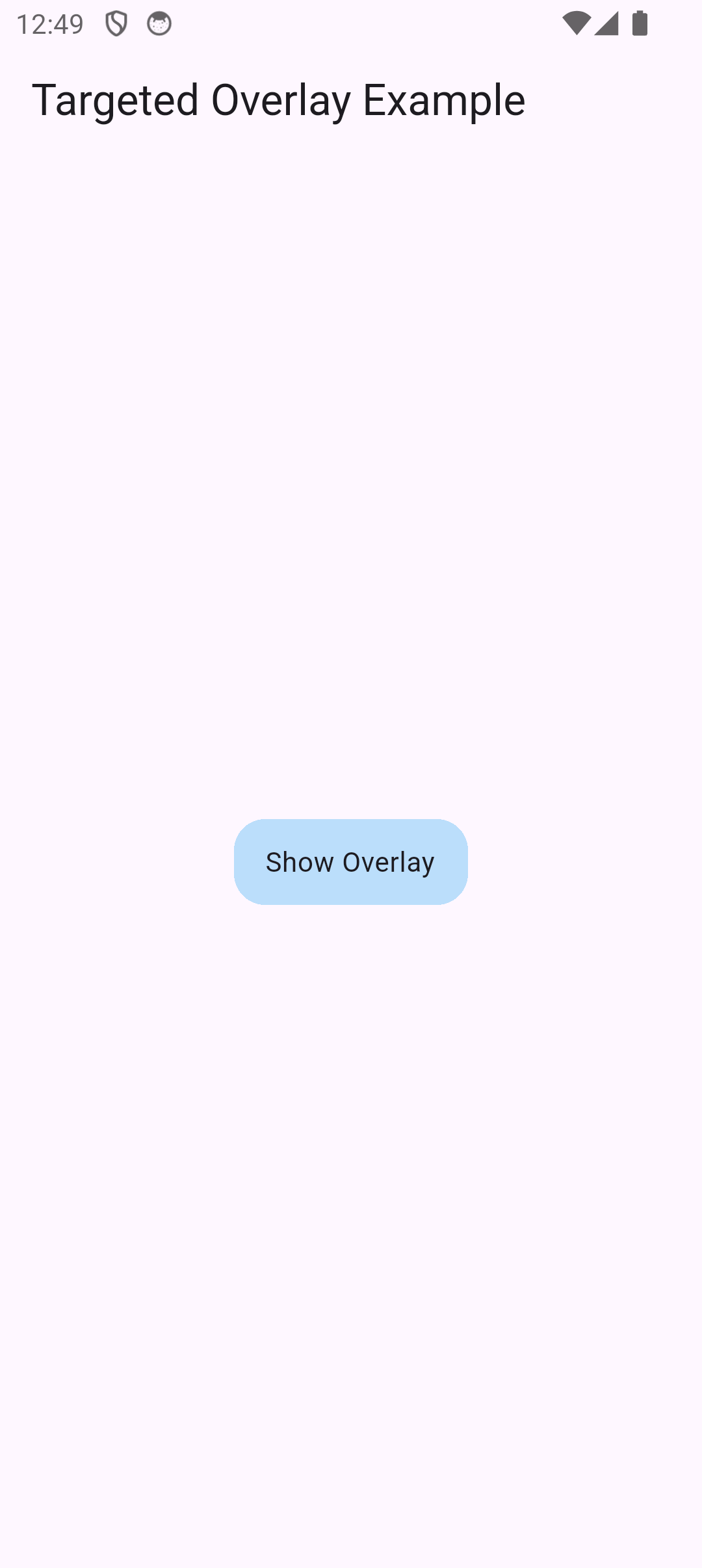
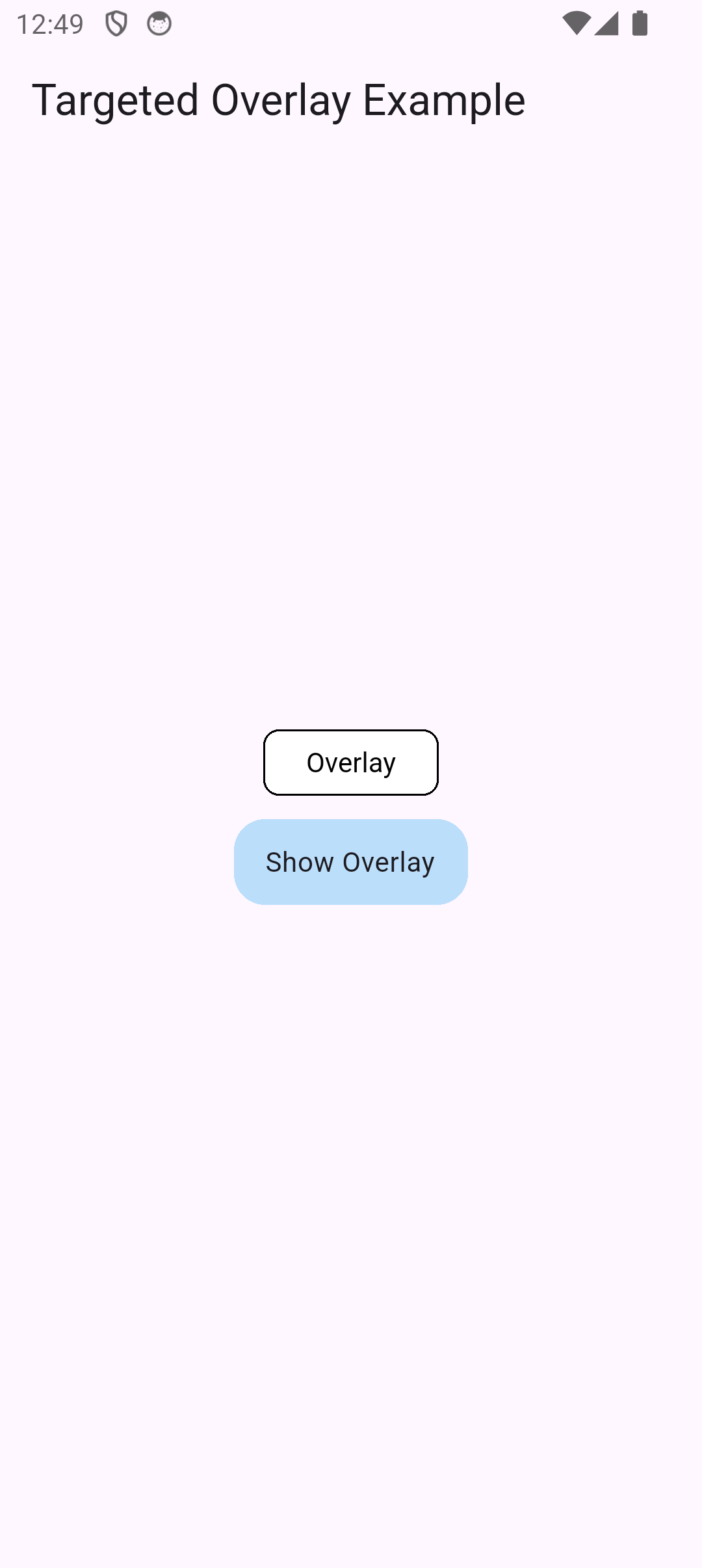
TargetedOverlayMixin is mixin that can be used to attach overlays relative to specific widgets. The only things you need to configure is GlobalKeys to the target widgets and register them via the provided functions.
class Test extends StatefulWidget {
  const Test({super.key});

  @override
  State<Test> createState() => _TestState();
}

class _TestState extends State<Test> with TargetedOverlayMixin {
  final _key = GlobalKey();

  @override
  void initState() {
    super.initState();
    scheduleRegisterTargets([_key]);
  }

  @override
  Widget build(BuildContext context) {
    return Scaffold(
      appBar: AppBar(title: const Text('Targeted Overlay Example')),
      body: Center(
        child: GestureDetector(
          onTap: () {
            insertOverlay(
              context: context,
              key: _key,
              attachPoint: AttachPoint.topRight,
              offset: const Offset(-15, -12),
              builder: (remove) {
                return TapRegion(
                  onTapOutside: (_) => hideOverlays(
                    context: context,
                    keys: [_key],
                  ),
                  onTapInside: (_) => hideOverlays(
                    context: context,
                    keys: [_key],
                  ),
                  child: Material(
                    textStyle: const TextStyle(color: Colors.black),
                    type: MaterialType.transparency,
                    child: Container(
                      padding: EdgeInsets.symmetric(horizontal: 16, vertical: 8),
                      width: 90,
                      decoration: BoxDecoration(
                        color: Colors.white,
                        borderRadius: BorderRadius.circular(8),
                        border: Border.all(color: Colors.black),
                      ),
                      child: Text('Overlay', textAlign: TextAlign.center),
                    ),
                  ),
                );
              },
            );
          },
          child: Container(
            key: _key,
            width: 120,
            padding: const EdgeInsets.symmetric(vertical: 12, horizontal: 16),
            decoration: BoxDecoration(
              color: Colors.blue.shade100,
              borderRadius: BorderRadius.circular(16),
            ),
            child: const Text('Show Overlay'),
          ),
        ),
      ),
    );
  }
}
| Initial | Overlay shown |
 |
 |
Functions provided
| Function name | Description |
|---|---|
scheduleRegisterTargets |
Registers the provided GlobalKeys to be used for overlays later. It schedules the registration after current frame has been rendered, as such it is safe to call in initState. |
registerTargets |
Same as scheduleRegisterTargets but without scheduling. |
updateTargets |
Updates the saved configuration for the registered GlobalKeys. This is needed if the layout changed and the widget's position changed. |
insertOverlay |
The appId of the Huawei application. Note that in order to use this on Android, you need to add the logic in determineAndroidStore. |
insertPostFrameOverlay |
Same as insertOverlay but schedules it for after the current frame. This is needed if you e.g. registered the target in initState and want to show it immediately, otherwise the registration will occure after trying to show the overlay. |
hideOverlays |
Hide overlays without actually deregistering them. |
clearOverlays |
Remove overlays and deregister them. No further inserting will do anything unless the keys are registered again. |
Parameters for inserting overlays
| Parameter | Description |
|---|---|
context |
Current BuildContext. |
key |
GlobalKey of the widget the overlay will be attached to. |
builder |
Builder method of the overlay widget. |
attachPoint |
The point of the target widget where the overlay will be attached to. |
axisMirrors and offset |
For precise control of the position, you can mirror the overlay based on the attach point and also manually offset the overlay with exact values. |
fadeDuration |
Duration in which the overlay will fade out when removed. |
"Limitation"
The overlay is not centered at the attachPoint, just attached at that coordinate. As such, the overlays will be positioned next to it. Best advice is to play around with the axisMirrors and offset parameters to fine-tune the position.
License
Copyright 2025 Norbert Csörgő

Redistribution and use in source and binary forms, with or without modification, are permitted provided that the following conditions are met:

1. Redistributions of source code must retain the above copyright notice, this list of conditions and the following disclaimer.

2. Redistributions in binary form must reproduce the above copyright notice, this list of conditions and the following disclaimer in the documentation and/or other materials provided with the distribution.

3. Neither the name of the copyright holder nor the names of its contributors may be used to endorse or promote products derived from this software without specific prior written permission.

THIS SOFTWARE IS PROVIDED BY THE COPYRIGHT HOLDERS AND CONTRIBUTORS “AS IS” AND ANY EXPRESS OR IMPLIED WARRANTIES, INCLUDING, BUT NOT LIMITED TO, THE IMPLIED WARRANTIES OF MERCHANTABILITY AND FITNESS FOR A PARTICULAR PURPOSE ARE DISCLAIMED. IN NO EVENT SHALL THE COPYRIGHT HOLDER OR CONTRIBUTORS BE LIABLE FOR ANY DIRECT, INDIRECT, INCIDENTAL, SPECIAL, EXEMPLARY, OR CONSEQUENTIAL DAMAGES (INCLUDING, BUT NOT LIMITED TO, PROCUREMENT OF SUBSTITUTE GOODS OR SERVICES; LOSS OF USE, DATA, OR PROFITS; OR BUSINESS INTERRUPTION) HOWEVER CAUSED AND ON ANY THEORY OF LIABILITY, WHETHER IN CONTRACT, STRICT LIABILITY, OR TORT (INCLUDING NEGLIGENCE OR OTHERWISE) ARISING IN ANY WAY OUT OF THE USE OF THIS SOFTWARE, EVEN IF ADVISED OF THE POSSIBILITY OF SUCH DAMAGE.