
SendEmailFeedbackButton
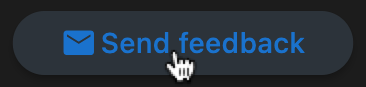
A simple Flutter button widget that opens the user's default email client with a pre-filled recipient and subject for sending feedback.
Features
- Opens the default email app on tap.
- Pre-fills recipient email address and subject line.
- Uses
url_launcherunder the hood. - Lightweight and easy to use.
- Exposes
sendEmailutility function for custom button implementations.
Usage
Using the Widget
import 'package:flutter/material.dart';
import 'package:send_email_feedback_button/send_email_feedback_button.dart';

class MyApp extends StatelessWidget {
  @override
  Widget build(BuildContext context) {
    return MaterialApp(
      home: Scaffold(
        body: Center(
          child: SendEmailFeedbackButton(
            emailAddress: "support@example.com",
            emailSubject: "App Feedback",
          ),
        ),
      ),
    );
  }
}
Using the Utility Function
For custom button implementations, you can use the sendEmail function directly:
import 'package:flutter/material.dart';
import 'package:send_email_feedback_button/send_email_feedback_button.dart';

class MyApp extends StatelessWidget {
  @override
  Widget build(BuildContext context) {
    return MaterialApp(
      home: Scaffold(
        body: Center(
          child: OutlinedButton.icon(
            onPressed: () => sendEmail(
              emailAddress: "support@example.com",
              emailSubject: "App Feedback",
            ),
            icon: Icon(Icons.email),
            label: Text("Send Feedback"),
          ),
        ),
      ),
    );
  }
}