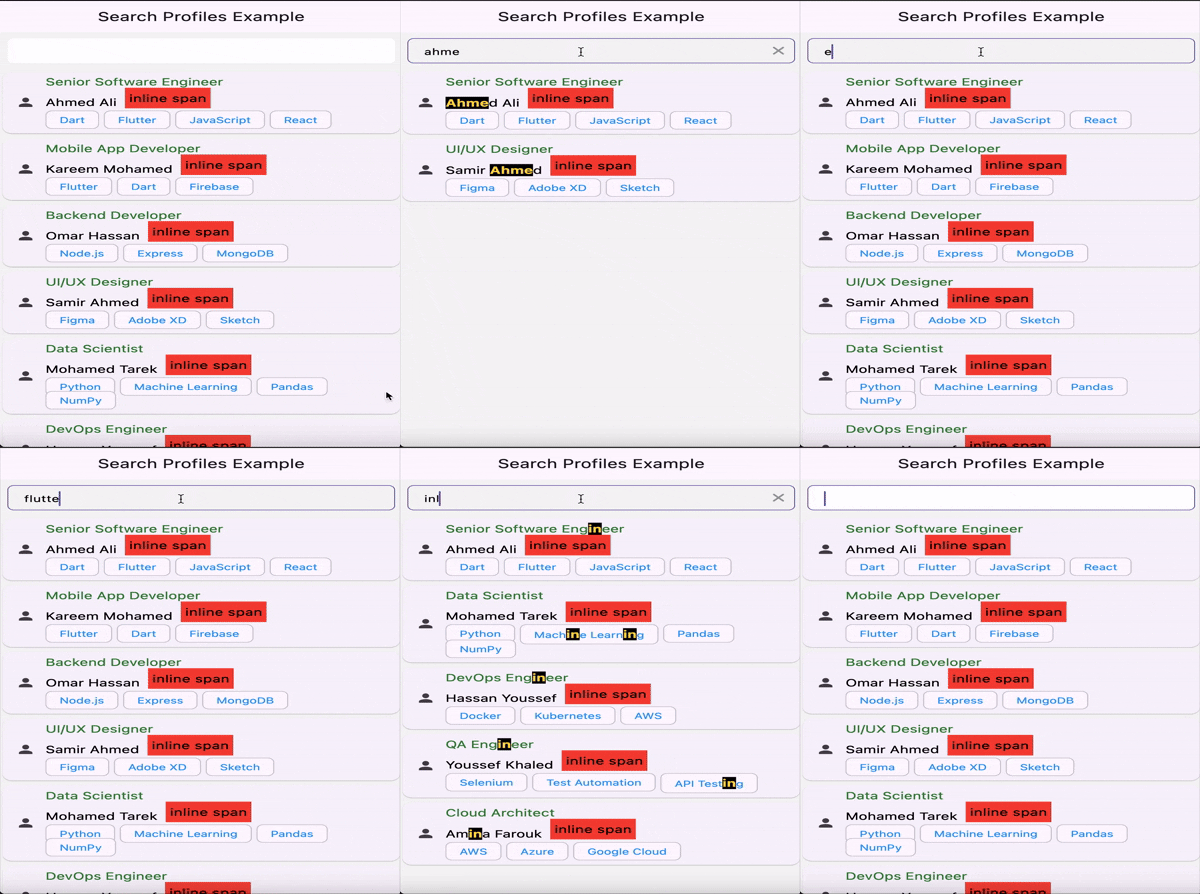
Simple Inherited Widget to highlight text in a search result, with custom highlight Color and highlight TextStyle.
Features
- Highlight text in a search result with custom highlight Color and highlight TextStyle.
- Highlight text in a search result without prasing the search text directly.
- Parse the search text as a regular expression.
- Optional diacritic-insensitive matching while preserving original accents in display.
Usage
 SearchTextInheritedWidget(
  searchText: 'search text',
  child: SearchHighlightText('text to highlight'),
 ),

 // or
SearchTextInheritedWidget(
  // you can use any RegExp here, like RegExp('[1-9]'), RegExp('search text with RegExp', caseSensitive: false), etc.
  searchRegExp: RegExp('search text with RegExp'),
  child: SearchHighlightText('text to highlight'),
),
you can also use SearchHighlightText directly, but you need to provide the searchText or searchRegExp to it.
SearchHighlightText(
  'text to highlight',
  searchText: 'search text',
),
### Diacritics

If you want searches to ignore accents (e.g., match "cafe" against "café"), enable `ignoreDiacritics`.

```dart
SearchHighlightText(
  'façade',
  searchText: 'facade',
  ignoreDiacritics: true,
)
How it works:
- Matching runs on a diacritic-stripped copy of your text, but highlighting is applied to the original, so accents remain visible.
- To keep behavior consistent, when
ignoreDiacriticsis enabled the providedsearchText(orsearchRegExp.pattern) is also normalized by removing diacritics. RegExp flags are preserved. - This removes diacritic marks; it does not perform ligature expansion (e.g., ß → ss, æ → ae).
## Example

See full example in [repo](https://github.com/amorenew/search_highlight_text_plus/tree/main/example).

```dart
// search_view.dart

class SearchView extends ConsumerWidget {
  const SearchView({Key? key}) : super(key: key);

  @override
  Widget build(BuildContext context, WidgetRef ref) {
    var controller = ref.watch(searchController);

    return GestureDetector(
      onTap: () {
        FocusManager.instance.primaryFocus?.unfocus();
      },
      child: Scaffold(
        backgroundColor: Colors.grey[100],
        appBar: AppBar(
          title: const Text('Search Profiles Example'),
        ),
        body: Column(
          children: [
            const SizedBox(
              height: 10,
            ),
            SearchField(
              controller: controller,
            ),
            Expanded(
              child: controller.isLoading
                  ? const Center(
                      child: CircularProgressIndicator(),
                    )
                  : SearchTextInheritedWidget(
                      searchText: controller
                          .searchText, // <-- Here we pass the search text to the widget tree to be used by the SearchHighlightText widget
                      child: ListProfilesWidget(
                        listProfiles: controller.profiles,
                      ),
                    ),
            ),
          ],
        ),
      ),
    );
  }
}
// profile_card.dart

class ProfileCard extends StatelessWidget {
  const ProfileCard({Key? key, required this.profile}) : super(key: key);

  final ProfileModel profile;

  @override
  Widget build(BuildContext context) {
    return Card(
      child: ListTile(
        title: SearchHighlightText( // <-- Here we use the SearchHighlightText widget to highlight the search text (if any) in the profile title
          profile.title,
        ),
        subtitle: Text(profile.year),
        leading: SizedBox(
          width: 100,
          child: Image.network(
            profile.posterUrl,
            fit: BoxFit.cover,
            errorBuilder: (context, error, stackTrace) {
              return const Icon(Icons.error);
            },
          ),
        ),
      ),
    );
  }
}