
salah Package
Overview
A must-have Flutter package for developers looking to implement clean architecture. With easy-to-use generators, you can quickly create start projects, functions, views, view Models, and widgets, while also benefiting from a wide range of useful extensions. Streamline your workflow and build better apps with SALAH.
Installation
To install salah, simply run the following command in your terminal:
flutter pub add --dev salah
Usage
Once salah is installed, you can use the following commands in your terminal:
Create new project structure
flutter pub run salah start
This command creates a new project with prepared files and extensions, such as routes, image management, icon management, string management, and the Clean Architecture structure.
Flags
--force: This flag forces the creation of a new project and deletes existing files.
Your project will look like:


Create function
flutter pub run salah add-function <function_name>
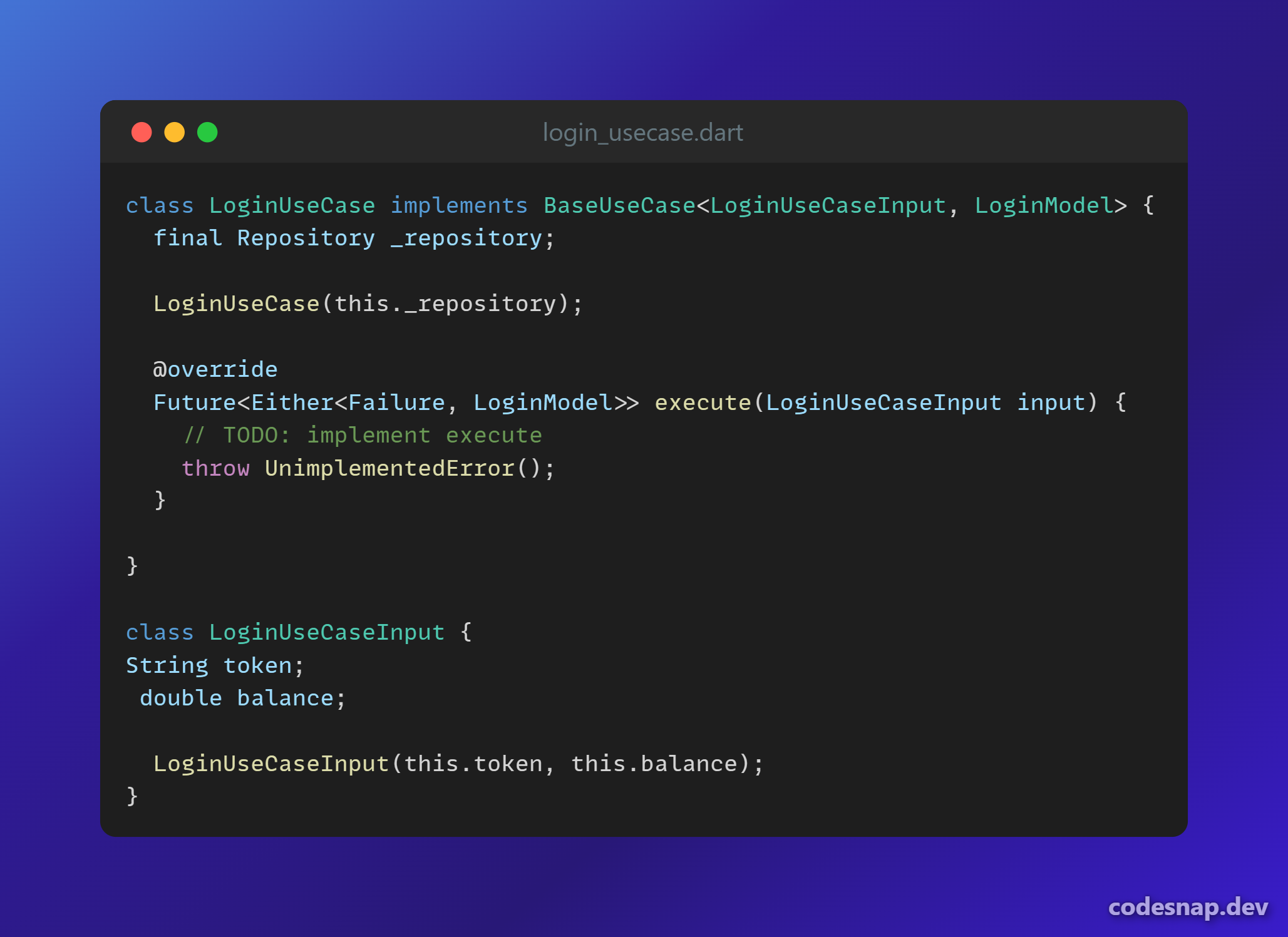
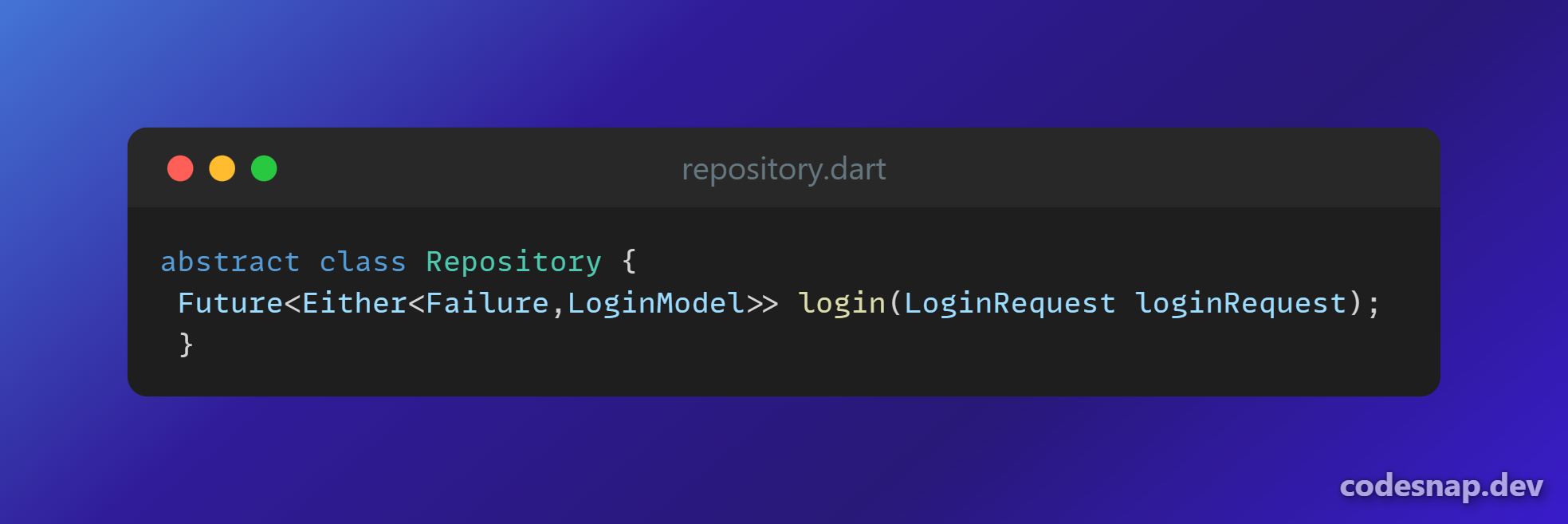
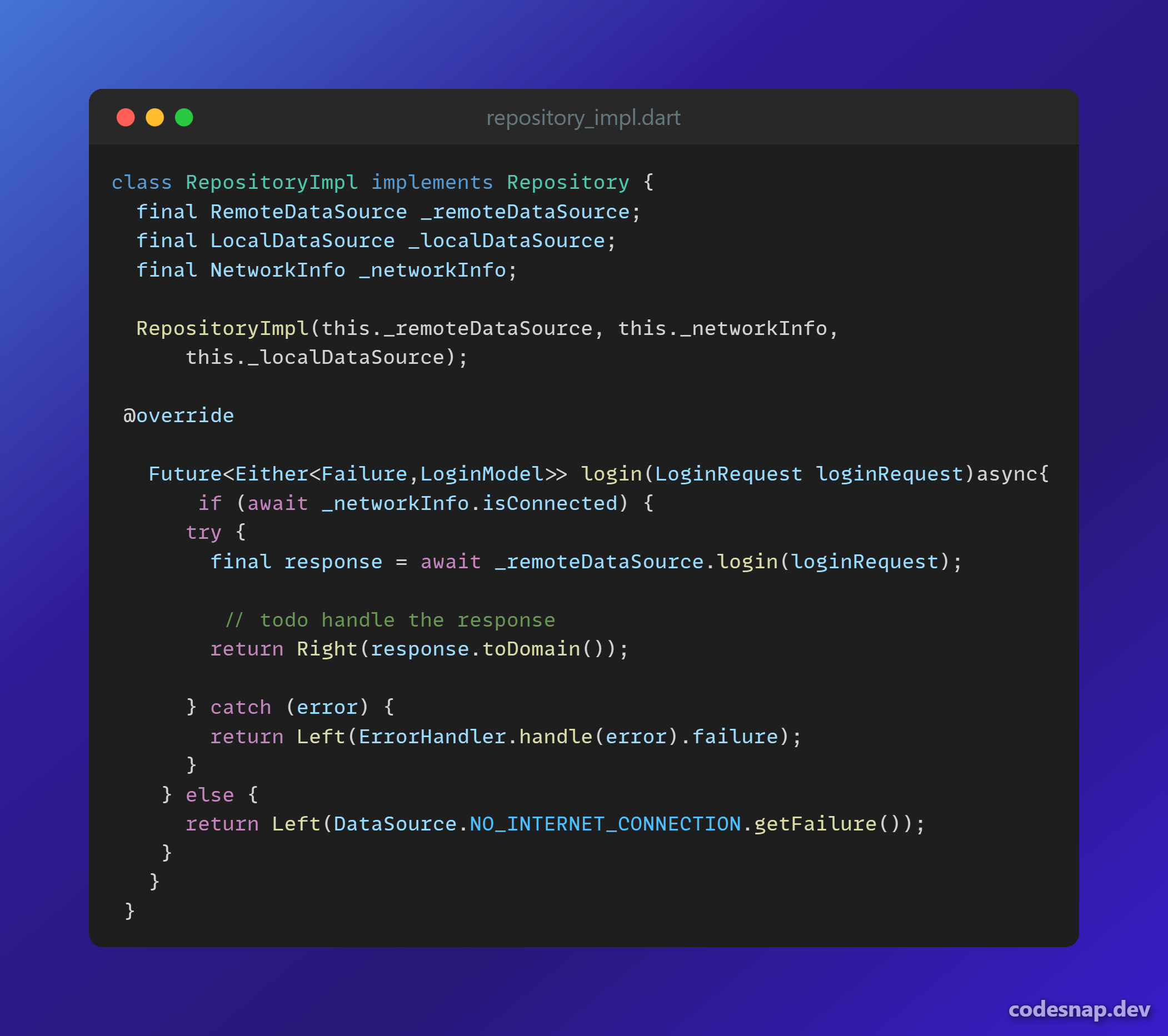
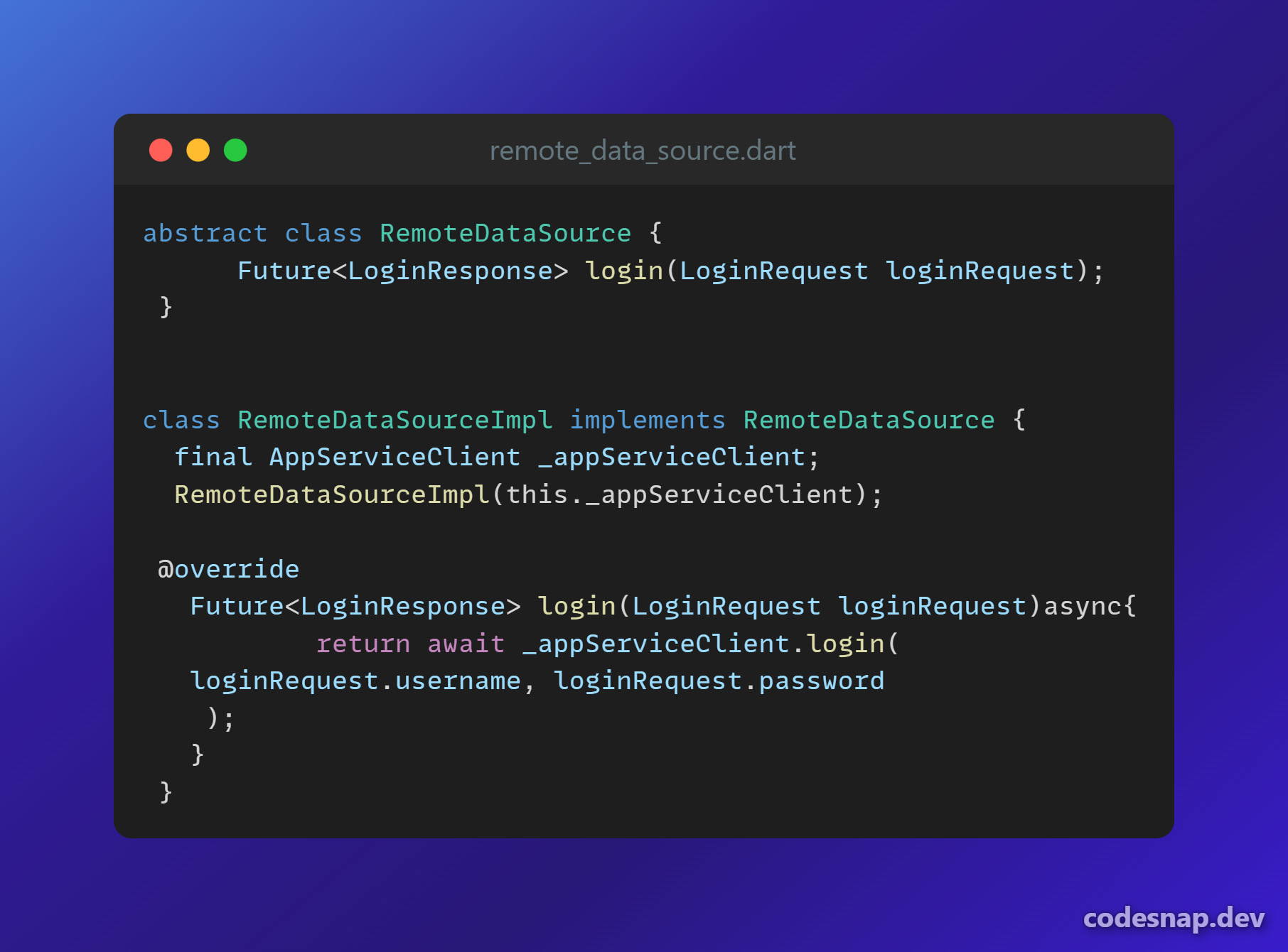
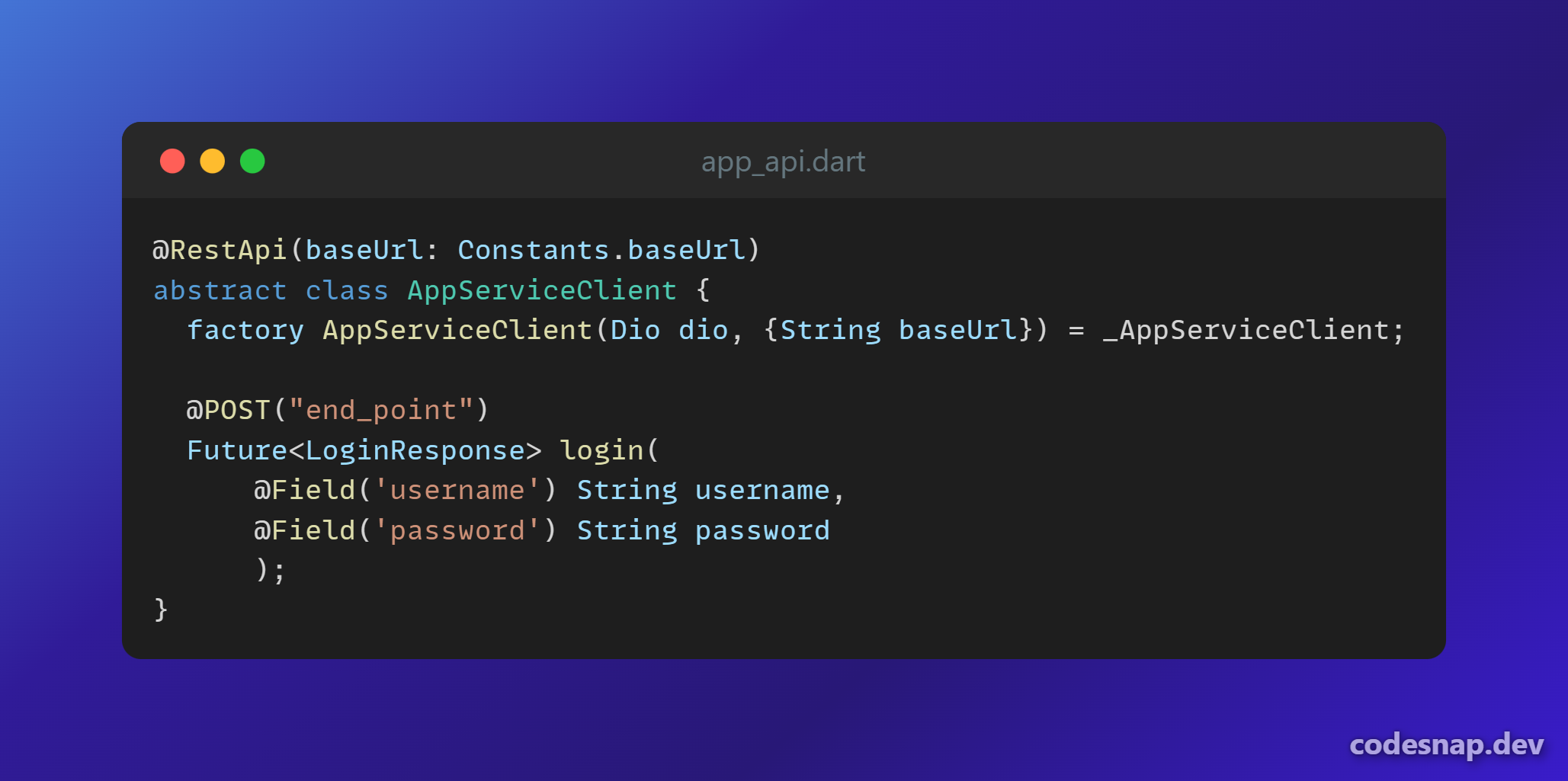
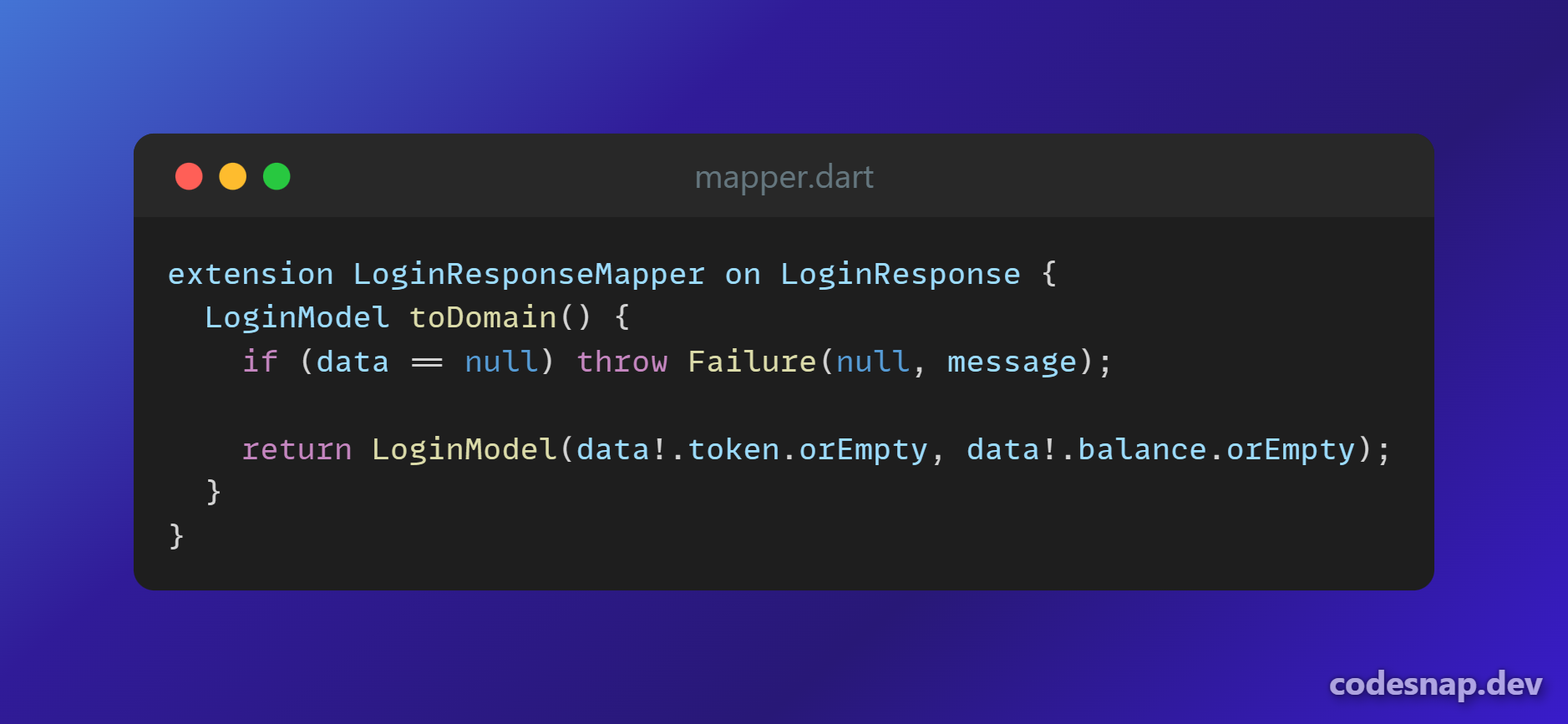
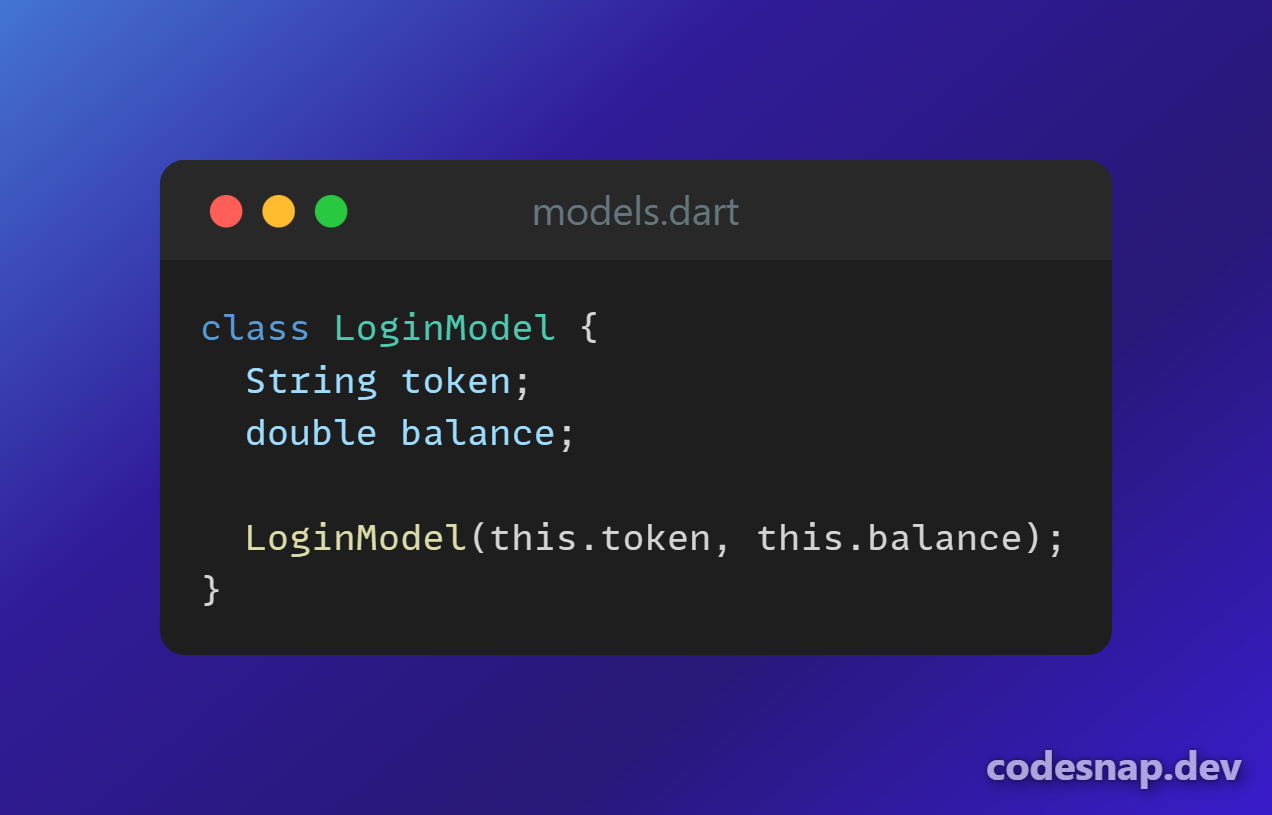
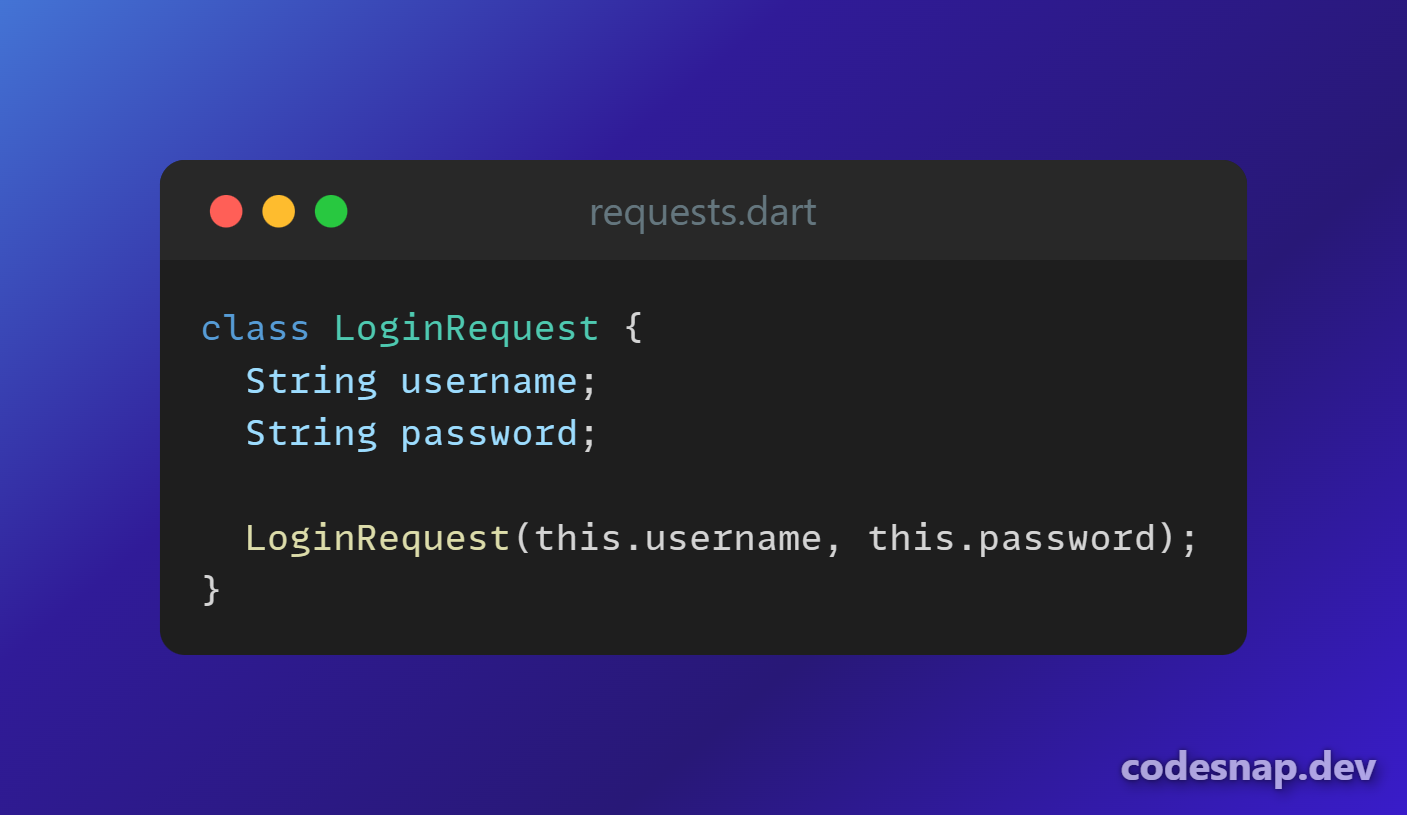
This command creates the file login_usecase.dart and function in the repository and repository implementation, as well as a remote data source ( if you run it with --local will create function in the local data source file ) and appApi class, which is responsible for getting data from the API.
Flags
-attr: This flag is used to attach attributes to the function.Example :
flutter pub run salah add-function login -attr usrname:String password:String-response: This flag is used to attach the expected response from the API.Example :
in the case you wanna get a list of objects , for example get a list of products you can simply add the prefix “listof” and then specifi the content of each offer exampleflutter pub run salah add-function login -response token:String balance:doubleflutter pub run salah add-function getProducts -response listof title:String description:String price:double images:List<String>-modelname: This flag is used when you want to make the name of the model different from the name of the function.Example :
flutter pub run salah add-function getUser -response username:String email:String image:String -modelname user-endpointand-method: These flags are used to specify the endpoint of your HTTP request and the method you are using (GET, POST, etc.).salah add-function getUser -response username:String email:String image:String -modelname user -endpoint “auth/user” -method GET--local: This flag is used to add the function to the local data source, such as when you want to get data from the user's device like images or contacts.salah add-function getContacts –local -response listof name:String phone:String
Live example:
the resault of this command:
flutter pub run salah add-function login -attr username:String password:String -response token:String balance:double
| All this code is generated automatically | . |
|---|---|
 |
|
 |
 |
 |
 |
 |
 |
 |
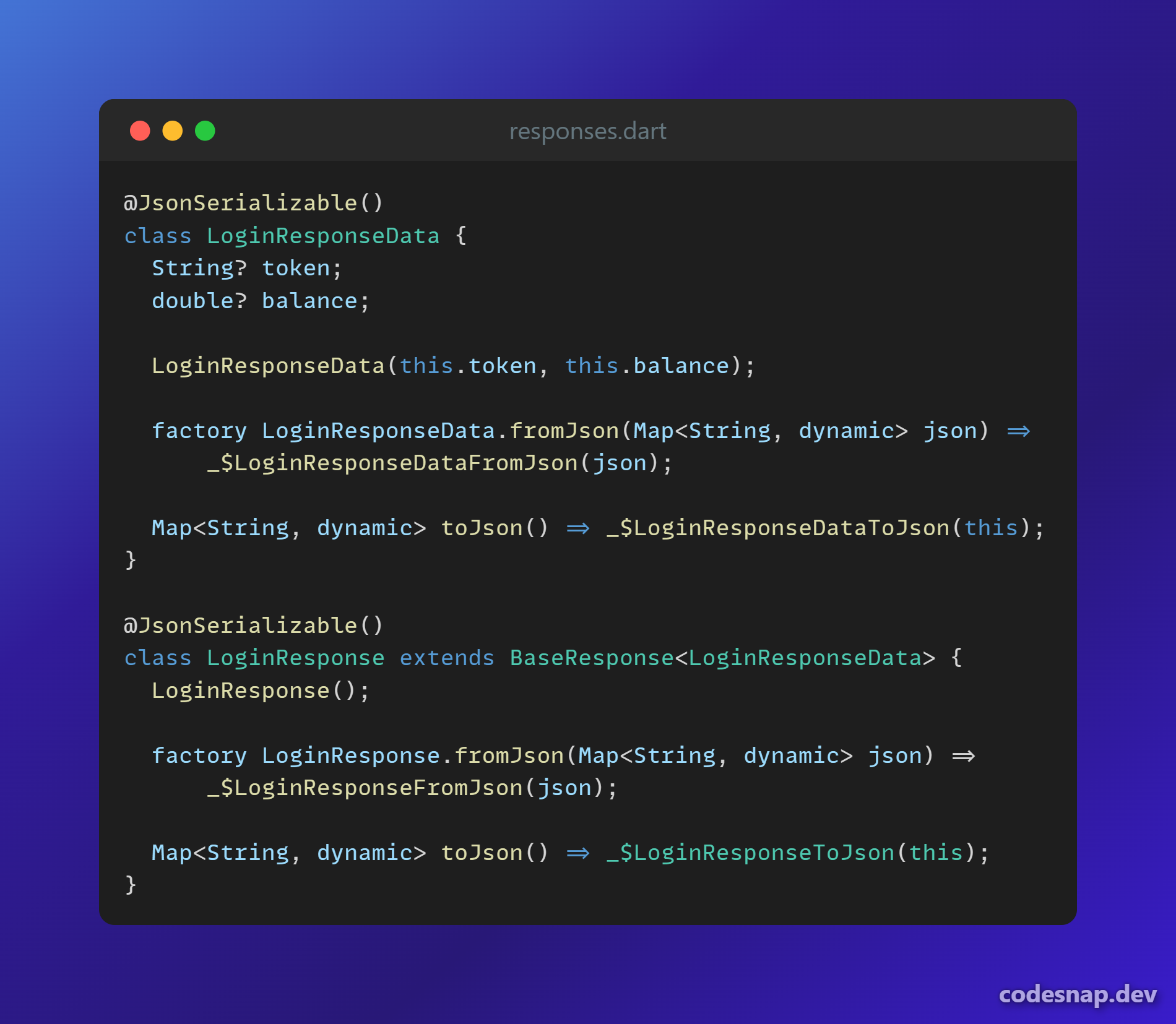 |
Create screen/view
flutter pub run salah create-view <screen/view-name>
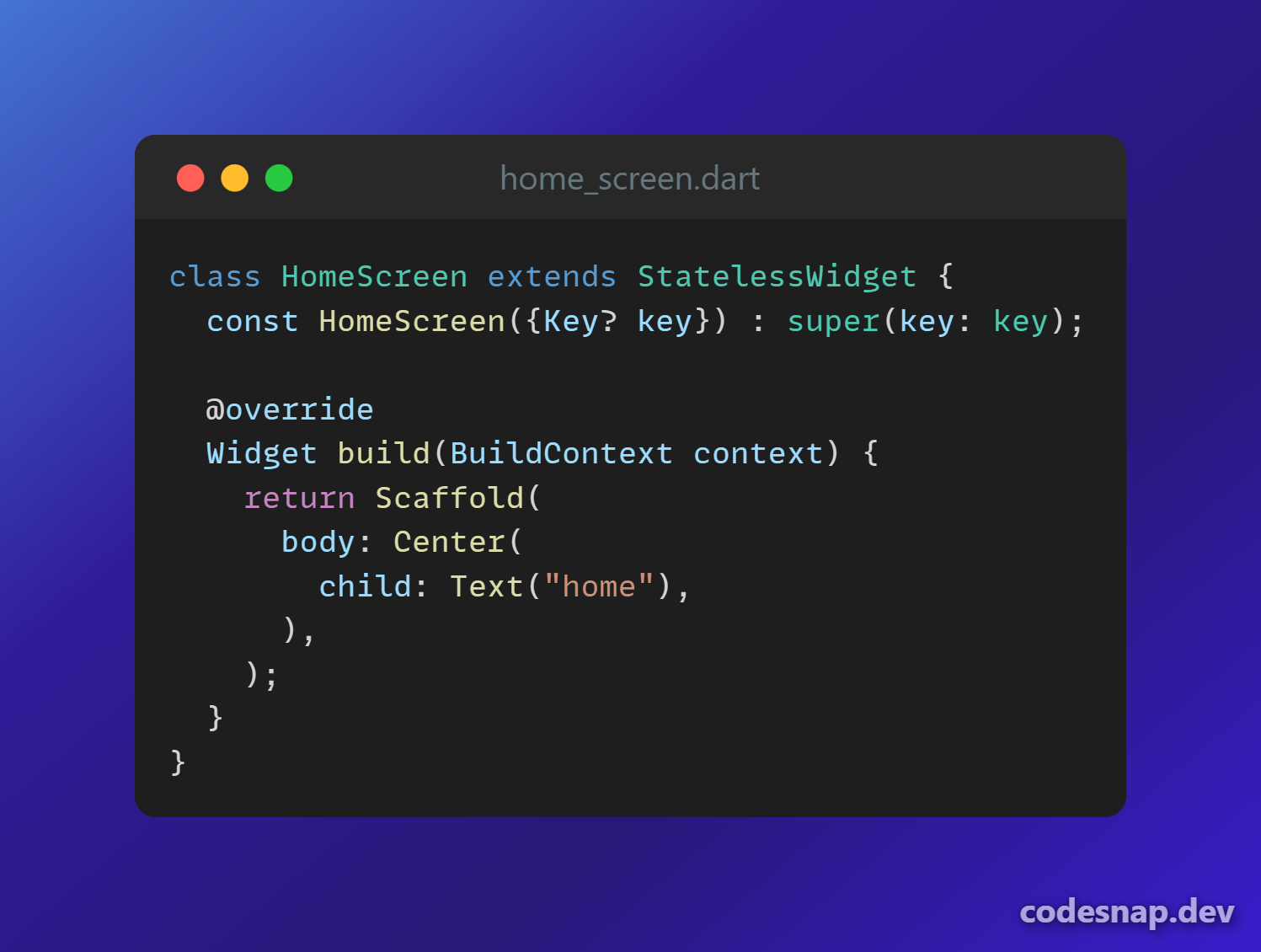
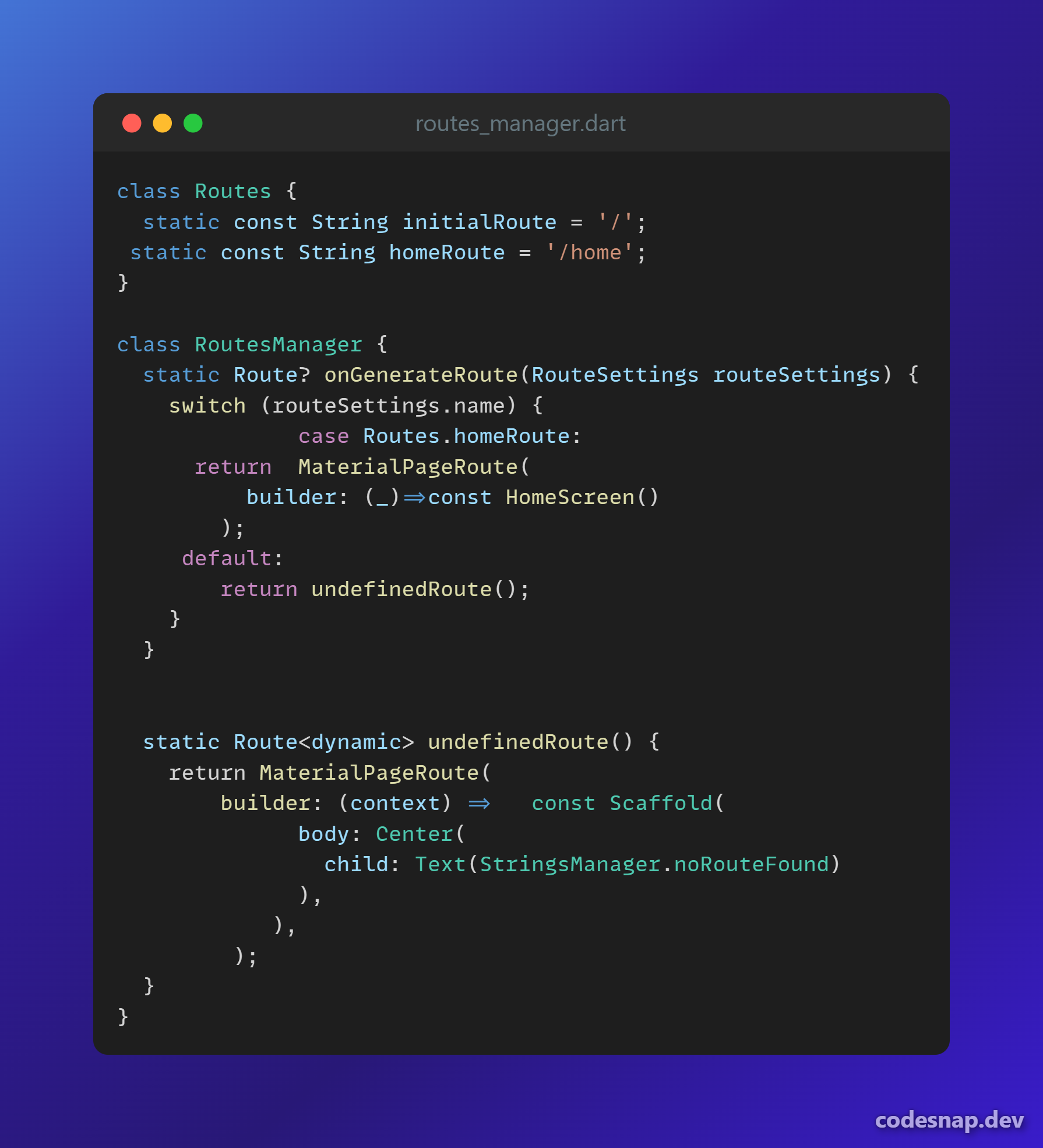
This command creates a screen in the presentation/views/ directory and adds the screen to the Routes class.
Live example:
the resault of this command:
flutter pub run salah create-view home

| HomeScreen file | RoutesManager file after adding HomeScreen |
|---|---|
 |
 |
Create viewModel/controller
flutter pub run salah create-viewmodel <viewmodel-name>
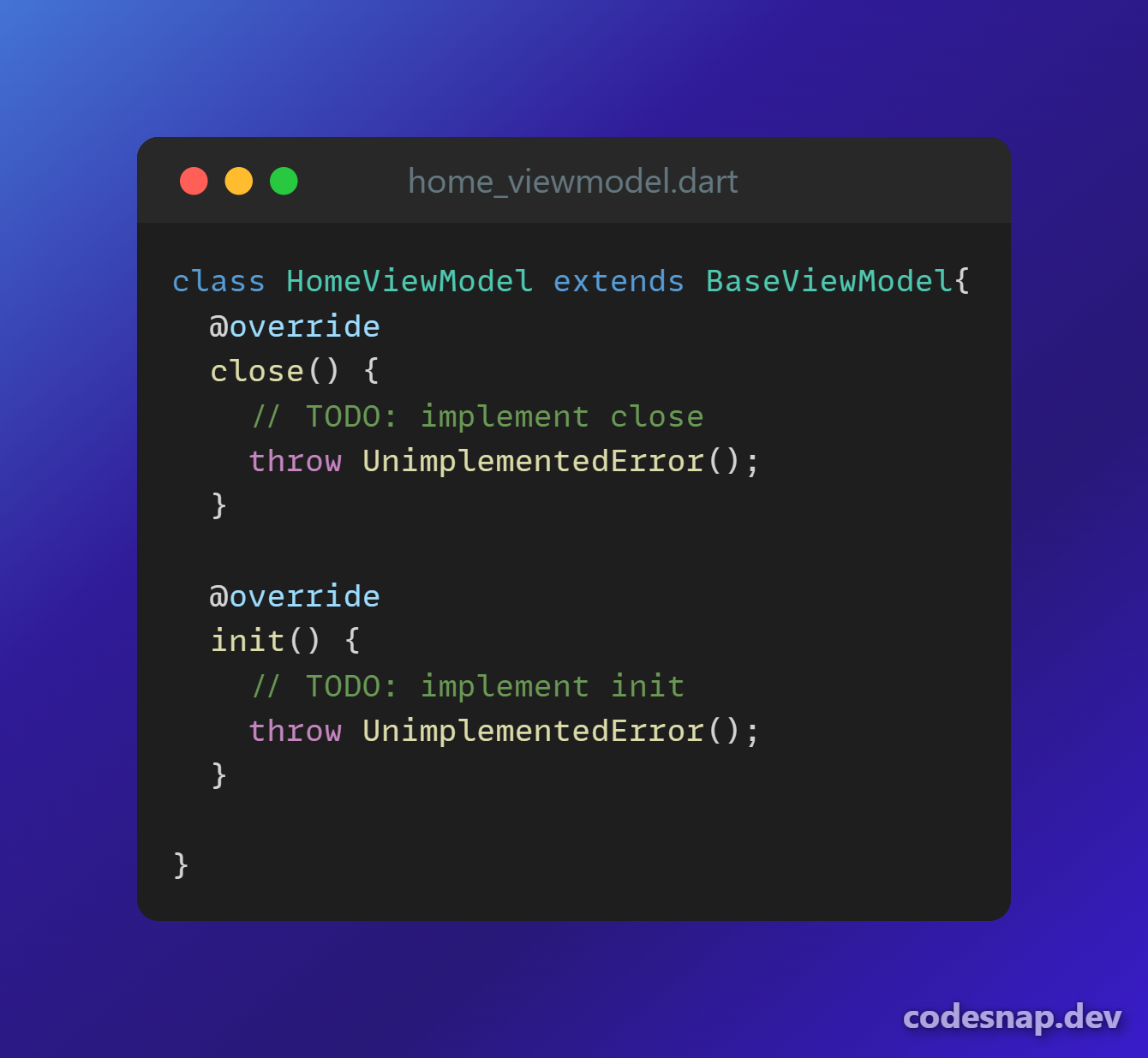
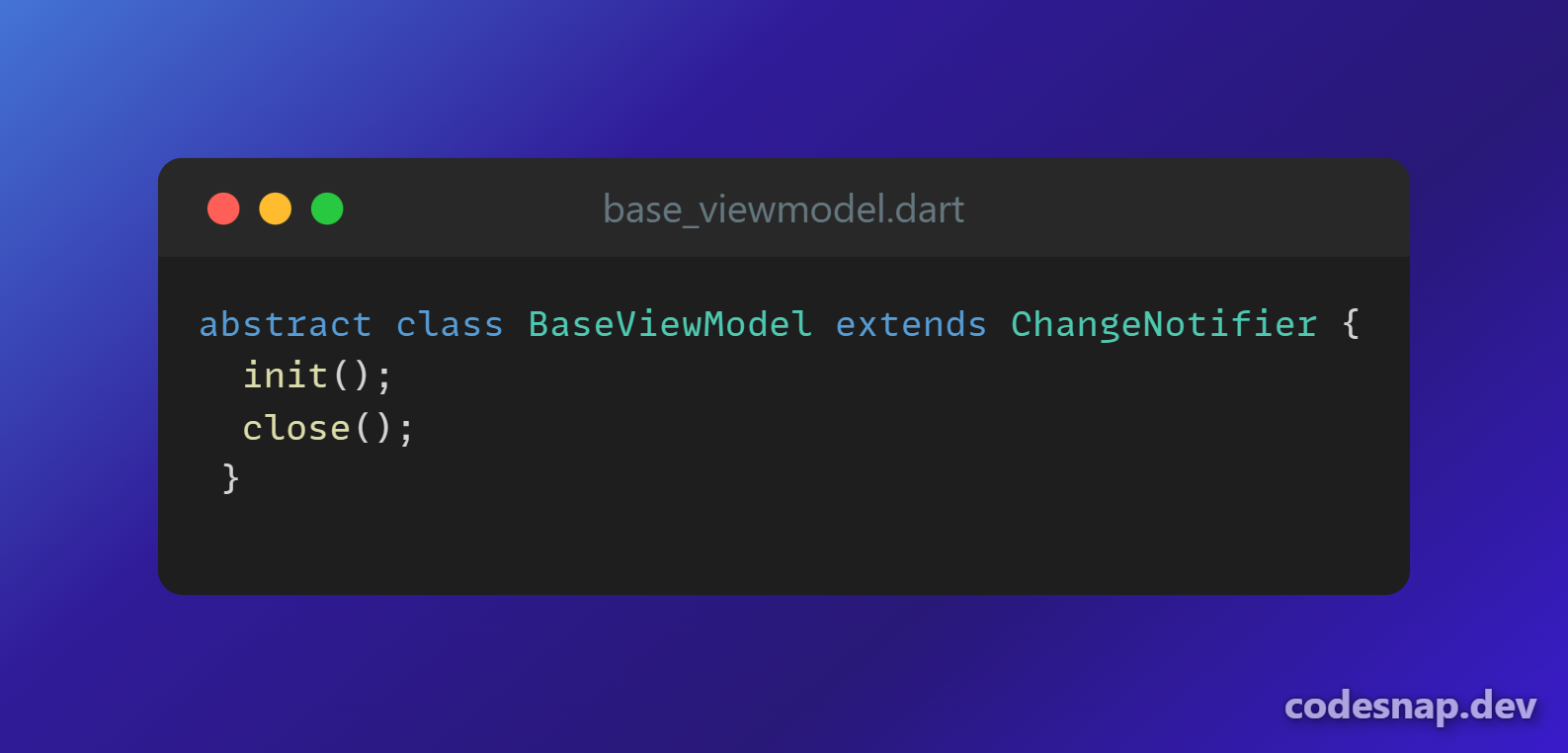
This command creates a viewmodel file in presentation/view_models.
Live example:
the resault of this command:
flutter pub run salah create-viewmodel home

| HomeViewModel | BaseViewModel ( created in the first command 'flutter run salah start' ) |
|---|---|
 |
 |
Create widget
flutter pub run salah create-widget <widget-name>
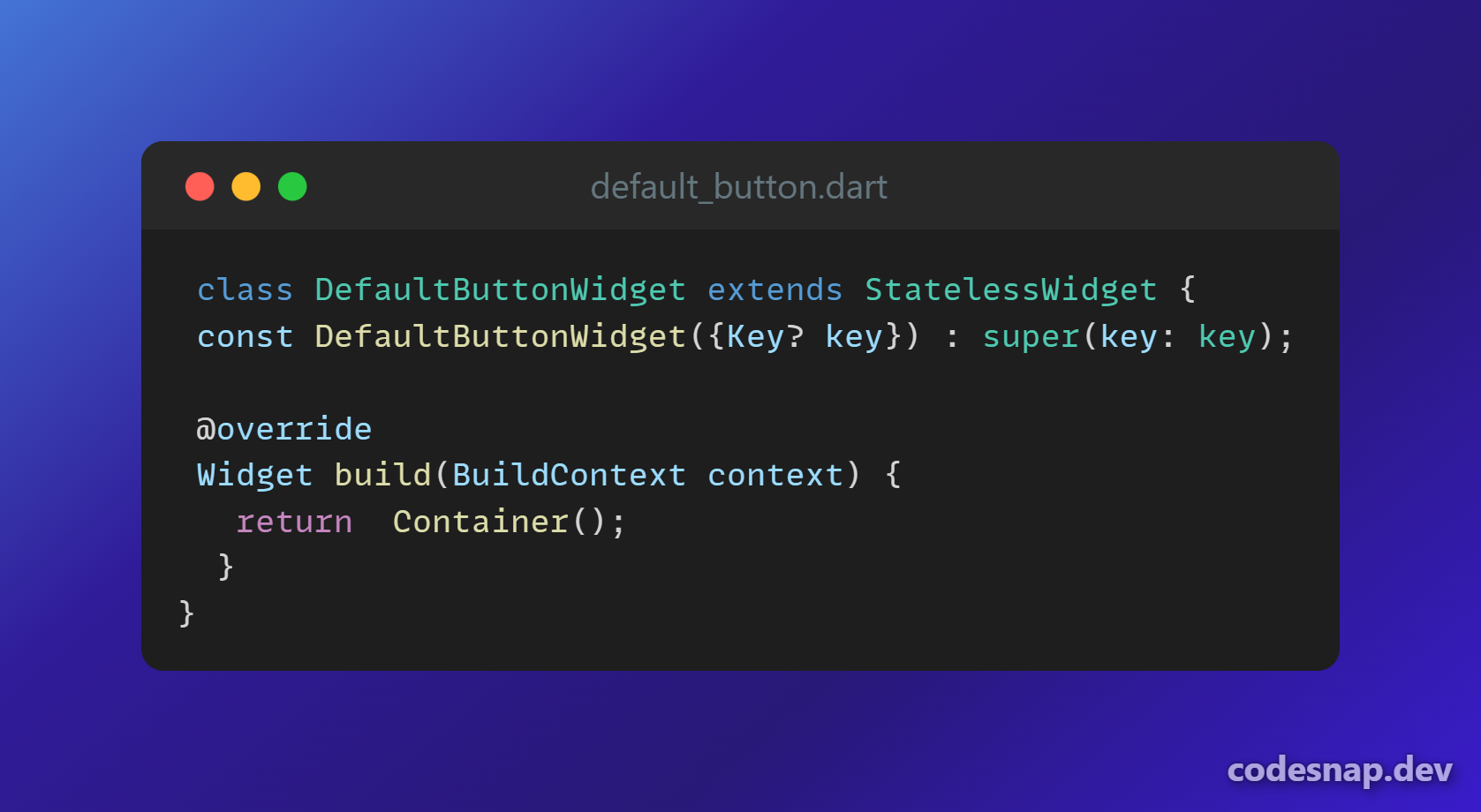
This command creates a widget file in presentation/widgets.
Live example:
the resault of this command:
flutter pub run salah create-widget defaultButton

For fun
After each command you write you can add --please and you'll get

License
This package is licensed under the MIT License.
Libraries
- create_function/create_function
- create_view/create_view
- create_viewmodel/create_viewmodel
- create_widget/create_widget
- exteions
- start_project/contents/constants
- start_project/layers/assets
- start_project/layers/config
- start_project/layers/core
- start_project/layers/data
- start_project/layers/domain
- start_project/layers/main
- start_project/layers/models
- start_project/layers/presentation
- start_project/start_project