
rolling_number_text
A Flutter package for animated number text with rolling digit animation and increase/decrease amount display.
Preview
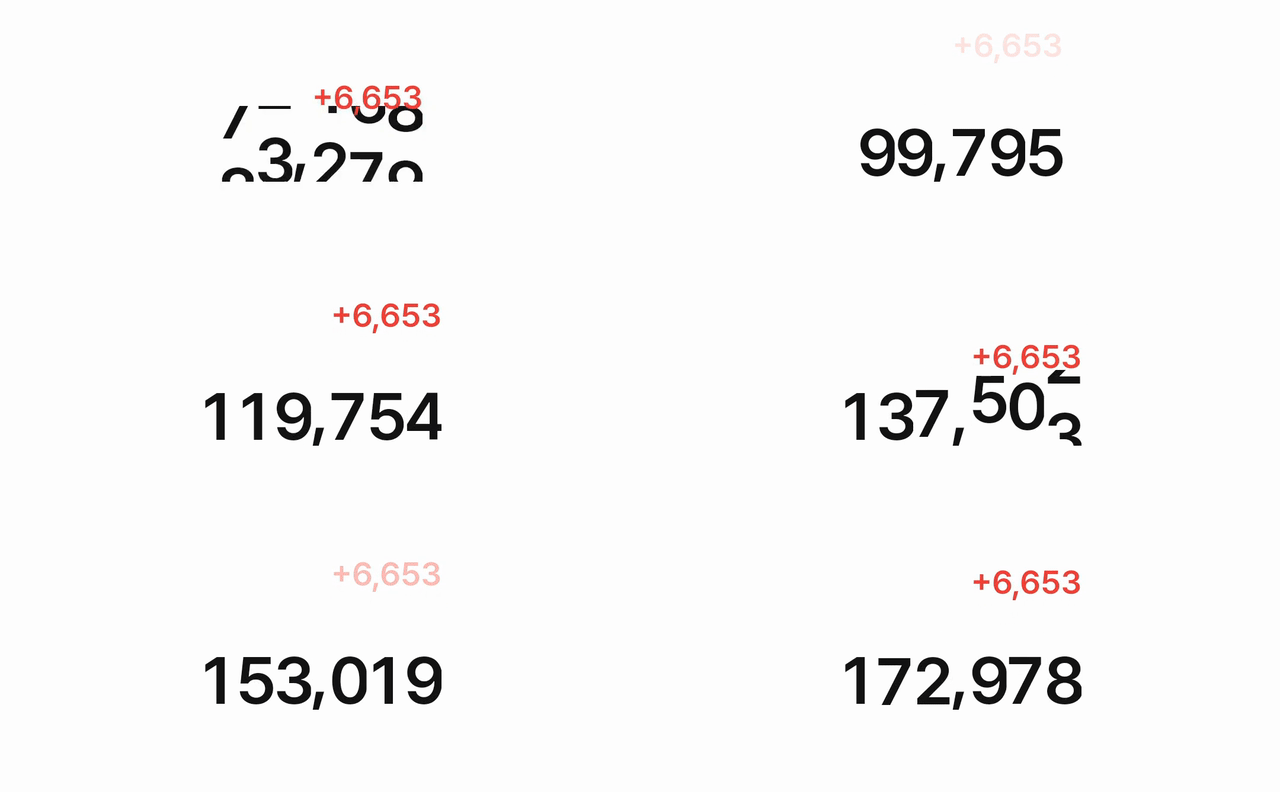
Features
- 🎯 Rolling digit animation with customizable direction (up/down)
- 📈 Automatic increase/decrease amount display
- 🎨 Fully customizable styles and animations
- ⚡ Built with Flutter's ValueNotifier for reactive state management
- 🎭 Smooth animations with customizable curves
- 📦 Zero external dependencies (except Flutter SDK)
Installation
Add this to your package's pubspec.yaml file:
dependencies:
  rolling_number_text: ^1.0.6
Usage
Basic Usage
import 'package:rolling_number_text/rolling_number_text.dart';

// 1. Create and initialize controller
final controller = AnimatedNumberTextController();
controller.initialize(1000000, shouldAnimate: true);

// 2. Use the widget
AnimatedNumberText(
  controller: controller,
)

// 3. Update price
controller.updatePrice(5000000);

// 4. Dispose controller when done
controller.dispose();
Customization
AnimatedNumberText(
  controller: controller,
  digitSpacing: 4.0, // Space between digits
  digitTextStyle: TextStyle(
    fontSize: 28,
    fontWeight: FontWeight.bold,
    color: Colors.blue,
  ),
  increaseTextStyle: TextStyle(
    fontSize: 18,
    fontWeight: FontWeight.w600,
    color: Colors.green,
  ),
  animationDuration: Duration(milliseconds: 1000),
  animationCurve: Curves.easeInOut,
  increaseAnimationDuration: Duration(milliseconds: 1500),
  increaseAnimationCurve: Curves.fastEaseInToSlowEaseOut,
  increaseTextTop: -20, // Top position of increase text
  increaseTextRight: 0, // Right position of increase text
)
API Reference
AnimatedNumberTextController
Methods
initialize(int initialPrice, {bool shouldAnimate = true, Duration? customDuration})- Initialize the controller with initial priceupdatePrice(int newPrice, {bool shouldAnimate = true, Duration? customDuration})- Update the price with animationstartAnimation()- Start animationstopAnimation()- Stop animationtoggleAnimation()- Toggle animation state
AnimatedNumberText
Parameters
controller(required) - AnimatedNumberTextController instancedigitSpacing- Space between digits (default: 0.0)digitTextStyle- Style for digits (default: fontSize 24, fontWeight w600, color black)increaseTextStyle- Style for increase amount text (default: fontSize 16, fontWeight w600, color red)animationDuration- Duration for digit animation (default: 700ms)animationCurve- Curve for digit animation (default: Curves.easeOutCubic)increaseAnimationDuration- Duration for increase amount animation (default: 1300ms)increaseAnimationCurve- Curve for increase amount animation (default: Curves.fastEaseInToSlowEaseOut)increaseTextTop- Top position of increase text (default: -4)increaseTextRight- Right position of increase text (default: 0)
License
MIT