
riverpod_devtools

A DevTools extension for Riverpod - inspect and monitor your providers in real-time.
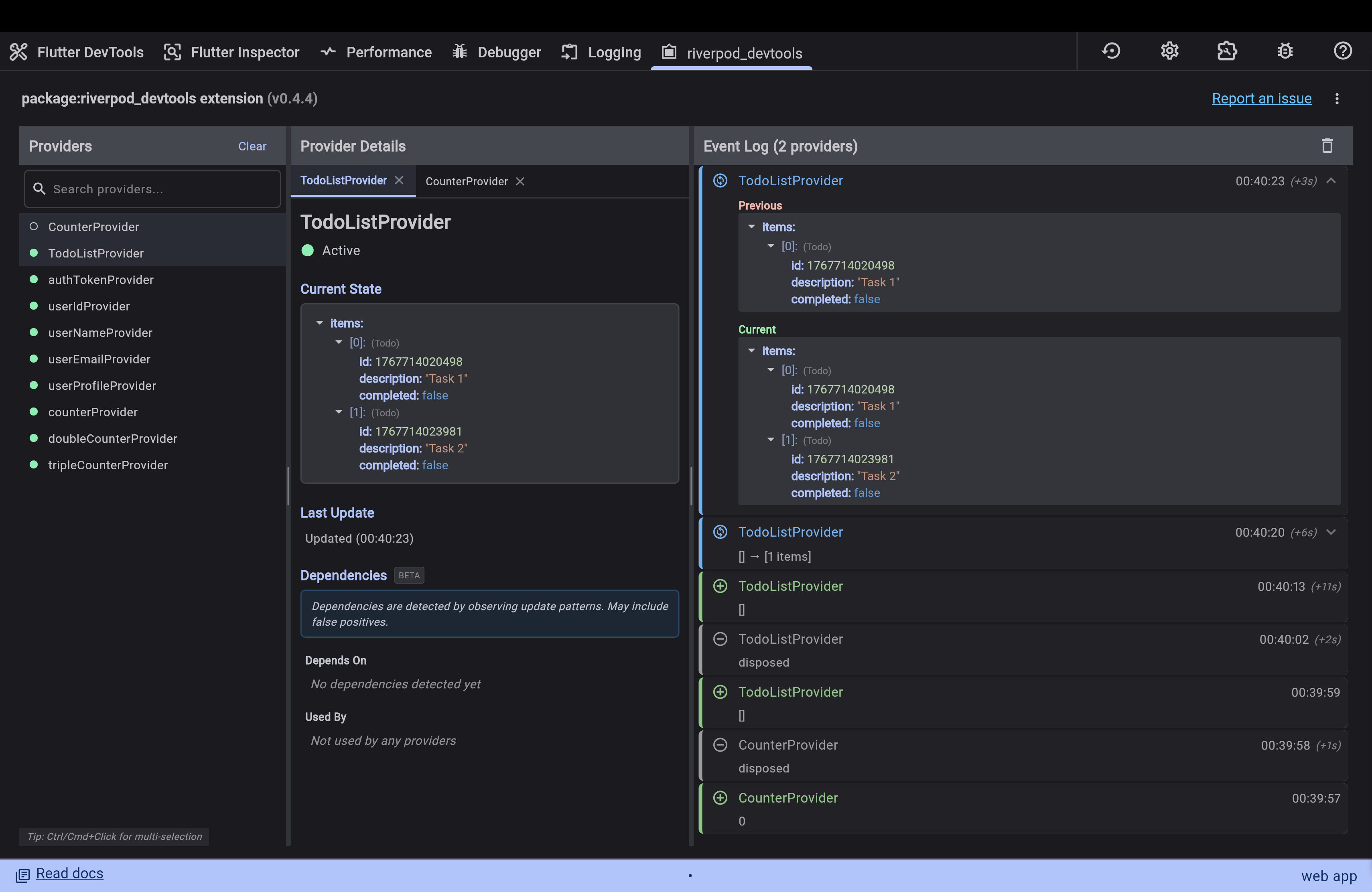
Features
- Provider Graph: Visualize the relationships between your providers (Beta: Learning-based tracking).
- State Inspector: View the current state of your providers with type labels and optimized display.
- Event Log: Track provider lifecycle events with hierarchical grouping and sub-events.
- Light Mode Support: Seamlessly switch between light and dark themes.
Getting started
-
Add
riverpod_devtoolsto yourpubspec.yaml:Run the command:
flutter pub add riverpod_devtoolsOr manually add it:
dependencies:
  riverpod_devtools: ^0.4.4
  flutter_riverpod: '>=2.3.0 <4.0.0'
Note: This package supports both Riverpod 2.x and 3.x.
-
Add
RiverpodDevToolsObserverto yourProviderScope:While the DevTools extension is automatically detected, you must add the observer to enable communication between your app and the DevTools.
import 'package:flutter_riverpod/flutter_riverpod.dart';
import 'package:riverpod_devtools/riverpod_devtools.dart';

void main() {
  runApp(
    ProviderScope(
      observers: [
        RiverpodDevToolsObserver(),
      ],
      child: MyApp(),
    ),
  );
}
Usage
- Run your Flutter app.
- Open semantic DevTools (open the debugger).
- Look for the "riverpod_devtools" tab in DevTools.
- Interact with your app and watch the events and state updates in the DevTools tab.
Additional information
- Repository: https://github.com/yutsuki3/riverpod_devtools
- Issues: https://github.com/yutsuki3/riverpod_devtools/issues
Contributions are welcome!
License
This package is released under the MIT License. See LICENSE for details.