
Preload Google Ads


A high-performance Flutter plugin for background preloading of Google Mobile Ads (AdMob). Deliver a seamless, zero-latency experience by fetching ads before your users even need them.
Key Features
- Zero Latency: Preload ads during app startup for immediate display.
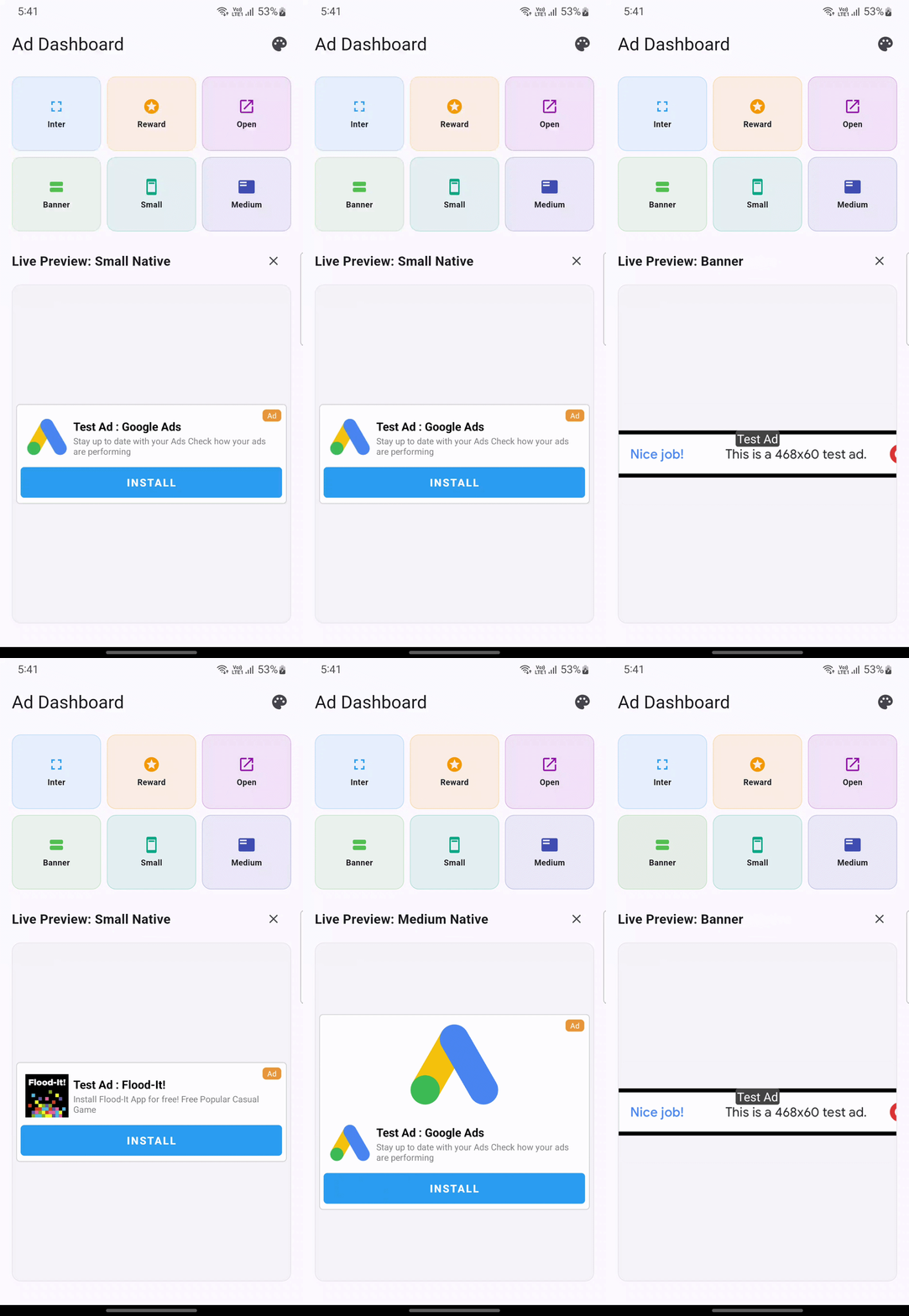
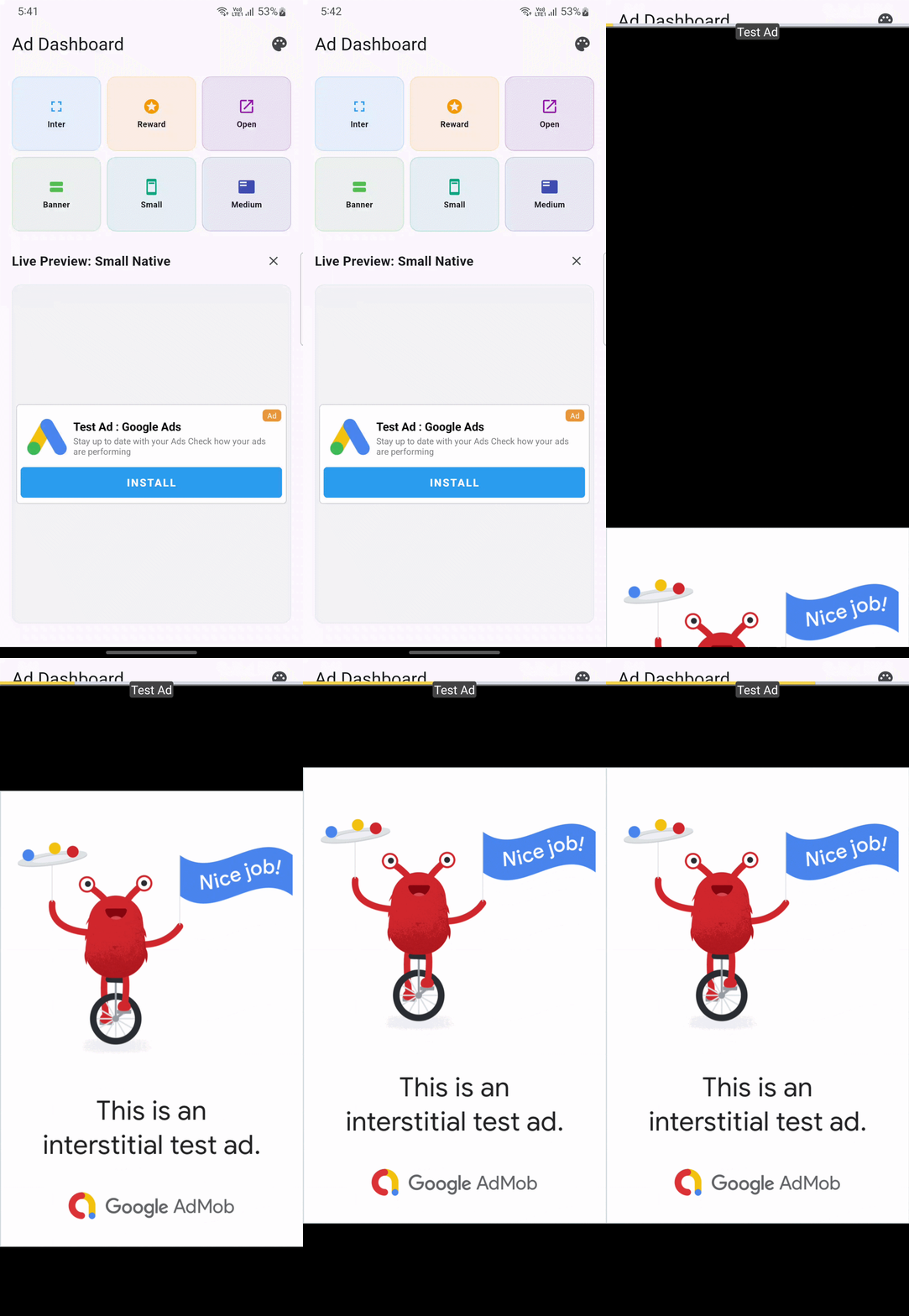
- All Formats Supported: App Open, Interstitial, Rewarded, Native (Small/Medium), and Banner.
- Auto-Reloading: Automatically fetches fresh ads after display or failure.
- Click Counter Logic: Customizable frequency control (e.g., show every 3rd click).
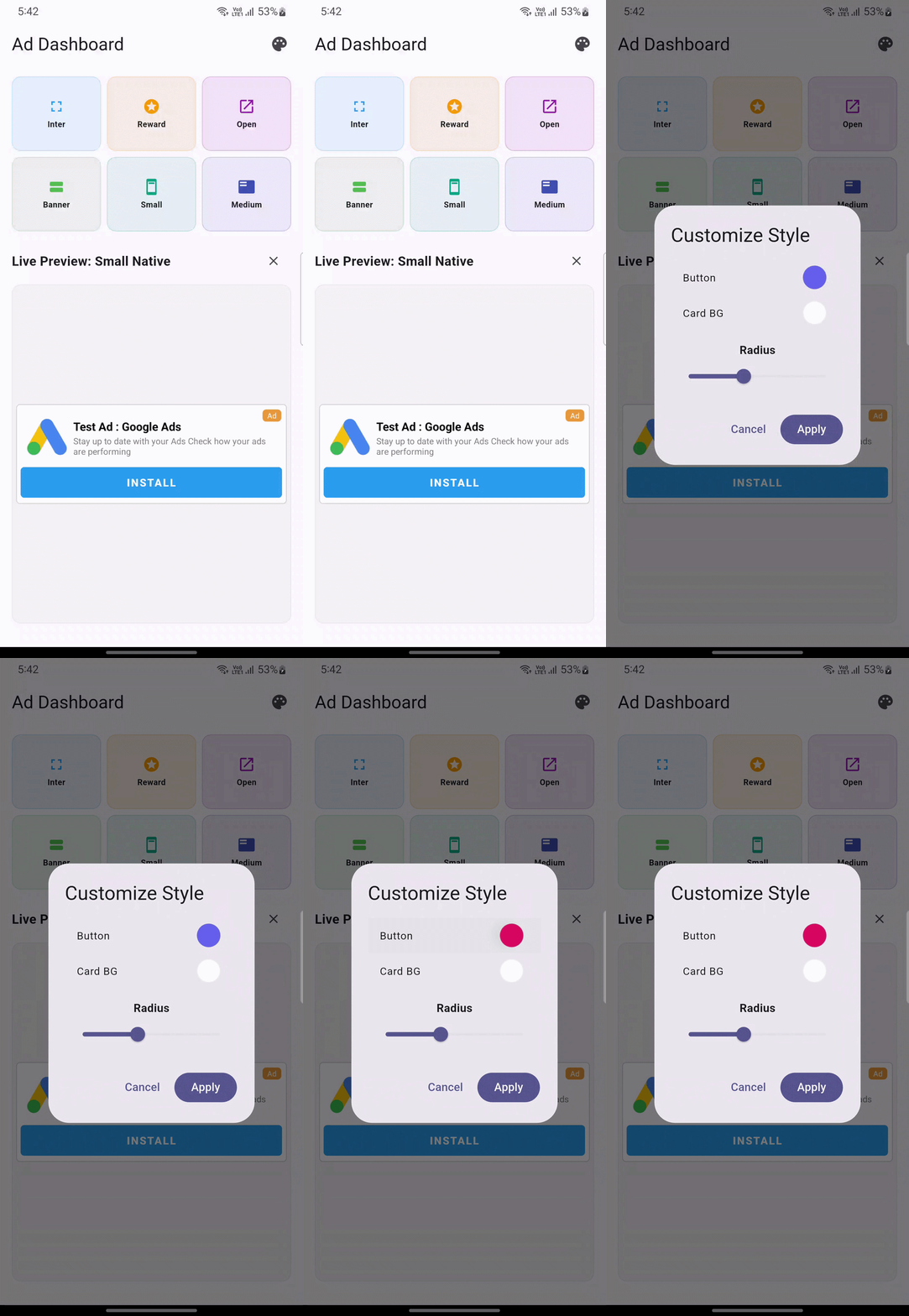
- Deep Customization: Style native ads via Kotlin (Android) or Flutter views.
- Developer Friendly: Built-in Ad Counter for real-time tracking and debugging.
- Fallback Ready: Defaults to test ad IDs for safe and easy development.
Preview
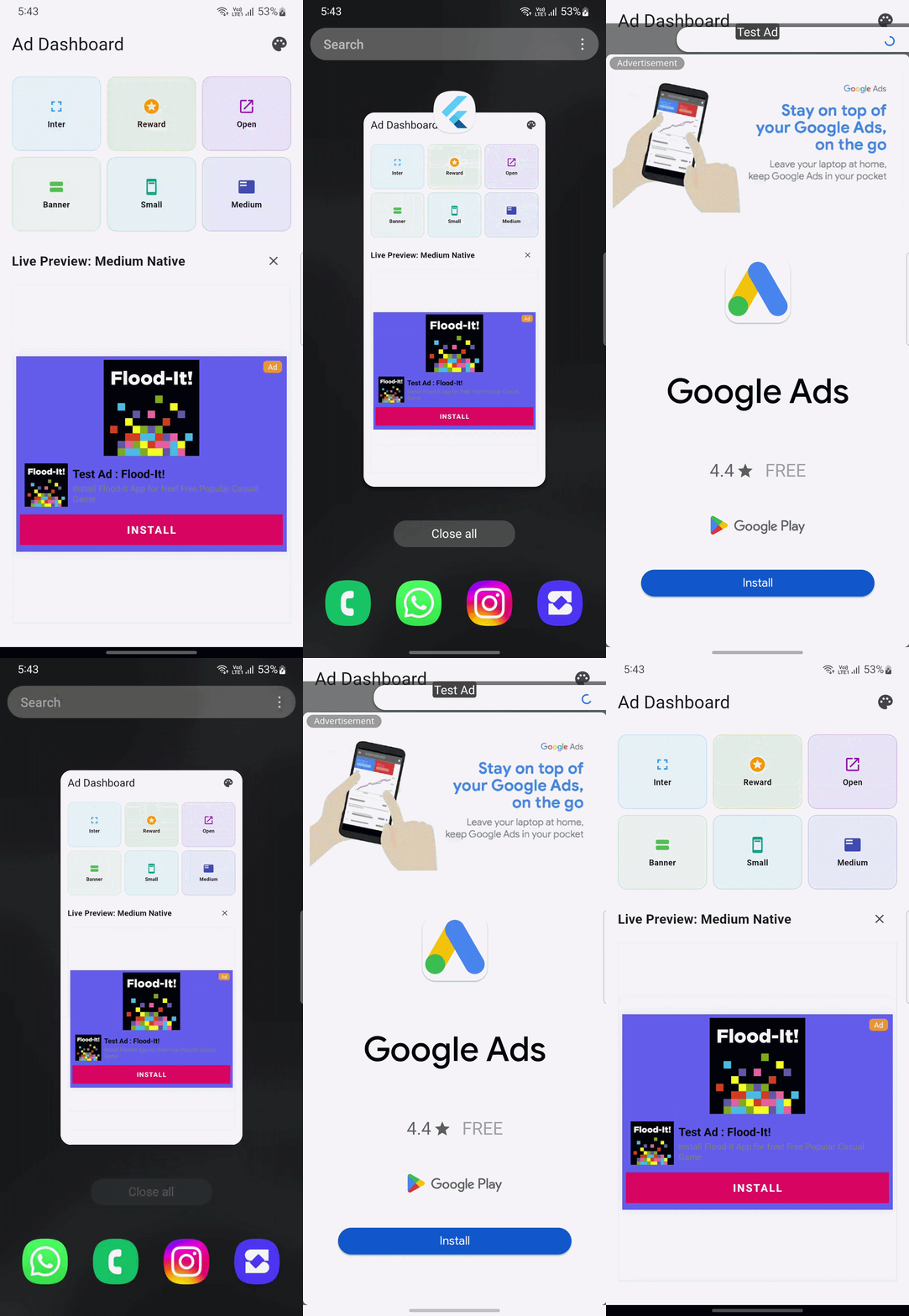
Below are some previews showing ad preloading in action. Notice the instant display!
Getting Started
1. Installation
Add this to your pubspec.yaml:
dependencies:
  preload_google_ads: ^1.0.3
Or run:
flutter pub add preload_google_ads
2. Platform Setup
Important: Configure your AdMob App ID in both Android and iOS projects to avoid crashes.
Android
Update android/app/src/main/AndroidManifest.xml:
<manifest>
    <application>
        <meta-data
            android:name="com.google.android.gms.ads.APPLICATION_ID"
            android:value="ca-app-pub-xxxxxxxxxxxxxxxx~yyyyyyyyyy"/>
    </application>
</manifest>
iOS
Update ios/Runner/Info.plist:
<key>GADApplicationIdentifier</key>
<string>ca-app-pub-xxxxxxxxxxxxxxxx~yyyyyyyyyy</string>
Basic Usage
Initialize the plugin in your main() function. This kicks off the background preloading immediately.
void main() async {
  WidgetsFlutterBinding.ensureInitialized();

  // Initialize and start preloading
  await PreloadGoogleAds.instance.initialize(
    adConfigData: AdConfigData(
      adIDs: AdIDS(
        appOpenId: AdTestIds.appOpen,
        bannerId: AdTestIds.banner,
        nativeId: AdTestIds.native,
        interstitialId: AdTestIds.interstitial,
        rewardedId: AdTestIds.rewarded,
      ),
    ),
  );

  runApp(const MyApp());
}
Advanced Configuration
Click Counters & AD Flags
Control specifically which ads to show and how frequently they appear.
PreloadGoogleAds.instance.initialize(
  adConfigData: AdConfigData(
    adCounter: AdCounter(
      interstitialCounter: 2, // Show every 2 clicks
      nativeCounter: 0,       // Show every time
      rewardedCounter: 1,     // Show every click
    ),
    adFlag: AdFlag(
      showAd: true,
      showBanner: true,
      showInterstitial: true,
      showNative: true,
      showOpenApp: true,
      showRewarded: true,
      showSplashAd: false,
    ),
  ),
);
Native Ad Styling
Customize the appearance of native ads to match your branding perfectly.
NativeADLayout(
  padding: EdgeInsets.all(8),
  decoration: BoxDecoration(
    color: Colors.white,
    border: Border.all(color: Colors.grey.withOpacity(0.5)),
    borderRadius: BorderRadius.circular(12),
  ),
  adLayout: AdLayout.nativeLayout, // Uses Kotlin layout on Android
  customNativeADStyle: CustomNativeADStyle(
    buttonBackground: Colors.blueAccent,
    titleColor: Colors.black,
  ),
)
Showing Ads
| Format | Method |
|---|---|
| Native | PreloadGoogleAds.instance.showNativeAd(nativeADType: NativeADType.medium) |
| Banner | PreloadGoogleAds.instance.showBannerAd() |
| Interstitial | PreloadGoogleAds.instance.showInterstitialAd(callBack: (ad, error) => ...) |
| Rewarded | PreloadGoogleAds.instance.showRewardedAd(callBack: (ad, error) => ..., onReward: (ad, item) => ...) |
| App Open | PreloadGoogleAds.instance.showOpenApp() |
Tip
Pro Tip: To show an ad during navigation, place your navigation logic inside the callBack. This ensures the transition happens exactly when the ad is closed or fails to load.
Splash Ad Callback
Show an app open ad immediately on splash and navigate when ready.
PreloadGoogleAds.instance.setSplashAdCallback((ad, error) {
  // Navigate to Home after splash ad completes
  Navigator.pushReplacement(context, MaterialPageRoute(builder: (_) => const HomeView()));
});
Diagnostic Counter
Enable the built-in counter to track ad status in real-time during development.
PreloadGoogleAds.instance.showAdCounter(showCounter: true);
Important
Ad IDs: Always replace the test IDs with your production AdMob IDs before publishing. Using test IDs in production may result in no ads being served or policy violations.
Support & Contributions
We welcome contributions!
- Bugs: Open an issue on GitHub.
- Feature Request: Open a discussion.
- Starred: If this package helps you, give it a ⭐ on pub.dev.
License & Contact
- License: MIT License
- Author: CoddyNet Infotech
- Email: coddynet@gmail.com
- GitHub: https://github.com/coddyNet
Built with passion for Flutter Developers seeking top-tier performance.