
Package for integration Phantom Wallet in your WEB project.
Features
- Runs on the Solana network
- Authorizing and signing transactions using Phantom Wallet
- Support for Desktop and Mobile web browser
- Easy integration with your existing Flutter WEB app
Screenshots
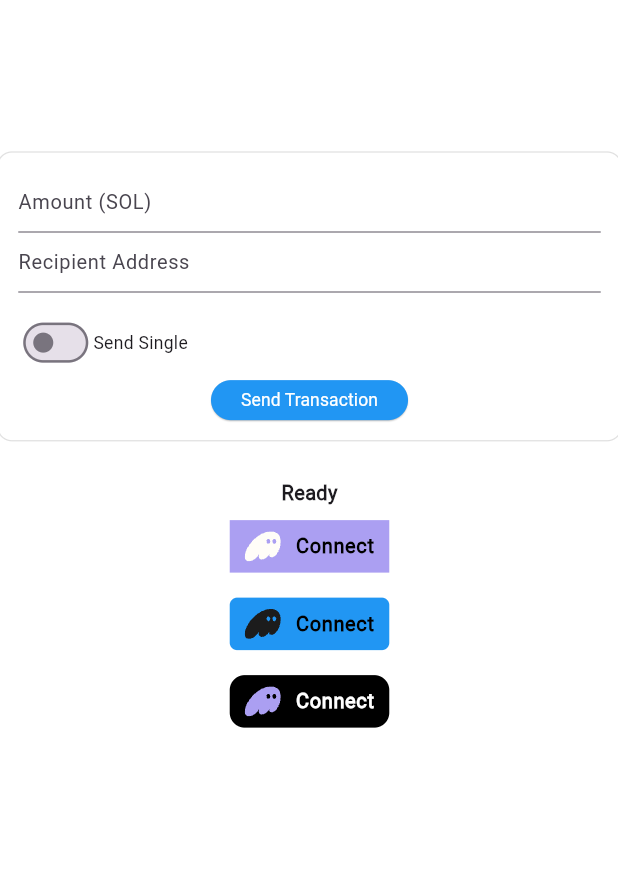
Getting started
You definitely need to add Solana JavaScript SDK to your index.html:
<script src="https://unpkg.com/@solana/web3.js@latest/lib/index.iife.min.js"></script>
Add this to your pubspec.yaml:
dependencies:
  phantom_wallet_connect: ^0.1.0
Import the package into your project:
import 'package:phantom_wallet_connect/phantom_wallet_connect.dart';
Usage
Initialize the wallet manager, which will automatically detect the device from which the user logged in. Also initialize secure storage for creating and restoring a session.
Example:
final _manager = PhantomWalletManager();
final _storage = SecurePhantomStorage();
Initialize the manager in initState():
  Future<void> _initWallet() async {
    await _manager.initialize(
      appUrl: "https://my-app.com",
      appId: "my_app_id",
      storage: _storage,
      cluster: Cluster.devnet,
    );
  }
Be careful! A network cluster is an enum:
enum Cluster {
  mainnetBeta('mainnet-beta'),
  testnet('testnet'),
  devnet('devnet');

  final String value;
  const Cluster(this.value);
}
In the Mobile version you need to process the input Uri using:
final uri = Uri.base;
    final data = await _manager.adapter.handleDeepLink(uri);
You can use one of the custom buttons, or create your own. Also visit the repository page on Github, in the example folder you will find an example of use.
If you decide to create your own connect button and need a logo, you can use one of these with enum:
enum PhantomLogoColor {
black('assets/images/phantom_logo_black.svg'),
purple('assets/images/phantom_logo_purple.svg'),
white('assets/images/phantom_logo_white.svg');

final String path;
const PhantomLogoColor(this.path);
}

```

## Contributing

Contributions are welcome! Please open issues and pull requests.

## License

This package is licensed under the MIT License.
```