
Page Turn Animation
A Flutter package that provides a realistic page turn/curl animation effect for transitioning between content.



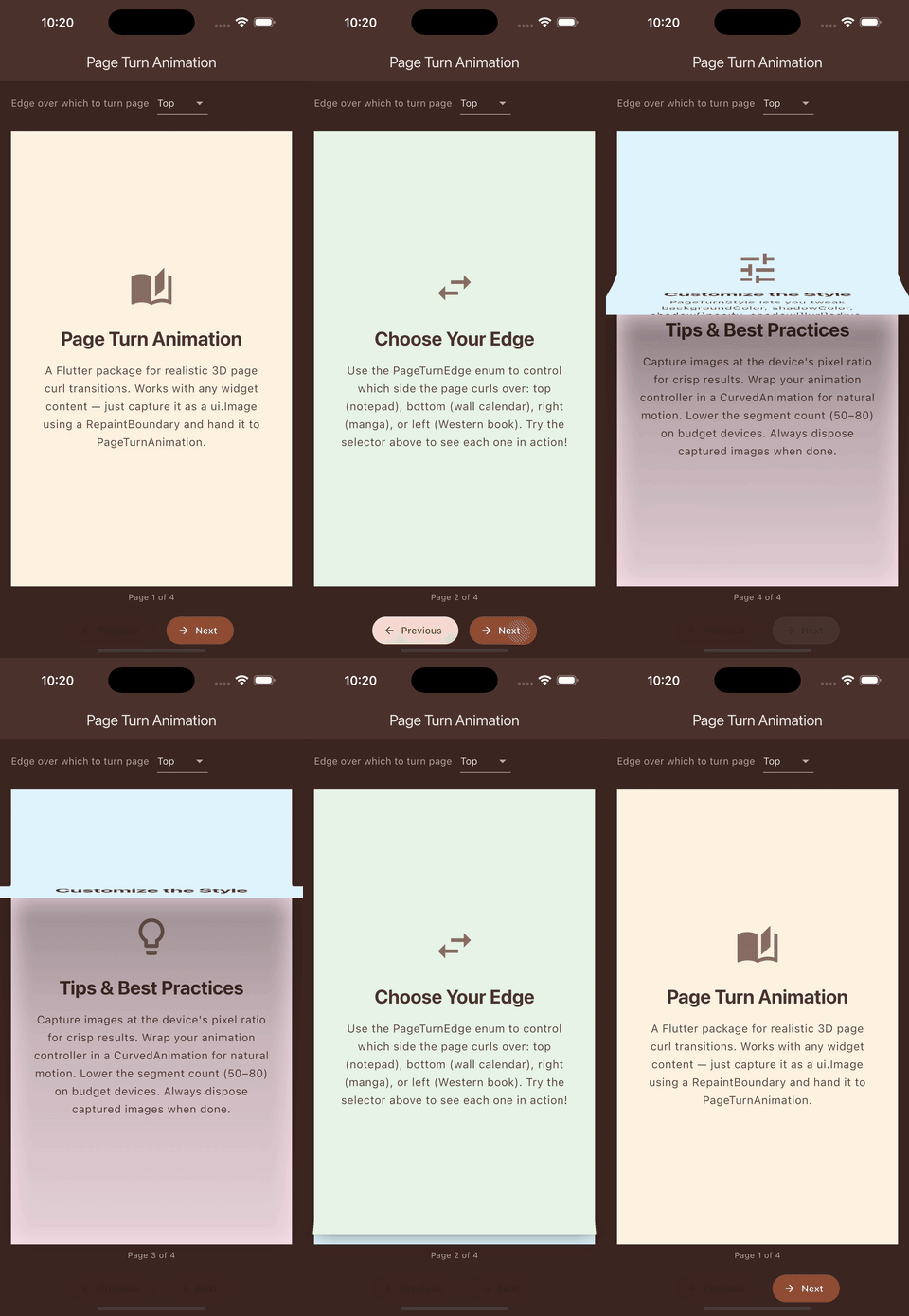 |
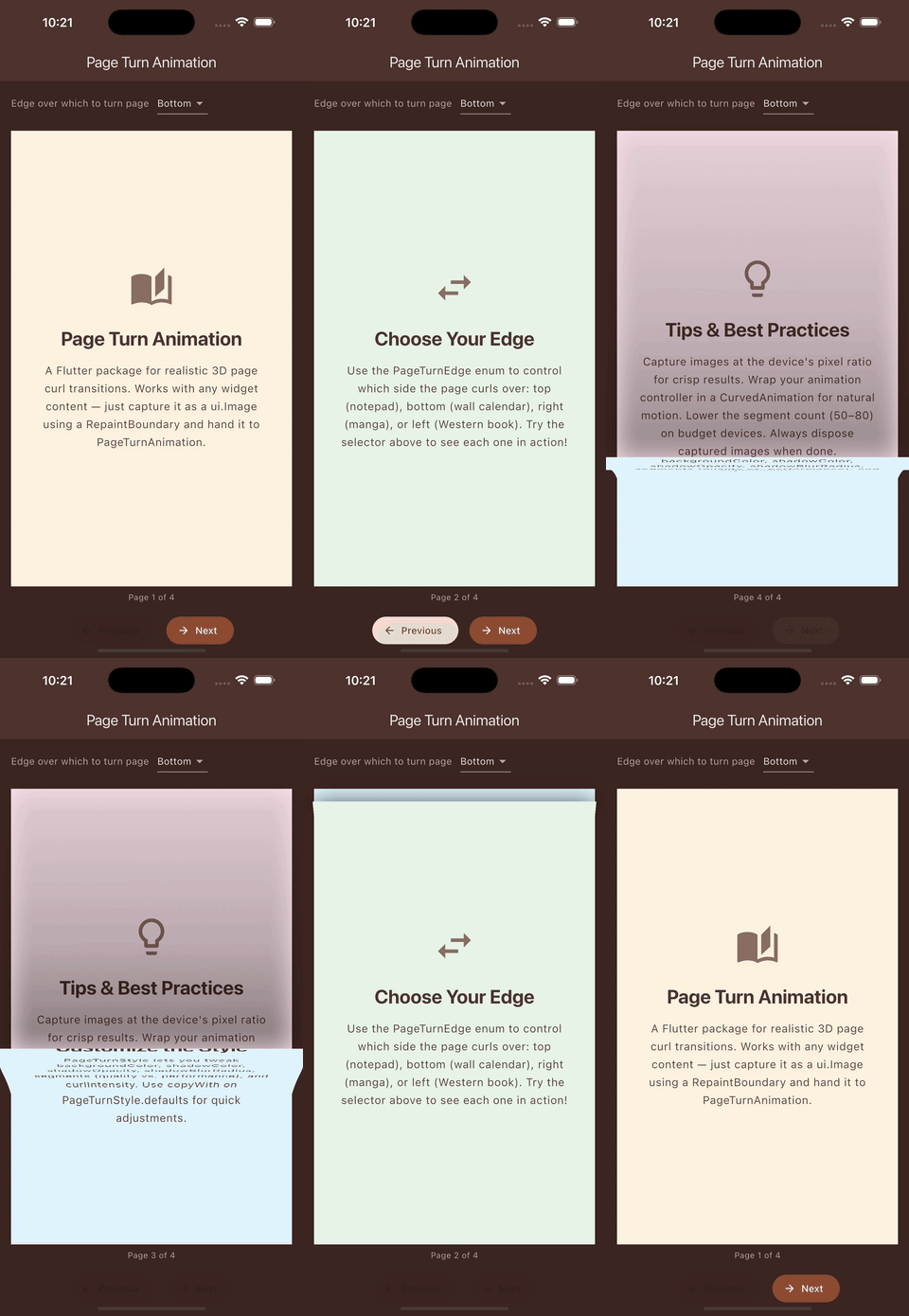 |
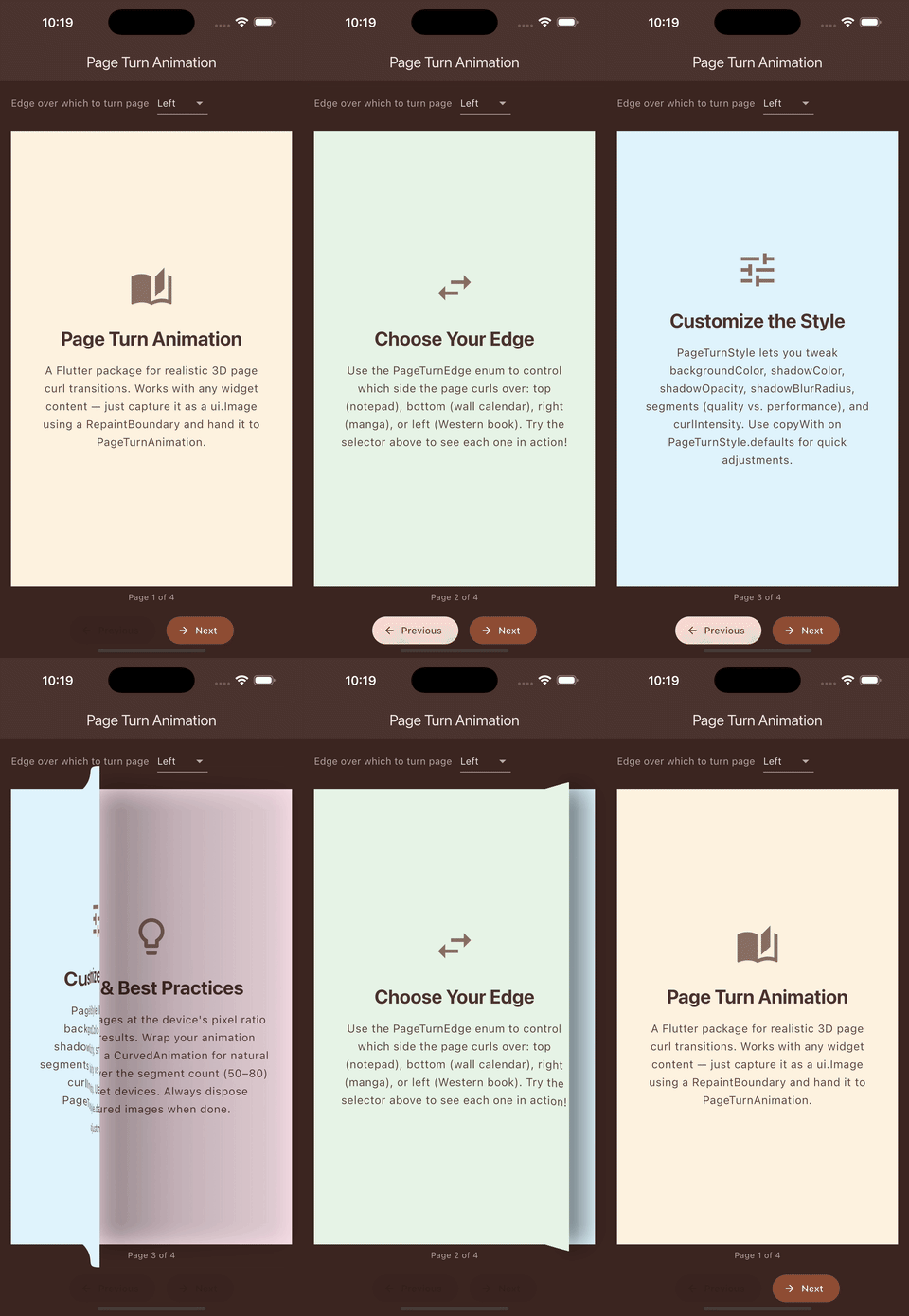 |
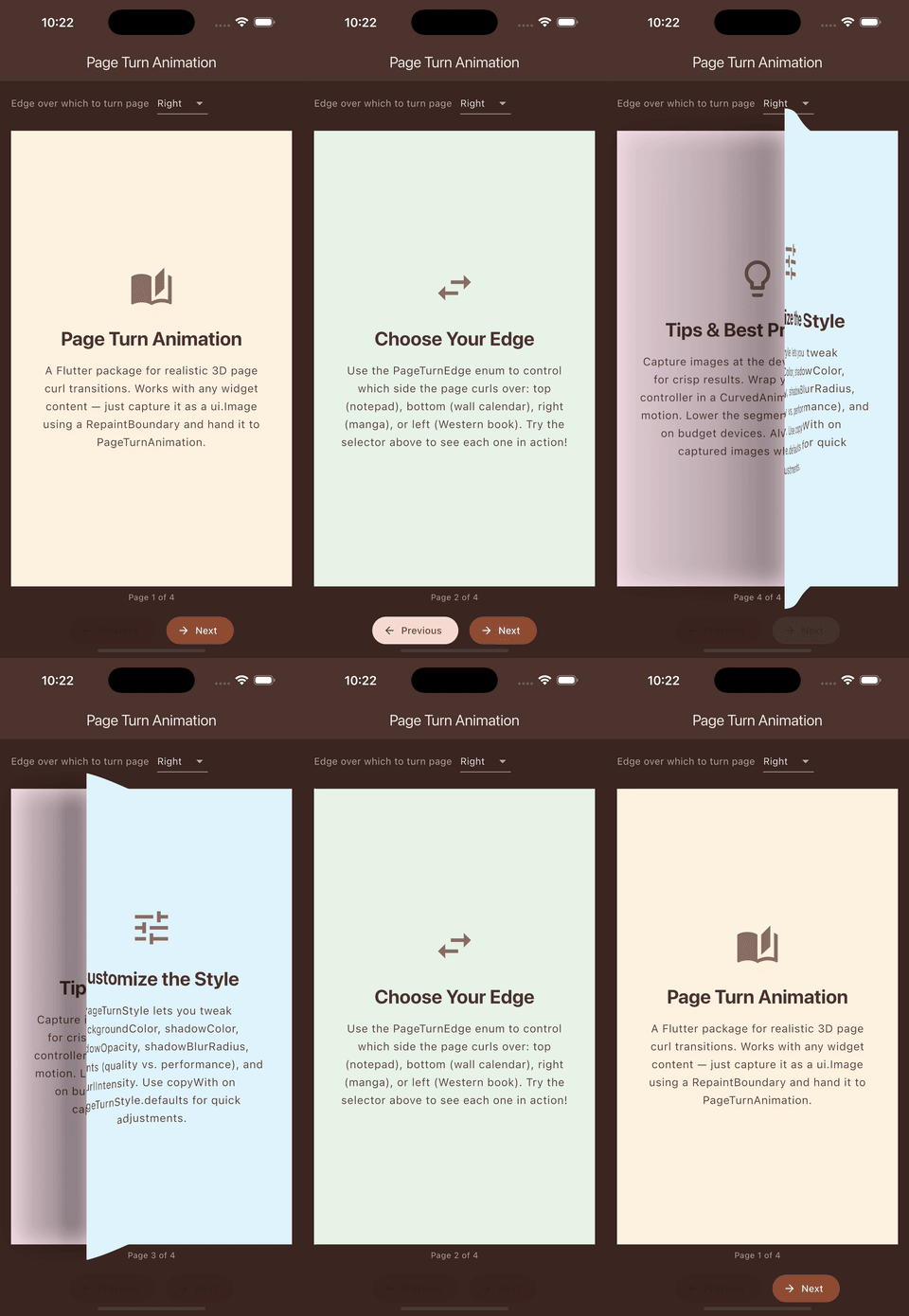 |
| Top | Bottom | Left | Right |
Features
- Realistic 3D page curl effect
- Smooth, performant animations
- Fully customizable styling
- Works with any Flutter widget content
- Support for forward and backward page turns
- Control which edge the page curls over (top, bottom, left, right)
Installation
Add the package to your pubspec.yaml:
dependencies:
  page_turn_animation: ^0.1.0
Then run:
flutter pub get
Quick Start
import 'package:page_turn_animation/page_turn_animation.dart';

// In your widget with an AnimationController:
PageTurnAnimation(
  image: capturedImage,
  animation: animationController,
  direction: PageTurnDirection.forward,
)
Usage Guide
Capturing Widget Content
The page turn animation works with ui.Image objects. You'll need to capture your widget content first:
import 'dart:ui' as ui;
import 'package:flutter/rendering.dart';

class MyAnimatedWidget extends StatefulWidget {
  @override
  State<MyAnimatedWidget> createState() => _MyAnimatedWidgetState();
}

class _MyAnimatedWidgetState extends State<MyAnimatedWidget>
    with SingleTickerProviderStateMixin {
  final GlobalKey _repaintKey = GlobalKey();
  late AnimationController _controller;
  ui.Image? _capturedImage;

  @override
  void initState() {
    super.initState();
    _controller = AnimationController(
      duration: const Duration(milliseconds: 600),
      vsync: this,
    );
  }

  Future<void> _captureWidget() async {
    final boundary = _repaintKey.currentContext!.findRenderObject()
        as RenderRepaintBoundary;
    final pixelRatio = MediaQuery.of(context).devicePixelRatio;
    _capturedImage = await boundary.toImage(pixelRatio: pixelRatio);
  }

  @override
  Widget build(BuildContext context) {
    return RepaintBoundary(
      key: _repaintKey,
      child: YourContentWidget(),
    );
  }
}
Basic Animation Stack Pattern
For smooth transitions, layer your content in a stack:
Stack(
  children: [
    // Layer 1: Destination content (what's revealed)
    Positioned.fill(
      child: NewPageContent(),
    ),

    // Layer 2: Animated page (curls away)
    if (_capturedImage != null)
      PageTurnAnimation(
        image: _capturedImage!,
        animation: CurvedAnimation(
          parent: _controller,
          curve: Curves.easeOut,
        ),
        direction: PageTurnDirection.forward,
      ),
  ],
)
Forward vs Backward Direction
// Forward: Current page curls away (going to next page)
PageTurnAnimation(
  image: currentPageImage,
  animation: controller,
  direction: PageTurnDirection.forward,
)

// Backward: Previous page curls into view (going to previous page)
PageTurnAnimation(
  image: previousPageImage,
  animation: controller,
  direction: PageTurnDirection.backward,
)
Choosing the Page Turn Edge
Control which edge the page curls over using the edge parameter:
// Page curls over the right edge (like turning a book page)
PageTurnAnimation(
  image: currentPageImage,
  animation: controller,
  direction: PageTurnDirection.forward,
  edge: PageTurnEdge.right,
)

// Page curls over the bottom edge (like a wall calendar)
PageTurnAnimation(
  image: currentPageImage,
  animation: controller,
  direction: PageTurnDirection.forward,
  edge: PageTurnEdge.bottom,
)
| Edge | Use Case |
|---|---|
top |
Top-bound notepad (default) |
bottom |
Wall calendar, bottom-bound pad |
left |
Right-to-left book, manga |
right |
Left-to-right book, standard Western reading |
All Edge and Direction Combinations
| Edge | Direction | Visual Effect |
|---|---|---|
top |
forward |
Page curls up and away over top edge |
top |
backward |
Page curls down into view from top edge |
bottom |
forward |
Page curls down and away over bottom edge |
bottom |
backward |
Page curls up into view from bottom edge |
left |
forward |
Page curls left and away over left edge |
left |
backward |
Page curls right into view from left edge |
right |
forward |
Page curls right and away over right edge |
right |
backward |
Page curls left into view from right edge |
Using StaticImagePainter
When you need to display a captured image without animation (useful for layering):
Stack(
  children: [
    // Static current page
    CustomPaint(
      painter: StaticImagePainter(image: currentPageImage),
      size: Size.infinite,
    ),

    // Animated previous page coming down
    PageTurnAnimation(
      image: previousPageImage,
      animation: controller,
      direction: PageTurnDirection.backward,
    ),
  ],
)
Customization
PageTurnStyle
Customize the visual appearance with PageTurnStyle:
PageTurnAnimation(
  image: image,
  animation: controller,
  direction: PageTurnDirection.forward,
  style: PageTurnStyle(
    // Background color visible during animation
    backgroundColor: Colors.grey[100]!,

    // Shadow color for depth effect
    shadowColor: Colors.black,

    // Shadow opacity (0.0 - 1.0)
    shadowOpacity: 0.8,

    // Shadow blur radius
    shadowBlurRadius: 25.0,

    // Number of segments (higher = smoother, lower = faster)
    segments: 80,

    // Curl intensity multiplier
    curlIntensity: 1.2,
  ),
)
Style Properties
| Property | Type | Default | Description |
|---|---|---|---|
backgroundColor |
Color |
Colors.white |
Background visible during animation |
shadowColor |
Color |
Colors.black |
Shadow color beneath curling page |
shadowOpacity |
double |
0.9 |
Shadow opacity (0.0 - 1.0) |
shadowBlurRadius |
double |
20.0 |
Shadow blur radius in pixels |
segments |
int |
100 |
Rendering segments (quality vs performance) |
curlIntensity |
double |
1.0 |
Multiplier for curl effect intensity |
Using copyWith
// Start with defaults and customize specific properties
final customStyle = PageTurnStyle.defaults.copyWith(
  shadowOpacity: 0.7,
  curlIntensity: 0.8,
);
Best Practices
Image Capture
-
Use appropriate pixel ratio: Match the device's pixel ratio for crisp animations
final pixelRatio = MediaQuery.of(context).devicePixelRatio; await boundary.toImage(pixelRatio: pixelRatio); -
Capture after layout: Ensure the widget has been laid out before capturing
WidgetsBinding.instance.addPostFrameCallback((_) async { await _captureWidget(); }); -
Dispose images: Clean up captured images when no longer needed
@override
void dispose() {
  _capturedImage?.dispose();
  super.dispose();
}
Animation Controllers
-
Use CurvedAnimation for natural motion:
final curved = CurvedAnimation( parent: controller, curve: Curves.easeOut, // Forward animation reverseCurve: Curves.easeIn, // Reverse animation ); -
Match duration to content size: Larger content may need longer durations
Performance Tips
- Lower
segmentsvalue (e.g., 50-80) for better performance on lower-end devices - Avoid capturing images during animations
- Consider caching captured images for repeated animations
API Reference
PageTurnAnimation
The main widget for displaying the page turn effect.
const PageTurnAnimation({
  required ui.Image image,
  required Animation<double> animation,
  required PageTurnDirection direction,
  PageTurnEdge edge = PageTurnEdge.top,
  PageTurnStyle style = const PageTurnStyle(),
})
PageTurnEdge
Enum defining which edge the page curls over:
top: Page curls over the top edge (default)bottom: Page curls over the bottom edgeleft: Page curls over the left edgeright: Page curls over the right edge
PageTurnDirection
Enum defining the animation direction:
forward: Page curls away, revealing content beneathbackward: Page curls into view, covering content beneath
PageTurnStyle
Configuration class for visual styling. See Customization for details.
StaticImagePainter
A CustomPainter for rendering static captured images:
CustomPaint(
  painter: StaticImagePainter(image: yourImage),
  size: Size.infinite,
)
License
MIT License - see LICENSE for details.
Contributing
Contributions are welcome! Please feel free to submit issues and pull requests on GitHub.
Libraries
- page_turn_animation
- A Flutter package that provides a realistic page turn/curl animation effect.