
image_color_scheme
A Flutter widget that dynamically extracts a ColorScheme from images using Material Design's dynamic color algorithm. Perfect for creating adaptive UIs that respond to user avatars, album art, or any other imagery.
Features
- 🎨 Automatic Color Extraction: Derives a complete Material
ColorSchemefrom any image - 🔄 Dynamic Updates: Rebuilds when the image changes or theme brightness switches
- 🌐 Flexible Image Sources: Works with any
ImageProviderincludingNetworkImage,MemoryImage,AssetImage,FileImage, and more - 🎯 Theme-Aware: Respects
Theme.of(context).brightnessand falls back to the default color scheme while loading - ⚡ Lifecycle Management: Proper cleanup and mounted checks prevent memory leaks
- 🛠️ Customizable: Configure contrast level and dynamic scheme variant
- 📦 Zero Dependencies: No external dependencies beyond Flutter itself
Screenshots
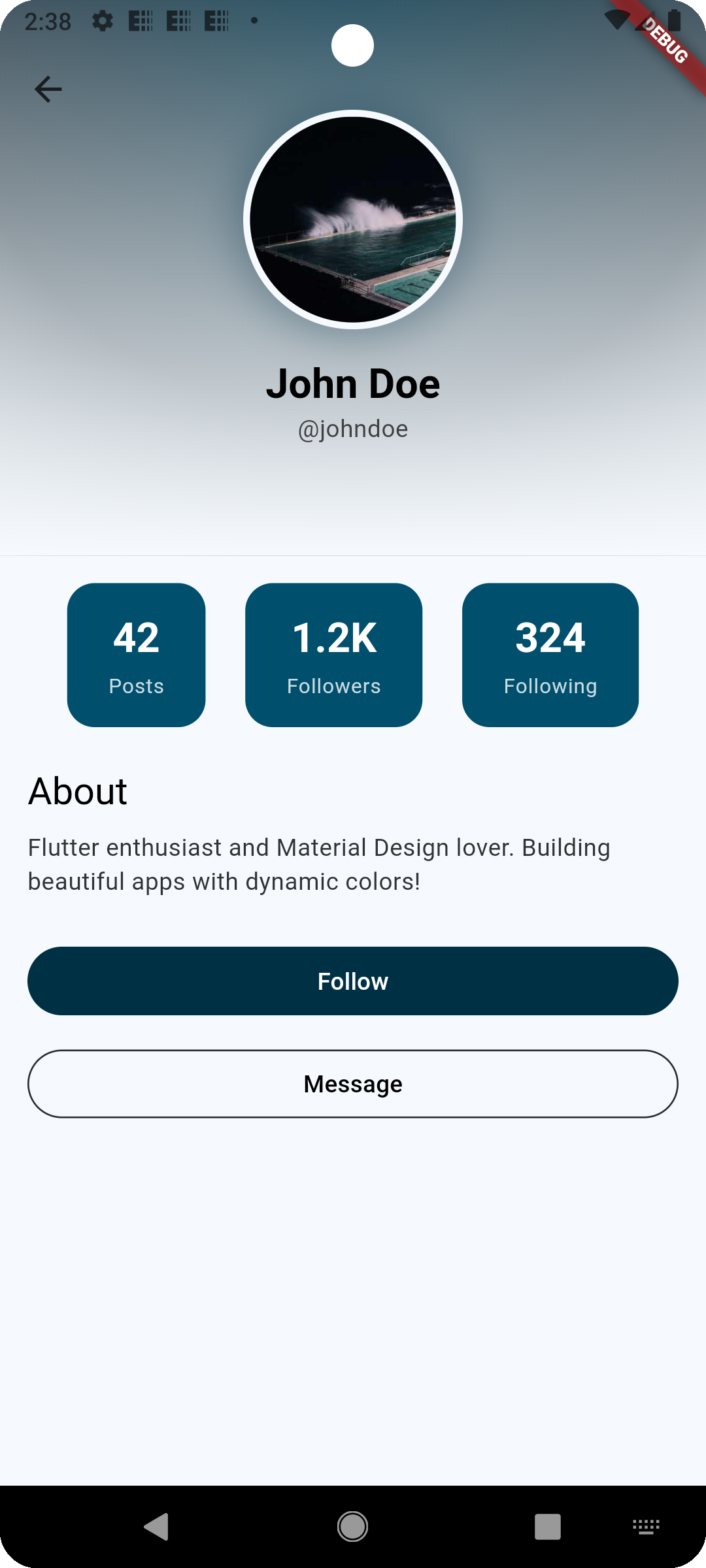
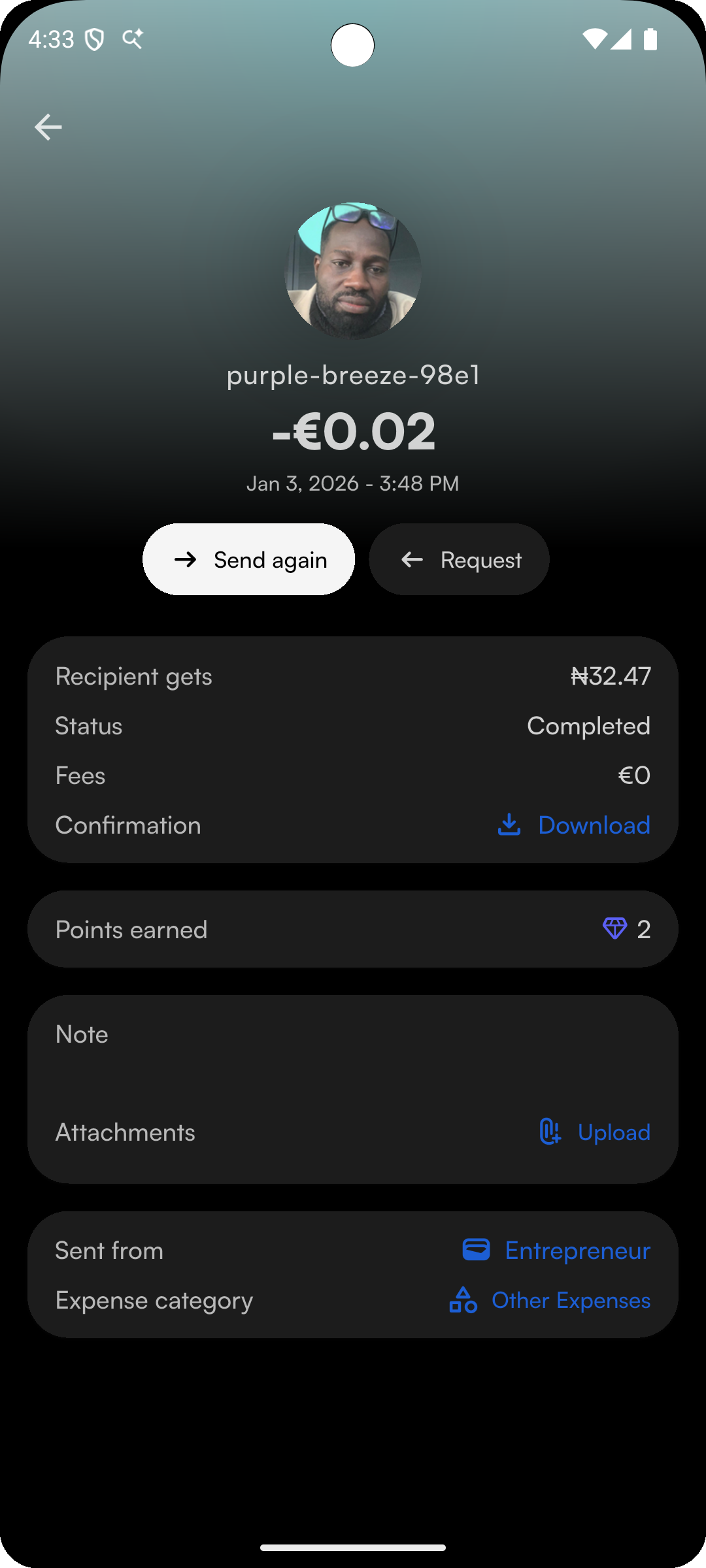
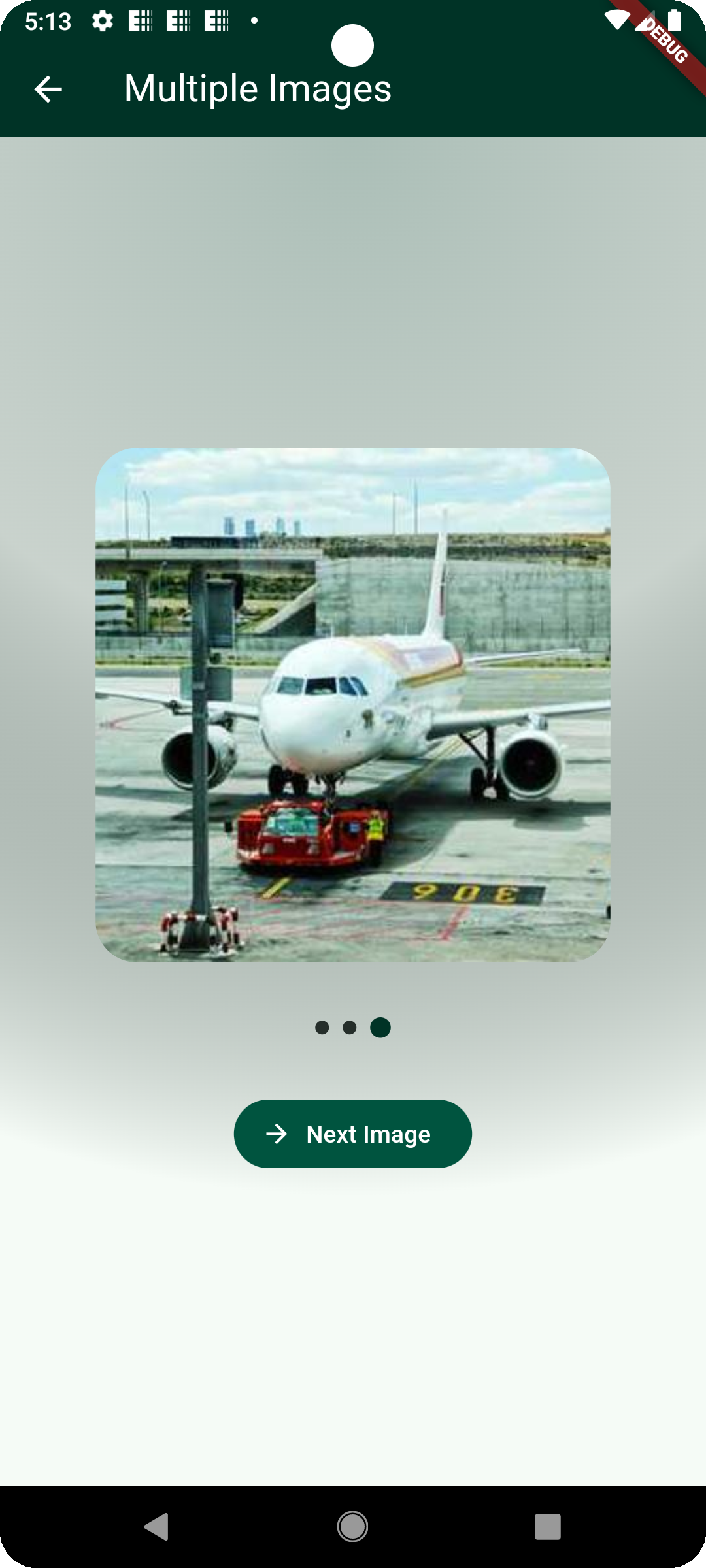
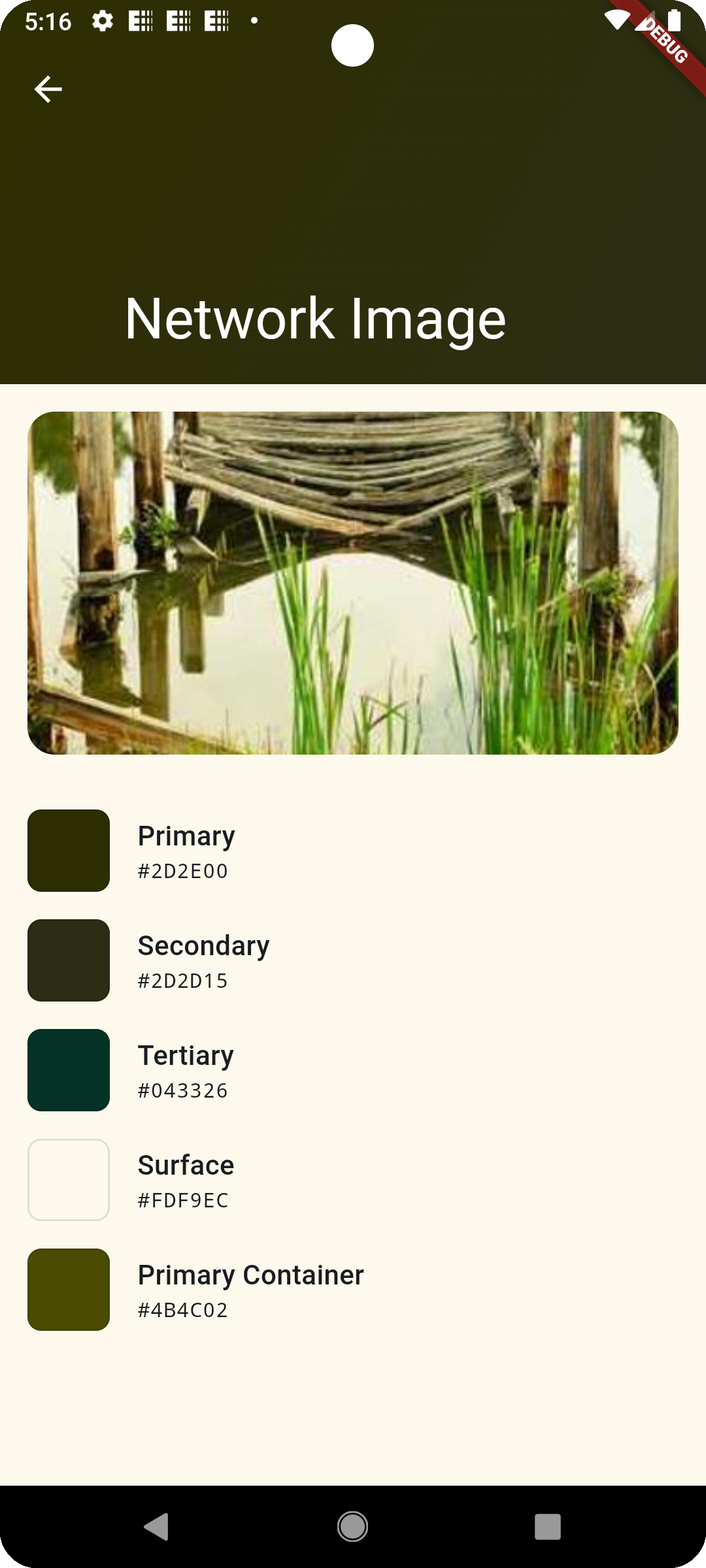
Below are examples of the library used inside apps. These are generated from the example app and real UI compositions.
 |
 |
 |
 |
|---|
Getting Started
Add the package to your pubspec.yaml:
dependencies:
  image_color_scheme: ^2.0.0
Then run:
flutter pub get
Usage
Basic Example (Network Image)
import 'package:flutter/material.dart';
import 'package:image_color_scheme/image_color_scheme.dart';

class ProfilePage extends StatelessWidget {
  final String avatarUrl;

  const ProfilePage({super.key, required this.avatarUrl});

  @override
  Widget build(BuildContext context) {
    return ImageColorSchemeBuilder(
      provider: NetworkImage(avatarUrl),
      builder: (context, colorScheme, child) {
        return Scaffold(
          backgroundColor: colorScheme.surface,
          body: Container(
            decoration: BoxDecoration(
              gradient: LinearGradient(
                colors: [
                  colorScheme.primary,
                  colorScheme.secondary,
                  colorScheme.surface,
                ],
              ),
            ),
            child: Center(
              child: Text(
                'Dynamic Colors!',
                style: TextStyle(color: colorScheme.onPrimary),
              ),
            ),
          ),
        );
      },
    );
  }
}
Using Other Image Providers
import 'package:flutter/material.dart';
import 'package:image_color_scheme/image_color_scheme.dart';

class AlbumArtView extends StatelessWidget {
  final Uint8List imageBytes;

  const AlbumArtView({super.key, required this.imageBytes});

  @override
  Widget build(BuildContext context) {
    return ImageColorSchemeBuilder(
      provider: MemoryImage(imageBytes),
      builder: (context, colorScheme, child) {
        return Card(
          color: colorScheme.primaryContainer,
          child: Padding(
            padding: const EdgeInsets.all(16),
            child: Text(
              'Now Playing',
              style: TextStyle(color: colorScheme.onPrimaryContainer),
            ),
          ),
        );
      },
    );
  }
}
Advanced: Direct Function Call
For cases where you need the color scheme without the widget wrapper:
import 'package:flutter/material.dart';
import 'package:image_color_scheme/image_color_scheme.dart';

Future<void> example() async {
  final provider = NetworkImage('https://example.com/image.png');

  final colorScheme = await computeColorSchemeFromImageProvider(
    provider,
    Brightness.dark,
    contrastLevel: 1.0,
    dynamicSchemeVariant: DynamicSchemeVariant.tonalSpot,
  );

  print('Primary color: ${colorScheme.primary}');
}
API Reference
ImageColorSchemeBuilder
A StatefulWidget that extracts a ColorScheme from an image and rebuilds when ready.
Constructor
ImageColorSchemeBuilder
| Parameter | Type | Required | Default | Description |
|---|---|---|---|---|
provider |
ImageProvider |
✓ | - | Any Flutter ImageProvider (e.g., NetworkImage, MemoryImage, AssetImage, FileImage) |
builder |
Widget Function(BuildContext, ColorScheme, Widget?) |
✓ | - | Widget builder receiving context, color scheme, and optional child |
child |
Widget? |
null |
Optional child widget passed to builder (for optimization) | |
contrastLevel |
double |
1.0 |
Contrast level (0.0 to 1.0) | |
dynamicSchemeVariant |
DynamicSchemeVariant |
tonalSpot |
Material Design scheme variant | |
onError |
void Function(Object, StackTrace)? |
null |
Callback when color extraction fails |
computeColorSchemeFromImageProvider
Directly computes a ColorScheme from an ImageProvider.
Parameters:
provider(ImageProvider, required): Image sourcebrightness(Brightness, required): Light or dark themecontrastLevel(double, optional): Defaults to 1.0dynamicSchemeVariant(DynamicSchemeVariant, optional): Defaults toDynamicSchemeVariant.tonalSpot
Returns: Future<ColorScheme>
How It Works
- The widget accepts an
ImageProviderfrom the user - When the image loads, it calls Flutter's
ColorScheme.fromImageProvider - The extracted scheme is cached in a
ValueNotifier - The builder is called with the default theme scheme initially, then again with the extracted scheme
- If the
ImageProviderchanges, the process restarts
Examples
See the /example folder for:
- Basic usage with network images
- Asset images
- Memory images
- Animated transitions between color schemes
Additional Information
Contributing
Contributions are welcome! Please open an issue or submit a pull request on GitHub.
License
MIT License - see LICENSE file for details.
Credits
Built using Flutter's Material Design 3 dynamic color system.
Libraries
- image_color_scheme
- A Flutter package for dynamically extracting ColorSchemes from images.