
Developed with 💚 by netglade




A universal way to define form validators with support of translations.
👀 What is this?
Glade Forms offer unified way to define reusable form inputs with support of fluent API to define input's validators and with support of translation on top of that.
Mannaging forms in Flutter is... hard. With Glade Forms you create a model that holds glade inputs, setup validation, translation, dependencies, handling of updates, and more with ease.
🚀 Getting started
To start, setup a Model class that holds glade inputs together.
class _Model extends GladeModel {
  late GladeStringInput name;
  late GladeIntInput age;
  late GladeStringInput email;

  @override
  List<GladeInput<Object?>> get inputs => [name, age, email];

  @override
  void initialize() {
    name = GladeStringInput();
    age = GladeIntInput(value: 0, useTextEditingController: true);
    email = GladeStringInput(validator: (validator) => (validator..isEmail()).build());

    super.initialize();
  }
}
Then use GladeFormBuilder
and connect the model to standard Flutter form and it's inputs like this:
GladeFormBuilder.create(
  create: (context) => _Model(),
  builder: (context, model) => Form(
    autovalidateMode: AutovalidateMode.onUserInteraction,
    child: Column(
      children: [
        TextFormField(
          decoration: const InputDecoration(labelText: 'Name'),
          // connect a controller from glade input
          controller: model.name.controller,
          // connect a validator from glade input
          validator: model.name.textFormFieldInputValidator,
        ),
        TextFormField(
          controller: model.age.controller,
          validator: model.age.textFormFieldInputValidator,
          decoration: const InputDecoration(labelText: 'Age'),
        ),
        TextFormField(
          controller: model.email.controller,
          validator: model.email.textFormFieldInputValidator,
          decoration: const InputDecoration(labelText: 'Email'),
        ),
        const SizedBox(height: 10),
        ElevatedButton(onPressed: model.isValid ? () {} : null, child: const Text('Save')),
      ],
    ),
  ),
)
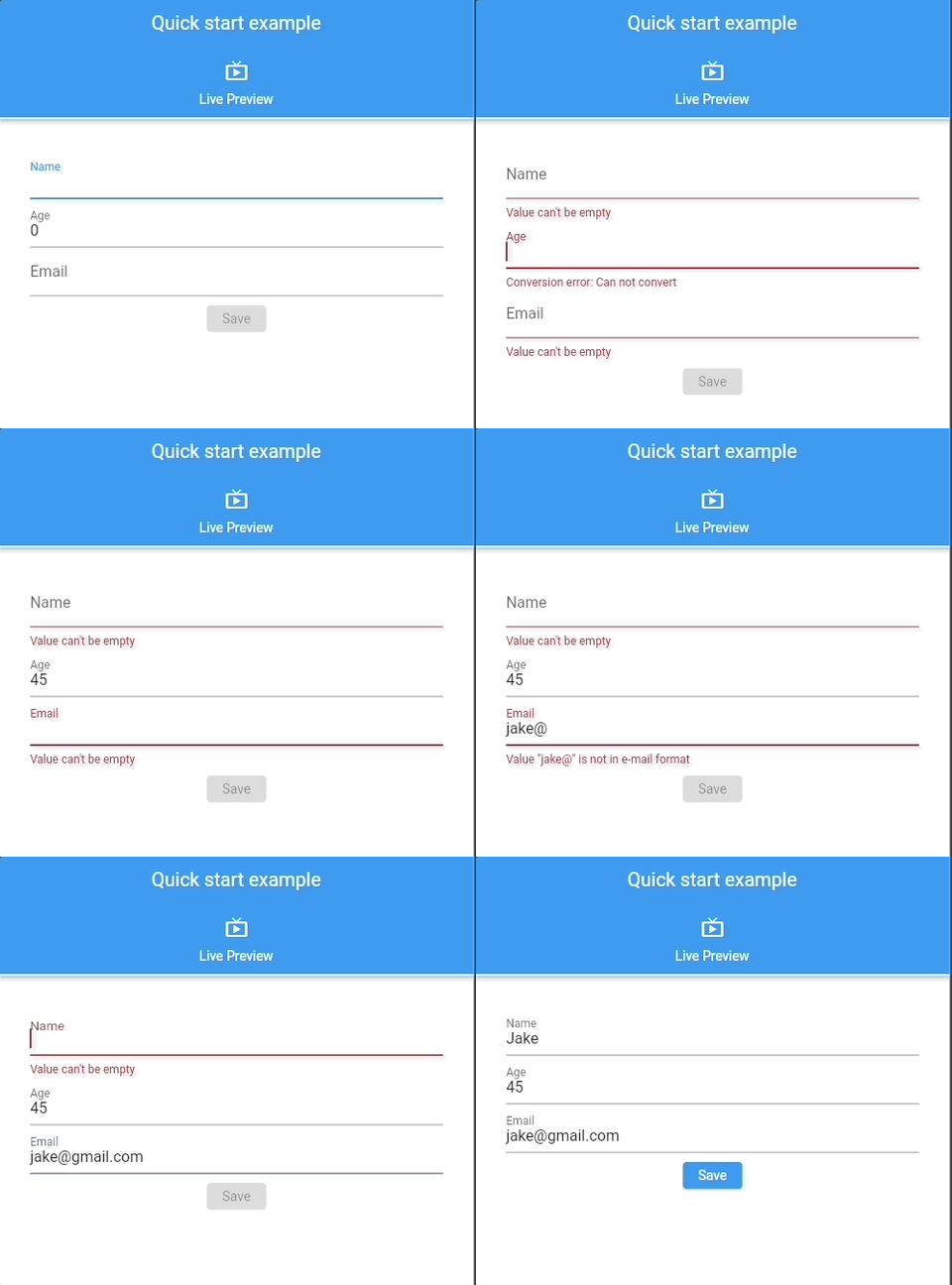
Interactive examples can be found in 📖 Glade Forms Widgetbook.
🔍 DevTools Extension
Glade Forms includes a Flutter DevTools extension to help you inspect and debug your forms during development. The extension shows:
- Active
GladeModelinstances - Input values and validation states
- Form dirty/pure states
- Real-time updates as you interact with your app
Setup
To ensure the DevTools extension is available immediately when you open DevTools (even before creating any forms), add this to your app's main() function:
import 'package:glade_forms/glade_forms.dart';

void main() {
  // Initialize GladeForms to enable DevTools integration
  GladeForms.initialize();

  runApp(MyApp());
}
How to access:
- Run your app in debug mode:
flutter run - Open DevTools (in VS Code:
Cmd+Shift+P→ "Dart: Open DevTools") - Navigate to the "Glade Forms" tab
- Interact with your forms to see live updates!
Learn more about debugging with DevTools →
📖 Documentation
Want to learn more?
Check out the Glade Forms Documentation.