
gamifyhost_games
Flutter SDK for embedding GamifyHost game widgets in your app. Renders the full GamifyHost game experience — Neon Wheel, Cosmic Slots, Enigma Boxes, and Leaderboard — inside a WebView.
Screenshots
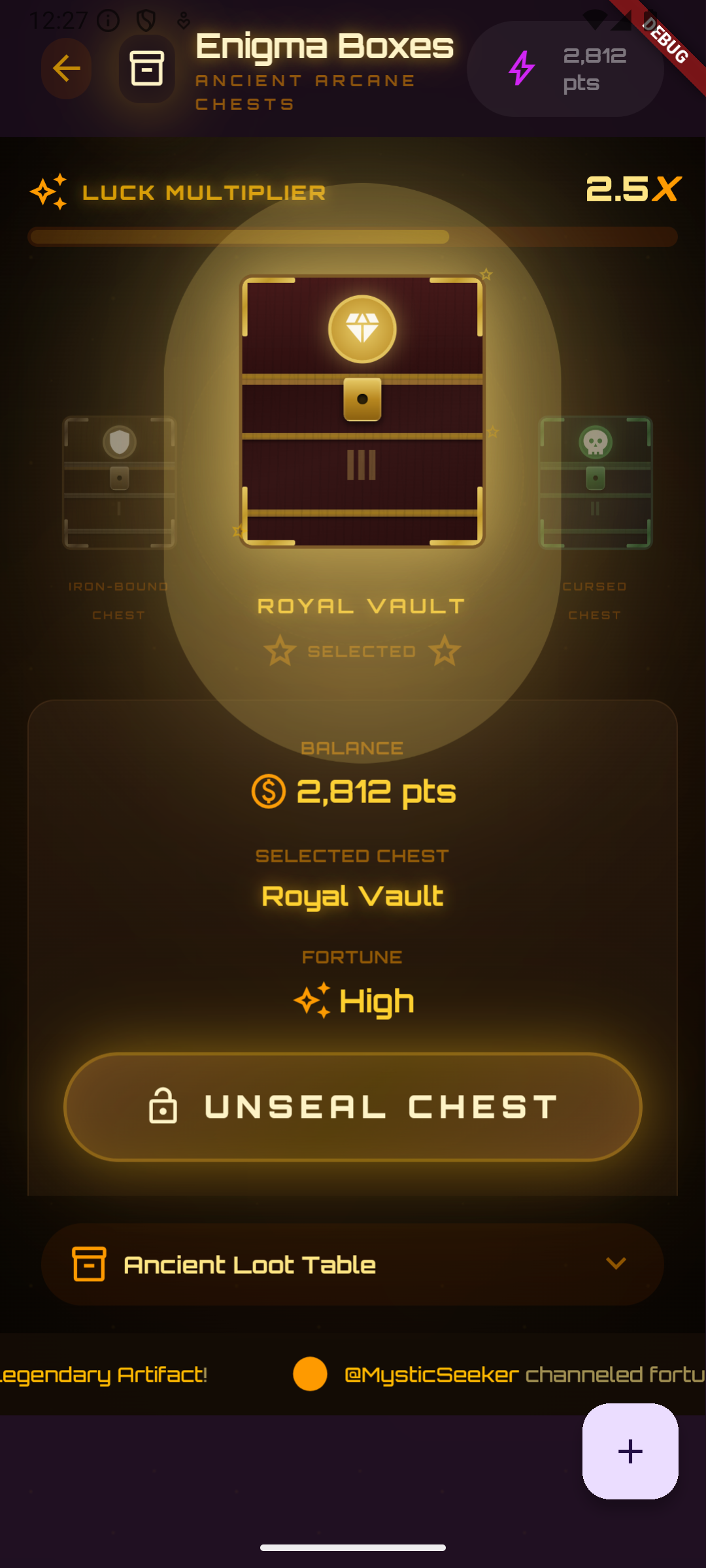
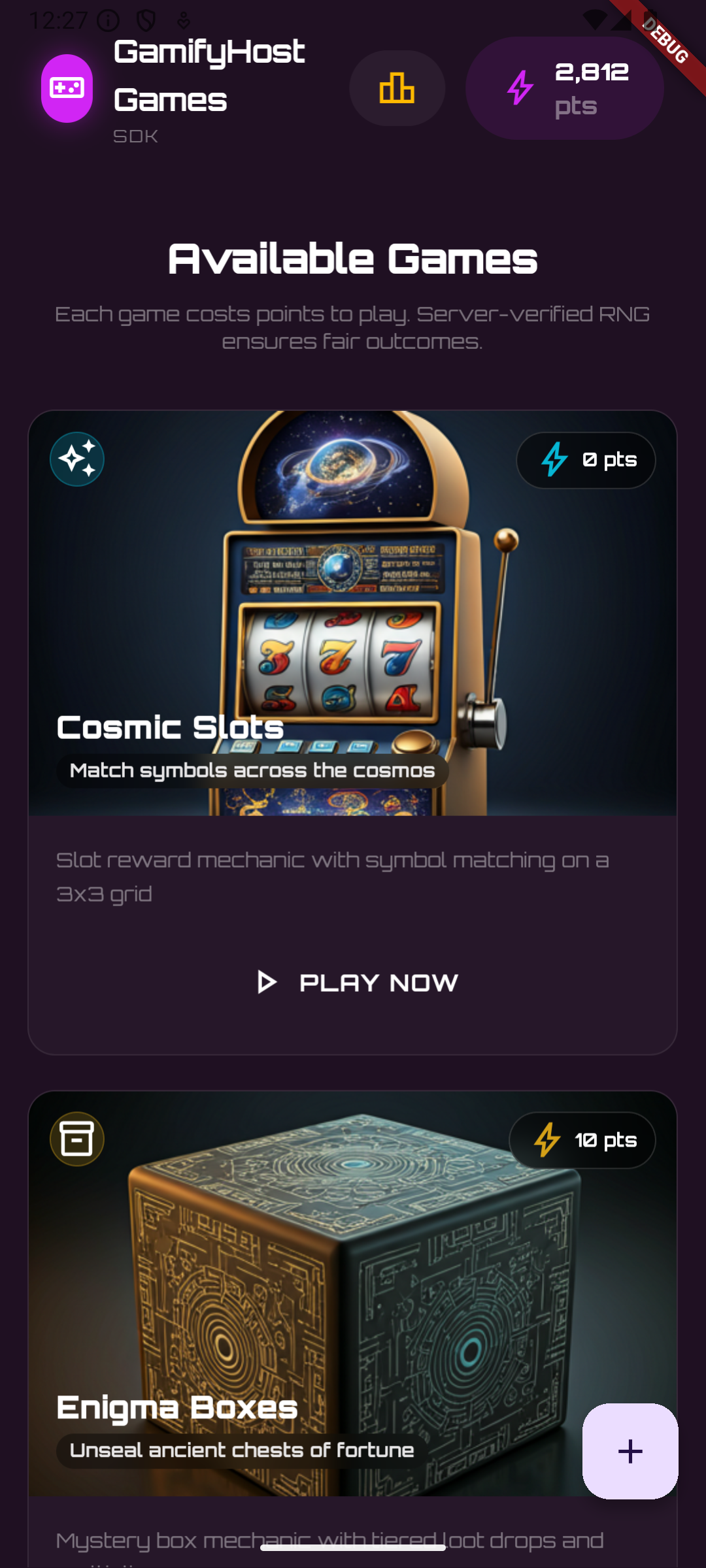
Features
- Drop-in
GamifyHostWidgetthat renders all GamifyHost games GamifyHostApiclient for calling public SDK endpoints (balance, leaderboard, play history)GamifyHostControllerfor programmatic reload and JS execution- Configurable API URL, widget CDN, and initial balance
- Navigation filtering — only allows requests to your API and the widget CDN
- Loading indicator with customizable color and background
- Auto-reloads when configuration changes (e.g. user switch)
Getting Started
1. Install
dependencies:
  gamifyhost_games: ^1.0.0
Then run:
flutter pub get
2. Platform Setup
This package uses webview_flutter. Follow its platform-specific setup:
Android — set minSdkVersion 21 or higher in android/app/build.gradle.
iOS — no extra setup needed (WKWebView is used by default).
3. Get Your API Key
Sign up at gamifyhost.com and grab your public key from the dashboard (pk_live_... or pk_test_...).
Usage
Basic
import 'package:gamifyhost_games/gamifyhost_games.dart';

GamifyHostWidget(
  config: const GamifyHostConfig(
    publicKey: 'pk_live_abc123',
    userId: 'user_12345',
  ),
)
With Controller and Callbacks
class GameScreen extends StatefulWidget {
  const GameScreen({super.key});

  @override
  State<GameScreen> createState() => _GameScreenState();
}

class _GameScreenState extends State<GameScreen> {
  final _controller = GamifyHostController();

  @override
  void dispose() {
    _controller.dispose();
    super.dispose();
  }

  @override
  Widget build(BuildContext context) {
    return Scaffold(
      appBar: AppBar(
        title: const Text('Games'),
        actions: [
          IconButton(
            icon: const Icon(Icons.refresh),
            onPressed: () => _controller.reload(),
          ),
        ],
      ),
      body: GamifyHostWidget(
        config: const GamifyHostConfig(
          publicKey: 'pk_live_abc123',
          userId: 'user_12345',
          initialBalance: 5000,
        ),
        controller: _controller,
        onReady: () => debugPrint('Widget loaded'),
        onError: (error) => debugPrint('Error: $error'),
      ),
    );
  }
}
Switching Users
Use GamifyHostController.reloadWithConfig to switch users without rebuilding the widget tree:
await _controller.reloadWithConfig(
  config.copyWith(userId: 'new_user_789'),
);
API Reference
GamifyHostConfig
| Parameter | Type | Default | Description |
|---|---|---|---|
publicKey |
String |
required | Your GamifyHost public API key |
userId |
String |
required | The authenticated user's ID in your system |
apiUrl |
String |
https://api.gamifyhost.com |
Base URL for the GamifyHost API |
widgetUrl |
String |
jsDelivr CDN | URL where widget.js is hosted |
initialBalance |
int |
0 |
Point balance shown before the API responds |
GamifyHostWidget
| Parameter | Type | Default | Description |
|---|---|---|---|
config |
GamifyHostConfig |
required | Widget configuration |
controller |
GamifyHostController? |
null |
Optional controller for programmatic access |
onReady |
VoidCallback? |
null |
Called when the widget finishes loading |
onError |
void Function(String)? |
null |
Called on WebView load errors |
backgroundColor |
Color |
Color(0xFF1F1022) |
Background shown while loading |
showLoadingIndicator |
bool |
true |
Whether to show a spinner while loading |
loadingIndicatorColor |
Color? |
theme primary | Spinner color |
GamifyHostController
| Method | Description |
|---|---|
reload() |
Reload the widget with current config |
reloadWithConfig(config) |
Reload with a new config |
runJavaScript(js) |
Execute JS inside the WebView |
dispose() |
Clean up resources |
isReady |
ValueNotifier<bool> — whether the widget has loaded |
GamifyHostApi
HTTP client for the public SDK endpoints. Authenticates with your public key via the X-API-Key header.
final api = GamifyHostApi(config: GamifyHostConfig(
  publicKey: 'pk_live_abc123',
  userId: 'user_12345',
));

final balance = await api.getUserBalance();
print(balance.totalPoints);

api.dispose();
| Method | Endpoint | Returns |
|---|---|---|
getGames() |
GET /v1/games |
List<GameInfo> |
getGameConfig(gameType) |
GET /v1/games/:gameType/config |
GameConfig |
getUserBalance({userId?}) |
GET /v1/users/:userId/sdk-balance |
UserBalance |
getLeaderboard({page, limit}) |
GET /v1/leaderboard |
PaginatedResponse<LeaderboardEntry> |
getUserPlays({userId?, page, limit}) |
GET /v1/users/:userId/plays |
PaginatedResponse<PlayRecord> |
License
MIT — see LICENSE for details.
Libraries
- gamifyhost_games
- GamifyHost Flutter SDK — embed the GamifyHost game widget in your Flutter app.