
flutter_svga_easyplayer
A Flutter package for parsing and rendering SVGA animations efficiently with powerful EasyPlayer features.
SVGA is a lightweight and powerful animation format used for dynamic UI effects in mobile applications.
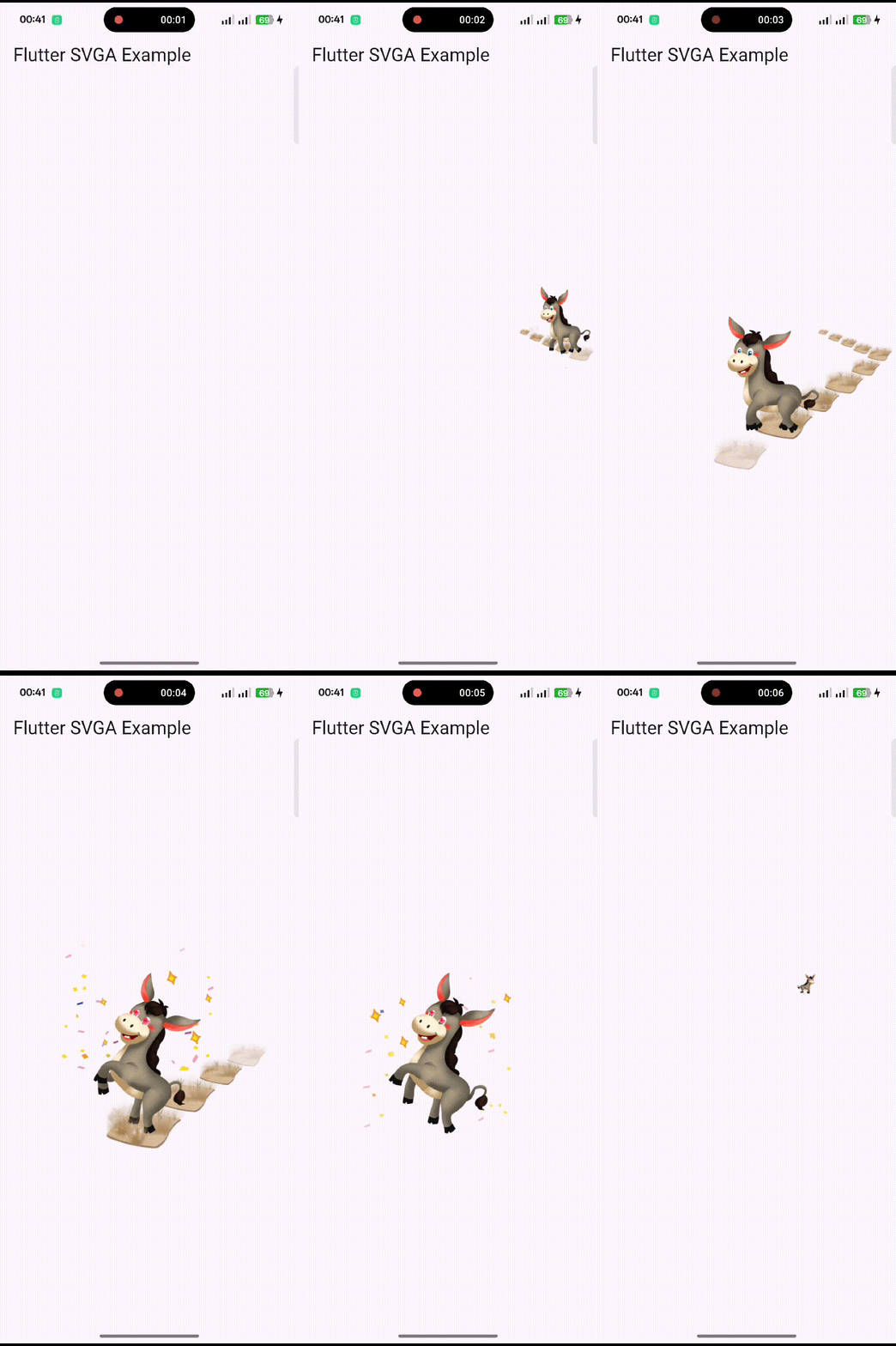
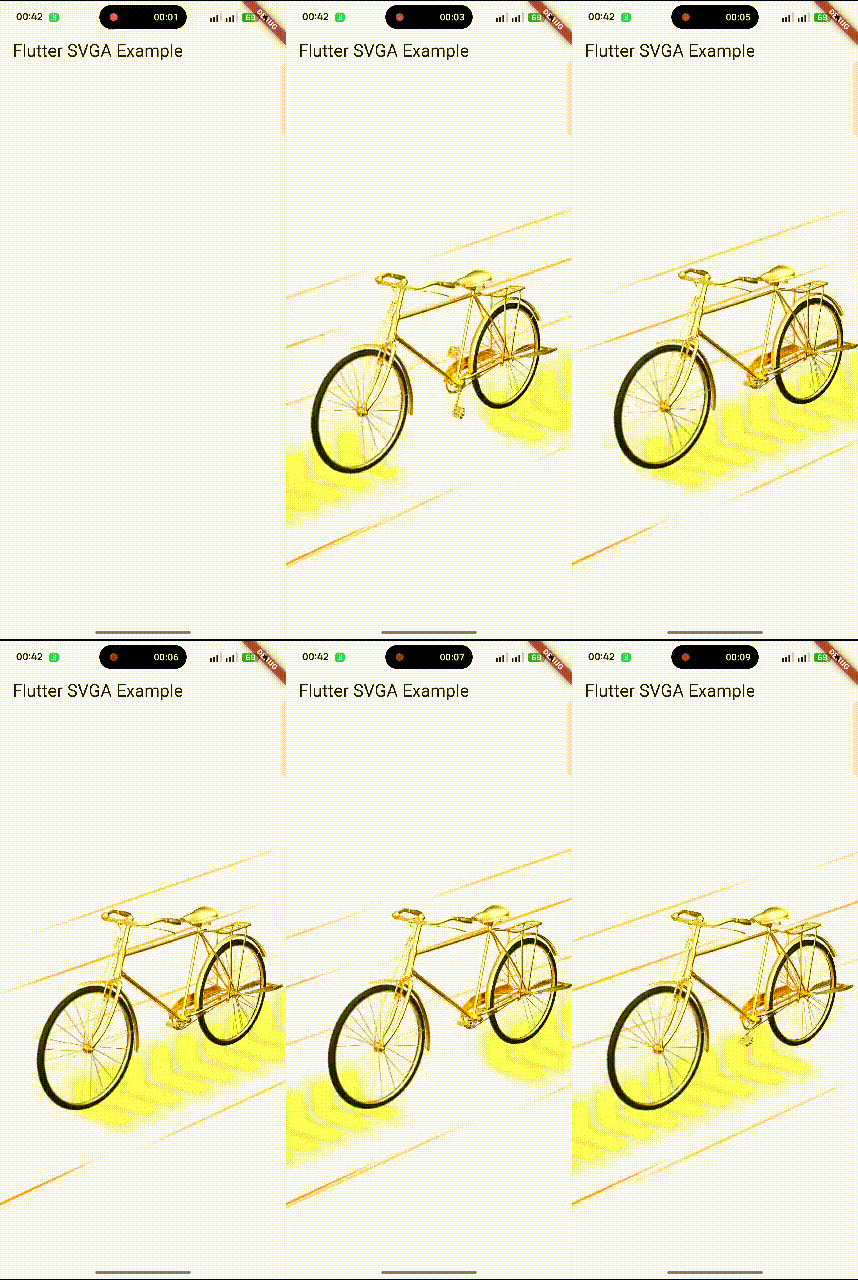
🚀 Features
✔️ Parse and render SVGA animations in Flutter.
✔️ Load SVGA files from assets and network URLs.
✔️ Intelligent caching system for faster loading and reduced network usage.
✔️ Per-widget cache control: Enable/disable caching and auto-cleanup per player.
✔️ Playback control modes: infinite loop, play once, or repeat N times with completion callbacks.
✔️ Audio Control: Mute/Unmute audio support.
✔️ Supports custom dynamic elements (text, images, animations).
✔️ Optimized playback performance with animation controllers.
✔️ Integrated audio playback within SVGA animations.
✔️ Works on Android & iOS (Web & Desktop support coming soon).
✔️ Easy loop, stop, and seek functions.
📌 Installation
Add flutter_svga_easyplayer to your pubspec.yaml:
dependencies:
  flutter_svga_easyplayer: ^0.0.4
Then, install dependencies:
flutter pub get
🎬 Basic Usage
✅ Playing an SVGA Animation from Assets
import 'package:flutter/material.dart';
import 'package:flutter_svga_easyplayer/flutter_svga_easyplayer.dart';

void main() {
  runApp(MyApp());
}

class MyApp extends StatelessWidget {
  @override
  Widget build(BuildContext context) {
    return MaterialApp(
      home: Scaffold(
        appBar: AppBar(title: Text("Flutter SVGA Example")),
        body: Center(
          child: SVGAEasyPlayer(
            assetsName: "assets/sample_with_audio.svga",
            fit: BoxFit.contain,
          ),
        ),
      ),
    );
  }
}
🌍 Playing SVGA from a Network URL
SVGAEasyPlayer(
  resUrl: "https://example.com/sample.svga",
  fit: BoxFit.cover,
);
🎮 Playback Control Modes (NEW!)
SVGAEasyPlayer now supports three powerful playback modes:
✅ Infinite Loop (Default)
SVGAEasyPlayer(
  assetsName: "assets/loading.svga",
  // loops: null (default) - plays infinitely
)
✅ Play Once
SVGAEasyPlayer(
  assetsName: "assets/splash.svga",
  loops: 0, // Play once then stop
  onFinished: () {
    print("Animation completed!");
    // Navigate to next screen, etc.
  },
)
✅ Repeat N Times
SVGAEasyPlayer(
  assetsName: "assets/celebration.svga",
  loops: 3, // Play 4 times total (1 + 3 repeats)
  onFinished: () {
    print("All repetitions completed!");
  },
)
📖 Read the full Playback Modes Guide for detailed examples and use cases.
🔊 Audio Control (NEW!)
Control audio playback directly from the widget:
✅ Mute Audio
SVGAEasyPlayer(
  assetsName: "assets/animation_with_audio.svga",
  isMute: true, // Mutes the audio
)
💾 Cache Control in EasyPlayer (NEW!)
Control caching behavior on a per-widget basis:
✅ With Cache (Default - Faster)
SVGAEasyPlayer(
  assetsName: "assets/animation.svga",
  useCache: true, // default - uses cache for fast loading
)
✅ Without Cache (Always Fresh)
SVGAEasyPlayer(
  resUrl: "https://api.example.com/dynamic.svga",
  useCache: false, // bypass cache, always load fresh
)
✅ Auto-Cleanup on Dispose
SVGAEasyPlayer(
  assetsName: "assets/one-time.svga",
  clearCacheOnDispose: true, // removes from cache when disposed
  loops: 0,
  onFinished: () => Navigator.pop(),
)
📖 Read the Cache Control Guide for advanced cache management strategies.
🎭 Advanced Usage: Using SVGAAnimationController
✅ Controlling Animation Playback
class MySVGAWidget extends StatefulWidget {
  @override
  _MySVGAWidgetState createState() => _MySVGAWidgetState();
}

class _MySVGAWidgetState extends State<MySVGAWidget>
    with SingleTickerProviderStateMixin {
  late SVGAAnimationController _controller;

  @override
  void initState() {
    super.initState();
    _controller = SVGAAnimationController(vsync: this);
    // Mute audio if needed
    _controller.isMute = true;

    SVGAParser.shared.decodeFromAssets("assets/sample.svga").then((video) {
      _controller.videoItem = video;
      _controller.repeat();
    });
  }

  @override
  void dispose() {
    _controller.dispose();
    super.dispose();
  }

  @override
  Widget build(BuildContext context) {
    return SVGAImage(_controller);
  }
}
🎨 Customization & Dynamic Elements
✅ Adding Dynamic Text
controller.videoItem!.dynamicItem.setText(
  TextPainter(
    text: TextSpan(
      text: "Hello SVGA!",
      style: TextStyle(color: Colors.red, fontSize: 18),
    ),
    textDirection: TextDirection.ltr,
  ),
  "text_layer",
);
✅ Replacing an Image Dynamically
controller.videoItem!.dynamicItem.setImageWithUrl(
  "https://example.com/new_image.png",
  "image_layer",
);
✅ Hiding a Layer
controller.videoItem!.dynamicItem.setHidden(true, "layer_to_hide");
🗄️ Caching (New!)
Automatic performance optimization with zero breaking changes:
// Caching works automatically - no code changes needed!
final animation = await SVGAParser.shared.decodeFromURL(
  "https://example.com/animation.svga"
);

// Optional: Configure cache settings
SVGACache.shared.setMaxCacheSize(50 * 1024 * 1024); // 50MB
SVGACache.shared.setMaxAge(const Duration(days: 3)); // 3 days

// Optional: Manage cache
await SVGACache.shared.clear(); // Clear all cache
final stats = await SVGACache.shared.getStats(); // Get cache info
📋 See CACHE.md for complete caching documentation and examples.
🎯 Playback Controls
controller.forward();  // Play once
controller.repeat();   // Loop playback
controller.stop();     // Stop animation
controller.value = 0;  // Reset to first frame
🛠 Common Issues & Solutions
❌ Black Screen when Loading SVGA
✅ Solution: Ensure your svga files are correctly placed inside assets/ and registered in pubspec.yaml.
flutter:
  assets:
    - assets/sample.svga
❌ SVGA Not Loading from Network
✅ Solution: Ensure the SVGA file is accessible via HTTPS. Test the URL in a browser.
SVGAEasyPlayer(
  resUrl: "https://example.com/sample.svga",
  fit: BoxFit.cover,
);
❌ Animation Freezes or Doesn't Play
✅ Solution: Use setState after loading SVGA to rebuild the widget.
setState(() {
  _controller.videoItem = video;
});
📱 Supported Platforms
| Platform | Supported | Audio Support |
|---|---|---|
| ✅ Android | ✔️ Yes | ✔️ Yes |
| ✅ iOS | ✔️ Yes | ✔️ Yes |
| ✅ Linux | ✔️ Yes | ✔️ Yes |
| ✅ Web | ✔️ Yes | ❌ No |
| ✅ macOS | ✔️ Yes | ✔️ Yes |
| ✅ Desktop | ✔️ Yes | ✔️ Yes |
🔄 Changelog
See the latest changes in CHANGELOG.md.
📜 License
This package is licensed under the MIT License. See LICENSE for details.
🤝 Contributing
- If you find a bug, report it here.
- Pull requests are welcome! See
CONTRIBUTING.mdfor guidelines.
👨💻 Authors & Contributors
🏗 Core Author
- zamansheikh — Lead Developer, Maintainer, and Flutter Integration Engineer.
🤝 Contributors
Special thanks to the amazing contributors who improved flutter_svga:
| Contributor | Contribution | GitHub |
|---|---|---|
| wonderkidshihab | Fixed repeated music playback bug (#3) | 🧩 |
Want to contribute? Read CONTRIBUTING.md and submit your PR — we’d love your help!
🚀 Enjoy using SVGA animations in your Flutter app! 🚀